Nobody starts a data migration for fun. Teams move because they outgrew their CRM, because a merger landed on their desk, or because a sales team got tired of working around a tool that never fit. Then the project stalls on the data itself. Fields don't line up, deal history gets lost, duplicates pile up, and someone spends weeks rebuilding pipelines by hand.
AI has changed much of that work. Modern tools can read source structures, propose field mappings, clean messy records and check the result against the original.
The problem is that "AI-powered" now appears on almost every data product, so the label alone tells you very little. This guide explains the main types of AI data migration tools available in 2027, what to test before you commit, and which option fits CRM migrations best.
What an AI data migration tool should actually do
Every migration, regardless of tooling, comes down to five jobs. A tool earns its place by how much of this work it takes off your team.
- Extract complete data from the source, including every object and record, not just what the export screen happens to offer.
- Map source fields to the target structure. This is the judgment-heavy part, and it is where most migration errors begin.
- Transform records into the target's format, handling edge cases such as duplicates, broken dates and orphaned associations.
- Load records into the new system in the right order, so relationships are created after the records they depend on.
- Validate that what arrived matches what left: record counts, owners, associations and history.
A tool that only suggests a formula in a spreadsheet does a small slice of this. A tool that runs all five, with human approval at the decision points, does much more.

The three types of AI migration tools
Most "best of" lists blur these categories together, which makes comparisons misleading. It helps to separate them first.
General-purpose AI agents and coding assistants. Large language models can write migration scripts in minutes. For a small, one-off move run by an engineer who will watch every step, this can work. The gaps appear at scale: pagination, API rate limits, restarts after partial failures, credential handling and audit logs are all left for you to build. When the project ends, the script is usually abandoned, so the next migration starts from zero.
Enterprise ETL and data integration platforms. Tools such as Informatica, Talend, Fivetran, Matillion and Hevo Data are strong at moving structured data into warehouses and running recurring pipelines. Several have added AI features, such as Informatica's CLAIRE engine. These platforms are built for data engineering teams and assume clean schemas on both ends. They are not designed around the business logic of a CRM, such as contact-to-company associations, deal stages, pipelines and owner assignments.
Purpose-built migration platforms. These focus on one job: moving business records between systems. They know the objects each CRM uses and the traps that come with them. This is the category where CRM migration belongs.
Each category has a legitimate place. The mistake is choosing a tool from the wrong category for the job in front of you.
How the leading options compare
The table below rates each approach against the criteria that matter most in a CRM move. The ratings are our editorial assessment based on how each category is designed, not measured benchmark results. Use it as a starting point, then test your own data.
| Criterion | Purpose-built CRM platform | Enterprise ETL tools | Custom scripts with AI |
|---|---|---|---|
| CRM object relationships kept | Strong | Partial | Limited |
| Guided field mapping, no code | Strong | Limited | Limited |
| Validation against source | Strong | Partial | Limited |
| Re-run after corrected export | Strong | Partial | Limited |
| Non-engineer can run it | Strong | Limited | Partial |
| Best for warehouse pipelines | Limited | Strong | Partial |
Legend: dark blue = strong fit, mid blue = partial, light blue = limited.
The pattern is clear. ETL platforms win for warehouse work, and scripts win for one-off technical moves. For moving live CRM records between systems, a purpose-built platform fits most closely.
Business-system migrations are a different problem
AI migration tools are not all built for the same kind of project. Superglue, for example, positions its agentic platform as strongest for ERP, CRM and billing migrations, and its comparison page makes a clear case for finance data such as chart of accounts and open balances. That focus is valid, and it shows the category has matured beyond simple scripts. CRM migration has its own requirements, though: many object types, relationships between records that must survive the move, and owners and pipelines that need to map cleanly. Those requirements are why a CRM-specific platform matters.
What to test before choosing a tool
- Coverage. Does it support your source and destination, and every object you need, including contacts, companies, deals, activities, notes and custom objects?
- Mapping control. Does it propose mappings you can review and change before anything loads?
- Validation. Does it reconcile counts and key relationships against the source after the load?
- Repeatability. Can you re-run the migration when a corrected export arrives, without starting over?
- Usability. Can someone who understands the business data run it without writing code?
- Security and compliance. Where does your data go during the move, and what certifications does the vendor hold?
Ask every vendor to run the migration on a sample of your own data. A demo built on a clean sample file tells you very little about how the tool behaves on the messy records you actually have.
Why CRM migrations need a dedicated tool
A CRM is a web of relationships. A contact belongs to a company. A deal belongs to a pipeline and sits in a stage. An activity points to a record, and every record has an owner. If the migration breaks one link, sales reports, automations and forecasts go wrong quietly, and the team may not notice for weeks.
That is why a CRM migration tool has to understand how records connect, not just move rows. It also has to handle the realities of CRM data: duplicates created over years of imports, custom fields that are half-filled, stages that exist in one system but not the other, and owners who have left the company.
MigrateMyCRM: AI migration built for moving data between CRMs
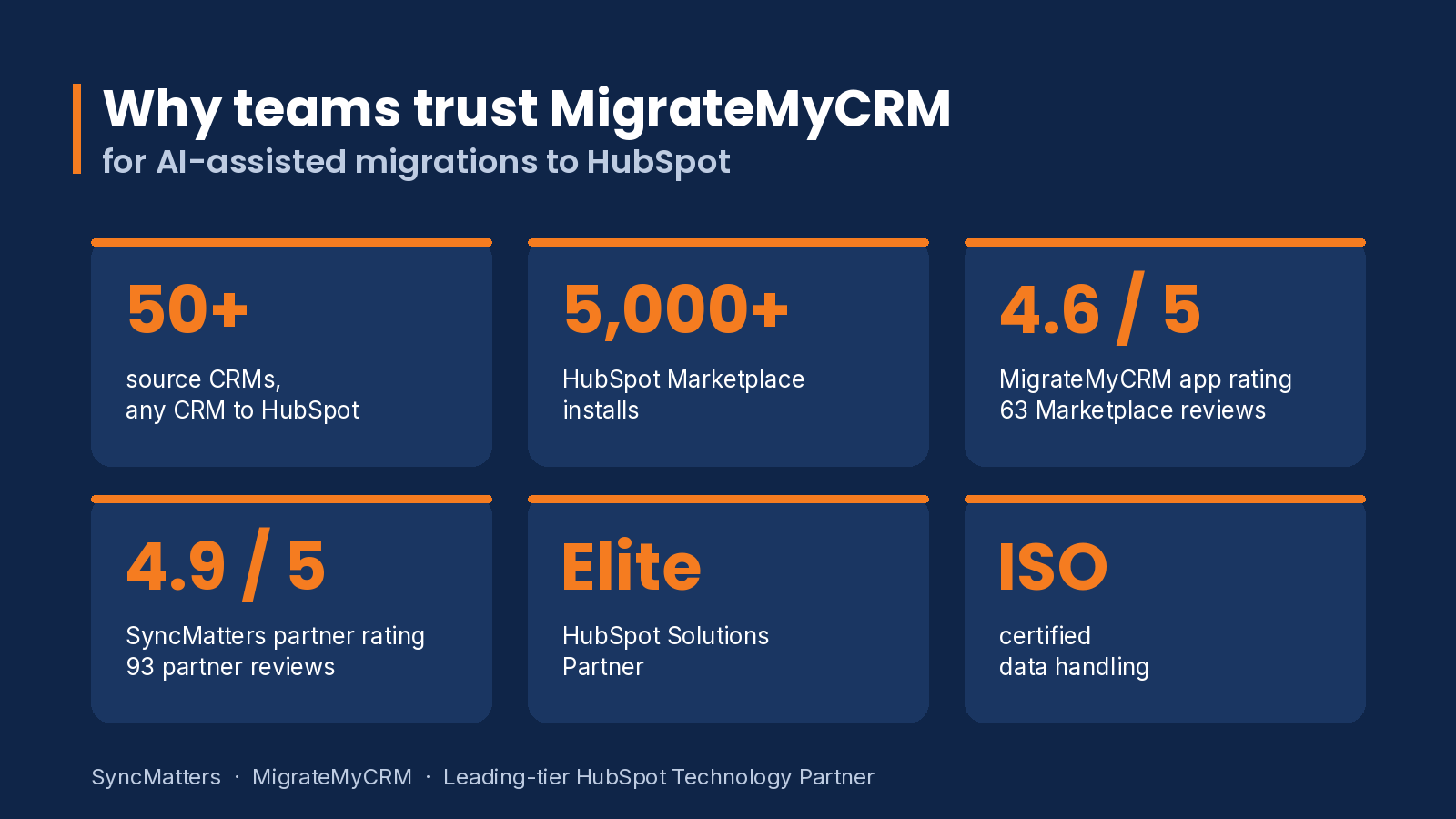
MigrateMyCRM is SyncMatters' migration platform. It moves data between more than 50 CRMs, so one tool covers routes such as Pipedrive to HubSpot, Salesforce to HubSpot, Zoho to HubSpot and many others. Pipedrive to HubSpot is the most common move, and the platform has dedicated pages for the most requested routes, including the Pipedrive to HubSpot migration page.
Four things set it apart for CRM teams:
- Built around CRM structures. The platform is designed around how CRMs store contacts, companies, deals, pipelines and activities, so relationships are carried across the move rather than flattened.
- Guided setup. A migration wizard walks you through connecting the source, choosing objects and reviewing field mappings. You do not need to write code or learn the API of either system.
- Built by an operator. SyncMatters is a Leading-tier HubSpot Technology Partner and is ISO certified. Its team has run CRM migrations and integrations for years, which shows in how the product handles real edge cases.
- Automation where it counts. The platform automates the work that takes time, such as matching fields, flagging likely duplicates and running validation, while your team keeps control of the decisions that depend on business context.
Suggested theme: why CRM migration needs a purpose-built tool, and what teams usually get wrong when they move data themselves."
— Darren Trumeter, CEO, SyncMatters
Our aim with MigrateMyCRM is simple: a team should be able to run a serious migration without a technical background, while the software handles the work that takes thinking and human hours. That means mapping suggestions, duplicate detection, validation and clear checkpoints, so your people can focus on the decisions only they can make.
How much a CRM migration costs
MigrateMyCRM prices by record volume, so the cost depends on how much data you move, not on how many users you have. The tiers below come from the official MigrateMyCRM pricing page. Prices can change, so check the pricing page before budgeting.
| Tier | Records | Price |
|---|---|---|
| Launch | Under 5,000 | $149 |
| Starter | Under 12,500 | $349 |
| Growth | Under 25,000 | $599 |
| Plus | Under 100,000 | $1,199 |
| Premium | Under 500,000 | $2,499 |
| Enterprise | 500,000 to 2 million | $3,499 |
Two optional add-ons change the picture. A Guided Migration add-on, at $875, adds a migration specialist, mapping verification, quality assurance and five hours of support, with delivery in one to two weeks. A Custom Migration is priced per project for complex requirements, such as custom supported CRMs, and takes three weeks or more. Most teams can start with a sample migration before committing to a tier, so they see how their own data maps.
Record counts include more than contacts. Activity history, notes and custom objects all count, so a list of 1,000 contacts with years of history can land in a higher tier than expected. Count your records across all objects before choosing a tier.
How to run a CRM migration with an AI tool, step by step
- Audit the source. Count records and object types. Identify duplicates, unused fields, and records owned by people who have left.
- Decide what to move. Choose between full history, active records only, or a cutoff date. Make this decision before you map anything.
- Review the mapping. Confirm that each source field lands in the right target field. Document the exceptions and the reasons for them.
- Run a test migration. Use a subset or a sandbox, then check counts, associations and owners against the source.
- Validate and fix. Reconcile the results and correct issues before the production run. Fixing a few records now is far cheaper than cleaning up thousands later.
- Run the full migration and cut over. Keep the source read-only until the new system is verified, so nothing gets written in two places at once.
- Monitor for a few weeks. Check automations, reports and integrations. They often need small adjustments after a move.
Common mistakes that derail CRM migrations
Most failed migrations share a few causes. The first is starting the mapping before agreeing on scope, so teams spend weeks mapping fields that were never going to be used.
The second is skipping the test run because the deadline is close, which usually costs more time than the test would have taken. The third is treating validation as a final check instead of a continuous one. Reconciling counts and associations after each stage catches problems while they are still small. A good AI tool helps with all three, but it cannot replace the planning.
Case study: a large Salesforce to HubSpot move
Scale is where planning matters most. iFLY, an indoor skydiving company with 48 offices, needed to move from Salesforce to HubSpot and had 100 HubSpot Sales Pro seats ordered. The team had more than 900,000 tasks to migrate, and sales operations could not stop during the move. Instead of running phased migrations that risked inconsistent data across offices, SyncMatters recommended two stages: move the complete dataset first, then run a delta migration that captured everything entered while the project was underway.
The result was that every office started in HubSpot with current data. The approach is worth copying on any large move: a full baseline load, then a delta run before cutover. Read the full comparison of CRM and ERP migration tools for more examples.
Migration checklist
Use this as a working list for any CRM move. Each item maps to a step above.
- Source record counts recorded for every object, including activities and custom objects
- Duplicates identified and a deduplication rule agreed
- Records owned by former employees reassigned
- Scope decided: full history, active records only, or a cutoff date
- Field mapping reviewed and signed off by the people who use the data
- Test migration completed and reconciled against the source
- Full migration run, followed by a delta run for records created during the project
- Automations, reports and integrations checked after cutover
Glossary of migration terms
Association. A link between two records, such as a contact linked to a company or a deal linked to a contact. Associations are often the first thing to break in a poor migration.
Cutover. The point at which the team stops using the old CRM and starts working in the new one. Source data is usually set to read-only at this stage.
Delta migration. A second, smaller run that moves only the records created or changed since the first full load. It is how teams avoid losing data entered during a long project.
Deduplication. Finding and merging records that represent the same person or company. It is best done on the source before the move.
Field mapping. The decision about which source field lands in which target field. Most migration errors start here.
Sample migration. A test run on a subset of records, used to check mapping and validation before the full move.
Related guides
If your move involves a specific CRM, these guides go deeper:
- Zoho to HubSpot migration: the complete guide
- Salesforce to HubSpot migration: a detailed step-by-step guide
- Moving quotes and subscriptions into HubSpot Revenue Hub
- The HubSpot migration and integration benchmark report
Frequently asked questions
What is the best AI data migration tool in 2027?
For CRM data, the best tool is one built for CRM structures that can map, transform and validate records between systems without requiring code. MigrateMyCRM is built for that job and moves data across more than 50 CRMs. For warehouse-to-warehouse pipelines, ETL platforms such as Fivetran or Matillion are often a better fit.
Can ChatGPT or Claude migrate my CRM data?
They can write migration scripts, and for a small one-off move that may be enough. A production migration also needs complete extraction, pagination, retries, validation and an audit trail, which a general chat model does not supply on its own.
How long does a CRM migration take?
It depends on the number of records, the number of objects and how clean the source data is. Most of the time goes into mapping decisions and validation rather than the transfer itself, so planning time is worth protecting. Guided add-on migrations are quoted at one to two weeks, and complex custom projects at three weeks or more.
How much does MigrateMyCRM cost?
Pricing depends on the number of records being migrated. Tiers start at $149 for under 5,000 records and go up to $3,499 for 500,000 to 2 million. The full tier list is in the pricing section above, and the official pricing page has the current details.
Is my data safe during an AI-assisted migration?
Check each vendor's security documentation, certifications and data-handling practices before you start. Ask where data is processed, how long it is kept and who can access it during the migration.
Which CRMs can MigrateMyCRM move data between?
MigrateMyCRM supports moves between more than 50 CRMs. For the most common routes, see the migration pages on MigrateMyCRM, such as Pipedrive to HubSpot.
Do I need technical skills to run a migration?
Not with a guided platform. Someone who understands the business data can run the wizard, review the mappings and approve the results. Engineers remain valuable for complex integrations, but they are not required for a standard CRM move.
The bottom line
The best AI data migration tool depends on the job. For a CRM, prioritize a platform that understands CRM relationships, shows you its mapping decisions, validates results and lets a non-engineer run the migration. That combination is what gets a move finished on time while keeping the history your sales team depends on.
If you are planning a move, start with a review of your source data, then test the migration on a sample before committing to the full run.