A Zoho to HubSpot migration moves your Zoho CRM records, relationships and history into HubSpot so your team can work there from day one. The transfer itself is the easy part. The work that decides success is the mapping: Zoho Leads, custom modules, multi-select fields, Blueprints and Deluge logic have no one-to-one twin in HubSpot.
The direct answer: to migrate from Zoho to HubSpot, (1) audit and clean your Zoho data, (2) set up HubSpot users, properties and pipelines, (3) map every Zoho module and field to a HubSpot object and property, (4) run a sample migration and check it, (5) run the full migration with associations and activity history, (6) run a delta migration to catch records created during cutover, then (7) rebuild automations and validate before go-live.
Key numbers for planning:
| Planning question | Typical answer |
|---|---|
| Data transfer runtime (self-service tool) | Under 36 hours for most SMB accounts |
| Full project, standard Zoho CRM setup | 1–2 weeks |
| Full project, custom modules, Zoho Desk or heavy automation | 3–8 weeks |
| Cost of an automated tool | From $99, priced by record count |
| Cost of a fully managed migration | From $3,500 per project |
| Biggest time constraint | Zoho CRM's daily API credit limit |
We have run more than 500 Zoho CRM migrations at SyncMatters. This guide is what we tell every team before they start: what moves cleanly, what breaks, and how to choose between HubSpot's free Smart Transfer, a migration tool and a managed project.
Why companies move from Zoho to HubSpot
Most teams leave Zoho for one reason: they want sales, marketing and service on one connected platform instead of a set of apps stitched together. Zoho is affordable and flexible, but that flexibility often grows into custom modules, Deluge scripts and separate Zoho Desk, Campaigns and Books data that no single person fully understands.
The triggers we hear most often from teams that come to us:
- One customer record. Marketing activity, sales emails and support tickets sit on the same HubSpot contact timeline, rather than in Zoho CRM, Zoho Campaigns and Zoho Desk separately.
- Adoption. Sales reps actually log activity in HubSpot because the interface asks less of them. Low CRM adoption is the hidden cost of staying.
- Marketing automation built in. Forms, landing pages, email, lead scoring and attribution live next to the CRM, not in a separate product.
- Revenue operations. Quotes, payments and reporting across the full funnel, now consolidated in HubSpot's Revenue Hub.
- Ecosystem. HubSpot's App Marketplace and partner network make integrations and outside help easier to find.
- Growth or acquisition. A company that acquired a HubSpot-based business, or is standardizing on HubSpot after a merger, needs Zoho data folded in.
If you are still deciding, compare total cost honestly: HubSpot seats usually cost more than Zoho seats, so the case rests on adoption, time saved on admin and fewer tools to maintain.
What data you can migrate from Zoho CRM to HubSpot
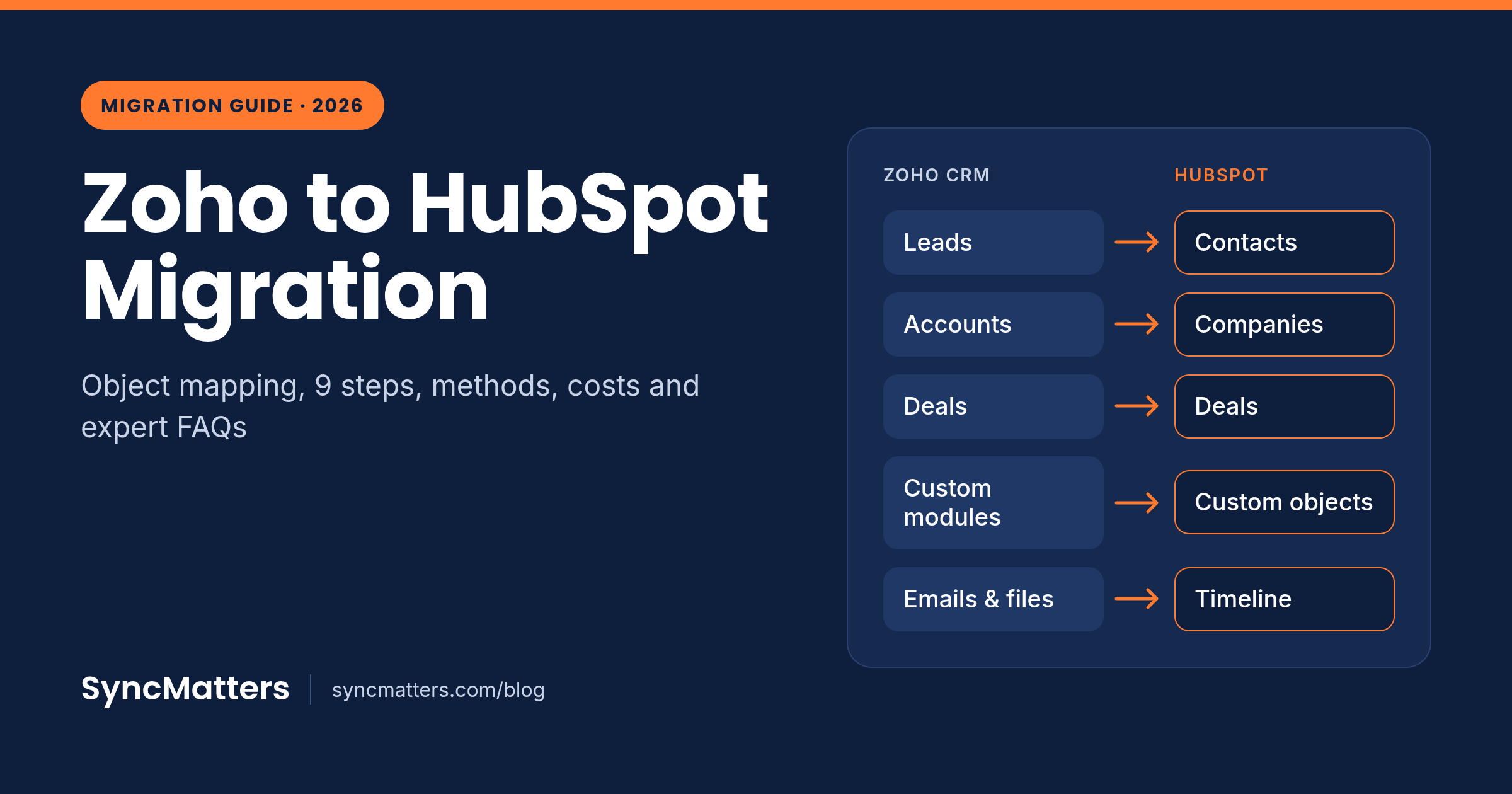
Almost all standard Zoho CRM data has a home in HubSpot; custom modules and process logic are where planning matters. Use this table as your starting map.
| Zoho CRM module | HubSpot object | Notes |
|---|---|---|
| Leads | Contacts (recommended), optionally plus HubSpot Leads | Same name, different meaning. See the pitfalls section. |
| Contacts | Contacts | Deduplicated by email in HubSpot |
| Accounts | Companies | Deduplicated by domain; watch auto-association |
| Deals (Potentials) | Deals | Map each Zoho pipeline and stage |
| Deal products | Deal line items | Prices, quantities, discounts |
| Products | Products | HubSpot has one product library |
| Quotes | Quotes | Historical quotes often go best as attached PDFs |
| Cases | Tickets | Pipelines and statuses need mapping |
| Tasks | Tasks | Keep owner and due date |
| Calls | Calls | Keep timestamp, duration, outcome |
| Meetings (Events) | Meetings | Keep attendees and time |
| Notes | Notes | Keep author and original date |
| Emails | Emails | Keep sender, recipients and sent date |
| Attachments and files | Attachments on the record | Exclude signature icons to save cost |
| Custom modules | Custom objects | Needs a HubSpot Enterprise subscription |
| Users | Users and owners | Create HubSpot users first, match by email |
| Workflows, Blueprints, Deluge | Not migrated as data | Rebuilt as HubSpot workflows and pipeline rules |
Zoho products outside the CRM follow their own path. Zoho Desk tickets need a separate Zoho Desk to HubSpot Service Hub migration. Zoho Campaigns lists become HubSpot lists or segments. Zoho Books usually stays and integrates rather than migrating, because accounting history belongs in accounting. See which objects MigrateMyCRM moves for Zoho CRM.
4 ways to migrate from Zoho to HubSpot
There are four realistic methods: CSV export and import, HubSpot Smart Transfer, an automated migration tool such as MigrateMyCRM, or a fully managed project. The right one depends on data volume, how much history you need and how custom your Zoho setup is.
| CSV export / import | HubSpot Smart Transfer | Automated tool (MigrateMyCRM) | Managed migration | |
|---|---|---|---|---|
| Cost | Free | Free with HubSpot | From $99, by record count | From $3,500 per project |
| Best for | Under ~5,000 records, no history needed | Standard Zoho CRM objects | Most SMB and mid-market moves | Custom modules, Zoho Desk, tight deadlines |
| Associations | Rebuilt manually by IDs | Yes, for supported objects | Yes, preserved automatically | Yes |
| Emails, notes, calls, files | Limited, extra files and manual work | Notes and attachments via a one-time post-sync transfer | Yes, with original dates and owners | Yes |
| Custom modules | Manual | Not supported | Yes, into custom objects | Yes |
| Test runs | Manual | Built-in audit and rollback | Unlimited free sample migrations | Included |
| Delta (catch-up) run | No | Ongoing sync while connected | Yes | Yes |
| Who does the work | Your admin | Your admin | Your admin, with optional expert | Migration team |
CSV export and import
Export each Zoho module to CSV and import it through HubSpot's import tool. It works for small, simple datasets. It breaks down on volume, on linking records to each other, and on emails and files, which standard exports don't capture fully.
HubSpot Smart Transfer
HubSpot Smart Transfer is HubSpot's free native tool and supports Zoho CRM. It syncs standard objects through Data Sync and moves Zoho attachments and notes in a one-time post-sync transfer. It does not transfer custom objects, and it only works while your Zoho account is active with API access. It is a good fit when your Zoho setup is close to standard.
Automated migration tool
A dedicated tool connects to both systems through their APIs, auto-maps fields, keeps associations and moves full activity history. With MigrateMyCRM you run free sample migrations until the mapping looks right, then pay for the full run. Filters let you leave stale records behind, and a delta migration catches anything created during cutover.
Managed migration
A migration team scopes, maps, cleans, migrates and validates for you. Choose this when you have custom modules, both Zoho CRM and Zoho Desk, multiple currencies or no internal admin with time to spare.
How to migrate from Zoho to HubSpot: 9 steps
Follow these nine steps in order. Skipping the first three is the most common reason a migration has to be redone.
Step 1. Audit your Zoho CRM
List every module in use, including custom modules, and count records per module. Note which fields are actually filled in: a field populated on 2% of records rarely deserves a HubSpot property. Export your workflows, Blueprints, assignment rules and Deluge functions so you know what has to be rebuilt.
Step 2. Decide what not to migrate
Set cut-off rules before you map anything. Typical examples: leads untouched for 3+ years, closed-lost deals older than 5 years, test records and unsubscribed contacts with no deals. Every record you skip saves money, API credits and cleanup later.
Step 3. Clean and deduplicate in Zoho
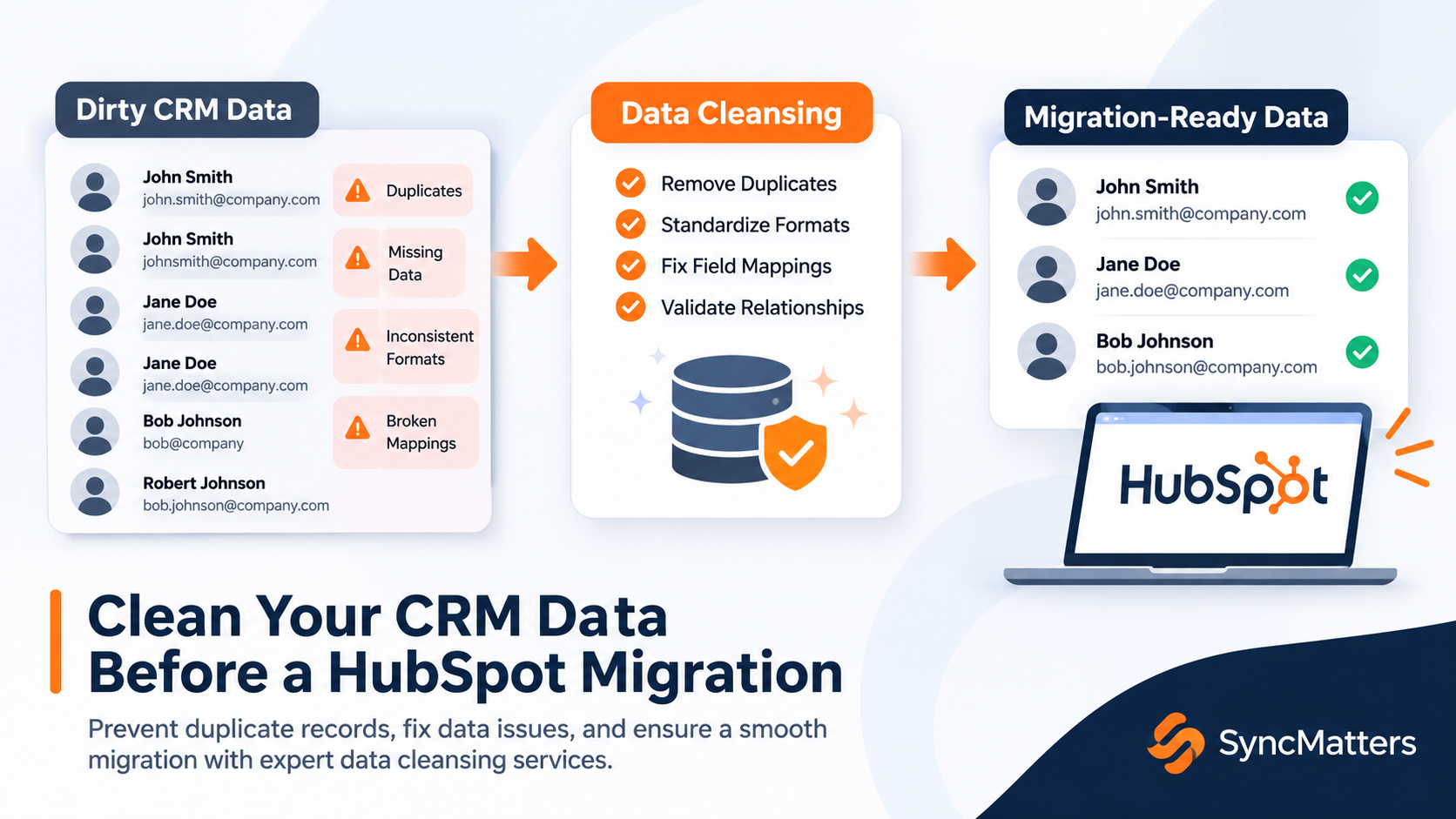
Merge duplicate leads, contacts and accounts in Zoho first, where you know the data. Standardize phone formats, country names and picklist values. HubSpot deduplicates contacts by email and companies by domain, so messy source data turns into silent merges or orphaned records.
Step 4. Prepare HubSpot
Create HubSpot users before migrating so owners map by email. Build deal and ticket pipelines, custom properties with matching field types, and custom objects if you have Enterprise. Turn off automatic company association by domain during the migration, and switch off any workflows that would fire on new records.
Step 5. Map objects and fields
Map each Zoho module to a HubSpot object and each field to a property, using the table above as a base. Pay special attention to Leads, lookup fields (they become associations), multi-select picklists (they become multiple-checkbox properties) and currencies. Add a "Zoho record ID" property to every object so you can trace and update any record later.
Step 6. Run a sample migration
Migrate a small, varied sample: a few accounts with many contacts, deals in each pipeline stage, records with attachments and long email threads. Open them in HubSpot and check fields, owners, associations and timeline dates. Adjust the mapping and repeat until the sample is right.
Step 7. Run the full migration
Schedule the full run outside peak hours, because it consumes Zoho API credits that your other integrations also need. Move records first, then associations, then activities and files. Keep users working in Zoho during this run.
Step 8. Cut over with a delta migration
Pick a cutover moment, freeze changes in Zoho, and run a delta migration to bring over anything created or updated since the full run. Then switch the team to HubSpot and set Zoho to read-only.
Step 9. Validate, rebuild and train
Compare record counts per object between Zoho and HubSpot, spot-check key accounts, and rebuild your automations as HubSpot workflows. Train each team on the views and pipelines they use daily. Keep Zoho read-only access for at least 30 days before you cancel it.
8 Zoho-specific pitfalls and how to avoid them
These are the problems we see in Zoho to HubSpot migrations specifically, not in CRM migrations in general.
1. Zoho Leads are not HubSpot Leads
In Zoho, a Lead is an unqualified person record that you later convert into a Contact, Account and Deal. In HubSpot, a Lead is a separate record attached to an existing contact or company. Mapping Zoho Leads straight to HubSpot Leads leaves you with leads that have no contact behind them. Fix: migrate Zoho Leads as HubSpot contacts with lifecycle stage "Lead" and a "Zoho source: Lead" property. Create HubSpot Lead records only for the ones your reps are actively working. More in our guide on migrating Leads to Leads or Contacts in HubSpot.
2. Zoho CRM and Zoho Desk hold overlapping people
Zoho CRM and Zoho Desk keep separate contact and account bases that only partly overlap, and they don't share activity. Migrating both without a matching rule doubles your contacts. Fix: migrate Zoho CRM first, then migrate Zoho Desk with matching on email and company domain so tickets attach to existing records.
3. API credits run out mid-migration
Zoho CRM limits API usage per rolling 24-hour window. Zoho's documentation lists 5,000 credits plus 250 per user on Standard, 10,000 plus 500 per user on Professional, and 15,000 plus 1,000 per user on Enterprise, each with an edition cap. A large migration can use a whole day's credits and stall your other integrations. Fix: check your Zoho API request usage first, schedule large runs overnight or over a weekend, or buy add-on credits for the migration window.
4. Lookup fields become associations, not text
A Zoho lookup field that points to an account or contact must become a HubSpot association. Migrated as plain text, the link is lost. Fix: map every lookup to an association, and use association labels where the relationship has a role, such as "Billing contact" or "Decision maker". See how MigrateMyCRM handles associations in Zoho.
5. Field types don't match
Zoho multi-select picklists become multiple-checkbox properties, and every option value must exist in HubSpot before import. Formula fields don't recalculate after migration; rebuild them as HubSpot calculation properties. Subforms have no native equivalent: they become line items, a custom object or a text summary.
6. Blueprints, workflows and Deluge don't migrate
Automation is logic, not data. No tool moves it. Fix: document each Zoho workflow and Blueprint, decide which still matter, and rebuild them as HubSpot workflows, pipeline stage rules and required properties. This is also the moment to retire automations nobody remembers building.
7. Files inflate cost and miss what matters
Signature icons and social logos from emails can make up a large share of Zoho file counts. Meanwhile, standard exports often miss valuable contracts and proposals. Fix: filter out tiny image files and migrate attachments through the API so they stay on the right record.
8. HubSpot automatic merges and associations
HubSpot merges contacts that share an email and can auto-associate contacts to companies by domain. Both can create wrong links during a migration. Fix: deduplicate in Zoho first, turn off auto-association by domain during import, and match on record IDs instead.
How long a Zoho to HubSpot migration takes and what it costs
The data transfer usually takes hours to a couple of days; the full project takes 1–2 weeks for a standard setup and 3–8 weeks for a complex one. Planning, mapping and validation take longer than the transfer itself.
| Migration option | Price | Typical delivery | What's included |
|---|---|---|---|
| Self-service (MigrateMyCRM wizard) | From $99, by record count | Transfer under 36 hours | AI field mapping, unlimited free samples, record matching, filters, delta migration, chat support |
| Guided migration | $875 add-on | 1–2 weeks | Everything above plus a migration specialist, 5 hours of dedicated support and QA |
| Custom migration | From $3,500 per project | 3+ weeks | Full scoping, custom modules, cleanup, milestone reports and QA |
Four factors drive your timeline and price:
- Record volume, especially emails, notes and files, which often outnumber contacts several times over.
- Zoho API credits available per day on your edition.
- Customization: custom modules, subforms and multiple pipelines add mapping time.
- Scope beyond the CRM: Zoho Desk, Campaigns or Books add separate workstreams.
You can see your exact record count and price before committing in the MigrateMyCRM estimator. Full pricing is on our migration pricing page.
Post-migration checklist
Before you switch Zoho to read-only, confirm each item below. Copy it into your project plan.
- Record counts per object match between Zoho and HubSpot, minus records you deliberately filtered out
- 20 key accounts spot-checked: contacts, deals, tickets and files all attached
- Record owners correct, including deactivated Zoho users
- Email, call and meeting timestamps show original dates, not the migration date
- Deal amounts, currencies and close dates match
- Pipelines and stages match the agreed mapping
- Multi-select and dropdown values present and correct
- Every record carries its Zoho record ID
- Rebuilt workflows tested on test records before switching on
- Forms, integrations and email sending domain point to HubSpot
- Team trained on daily views, pipelines and reports
- Zoho kept read-only for at least 30 days
What migration experts say
"The Zoho migrations that go wrong almost never fail on the transfer. They fail on the Leads decision. Teams map Zoho Leads to HubSpot Leads because the names match, then discover half their database has no contact behind it. Decide what a Zoho Lead means in your business before you map a single field."
— Lucy Gisa Muganwa, Team Lead, Data Operations, SyncMatters [DRAFT — confirm with Lucy]
"Run the sample until it's boring. If you open twenty migrated records in HubSpot and nothing surprises you, you're ready for the full run. Every surprise you find in the sample is one your sales team won't find on day one."
— Darren Trumeter, CEO, SyncMatters [DRAFT — confirm with Darren]
"A migration is the cheapest moment you'll ever have to clean your CRM. Leave the dead leads and the unused fields in Zoho. HubSpot should start with the data your team actually uses."
— Ivan Karp, VP of Marketing, SyncMatters [DRAFT — confirm wording]
From a SyncMatters customer:
"I've done many data conversions in my past, but I've never converted one CRM into another in under one week."
— Lorenzo Vallone, Chief Operating Officer, Cleanbox Technology
Zoho to HubSpot migration FAQ
How long does it take to migrate from Zoho to HubSpot?
The data transfer itself usually runs in under 36 hours with an automated tool. A full project with planning, mapping and validation takes 1–2 weeks for a standard Zoho CRM setup and 3–8 weeks when custom modules, Zoho Desk or heavy automation are involved.
How much does a Zoho to HubSpot migration cost?
CSV import and HubSpot Smart Transfer are free. Automated tools like MigrateMyCRM start from $99 and are priced by record count. Fully managed migrations start from about $3,500, depending on volume and customization.
Can I migrate from Zoho to HubSpot for free?
Yes, with CSV export and import or HubSpot Smart Transfer. Both suit standard data. They become costly in staff time when you need full email history, files, custom modules or exact associations.
Does HubSpot Smart Transfer support Zoho CRM?
Yes. Smart Transfer syncs standard Zoho CRM objects and moves attachments and notes in a one-time post-sync transfer. It does not transfer custom objects, and your Zoho account must stay active with API access during the transfer.
Should Zoho Leads become HubSpot Leads or Contacts?
In most cases, Contacts. Zoho Leads are standalone person records, while HubSpot Leads must be attached to an existing contact or company. Migrate Zoho Leads as contacts with lifecycle stage "Lead", then create HubSpot Lead records only for prospects your reps are actively working.
Will I lose my email history when migrating from Zoho?
Not if you migrate through the API. CSV exports capture emails poorly. API-based tools move emails, calls, meetings and notes with their original dates, owners and parent records.
Can I migrate Zoho custom modules to HubSpot?
Yes, into HubSpot custom objects, which require a HubSpot Enterprise subscription. On lower tiers, custom module data usually goes into properties on standard objects or into notes.
Do Zoho workflows and Blueprints migrate to HubSpot?
No. Automations are logic, not data, so no tool migrates them. Document each workflow, Blueprint and Deluge function, then rebuild the ones you still need as HubSpot workflows and pipeline rules.
Can I migrate Zoho Desk tickets to HubSpot?
Yes, into HubSpot tickets in Service Hub. Migrate Zoho CRM first, then Zoho Desk with matching rules, because the two products keep overlapping contact bases that would otherwise duplicate.
Can my team keep using Zoho during the migration?
Yes. Run the full migration while the team keeps working in Zoho, then run a delta migration at cutover to bring over anything created or changed since. Downtime is usually a few hours.
Can I migrate only emails and attachments from Zoho to HubSpot?
Yes. If your contacts, companies and deals are already in HubSpot, a tool like MigrateMyCRM can match existing records and attach only the emails and files to the right ones.
Will Zoho API limits slow down my migration?
They can. Zoho CRM allows a set number of API credits per rolling 24-hour window based on your edition and user count. Check your API dashboard, schedule big runs overnight, or buy add-on credits for the migration window.
Start your Zoho to HubSpot migration
A successful Zoho to HubSpot migration comes down to three decisions made early: what to leave behind, how to treat Zoho Leads, and which method fits your data. Get those right and the transfer itself is routine.
See how your own data lands before you pay anything. MigrateMyCRM lets you connect Zoho CRM and HubSpot, auto-map your fields and run unlimited free sample migrations. SyncMatters is an ISO 27001 certified HubSpot partner, and our specialists can guide you or run the whole project.
Run a free sample migration → · See Zoho to HubSpot migration options · Request a custom quote
Sources
- Supported apps for HubSpot Smart Transfer — HubSpot Knowledge Base
- Zoho CRM API limits — Zoho CRM developer docs
- Kaizen #34 – API Credits — Zoho community