










Skip to content

Migrating data into HubSpot Revenue Hub

HubSpot Revenue Hub · Data Migration


The complete guide to migrating your quotes, contracts, subscriptions, and billing data into HubSpot Revenue Hub — whether it's coming from an ERP, accounting platform, or legacy CPQ. We cover the gaps HubSpot's native tools won't fill, and how to avoid losing history in the process.


HubSpot Elite Partner | 🛡️ ISO 2700 | 🔒 GDPR Compliant

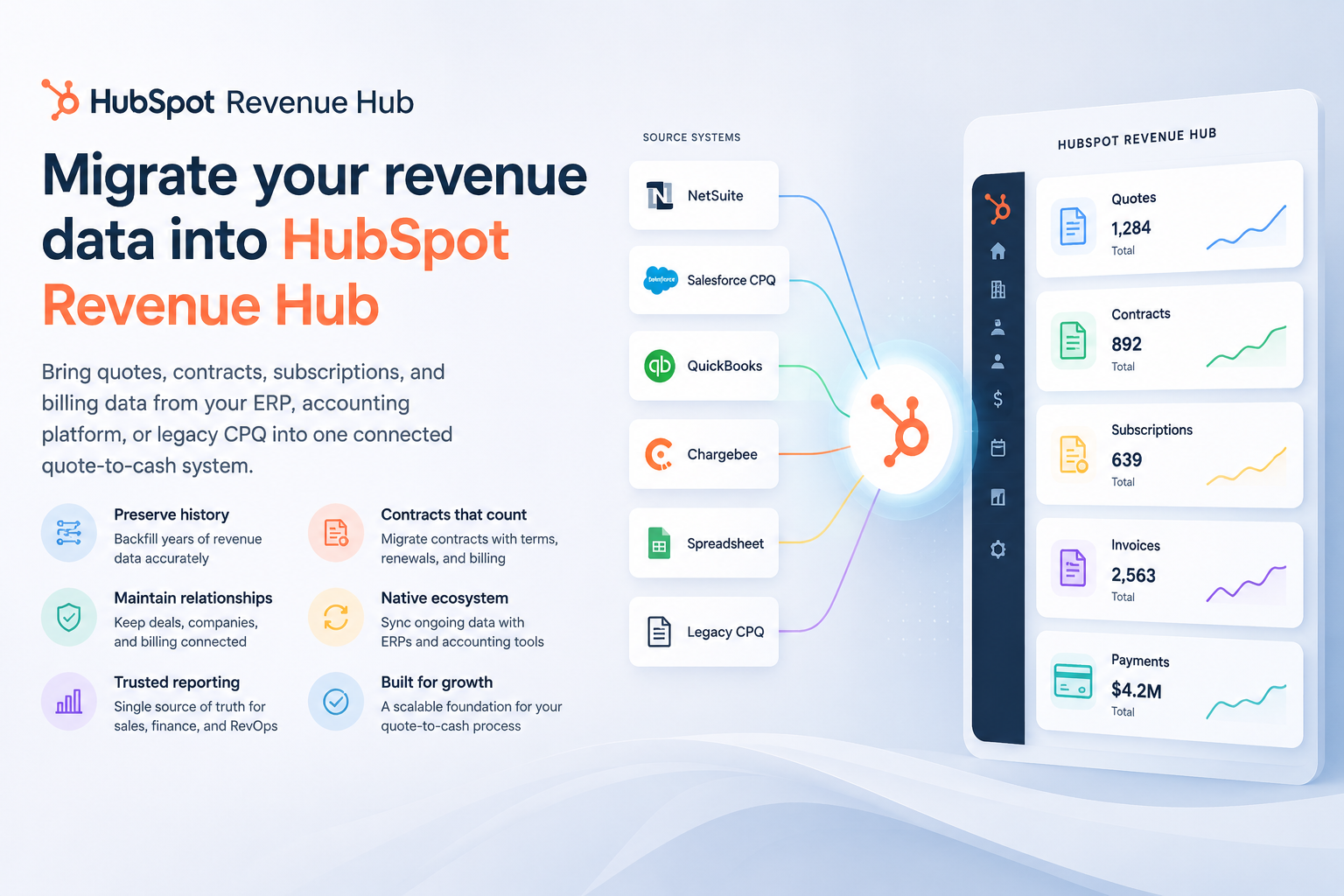
HubSpot Revenue Hub dashboard showing quotes, subscriptions, and revenue reporting on desktop and mobile

The story nobody's writing about

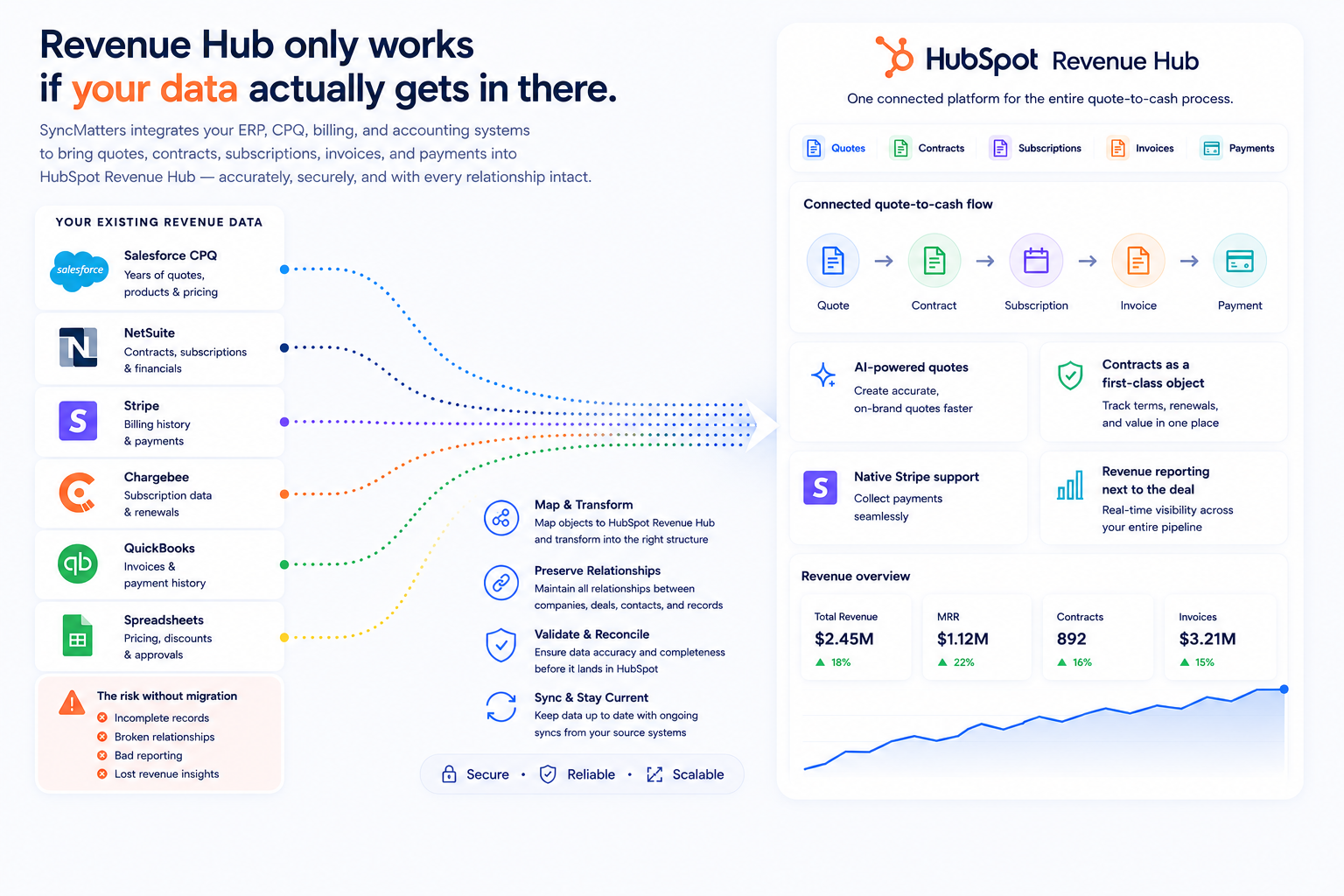
Revenue Hub only works if your data actually gets in there

Since HubSpot renamed Commerce Hub to Revenue Hub and folded quoting, contracts, subscription billing, invoicing, and payments into a single quote-to-cash flow, most of the conversation has been about the product: AI-generated quotes, Contracts as a first-class object, native Stripe support, revenue reporting that finally lives next to the deal.

That's the easy part to get excited about. The harder question — the one that determines whether Revenue Hub actually works or just becomes another half-populated tab in your CRM — is how your existing revenue data gets in there.

Most companies adopting Revenue Hub aren't starting from zero. Years of quotes in a legacy CPQ tool. Contracts in NetSuite or a document repository. Billing history in Stripe, Chargebee, or QuickBooks. Pricing spread across spreadsheets nobody wants to admit still run the business.

That's a migration project — and a materially different one than a typical CRM migration, because Revenue Hub introduces object types that most legacy systems don't model the same way HubSpot does.

Diagram showing how HubSpot Revenue Hub connects quotes, contracts, and billing data into one system

Definition

What is HubSpot Revenue Hub, briefly

Revenue Hub is HubSpot's connected system for the full quote-to-cash motion — quoting (CPQ), contracts, subscription billing, invoicing, and payments — built on the same customer and deal data that lives in Sales Hub. It's the evolution of Commerce Hub, expanded to treat contracts as living records rather than static PDFs.

The pitch is simple: what gets sold is what gets billed, and everyone is looking at the same numbers.

The catch is that "single source of truth" only works if the truth actually makes it into HubSpot. Which brings us to migration.

What data actually needs to move into Revenue Hub

Each category carries different migration considerations. Separate them before you touch any tooling.

Version control

Quotes & quote history

Active, in-flight quotes move with line items, pricing, discount logic, and approval status intact. Historical quotes matter for reporting and audit trail.


Add field

Contracts (Highest risk)

A distinct object in Revenue Hub — connected to deals, companies, and billing, with renewal dates, terms, ACV, ARR, and MRR. Most legacy systems have no equivalent.

Object mapping

Subscriptions & recurring revenue

Billing frequency, term length, auto-renewal status, proration rules, and the full history of upgrades, downgrades, and cancellations.

Free samples

Products & pricing

Catalog, SKUs, price books, and tiered or volume pricing in a form the CPQ engine can actually quote against — not just a flat list.

Field editing

Invoices & payment history

Past invoices, payment status, outstanding balances, and stored payment methods — especially with HubSpot Payments or Stripe connected.

Field details

Companies, contacts, deals

The foundation everything else attaches to. If this layer isn't clean, every object built on top of it inherits the mess.


Source systems

Where this data is actually coming from

Most companies are pulling from more than one bucket at once.

Icon representing quotes and quote history data

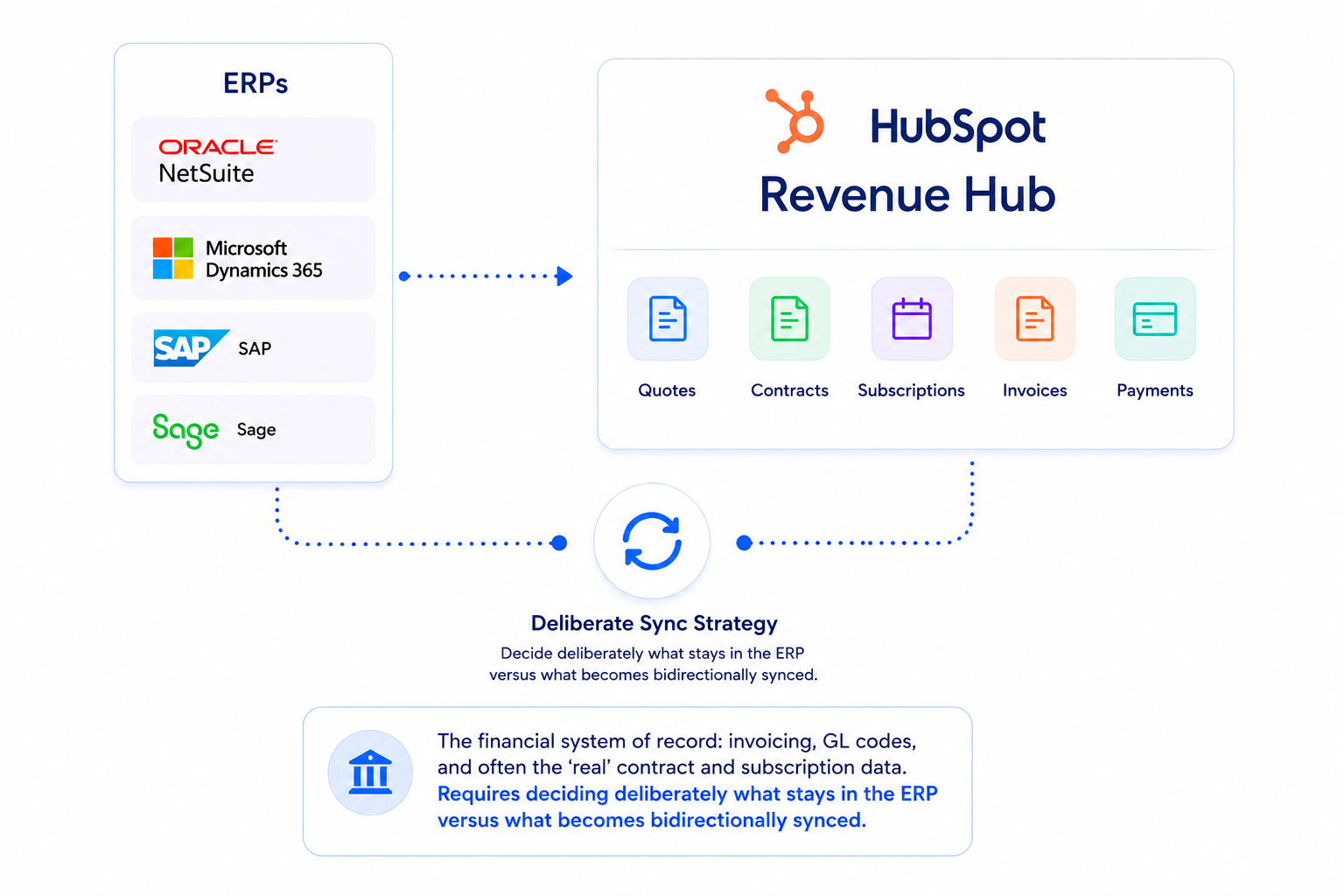
ERPs: NetSuite · Dynamics 365 · SAP · Sage

The financial system of record: invoicing, GL codes, and often the 'real' contract and subscription data. Requires deciding deliberately what stays in the ERP versus what becomes bidirectionally synced.
Icon representing contracts, the highest-risk data type in Revenue Hub migration

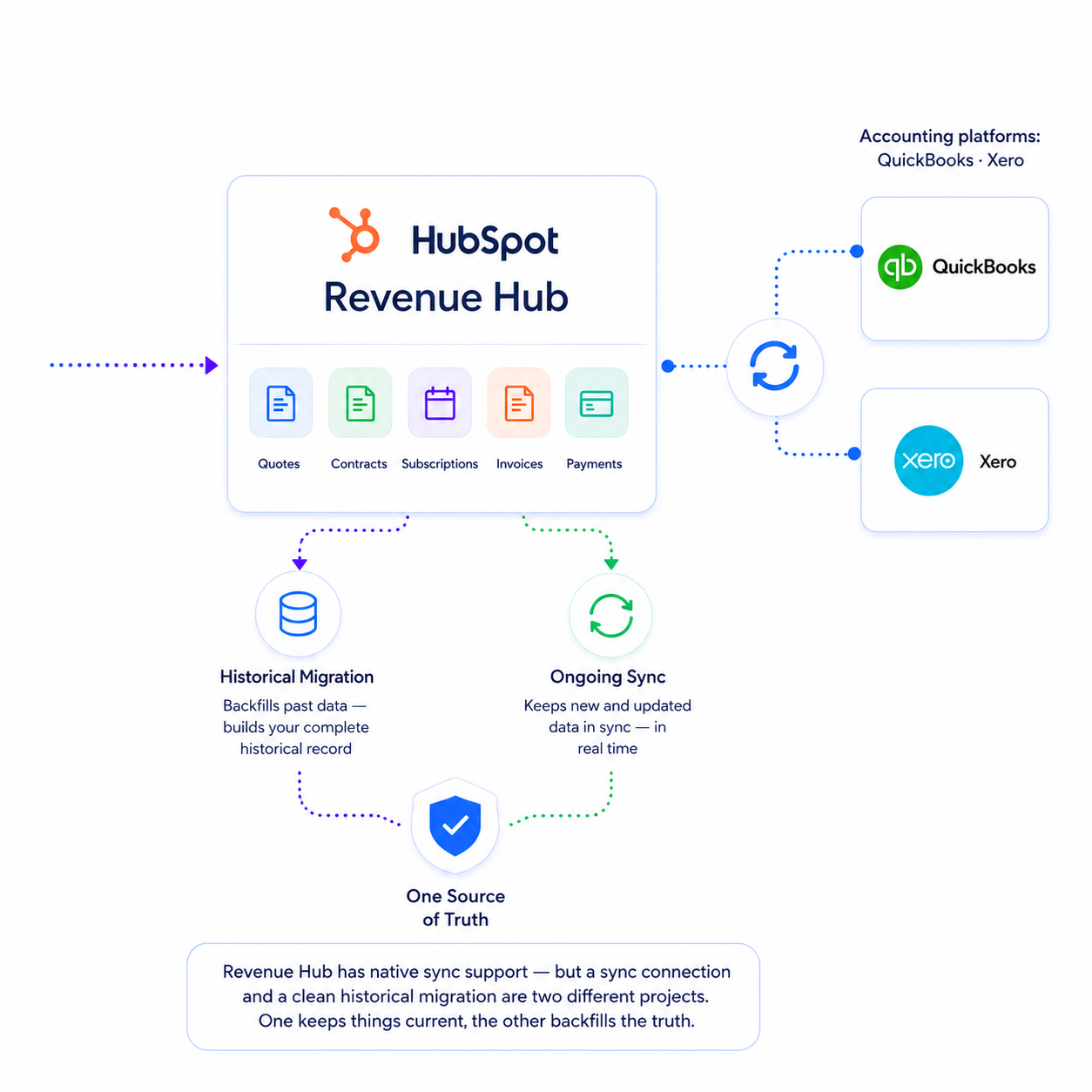
Accounting platforms: QuickBooks · Xero

Revenue Hub has native sync support — but a sync connection and a clean historical migration are two different projects. One keeps things current, the other backfills the truth.
Icon representing subscriptions and recurring revenue data

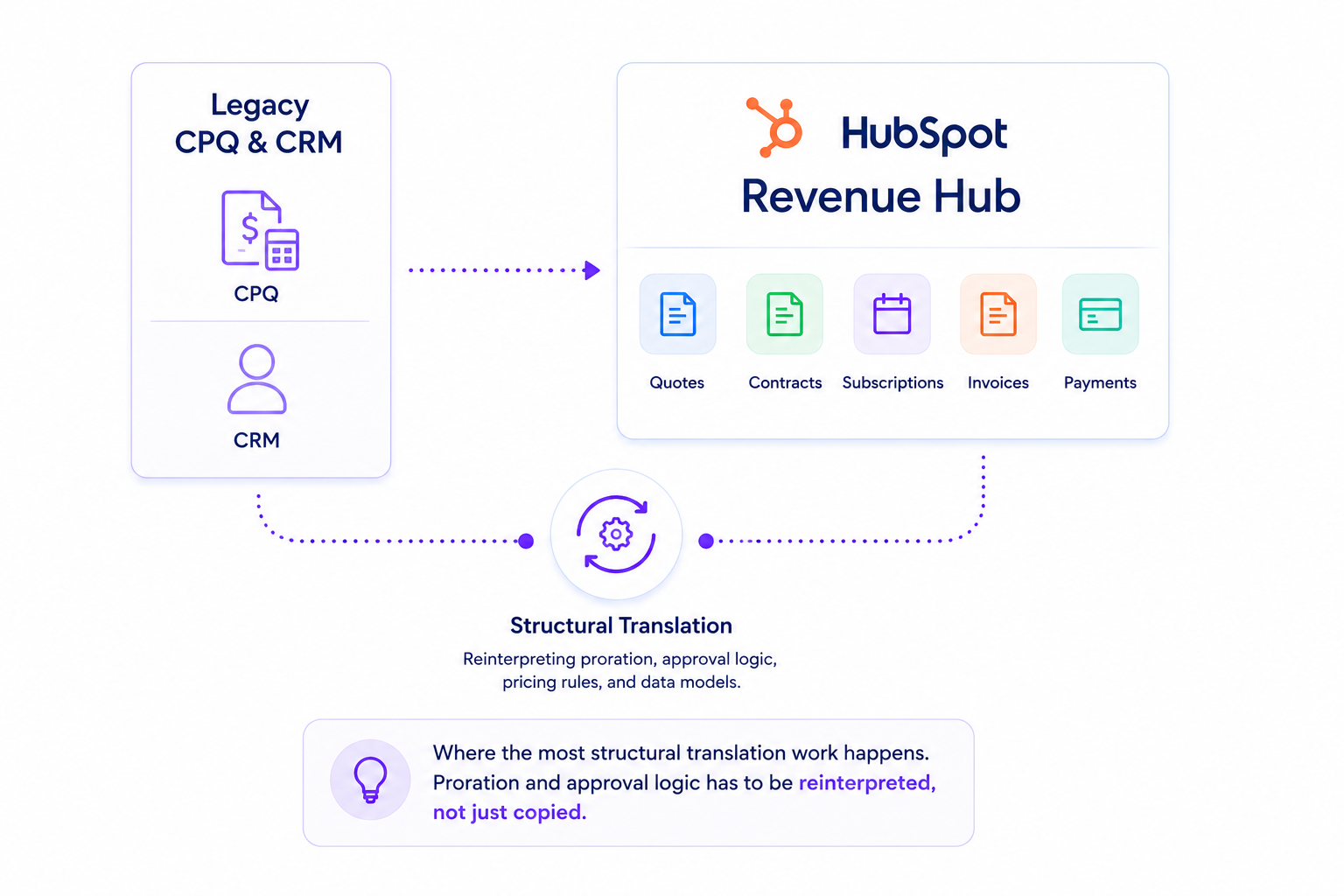
Legacy CPQ & CRM

Where the most structural translation work happens. Proration and approval logic has to be reinterpreted, not just copied.
Icon representing products and pricing data

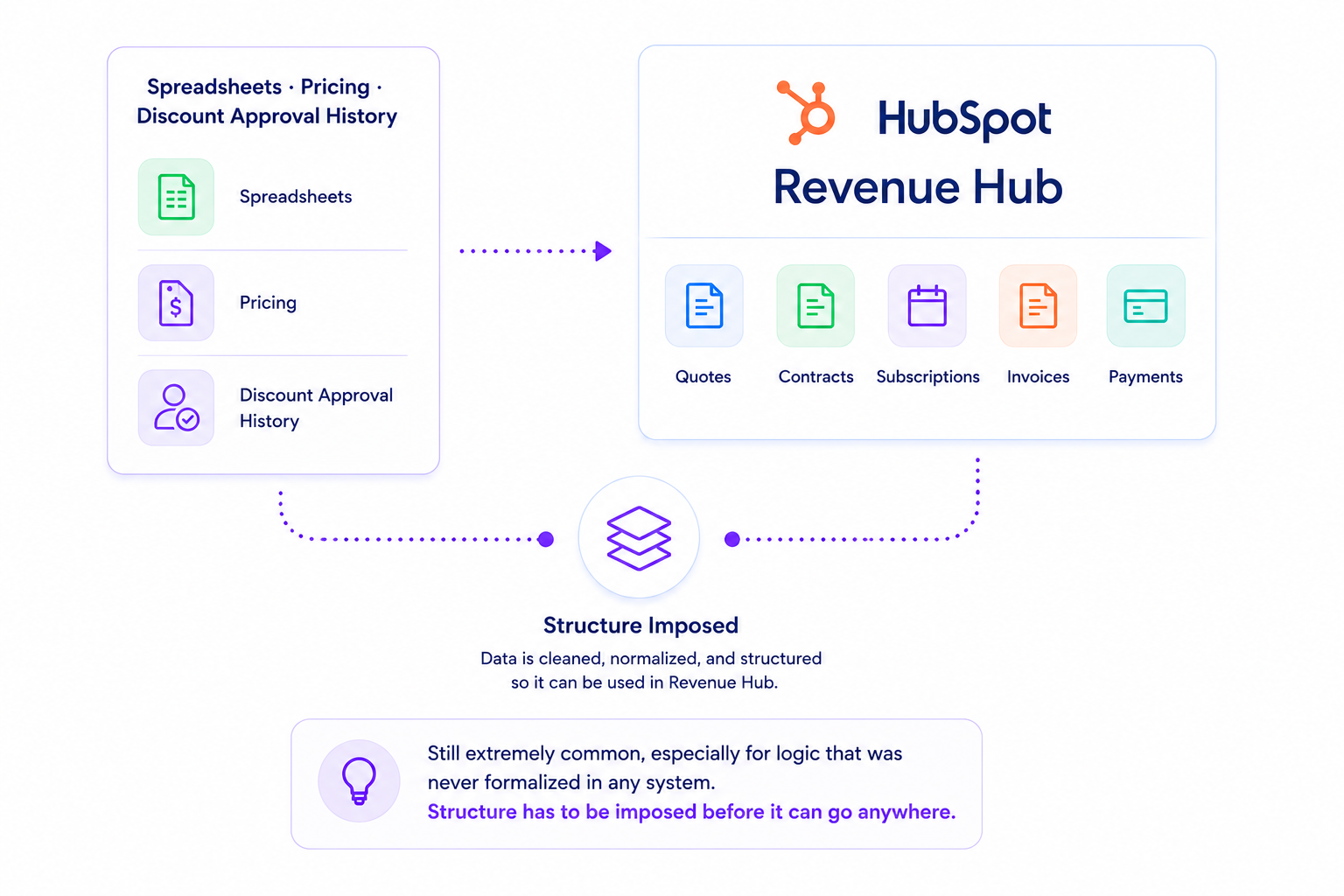
Spreadsheets · Pricing · discount approval history

Still extremely common, especially for logic that was never formalized in any system. Structure has to be imposed before it can go anywhere.

The gap

Where HubSpot's native tooling stops

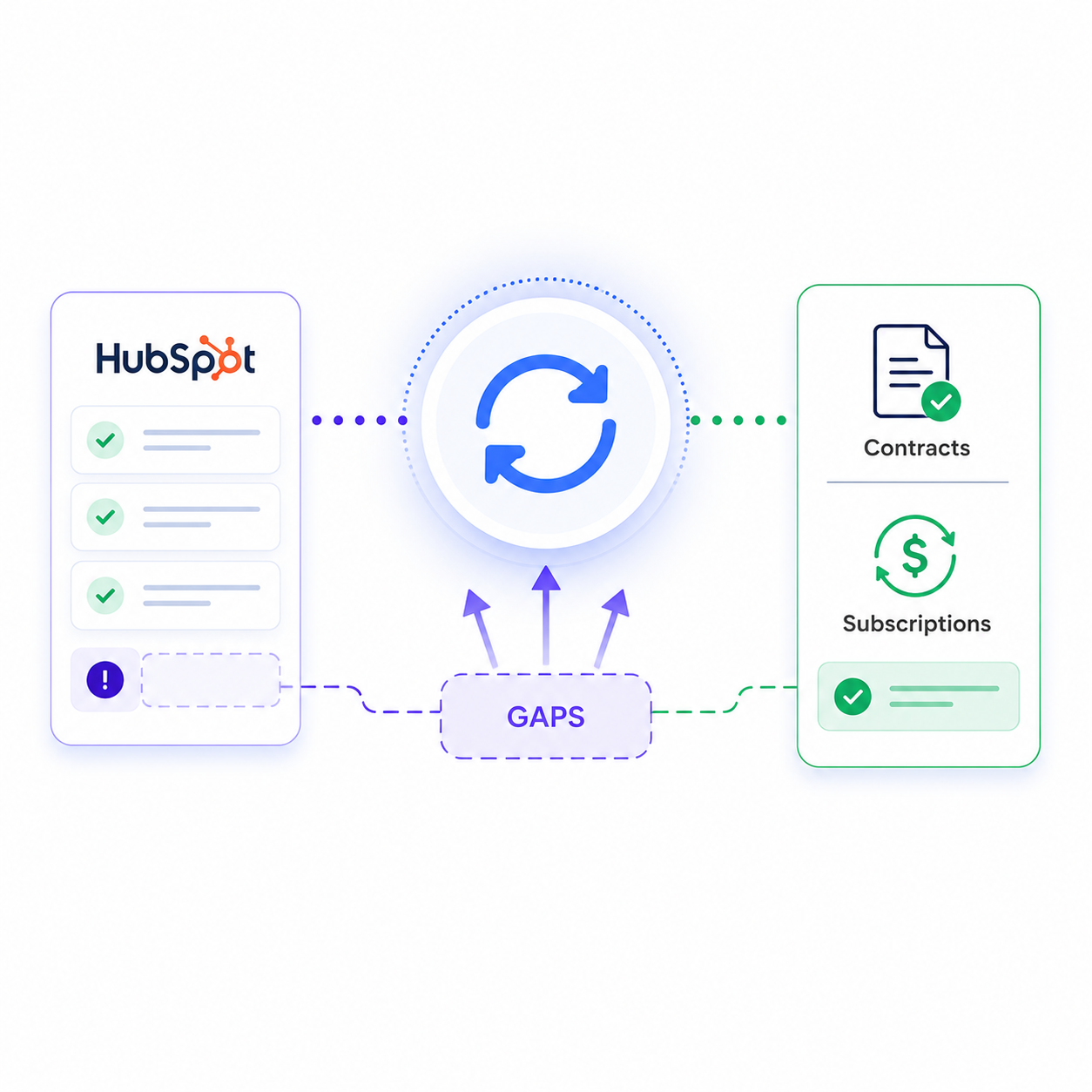
It's easy to assume "Revenue Hub" means a general-purpose import wizard for all of this. It doesn't. Knowing the gaps up front saves a lot of pain mid-project.

needs-review-flag-icon

The quote template tool migrates structure, not data

HubSpot's tool moves legacy quote templates into the new quoting engine. Its own migration report flags anything that 'needs review' rather than auto-resolving it.

needs-review-flag-icon

Contract imports aren't supported natively

Subscription-to-contract migrations have no out-of-the-box path into properly structured Contract records with correct lifecycle, renewal, and billing associations.

needs-review-flag-icon

Accepted legacy quotes don't create Contracts

Even inside HubSpot's own ecosystem, old and new don't reconcile themselves.

needs-review-flag-icon

Native syncs don't backfill history

NetSuite, QuickBooks, Xero, and Stripe syncs handle ongoing flow well. They aren't designed to backfill years of contract, subscription, and billing data — or reconcile it against records already in HubSpot.

HubSpot built Revenue Hub to be an excellent place to run quote-to-cash going forward. It did not build a general-purpose tool to get you there from wherever your data lives today.

A framework for migrating into Revenue Hub

Whether you're doing this yourselves or bringing in outside help, the same sequence holds up regardless of source system.

1-1

Audit before you map anything


Inventory every system holding quote, contract, subscription, or billing data. Identify the real system of record versus a stale copy. This step surfaces most conflicting-numbers problems before they become HubSpot's problem..

2-1

Build the object model first, not the field mapping


Decide how a Zuora subscription, a Salesforce CPQ quote, or an ERP sales order translates into deals, quotes, contracts, line items, and subscriptions. Field-level mapping comes after.

3-1

Decide matching and de-duplication logic per object


A contract should never be created twice for the same agreement. Define matching criteria — account ID, contract number, subscription ID — before migrating a single record.

4-1

Preserve associations, not just data


A contract without its linked deal, company, and billing history is just a record sitting alone. The value of Revenue Hub is the connections.

number-five-icon

Migrate historical data separately from live sync


Get the backfill right first, on its own timeline. Doing both at once is the most common source of duplicate and conflicting records.

number-six-icon

Run a sample migration before the full one


Migrate a representative slice across each source system and object type — and have sales, finance, and RevOps each sign off before scaling.

number-seven-icon

Reconcile against the source of truth


Tie out totals: total ARR, open invoices, active subscriptions. If HubSpot doesn't match the ERP, find out why before anyone reports off it.

What we see go wrong

Common pitfalls

Treating the ERP sync as the migration

Turning on NetSuite or QuickBooks sync gets current-state data flowing. It does not backfill three years of contract and subscription history.

Migrating contracts as flat records

A contract not tied to its deal, renewal schedule, and billing history loses most of its value in Revenue Hub.

Assuming legacy quotes convert automatically

They don't, even within HubSpot. Anything 'accepted' under the old tool needs its own path into the new Contract object.

Skipping de-duplication

The same customer can have multiple contracts, subscriptions, and billing entities that don't share an obvious key.

Migrating everything at once

Sequencing by object gives you checkpoints to catch problems before they compound.

Losing activity history in the handoff

Notes, emails, and call logs attached to a contract or deal often don't carry over with it. When that deal comes up for renewal, the person handling it has no record of what was promised or discussed — just a bare object with no context.


How SyncMatters helps

This is exactly the gap SyncMatters exists to close

As a member of HubSpot's Revenue Hub Partner Advisory Council, SyncMatters has early access to Revenue Hub's functionality and integration roadmap — so we're not reverse-engineering the platform's limitations after they cause a client problem. We know where they are ahead of time and plan around them.

SyncMatters logo - Light-3

The technology is ready. The real question is whether your processes and data are ready to take advantage of it.
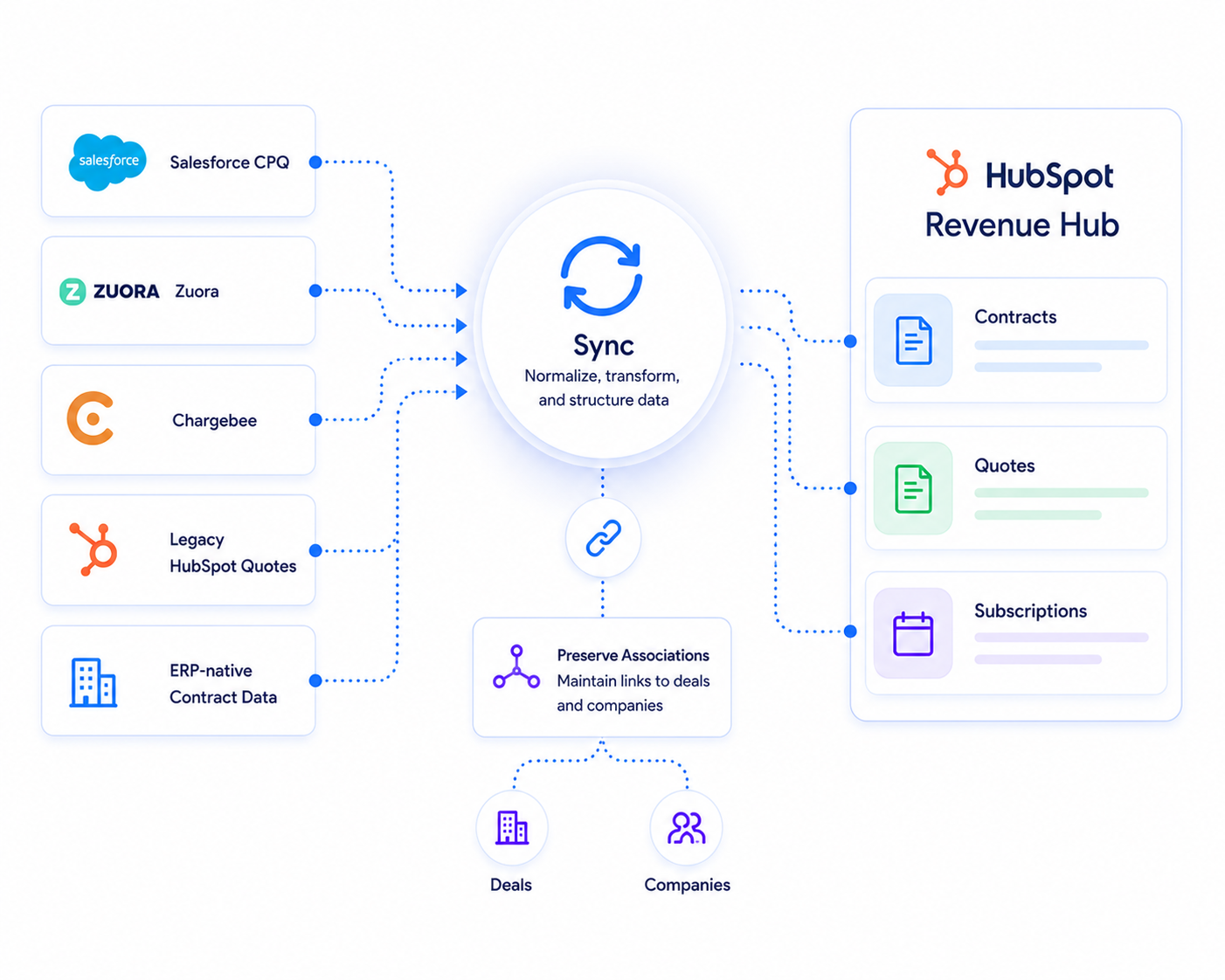
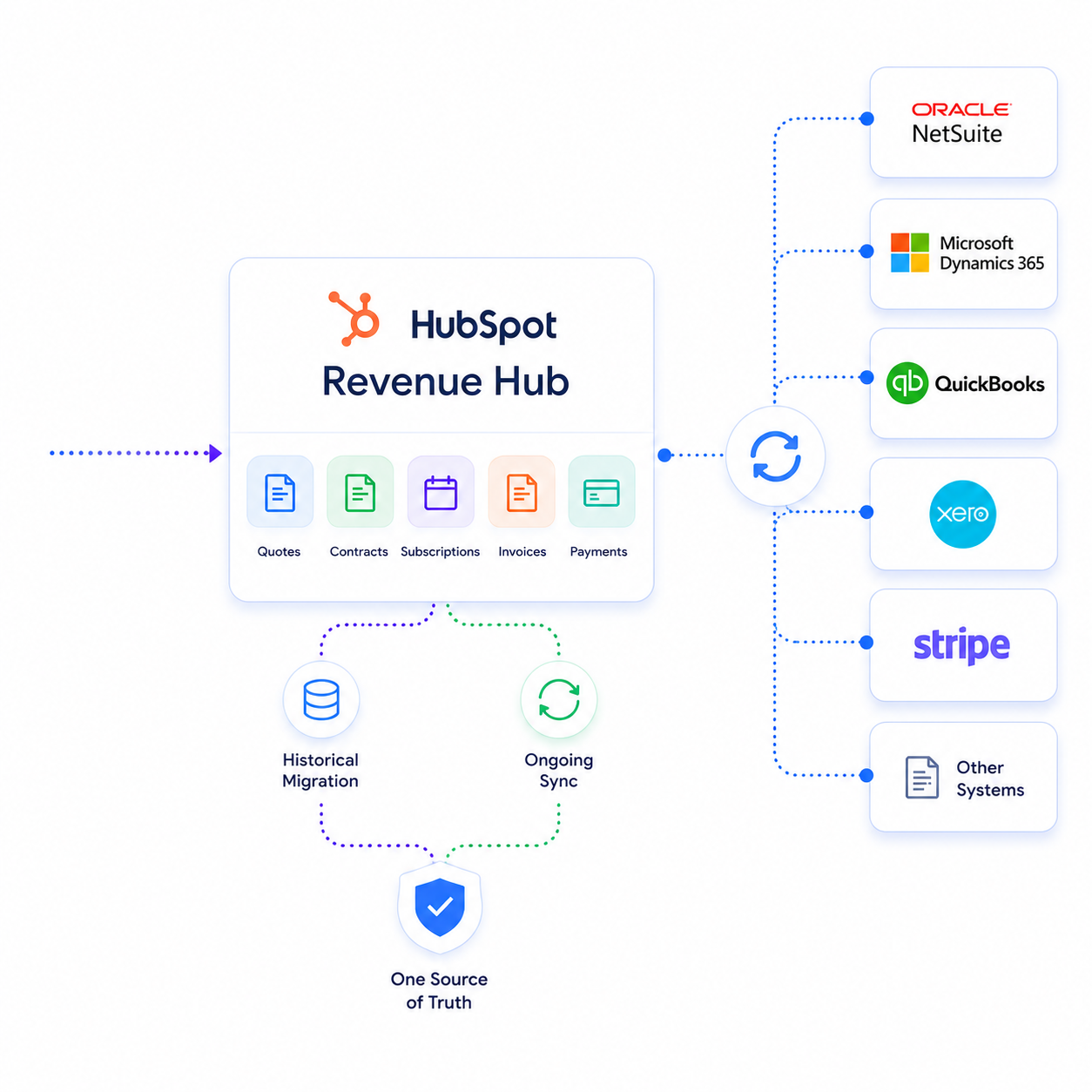
Illustration of SyncMatters mapping legacy data to HubSpot Revenue Hub's object model

We map legacy data to Revenue Hub's object model

Translating Salesforce CPQ, Zuora, Chargebee, legacy HubSpot quotes, or ERP-native contract data into properly structured Contracts, Quotes, and Subscriptions — with associations to deals and companies intact.
Illustration of SyncMatters connecting Revenue Hub to financial systems like NetSuite and QuickBooks

We connect Revenue Hub to your financial systems

NetSuite, Microsoft Dynamics, QuickBooks, Xero, Stripe and others — so ongoing sync and historical migration work together instead of conflicting.
Illustration of SyncMatters closing gaps left by HubSpot's native migration tools

We close the gaps HubSpot's native tools leave open

Including contract backfills and subscription-to-contract migrations HubSpot doesn't currently support out of the box.
Illustration of SyncMatters de-duplicating and reconciling data before go-live

We de-duplicate and reconcile before go-live

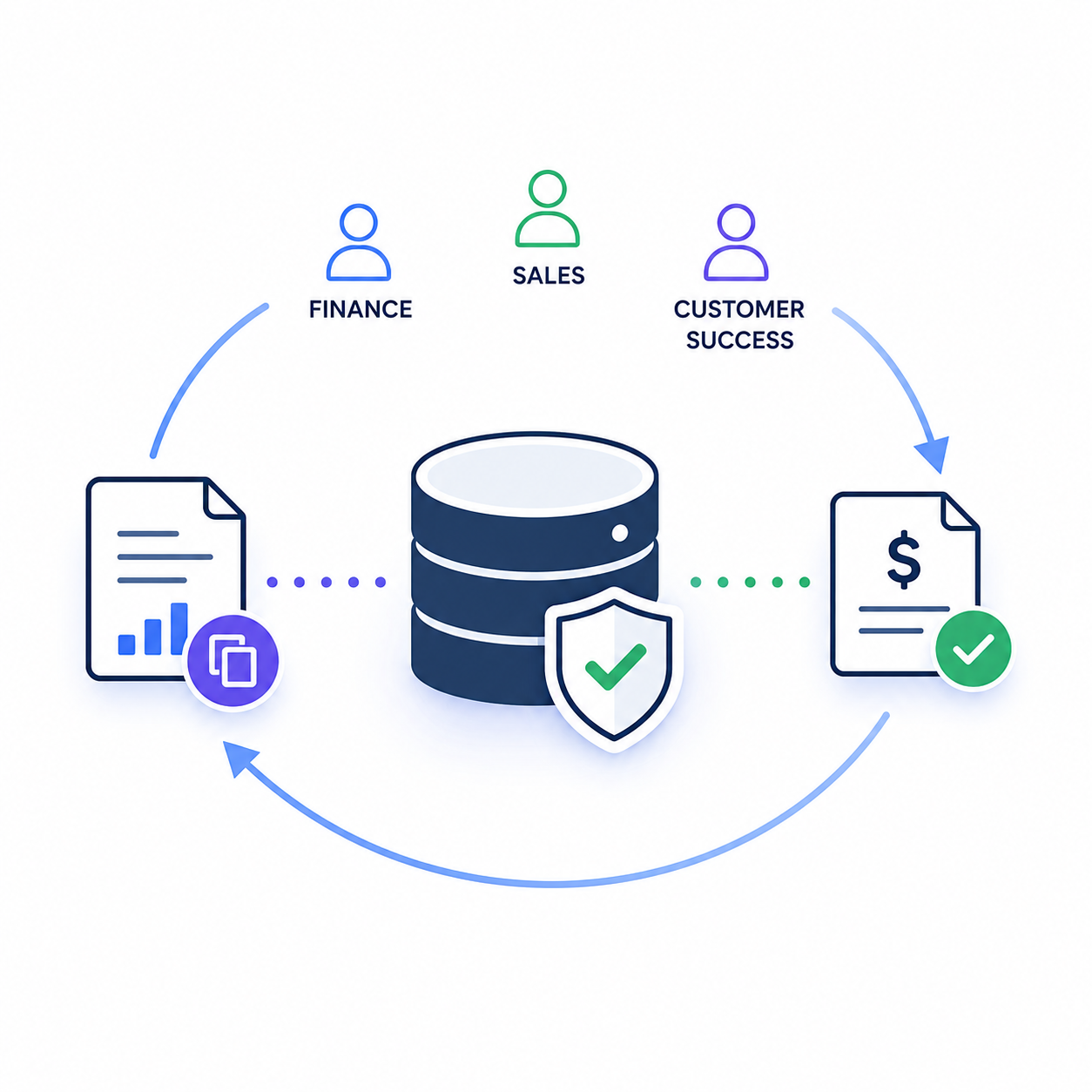
Against your source-of-truth financial system, so finance, sales, and customer success work from numbers everyone trusts on day one.

Real customers. Real success.

FAQs

Migrating data into HubSpot Revenue Hub.

Find answers to the most common questions about migrating your data into HubSpot Revenue Hub, including timelines, data accuracy, integrations, and migration best practices.

Does HubSpot support importing existing contracts into Revenue Hub?

Not as a general-purpose, native import. HubSpot's own documentation states that contract imports and subscription-to-contract migrations are not currently supported out of the box.

This is the single biggest gap companies hit when adopting Revenue Hub with an existing book of business — and it's exactly the gap SyncMatters closes, by mapping legacy contract and subscription data into properly structured, fully associated Contract records rather than leaving them as orphaned data outside HubSpot.

Can I migrate from Salesforce CPQ to HubSpot Revenue Hub?

Yes. It requires translating Salesforce CPQ's quote, price book, and approval-workflow structures onto Revenue Hub's CPQ and Contract object model rather than a direct field-for-field copy, since the two platforms handle approval logic, discounting, and quote-to-contract conversion differently. SyncMatters handles this translation as a core part of Revenue Hub migration engagements, preserving approval history and pricing logic in the process.

What happens to my HubSpot Legacy Quotes when I move to Revenue Hub?

HubSpot provides a migration tool for legacy quote templates, but it migrates structure, not your full historical quote data — and accepted legacy quotes do not automatically create Contract records in the new system. Anything you want represented as a structured Contract needs its own migration path, which SyncMatters builds and runs as part of a Revenue Hub rollout.

Do I still need an ERP if I adopt HubSpot Revenue Hub?

In most cases, yes. Revenue Hub is designed to sync with ERPs and accounting platforms — NetSuite, Microsoft Dynamics, SAP, QuickBooks, Xero — rather than replace them. It gives sales, finance, and customer success a shared, CRM-native view of revenue data that stays connected to your financial system of record. SyncMatters builds and maintains that connection so both systems stay accurate rather than drifting apart.

How long does a HubSpot Revenue Hub data migration take?

It depends on the number of source systems, the volume of historical contract and subscription data, and how much de-duplication and reconciliation is required. Phasing by object type — quotes first, then contracts, then subscriptions and billing — produces a far more predictable timeline than a single big-bang cutover, and it's the sequencing SyncMatters uses on every migration.

How does HubSpot Revenue Hub integrate with QuickBooks and Xero?

Revenue Hub offers native QuickBooks and Xero sync for ongoing invoice and payment data. That sync keeps things current going forward — it is not designed to backfill years of historical billing and invoice history accurately. SyncMatters runs the historical migration separately from the live sync setup, so the two don't collide and create duplicate or conflicting records.

What's the difference between turning on a Revenue Hub sync and running a full data migration?

A sync (to NetSuite, QuickBooks, Xero, Stripe, etc.) moves data going forward. A migration backfills your existing historical quotes, contracts, subscriptions, and billing records into HubSpot's object model, with de-duplication and reconciliation against your source system. Most companies need both, in that order — sync alone leaves years of contract and revenue history missing from Revenue Hub, which is precisely where SyncMatters' migration work comes in.

Can historical invoice and payment history be migrated into HubSpot Revenue Hub?

Yes, though HubSpot's native tooling is built for current and future invoicing and payments rather than backfilling historical records with full accuracy. SyncMatters migrates historical invoice and payment data alongside contracts and subscriptions, and reconciles totals against your accounting system of record before go-live, so finance can trust the numbers in HubSpot from day one.

Evaluating Revenue Hub — or already mid-rollout and hitting contract data gaps?

Talk to SyncMatters about what a migration plan would actually look like for your systems.

3362298_communication_freelance_message_origami_paper_icon

Marketing Plan

A marketing plan focused on growing your business

Lorem ipsum dolor sit amet, consectetur adipiscing elit. Sed in amet elementum aliquam quis sit. Tempor, aliquam lectus iaculis tellus cursus magna vel lacus. Aliquet viverra maecenas amet, enim. Commodo risus mattis cursus mauris, maecenas vitae eget viverra. Velit senectus condimentum ut aliquam.

Elements Image