By Ivan, VP of Marketing, SyncMatters · Reviewed by Lucy Gisa Muganwa, Team Lead, Data Operations · Last updated October 2026
Mergers don't come with a "merge orgs" button in Salesforce Setup. When two companies combine, or when years of regional and departmental growth leave you paying for three, five or thirteen Salesforce instances, someone has to decide which org survives, rebuild what matters, and move millions of records without breaking a single relationship.
This guide is for the RevOps leader, Salesforce admin or architect who owns that job. It covers when consolidation is the right call, the strategies that work, a seven-phase process, the data problems that sink most projects, the tools available, real costs and timelines, a checklist, and answers to the questions teams ask us most.
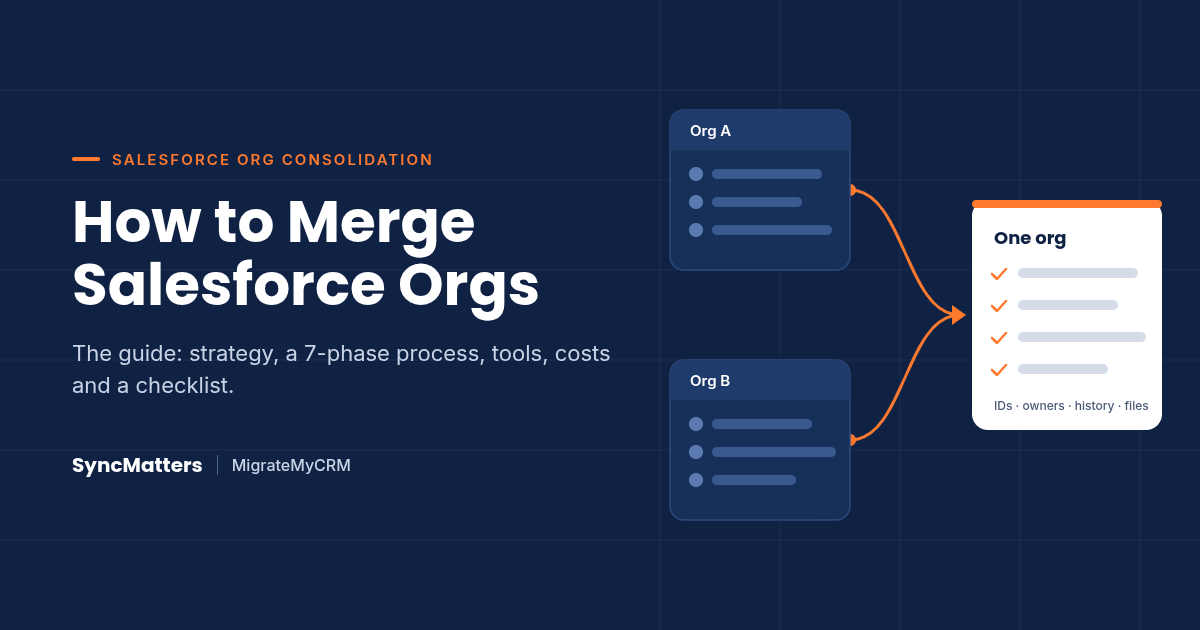
Quick answer: What is Salesforce org consolidation? Salesforce org consolidation is the process of merging data, users, configuration and automation from two or more Salesforce orgs into a single org. It usually follows a merger, acquisition or reorganization. The result is one customer view, one set of processes, one reporting model and one license bill.
Key takeaways:
- Consolidate when teams share customers, processes and reporting. Keep orgs separate only for hard regulatory, data-residency or business-separation reasons.
- Decide the target first: merge into the stronger existing org, or build a clean new org. Most mid-market teams merge into the existing org.
- Metadata (objects, fields, flows) and data (records, owners, history, files) are two separate workstreams with different tools. Plan both from day one.
- Salesforce generates new record IDs on insert. Every relationship must be rebuilt through external IDs and a correct load order.
- Run sample migrations, then a full migration, then a delta migration so users keep working until cutover.
- A two-org merge of a mid-sized business typically takes 6–12 weeks; enterprise M&A consolidations often run 10–20 weeks or longer.
What Is Salesforce Org Consolidation (and Why Companies Do It)?
Salesforce org consolidation, also called a Salesforce org merge, combines two or more Salesforce instances into one org that becomes the single source of truth. It can be a two-org merge after an acquisition, or a program that collapses many regional or business-unit orgs into one.
An "org" is a full Salesforce instance: its own data model, users, security, automation, integrations and license contract. That is why consolidation is a business transformation project, not an export and import.
The 7 most common triggers
- Mergers and acquisitions. The acquired company arrives with its own org, data model, automation and license bill. Leadership wants one pipeline and one forecast.
- Multi-org sprawl. Regions, brands or departments adopted Salesforce separately. Now no one can answer "how many customers do we share?"
- Duplicate license and admin costs. Users who need two orgs pay for two licenses; each org needs its own admins, sandboxes, release cycle and integrations.
- Fragmented customer view. Account managers in different orgs call the same customer without knowing it.
- Inconsistent reporting. Each org defines stages, regions and revenue differently, so board reporting is a spreadsheet exercise.
- Integration spaghetti. Point-to-point syncs between orgs break every release.
- Technical debt reset. An old, heavily customized org is a candidate for retirement once its data moves into a cleaner org.
Consolidation is not free of trade-offs. A single org shared by many business units needs stronger governance, a more careful sharing model and disciplined release management. The next section helps you decide whether that trade is worth it.
Single Org vs. Multi-Org: Should You Consolidate at All?
Consolidate when your business units share customers, processes and reporting needs. Keep separate orgs, connected by integration, when regulation, data residency or genuinely different business models make one org more expensive to run than two.
Salesforce's own architecture guidance frames org strategy as an enterprise-architecture decision, not an admin one. In a Salesforce Developers blog post on single-org versus multi-org strategy, Certified Technical Architect Greg Cook maps the choice to two questions: how integrated are your business processes, and how standardized are they?

Cook also warns that a slow backlog is not a good reason to split orgs; governance, delegated administration and a center of excellence fix that more cheaply.

Alternatives to a full merge
If the answer is "not yet" or "not fully", three patterns get you part of the value:
- Hub-and-spoke. One org holds master data (accounts, products) and shares it to spoke orgs. Good when a full merge is politically or legally blocked.
- Reporting org or data platform. Push data from every org into one reporting layer (a dedicated org, Data Cloud or a warehouse) for a consolidated view without moving users.
- Integration between orgs. Sync only the objects that must stay consistent. Watch the cost: every point-to-point sync is another thing that breaks on release day.
Many teams run one of these as a bridge for a few months, then complete the merge. If you will retire an org within a year, a one-time migration is almost always cheaper than building and maintaining a permanent sync. We cover the difference in Sync vs. migration.
Salesforce Org Consolidation Strategy: 3 Decisions to Make First
Every successful consolidation starts with three decisions: which org is the target, whether you migrate all at once or in phases, and what you deliberately leave behind. Make them before anyone maps a field.
Decision 1: Merge into an existing org, or build a new one?

In mid-market consolidations, absorbing into the stronger existing org is the most common choice. A new org pays off mainly when both sources are heavily customized or when you're also moving from Classic-era design to a modern data model.
Decision 2: Big bang or phased?
- Big bang: all users and data move in one cutover weekend. Simpler, shorter dual-running period, higher risk if testing was thin.
- Phased by business unit, region or object: lower risk per wave and earlier wins, but you need a temporary sync or clear rules for records that two waves touch.
- Hybrid with delta migration: migrate the full history in advance while users keep working in the source org, then run a short delta migration of only new and changed records at cutover. This gives big-bang simplicity with almost no data freeze, and it's the approach we recommend most often.
Decision 3: Merge, migrate or retire — per object
Go object by object and assign one of three outcomes:
- Merge: the object exists in both orgs and records must be deduplicated (Accounts, Contacts, Leads, Products).
- Migrate: the object exists only in the source, or records never overlap (custom objects, Cases, historical Opportunities).
- Retire: the data has no future use, or it will be archived instead (stale leads, old campaign members, logs).
Write these decisions into a single mapping workbook signed off by business owners. It becomes the contract for the rest of the project.
How to Merge Two Salesforce Orgs: A 7-Phase Process
To merge two Salesforce orgs, audit both orgs, design the target, align metadata, map and clean the data, test with sample migrations, run the full migration, then cut over with a delta migration and hypercare. Each phase has a clear output, so you always know whether you're ready for the next.
- Discovery and audit (weeks 1–2)
- Inventory both orgs: objects, fields with fill rates, record types, page layouts, flows, Apex triggers, validation rules, managed packages, integrations, reports and dashboards.
- Count records per object and estimate file and attachment storage.
- Interview stakeholders in every team the merge will touch: sales, service, marketing, finance, IT.
- Output: an org comparison, record counts, and a list of what each team cannot lose.
- Target design (weeks 2–3)
- Pick the target org and the merge/migrate/retire outcome per object.
- Agree shared definitions: opportunity stages, lead statuses, territories, account types, picklist values.
- Design the role hierarchy, permission sets and sharing model for the combined company.
- Output: a signed-off target data model and mapping workbook.
- Metadata alignment (weeks 3–5)
- Build missing objects, fields, record types and picklist values in the target. Add a
Legacy_Source_Org__cfield and an external ID field (for exampleLegacy_Id__c) on every object you load. - Rationalize automation: merge duplicate flows, retire old workflow rules, and plan to pause triggers and validation rules during loads.
- Deploy through a sandbox with a metadata tool or change sets.
- Output: a target org that can accept every record without errors.
- Build missing objects, fields, record types and picklist values in the target. Add a
- Data mapping and cleansing (weeks 3–6, in parallel)
- Map every source field to a target field, with transformations (picklist maps, splits, concatenations, defaults).
- Match users by email; assign records from inactive or departed owners to a holding user or new owner.
- Define duplicate-matching and survivorship rules for Accounts, Contacts and Leads, and clean the source data before loading, not during.
- Output: a field-level map, a user map and dedupe rules.
- Sample migrations and testing (weeks 5–7)
- Load a representative sample into a full or partial-copy sandbox, or into production with a clear filter.
- Validate counts, relationships, owners, dates, files and activity timelines record by record. Have business users run their daily work on sample data (UAT).
- Fix the mapping and repeat until results are clean.
- Output: a sample migration report signed off by business owners.
- Full migration (weeks 7–9)
- Load in dependency order (see the next section), with automation paused and audit fields enabled.
- Reconcile: record counts per object, sum of opportunity amounts, open cases, files per record.
- Users keep working in the source org during this phase.
- Output: the complete history in the target org, reconciled.
- Delta migration, cutover and hypercare (weeks 9–10)
- Freeze the source briefly, run a delta migration of records created or changed since the full migration, then switch users and integrations to the target.
- Re-enable automation, re-point integrations, redirect email-to-case and web-to-lead, and set the source org to read-only.
- Run 2–4 weeks of hypercare: daily issue triage, report validation, training.
- Output: one live org; the old org archived and scheduled for decommissioning.
A practical tip from our data operations team: keep the source org read-only for at least one billing cycle after cutover. It's the fastest way to answer "where did that record go?" questions.
The Data Problems That Break Salesforce Org Merges (and How to Solve Them)
Most org merges fail on data, not configuration. Salesforce generates a new record ID for every inserted record, so every lookup, owner, activity and file has to be re-linked in the target org. The fixes are known; the mistake is discovering them during cutover.

How to Consolidate Salesforce Orgs with MigrateMyCRM
MigrateMyCRM supports Salesforce as both source and target, so a Salesforce to Salesforce migration runs through the same guided wizard SyncMatters customers use for 50+ CRMs. It automates the parts that usually take an admin weeks: field mapping, user matching, ID remapping, load order and relationship rebuilding. No technical skills are needed.
Three ways to run it
- Self-service: your admin runs the wizard end to end. Best for two-org merges with mostly standard objects.
- Guided: a SyncMatters migration specialist reviews your mapping, custom objects and sample results with you.
- Custom migration: our data operations team handles complex requirements such as data merging across orgs, filtering, partial migrations, multiple source orgs and large custom-object models.
Coexistence during a phased merge
If business units move in waves, some data must stay consistent across both orgs for a few weeks or months. SyncMatters integrations can keep selected objects in sync during that window, then you retire the sync at final cutover. (Editor: confirm Salesforce↔Salesforce sync scope before publishing.)
Merging other CRMs into Salesforce too?
Acquisitions don't always bring a Salesforce org. When the acquired company runs HubSpot, Zoho, Pipedrive, Dynamics or another CRM, the same wizard consolidates that data into your Salesforce org. Consolidating HubSpot instead? See our HubSpot portal consolidation guide.
Start a free sample migration → · Explore Salesforce org consolidation
Real-World Consolidation Cases and What Customers Say
The pattern behind successful consolidations is consistent: full history first, a delta at cutover, and specialists who know both data models. Here is what that looks like in practice.
13+ CRM instances into one Salesforce org
Consolidation isn't always org-to-org. 0 Percent collapsed more than a dozen separate CRM instances into a single Salesforce org with MigrateMyCRM.
"We used [SyncMatters] to migrate 13+ HubSpot CRM instances into a single Salesforce instance." — Steve Namuth, CTO, 0 Percent (syncmatters.com)
Full migration first, delta second: iFLY
iFLY, the indoor skydiving company, needed a precise, time-sensitive move of its entire Salesforce database for 100 new users. It first considered migrating in phases. SyncMatters recommended moving the full dataset first, followed by a delta migration of everything entered during the project, so every team could start in the new system with complete data. The same playbook applies to an org merge. Read the iFLY case study.
Complex Salesforce data, handled by specialists
"We recently partnered with this team, specifically Lucy, on a highly complex Salesforce → HubSpot migration under our brand, and the impact they made was extraordinary." — R. Earle, verified review, HubSpot Marketplace, February 2026
"SyncMatters was very helpful with migrating some CRM data we were struggling to bring over with other tools!" — M. Kiefer, verified review, HubSpot Marketplace, December 2025
Salesforce Org Merge Checklist
Use this checklist to track your consolidation from kickoff to decommissioning. Copy it into your project plan.
Before you start
- Business case approved: goals, expected savings, success metrics
- Executive sponsor and project owner named
- Target org chosen (existing or new) and approach chosen (big bang, phased, hybrid with delta)
- License and contract timeline aligned with cutover
Discovery and design
- Both orgs inventoried: objects, fields and fill rates, record types, automation, packages, integrations, reports
- Record counts and file storage estimated per object
- Merge / migrate / retire decision recorded per object
- Shared definitions agreed: stages, statuses, territories, picklists
- Role hierarchy, permission sets and sharing model designed
- Regulatory and data-residency requirements reviewed
Build and map
- Target metadata deployed via sandbox
- External ID and source-org fields added to every loaded object
- "Set Audit Fields upon Record Creation" enabled for the migration user
- Users matched by email; inactive-owner rule defined
- Dedupe match keys and survivorship rules signed off
- Automation bypass in place for loads
Test
- Sample migration run and validated (counts, relationships, owners, dates, files)
- UAT completed by each business team
- Key reports rebuilt and numbers reconciled
Migrate and cut over
- Full migration completed and reconciled
- Cutover plan and rollback plan communicated
- Delta migration completed
- Integrations, email-to-case and web-to-lead re-pointed
- Automation re-enabled; users trained and logged in
After go-live
- Hypercare running for 2–4 weeks
- Source org set to read-only and backed up
- Source org decommissioned after the agreed retention period
Frequently Asked Questions About Salesforce Org Consolidation
Can you merge two Salesforce orgs natively?
No. Salesforce has no built-in feature that merges two orgs. You move metadata with change sets, the Salesforce CLI or a DevOps tool, and you move data with Data Loader, an ETL platform or a migration service such as MigrateMyCRM.
What is the difference between a Salesforce org merge and a Salesforce org migration?
A merge combines two live orgs into one, which means deduplicating shared customers and aligning processes. A migration moves data from one org to another, often into an empty or new org. Most consolidations include both.
Can I keep the original Salesforce record IDs?
No. Salesforce assigns new IDs on insert. Store each source ID in an external ID field on the target object so you can trace records and rebuild relationships with upsert.
How do I preserve Created Date and Last Modified Date?
Enable "Set Audit Fields upon Record Creation" and "Update Records with Inactive Owners" in Setup, grant the permission to the migration user, then map the source dates to CreatedDate and LastModifiedDate during the load. SystemModstamp can't be set.
How long does a Salesforce org consolidation take?
A two-org merge for a mid-sized company typically takes 6–12 weeks. Enterprise M&A consolidations with many integrations or regulated data commonly take 10–20 weeks or more.
Do users have to stop working during the migration?
No, if you use a delta migration. Users keep working in the source org while the full history moves, then a short delta at cutover moves only new and changed records.
Should we merge into the existing org or build a new one?
Merge into the existing org when one is clearly larger and better governed. Build a new org when both carry heavy technical debt or the combined business needs a different data model.
How do we handle duplicate accounts and contacts across orgs?
Agree match keys (such as email domain, email address or tax ID) and a field-by-field survivorship rule with the business before loading. Then merge duplicates before or immediately after migration.
What happens to automation, flows and Apex during the merge?
Rationalize them: keep one version of each process, retire duplicates, and bypass automation during data loads so it doesn't send emails or reject records. Re-enable and test before go-live.
Can we migrate attachments, files and email history?
Yes. Files move as ContentVersion records linked to their parent records, and emails and activities move as Tasks, Events or EmailMessage records once their parents exist. Check file storage in the target org first.
When should we keep multiple Salesforce orgs instead?
Keep separate orgs when regulation, data residency or truly different business models require it, or when a unit may be divested. Connect them with integration or a reporting layer instead.
How much does a Salesforce org merge cost?
Cost depends on record volume, customization, integrations and how much your team does in-house. People time is usually the largest line. With MigrateMyCRM you see the exact data migration price after a free sample migration, before you pay.
Ready to Consolidate Your Salesforce Orgs?
One org, one customer view, one forecast is achievable in weeks, not quarters, when the data work is automated. Connect both orgs to MigrateMyCRM, run a free sample migration on your real data, and see your relationships, owners, dates and files in the target org before you commit.
Start your free sample migration → · Talk to a Salesforce org consolidation specialist →
SyncMatters is ISO certified, a Leading-tier HubSpot Technology Partner, and has migrated data between 50+ CRMs.



.svg)