
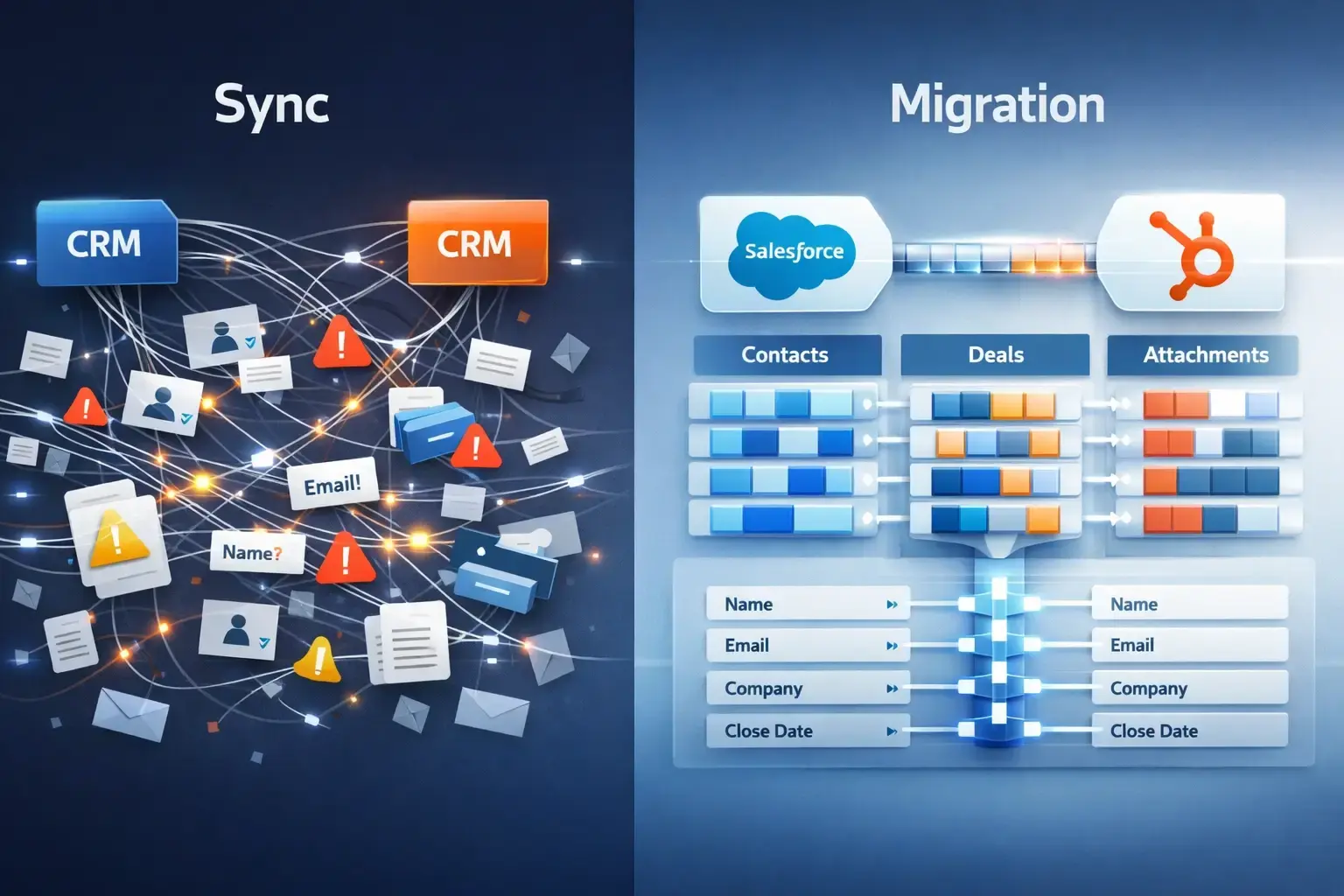
When companies move from Salesforce to HubSpot, the first instinct is simple:
“Let’s just turn on the native sync.”
It sounds safe. It sounds easy. It sounds reversible.
But for RevOps leaders, migration specialists, and sales managers responsible for revenue reporting, data governance, and operational continuity, the difference between native sync and MigrateMyCRM is not technical. It is structural. And misunderstanding that distinction can introduce long-term data integrity risks that are difficult to fix later.
Sync and migration serve fundamentally different purposes. Sync is designed for ongoing alignment between two active systems. Migration is designed for controlled transfer and transformation of data architecture. Treating them as interchangeable tools is where problems begin.
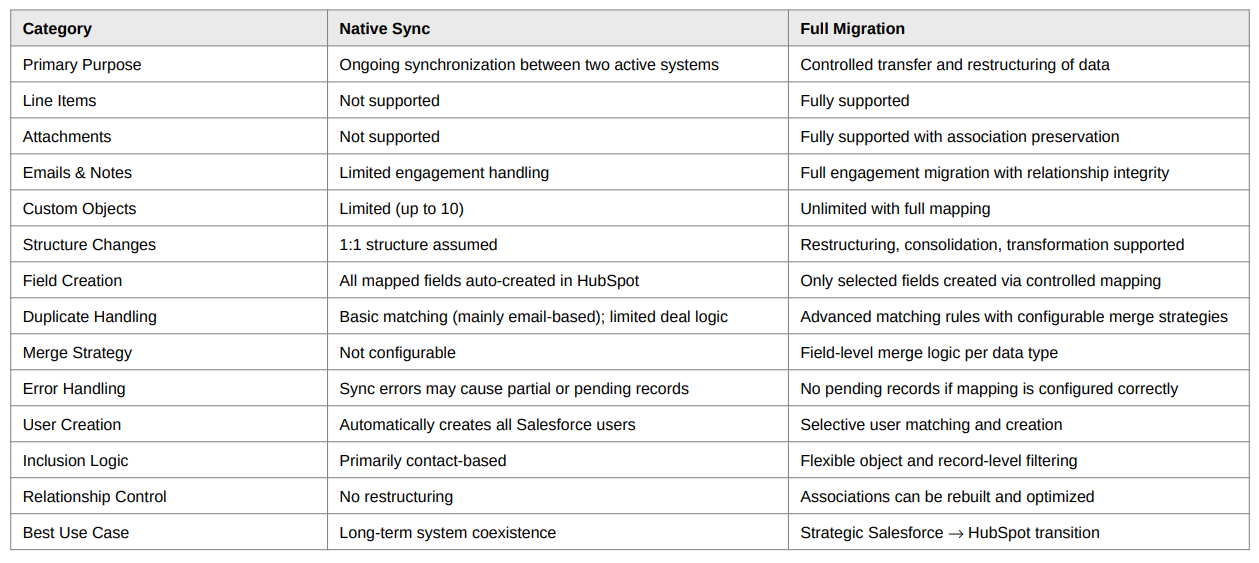
Line Items & Attachments: The Hidden Revenue Risk
The first critical gap appears in object support. Native Salesforce–HubSpot sync does not support line items or attachments. This is often underestimated, but for sales organizations it is not a minor limitation. Line items contain revenue breakdowns, product-level insights, contract structures, and forecasting logic. When those do not transfer, reporting accuracy suffers immediately.
Attachments introduce even more complexity. Many organizations believe they can sync emails and notes first, and then migrate attachments later as a separate step. On the surface, that sounds efficient. In reality, it can break relationship integrity.
Attachments are frequently associated not only with accounts, contacts, and opportunities, but also with emails and notes. If emails and notes were previously moved via sync, and attachments are later migrated separately, attachments that were originally connected to those engagements may lose their relationships in HubSpot. This happens because sync and migration processes do not reconcile engagement-level parent structures in the same way.
The result is orphaned files, incomplete context for sales teams, and reporting inconsistencies. For full data integrity, emails, notes, and attachments should be migrated together, even if parent objects are transferred via integration to optimize cost. This is not just a technical recommendation; it is a structural safeguard.
Data Structure Transformation vs 1:1 Copying
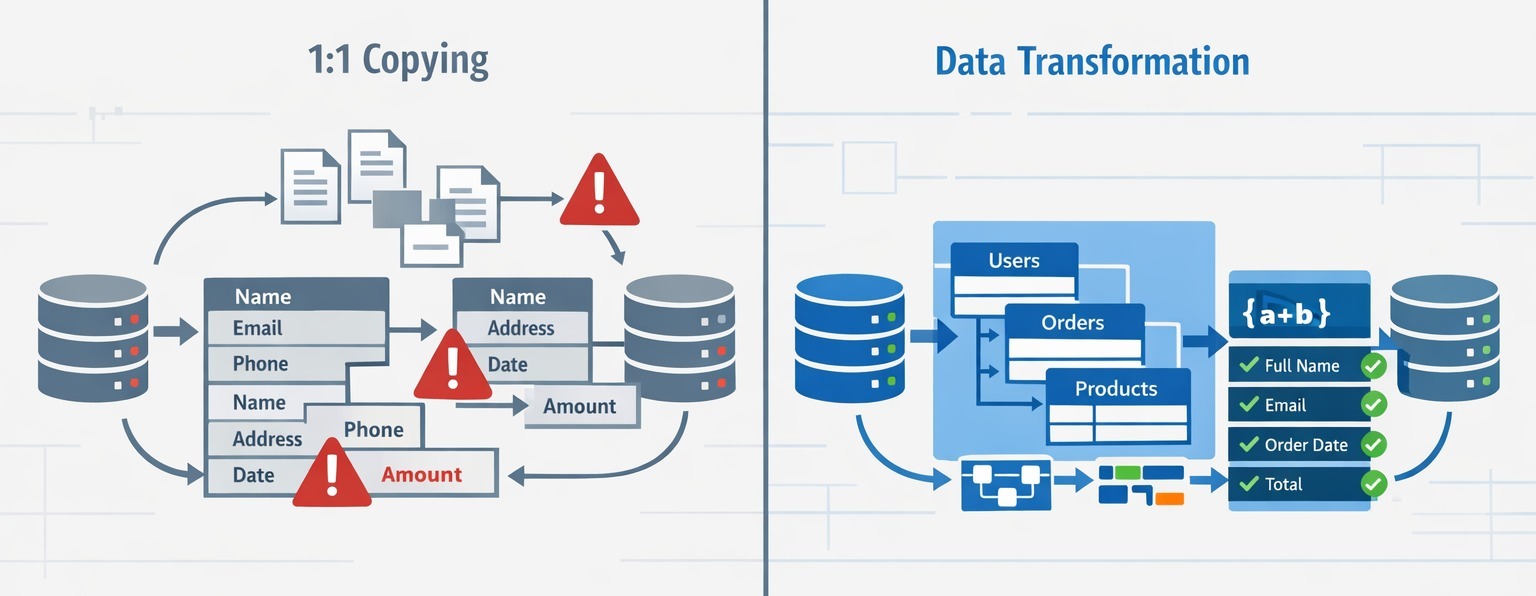
Another fundamental difference lies in data architecture flexibility. Many companies do not want to replicate Salesforce in HubSpot exactly as it exists. They want to simplify pipelines, modernize lifecycle stages, reduce custom object complexity, and eliminate legacy technical debt accumulated over years.
Native sync assumes a one-to-one structure. Migration allows transformation. Objects can be restructured. Fields can be merged, split, or transformed. Relationships can be rebuilt intentionally. Separate fields can be consolidated. Historical data can be cleaned during transfer.
For RevOps teams, migration is not merely movement of data. It is an opportunity to align CRM structure with go-to-market strategy. Sync preserves history. Migration enables evolution.
The Field Explosion Problem
Field management is another area where the differences become operationally significant. Native sync automatically creates mapped Salesforce fields in HubSpot. In large Salesforce environments, this can result in hundreds or even thousands of unnecessary fields appearing in HubSpot overnight. RevOps teams then face the burden of auditing, cleaning, hiding, or restructuring these fields after the fact.
Migration works differently. Only selected fields are created. Fields can be created in bulk through a mapping interface, and correct data types are defined before transfer. This preserves architectural cleanliness from day one. For scaling organizations, preventing field sprawl is not cosmetic. It directly impacts reporting clarity, automation stability, and long-term governance.
Error handling further separates the two approaches. Native sync is known to generate partial sync failures, pending records, and field-level errors that require manual review. When errors occur, some records may not transfer, and some fields may not populate. RevOps teams must monitor error dashboards and troubleshoot inconsistencies.
With migration, if field types are mapped correctly and structure is defined properly, records transfer completely. There are no silent exclusions or pending states caused by sync logic conflicts. The predictability is fundamentally different, and that predictability reduces operational overhead.
Duplicate Management: Where Sync Falls Short
User management is another overlooked risk. Native sync automatically creates all Salesforce users in HubSpot. In enterprise environments, this can mean hundreds or thousands of inactive, legacy, or irrelevant users being replicated. This bloats permission structures, complicates ownership logic, and creates confusion in reporting.
Migration enables selective user matching. Only relevant users can be created. Ownership can be strategically aligned. Historical users do not need to become active seats. For sales managers, this protects attribution accuracy and prevents administrative complexity.
Duplicate handling is perhaps the most critical difference from a data integrity perspective. Native sync relies primarily on limited matching logic, often email-based, and provides no advanced field-level merge strategy. In many cases, duplicates are simply not synced rather than intelligently merged. That creates invisible gaps.
Migration introduces configurable matching rules and merge strategies. Organizations can define how duplicates are identified and how each field behaves during merge. For example, revenue fields can take the latest value, lifecycle stages can preserve original source, multi-select fields can concatenate, and empty values can be replaced intelligently. No records are silently ignored. All duplicates are processed according to predefined rules.
This level of control is essential for organizations that rely on clean reporting and consolidated customer views.
Custom object support further illustrates the strategic gap. Native sync limits custom objects, while migration supports complex structures and full relationship mapping. For SaaS, fintech, manufacturing, or enterprise organizations with sophisticated data models, this flexibility is not optional.
Inclusion logic also differs significantly. Native sync is largely contact-based in its inclusion lists, limiting granular control. Migration allows advanced filtering and record selection across objects. Organizations can choose which pipelines, segments, or historical datasets to move. That flexibility is critical when restructuring data intentionally rather than replicating it blindly.
The Strategic Question RevOps Must Ask
The strategic question for RevOps leaders is straightforward: Are you trying to keep two systems aligned, or are you intentionally moving from one system to another?
If Salesforce will remain active long-term and bi-directional updates are required, sync is a coexistence tool. If Salesforce is being retired, architecture is being redesigned, and long-term data cleanliness is a priority, migration is the strategic choice.
Sync moves records between systems. Migration moves business logic from one architecture to another.
For sales managers, this distinction directly affects forecasting accuracy, pipeline visibility, attachment integrity, and duplicate resolution. For migration specialists, it determines whether technical debt is preserved or eliminated. For RevOps leaders, it defines whether the CRM becomes cleaner and more strategic or simply a mirrored replica of past inefficiencies.
Choosing between sync and migration is not about convenience. It is about operational risk management.
When revenue reporting, structured line items, preserved attachments, controlled user ownership, flexible duplicate merging, and clean data architecture matter, migration provides the control that sync cannot.
In CRM transitions, the safest-looking option is not always the safest one. Structural integrity requires intention. And intention requires migration.



.svg)



