Every AI agent runs on the CRM data underneath it
AI-ready CRM data is the difference between an agent that closes deals and one that emails the wrong person with confidence. And for most companies, whether their CRM data is AI-ready gets decided at one moment: the migration.
Gartner predicts that 40% of enterprise applications will include task-specific AI agents by the end of 2026, up from less than 5% in 2025.
That's a lot of agents. And CRM is where many of them will live. HubSpot ships Breeze agents for prospecting, customer service, and content. Salesforce has bet its roadmap on Agentforce. Pipedrive, Zoho, and Dynamics 365 are all adding their own.
Every one of these agents does the same thing first: it reads your CRM. Your contacts, companies, deals, pipelines, notes, emails, call logs, and the relationships between them. That's what it learns from. That's what it acts on.
So before you ask what an agent can do, ask a simpler question. Is the data it will learn from worth learning from?
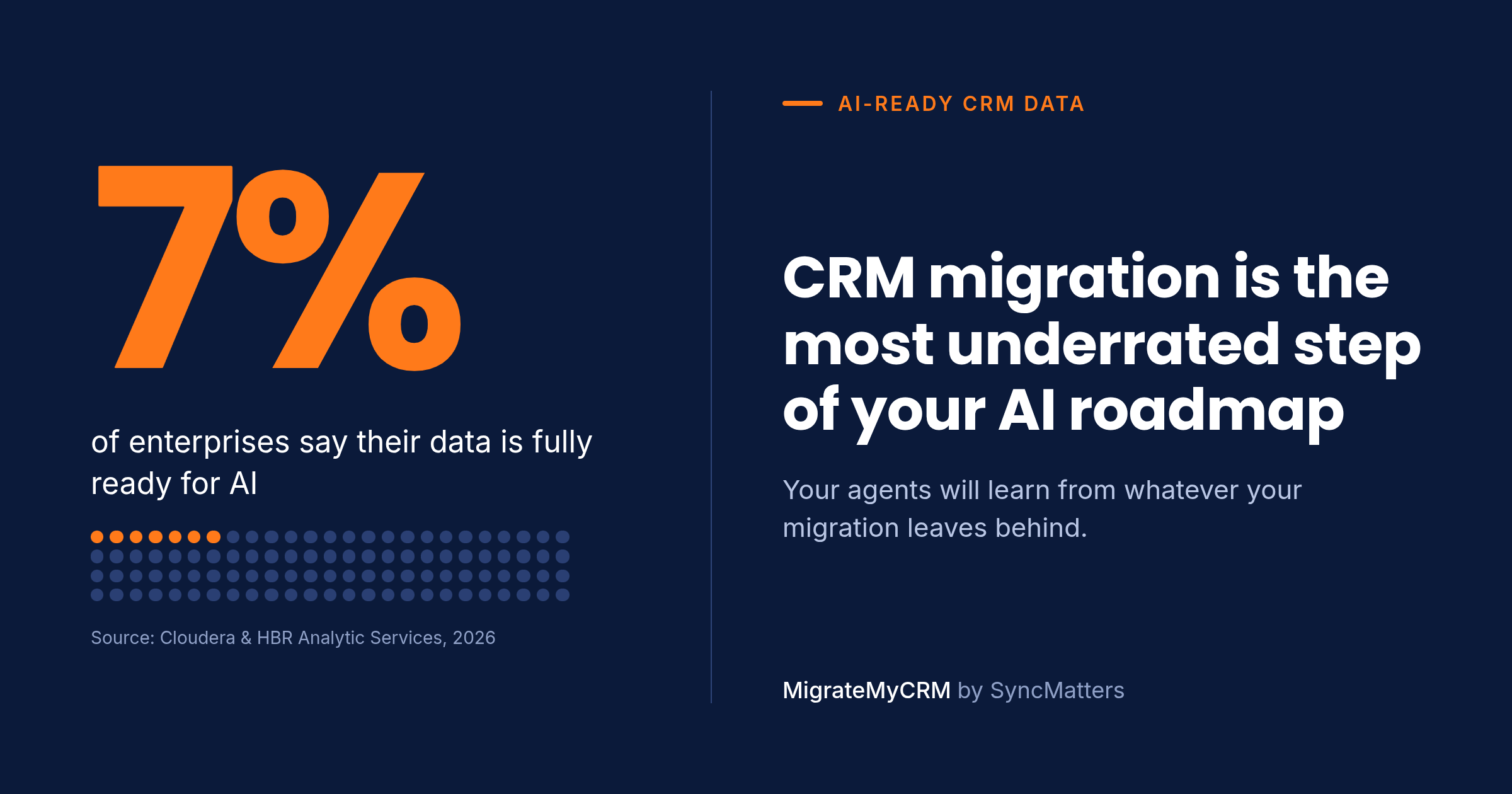
Only 7% of enterprises say their data is fully ready for AI
Most companies are deploying AI on data that isn't ready for it. A Cloudera and Harvard Business Review Analytic Services study, published in March 2026, surveyed more than 230 people involved in their organization's AI data decisions. The numbers are blunt.
| Finding | Share of respondents |
|---|---|
| Say their data is completely ready for AI | 7% |
| Say their data is not very or not at all ready | 27% |
| Say they should prioritize data quality more | 73% |
| Name siloed data and integration as a top barrier | 56% |
| Believe agentic AI will solve their data quality problems | 47% |
That last number worries me most.
Nearly half of the people making AI data decisions expect the agents to fix the data. It's an understandable hope. Agents are sold as autonomous, and cleanup is tedious work nobody wants to own.
But it gets the order of operations backwards. And in a CRM, where every record is tied to a revenue decision, getting the order wrong is expensive.
AI agents don't clean up bad CRM data. They act on it.
An AI agent treats your CRM as the truth. It doesn't know a contact is a duplicate, that a deal lost its company link, or that three years of email history never made it over. It reads what's there and acts — at a speed and scale no sales rep could match.
Here's what that looks like in practice:
| What's broken in the CRM | What the agent does with it |
|---|---|
| Duplicate contacts and companies | Sends the same prospecting sequence twice, or hits a customer with a cold outreach email |
| Deals detached from their companies and contacts | Scores the account as cold because it can't see the open pipeline |
| Missing activity history (emails, calls, meetings, notes) | Writes a "first touch" message to a buyer your team has talked to for 18 months |
| Owners mapped to deactivated or wrong users | Routes hot leads to someone who left the company |
| Custom fields flattened to text or dropped | Can't segment by industry, tier, or region — so it guesses |
| Pipeline stages collapsed or mismatched | Forecasts revenue from deals that are actually closed-lost |
| Attachments, quotes, and line items lost | Answers a pricing question without the contract the customer signed |
None of these makes an agent smarter. They make it confidently wrong. A human rep who sees a strange record pauses and checks. An agent doesn't pause. It sends, updates, routes, and forecasts — hundreds of times an hour.
Worse, agents create new records based on what they read. Bad input becomes bad output, which becomes the input for the next agent. Data quality problems don't stay still in an agentic CRM. They compound.
CRM consolidation means more migrations than ever
While agents arrive, a second shift is happening: companies are consolidating their go-to-market stack onto one platform. AI agents work best when sales, marketing, and service data sit in one connected system of record — so the satellite tools are being retired.
We see four patterns every week:
- Platform consolidation. Sales on Pipedrive, marketing on Marketo or Mailchimp, service in a help desk — all pulled into HubSpot or Salesforce so one agent can see the whole customer.
- Mergers and acquisitions. Two companies, two CRMs, two portals or orgs. Leadership wants one pipeline and one forecast by the next board meeting.
- Portal and org cleanup. Multiple HubSpot portals or Salesforce orgs created by regions or business units, now merged into one.
- Platform switches driven by AI features. Teams moving to the CRM whose native agents fit their motion best.
Every one of these is a migration. And every migration rewrites the data your future agents will learn from.
Migration decides your CRM data quality for years
An AI-ready CRM migration moves records with their relationships, history, and context intact, and removes the noise before it lands. Either your history arrives clean and connected, or it arrives as noise your AI will learn from. There's rarely a second chance: once a team starts working in the new CRM, re-migrating is painful and expensive.
Most companies still treat migration as a technical task to finish fast: export CSVs, map columns, import, done. That approach moves records. It doesn't move meaning.
I think migration is the most underrated step of any AI roadmap. Here's what separates a fast migration from an AI-ready one:
| Fast migration | AI-ready migration | |
|---|---|---|
| Records | Contacts, companies, deals | Plus notes, emails, calls, meetings, tasks, tickets, attachments |
| Relationships | Lost or rebuilt by hand | Contact–company–deal–activity links preserved |
| Duplicates | Imported, cleaned "later" | Found and merged before migration, with rules you choose |
| Custom fields | Squeezed into text fields | Mapped to the right type, including picklists and dates |
| Ownership | Defaulted to one admin | Mapped to real, active users |
| History | Timestamps reset to import date | Original created and activity dates kept |
| Validation | Spot-checked after go-live | Test migration on a sample, then full run with verification |
The right column is what an agent needs to understand a customer: who they are, who they talk to, what they bought, and what happened, in order.
Pre-migration CRM data audit: a checklist for AI readiness
Run this audit on your source CRM before you migrate, not after. Every item is cheaper to fix in the old system than in the new one where agents are already reading it.
- Count your duplicates. Contacts by email, companies by domain, deals by name and amount. Most teams underestimate this until after the move.
- Decide merge rules. Which record wins — the newest, the most complete, or the one owned by sales? Write it down.
- Map every relationship. Contact to company, deal to contact and company, tickets and activities to all of them. List associations your target CRM handles differently.
- Inventory activity history. Emails, calls, meetings, notes, tasks. Decide how many years you need. Agents use this history to understand context.
- Clean up users and owners. Map departed users to current owners or an archive owner — never to a single admin.
- Review custom fields. Delete the dead ones, keep data types consistent, and match picklist values to the target.
- Align pipelines and stages. Agree on one definition of each stage before two pipelines become one.
- Check attachments and files. Contracts, quotes, and proposals are exactly what an agent needs to answer customer questions.
- Run a sample migration. Check a few records end to end in the target before running the full migration.
- Plan the delta. Data keeps changing during migration; plan a final sync so nothing created during the cutover is lost.
How MigrateMyCRM moves data your AI can trust
This is the problem we work on every day at MigrateMyCRM by SyncMatters. We move years of CRM data — records, relationships, custom fields, activities, attachments, and history — between any of 50+ CRMs, so the platform you consolidate on is one your AI can actually trust.
We built it to be simple. You don't need a developer or a data team to run an AI-ready migration:
- Any CRM to any CRM. Pipedrive, Salesforce, Zoho, Dynamics 365, Marketo, and dozens more into HubSpot, Salesforce, or wherever you're consolidating.
- Relationships stay connected. Contacts, companies, deals, and activities arrive linked the way they were, so an agent sees the full customer picture.
- History keeps its dates. Notes, emails, calls, and meetings keep their original timestamps and owners.
- Free sample migration first. See your own records in the target CRM and check them before the full run.
- Automated where it counts. The wizard handles mapping and the repetitive work that usually takes days of human time.
- Trusted by HubSpot. SyncMatters is a Leading-tier HubSpot Technology Partner and is ISO certified.
FAQ: AI-ready CRM data and migration
What is AI-ready CRM data?
AI-ready CRM data is complete, deduplicated, and connected. Every contact links to its company, deals, and activity history; custom fields keep their data types; owners are real, active users; and timestamps reflect when things actually happened. AI agents can only reason as well as the records and relationships they read.
Can AI agents clean up bad CRM data on their own?
No. AI agents treat CRM data as the source of truth and act on it. Duplicates, broken associations, and missing history lead to wrong outreach, bad lead scoring, and unreliable forecasts. Agents can flag some issues, but the cleanup and the rules behind it need to happen before agents go live.
Why does CRM migration affect AI performance?
Migration decides what history, relationships, and context exist in the new CRM. A migration that drops activities or breaks contact–company–deal links leaves AI agents with fragments. Since teams rarely re-migrate, those gaps stay for years and shape every agent decision.
How do I prepare CRM data for HubSpot Breeze agents or Salesforce Agentforce?
Audit and merge duplicates in the source CRM, map all associations, keep activity history with original dates, map owners to active users, align pipeline stages, and run a sample migration to verify records before the full move. Then turn on agents in the target CRM.
What should I audit before a CRM migration?
Duplicates, merge rules, relationships between objects, activity history, users and owners, custom fields, pipelines and stages, attachments, and a plan for syncing changes made during cutover.
Before you deploy an agent, check what it will learn from
AI agents will be in your CRM soon, if they aren't already. The question isn't whether to use them. It's whether the data underneath them deserves to be trusted.
If you're consolidating, merging after an acquisition, or switching CRMs this year, treat the migration as the first step of your AI roadmap, not the last step of an IT project. Start with a free sample migration in MigrateMyCRM and see how your own records look in the new CRM before an agent ever reads them.
What's the biggest data readiness gap in your CRM right now? Duplicates, lost history, or broken relationships?



.svg)