
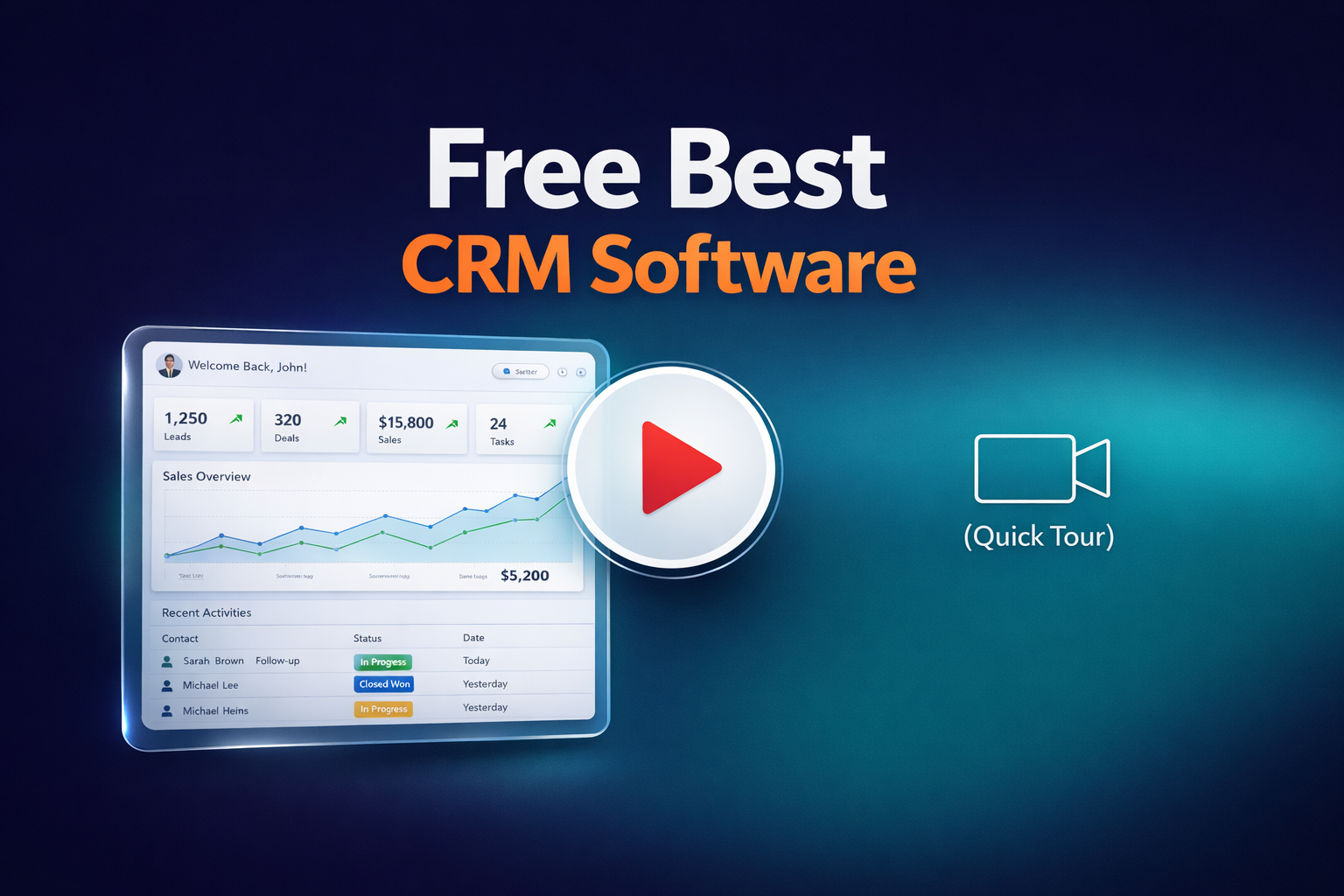
Choosing the right CRM doesn’t have to be complicated or expensive. In 2026, many platforms offer powerful free plans that help businesses organize contacts, manage deals, and build smarter sales processes from day one. This guide breaks down the best free CRM options available today, so you can focus less on comparing tools and more on growing your business with confidence.
What Is Free CRM Software and Do You Really Need It?
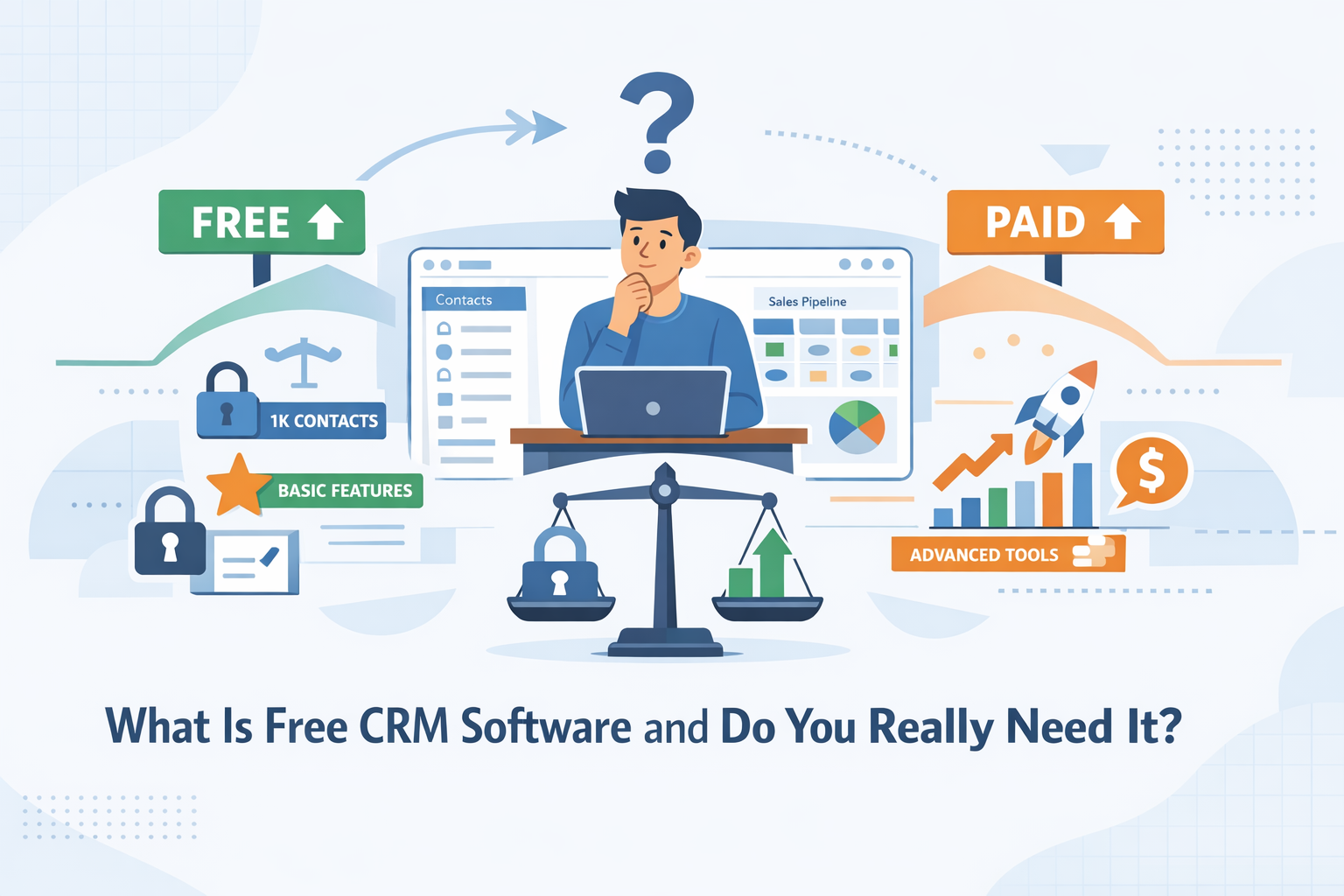
Free CRM software is a customer relationship management (CRM) platform that helps businesses track leads, manage contacts, and organize sales or support workflows without an upfront cost. Sounds perfect, right? For many teams, especially startups and small businesses, the free best CRM can be a smart place to start. But “free” doesn’t always mean “enough,” so it’s worth understanding what you’re actually getting.
At its core, a CRM platform centralizes customer data, ensuring that nothing gets lost in the process. The best free CRM tools typically cover the basics, including contact management and basic pipelines, while reserving advanced features for paid plans.
A free CRM software solution is usually a good fit if you:
- Are just starting out and need a simple, low-risk CRM.
- Want to test a platform before committing to paid software.
- Have a small team with straightforward sales or support processes.
- Need basic automation, reporting, or integrations.
- Are looking for the best free CRM to replace spreadsheets.
That said, free plans often come with limitations, like user caps, restricted features, or limited integrations. If your business relies heavily on connected tools and data sync, you may outgrow a free CRM faster than expected. The key is choosing a CRM software platform that not only works today but can scale with you tomorrow.
Top 12 Best Free CRM Software for 2026
Check out a clear, practical comparison of the free CRM tools you should consider in 2026. The table below will help you compare features, limitations, and best use cases for each CRM tool, so you can quickly spot the best free CRM for your needs.
|
CRM |
Free plan |
Key strengths |
Best for |
|
HubSpot CRM |
Unlimited users, unlimited contacts |
Feature-rich core CRM, strong reporting, large integration ecosystem |
Small businesses planning long-term growth |
|
Zoho CRM |
3 users, up to 5,000 contacts |
Sales automation basics, customizable pipelines |
Small teams needing structure without complexity |
|
Freshsales |
Unlimited users, contact volume not capped |
Email & call tracking, modern sales UI |
Sales-driven teams that want simplicity |
|
EngageBay |
15 users, 250 contacts |
CRM, marketing, and support in one platform |
Startups looking for an all-in-one free CRM |
|
Pipedrive |
No permanent free plan (free trial only) |
Best-in-class visual sales pipelines |
Teams ready to move quickly to a paid CRM |
|
Streak (Gmail CRM) |
Unlimited users, unlimited contacts (inside Gmail) |
Native Gmail experience, email-centric CRM |
Small businesses operating in Gmail |
|
Agile CRM |
10 users, 1,000 contacts |
Sales and marketing essentials |
SMBs that want more than contact management |
|
Capsule CRM |
2 users, 250 contacts |
Extremely lightweight and easy to use |
Solo founders and very small teams |
|
Insightly |
2 users, up to 2,500 contacts |
CRM combined with project tracking |
Teams managing deals and delivery together |
|
Brevo |
Unlimited users, unlimited contacts |
CRM tightly connected to email marketing |
Contact-driven small businesses |
|
Apptivo |
Unlimited users, contacts not capped |
Modular apps and flexible workflows |
Businesses that want customization |
Still hesitating over which of the top free CRM systems to choose for your business? Keep reading the following points to find a detailed review of the 12 most efficient free CRMs in 2026.
1. HubSpot CRM
HubSpot CRM is one of the most widely used CRM platforms on the market, especially among small and mid-sized teams that want structure without complexity. It’s built around a simple idea: centralize customer data, streamline sales activity, and remove friction as your team scales. For companies looking for the best free CRM, HubSpot often sets the baseline.
HubSpot combines contact management, deal tracking, email tools, and reporting into a single, cloud-based platform. It’s designed to be easy to adopt while still offering a clear upgrade path as your business grows.
Key features
- Contact and company management.
- Deal pipelines and activity tracking.
- Email logging and templates.
- Task management and basic reporting.
- Native integrations with marketing and support tools.
What’s included in the free plan
The free plan includes unlimited users and unlimited contacts, plus access to core CRM features like pipelines, email tracking, and dashboards. This makes it viable not just for testing, but for actually running day-to-day sales operations.
Pros
- No user or contact limits.
- Clean, intuitive interface.
- Scales well as you grow your business.
Cons
- Advanced automation requires paid plans.
- Custom reporting is limited on the free tier.
- Can feel overwhelming as the ecosystem expands.
HubSpot works best for teams that want a reliable CRM foundation that evolves naturally as the business grows.
2. Zoho CRM

Zoho CRM is a flexible customer relationship management platform known for balancing power and simplicity. It’s often recognized as a CRM best free option for teams that need structured sales tools without a high upfront cost, and for businesses that may later expand into a larger Zoho ecosystem.
Zoho CRM provides a centralized place to manage contacts, leads, and deals, with automation and customization built in. Its interface is clean and adaptable, and the platform integrates well with other Zoho apps like Campaigns and Desk. Because it scales from free to advanced paid plans, teams can start small and grow their CRM use over time.
Key features
- Lead and contact management.
- Deal and pipeline tracking.
- Workflow automation.
- Email templates and basic analytics.
- Native mobile app for managing CRM tasks on the go.
What’s included in the free plan
The free plan supports up to 3 users and up to 5,000 contacts. It includes core CRM functions, such as pipelines, activity tracking, and basic automation, making it a solid starter option for early-stage teams.
Pros
- Clear, structured CRM interface.
- Mobile app available for remote use.
- Integrates with other Zoho products.
Cons
- The 3-user limit can be restrictive.
- Advanced features require paid upgrades.
- Customization is limited on the free tier.
Zoho CRM is ideal for small teams that want organized sales workflows and an entry-level platform that can mature with the business.
3. Freshsales
Freshsales is a modern CRM platform built to help teams manage leads, streamline sales processes, and stay organized without complexity. Among the best free CRM platforms in 2026, Freshsales stands out for its user-friendly interface and strong contact engagement tools that help small businesses maintain momentum as they grow.
Freshsales gives you a centralized view of your contacts, deals, and communications. It’s part of the Freshworks suite, so it connects smoothly with support and marketing tools if you choose to expand later. The platform focuses on simplicity and clarity, so teams can start managing sales activity quickly.
Key features
- Contact and account management.
- Deal pipelines with visual stages.
- Email tracking and templates.
- Activity scheduling and task reminders.
- Built-in phone and call logs.
What’s included in the free plan
The free tier includes unlimited users, basic contact management, and essential communication tools. While it doesn’t unlock advanced automation or reporting, it gives teams a solid foundation to find the best way to manage customer relationships without upfront costs.
Pros
- Easy to use and adopt quickly.
- Unlimited users on the free plan.
- Strong basic communication tracking.
Cons
- Advanced automation and analytics require paid tiers.
- Fewer third‑party integrations than some competitors.
- Reporting capabilities are limited on the free plan.
Freshsales is ideal for small teams that want one of the cleaner, more approachable CRM options without an overwhelming setup.
4. EngageBay

EngageBay is an all‑in‑one CRM and marketing platform that packs sales, support, and automation into a single interface. It’s often recognized among the best CRM free options for small businesses because its free tier delivers a surprisingly broad base of tools without an upfront cost.
EngageBay combines contact and deal management with email marketing, live chat, helpdesk, and landing pages—all in one space. This unified approach means you don’t need a half‑dozen separate tools to manage customer data, nurture leads, and support buyers. The interface is clean and approachable, helping teams adopt quickly.
Key features
- Contact management and deal pipeline.
- Email marketing, autoresponders, and sequences.
- Lead capture with web forms and landing pages.
- Built‑in live chat and helpdesk support.
- Basic automation and task tracking.
What’s included in the free plan
The free plan includes up to 250 contacts, email marketing, autoresponders, email broadcast, CRM, landing pages, helpdesk tickets, and live chat, providing a solid set of free CRM solutions for getting started with sales and engagement.
Pros
- Comprehensive free plan covering sales, support, and marketing.
- Easy onboarding with intuitive UI.
- Live chat and helpdesk are included even on the free tier.
Cons
- Contact limit (250) can constrain larger lists.
- Advanced automation and integrations are reserved for paid plans.
- Some tools (like email templates or deep analytics) feel basic compared to paid competitors.
EngageBay works well for small teams and early‑stage businesses that want a low‑cost, unified CRM platform to start managing customer relationships and engagement in one place.
5. Pipedrive

Pipedrive is a sales‑centric CRM platform built to help teams visualize and manage every step of the sales process. Unlike many tools in this review, it does not offer a permanent free tier. Instead, you can try the full platform with a 14‑day free trial to see if it’s a fit before committing.
Pipedrive is designed around a visual sales pipeline that makes it easy to track deals as they move through stages. Its clean interface and emphasis on simplicity have made it a popular choice for businesses focused on closing more deals efficiently. The platform also integrates with more than 500 apps, helping you connect CRM data with email, calendars, and other tools.
Key features
- Visual drag‑and‑drop sales pipelines for tracking deals.
- Lead and contact management with customizable fields.
- AI‑powered reporting tools.
- Integration with calendars, email platforms, and third‑party apps.
- Activity scheduling and notifications.
What’s included in the free plan
Pipedrive doesn’t offer a true free plan. Instead, everyone gets a 14‑day free trial with full access to paid‑plan features. This lets you explore pipelines, reports, and integrations before choosing a paid tier.
Pros
- Intuitive visual pipeline that makes it easy to manage deals.
- Strong integration ecosystem with 500+ apps.
- Good for teams focused primarily on sales processes.
Cons
- No permanent best free CRM system plan—only a trial.
- More advanced sales automation requires higher‑tier plans.
- Can be less valuable for teams that need marketing or service features.
Pipedrive is a solid option if you want clarity and focus around sales activities. While it doesn't offer a forever‑free plan, its trial gives a risk‑free way to test one of the most user‑friendly CRM platforms available.
6. Streak (Gmail CRM)
Streak is a unique CRM built directly into Gmail that lets you manage customer relationships without leaving your inbox. Instead of switching between email and a separate platform, Streak turns every conversation into CRM data, making it a strong contender among the best free CRM software choices for businesses running in Gmail.
Streak embeds CRM functionality inside your Gmail interface, so contacts, deals, and workflows are visible alongside your daily emails. This approach keeps things simple and instantly familiar, with features that help you stay on top of deals and follow‑ups without toggling apps.
Key features
- Deal pipelines and contact “boxes” tied to email threads.
- Email tracking and snippets.
- Custom fields and pipeline views.
- Unlimited contacts and organizations on the free tier.
- Gmail, Google Workspace, and mobile access.
What’s included in the free plan
The free plan gives you basic CRM inside Gmail, including contact tracking, pipelines, email tracking, snippets, and up to 50 mail merges per day. You can manage deals and communications directly where you already work.
Pros
- CRM lives inside Gmail—zero context switching.
- Unlimited contacts and deals on the free plan.
- Easy to set up and adopt.
Cons
- Core CRM stays basic unless you upgrade.
- Limited mail merge volume on free tier.
- Advanced team collaboration features require paid plans.
If you’re looking for a free CRM that keeps sales and relationship data close to your email workflow, Streak makes that experience seamless and intuitive inside Gmail.
7. Agile CRM

Agile CRM is an all‑in‑one platform that blends sales, marketing, and service tools into a single workspace, making it one of the best CRM free software options for teams that want more than basic contact management. Its free tier gives you a strong starting point for engaging leads, tracking deals, and running small campaigns without spending upfront.
Agile CRM helps businesses centralize customer data, automate sales processes, and run light marketing activities—all from a single dashboard. The platform supports visual deal tracking, email campaigns, landing pages, web engagement tools, and basic helpdesk features, which makes it appealing for small to medium‑sized teams.
Key features
- Contact and deal management with lead scoring.
- Unlimited deals, tasks, and documents.
- Appointment scheduling and email tracking.
- Email campaigns, form builder, and landing pages.
- Basic helpdesk support tools.
What’s included in the free plan
Agile CRM’s free plan includes up to 10 users and up to 1,000 contacts. You get core CRM tools like contact tracking, deal pipelines, email campaigns (with limits), web forms, and basic automation—enough to start managing customers and campaigns without cost.
Pros
- Free for up to 10 users, a generous quota for a multi‑tool platform.
- Combines sales, marketing, and service tools in one system.
- Built‑in email campaigns and engagement tools.
Cons
- Contact and workflow automation limits.
- Support and onboarding resources are basic on the free plan.
- The interface is less polished compared to more modern CRMs.
For teams looking for plenty of free tools that span sales, marketing, and service without separate subscriptions, Agile CRM offers a comprehensive free platform to get started and prove value before upgrading.
8. Capsule CRM

Capsule CRM is a lightweight, intuitive platform designed to help small teams manage contacts and sales without unnecessary complexity. It’s frequently recommended as a top free CRM choice for startups, freelancers, and early‑stage businesses that want a straightforward way to organize customer relationships and opportunities.
Capsule focuses on the essentials: contact and opportunity tracking, task planning, and a simple sales pipeline that’s easy to adopt. The interface is clean and approachable, making it a good fit for teams that don’t need enterprise‑level tools but still want reliable CRM functionality.
Key features
- Contact and company records with history and notes.
- Sales pipeline with drag‑and‑drop stages.
- Activity and task tracking tied to contacts and deals.
- Email integration with Gmail and Outlook add‑ins.
- Mobile access and calendar sync.
What’s included in the free plan
Capsule’s free plan includes up to 2 users and up to 250 contacts, with one sales pipeline, activity logging, and basic CRM tools included at no cost. It also provides mobile app access and integrations with email platforms to keep your work centralized.
Pros
- Simple and clean, easy to adopt quickly.
- Up to 250 contacts and basic CRM tools at no cost.
- Gmail and Outlook add‑ins make contact management smoother.
Cons
- Contact and user limits are restrictive for growing teams.
- Automation and advanced reporting aren’t included in the free plan.
- Lacks deeper marketing tools without paid add‑ons.
If you’re looking for a CRM that offers a simple way to track contacts and deals without paying upfront, Capsule CRM provides a solid foundation, especially for small businesses or solo founders.
9. Insightly
Insightly is a CRM platform that blends sales pipeline management with basic project and task tracking—giving teams a more complete view of customer relationships and work that follows sales. While it’s not as focused on free tiers as some competitors, it still ranks among the top CRM free options for small teams that want a taste of robust CRM and workflow features without immediate cost.
Insightly helps businesses centralize contact records, track leads through customizable pipelines, and even convert won deals into actionable projects. It also includes dashboards and basic reporting tools to show how deals and activities progress over time.
Key features
- Contact and lead management with pipeline tracking.
- Opportunity and sales tracking across stages.
- Task and basic project management features.
- Email sync and notification tools.
- Dashboards and reporting to visualize performance.
What’s included in the free plan
The free plan supports up to 2 users and up to 2,500 records (contacts, leads, opportunities) and gives basic CRM tools such as contact tracking, opportunity staging, and task management, which is enough to start organizing customer data without paying.
Pros
- Supports contact and deal tracking plus task management on the free tier.
- Combines sales and basic project workflows.
- Integrates with email and mobile access available.
Cons
- The free plan is limited to 2 users and fewer records than competitors.
- Automation and advanced analytics are reserved for paid tiers.
- Support options are more limited on free plans.
Insightly can help you find the best balance of CRM and workflow tools if you’re starting small and want both sales tracking and basic task/project capabilities before moving to a paid plan.
10. Brevo
Brevo (formerly Sendinblue) is an all‑in‑one platform that combines email marketing, automation, and a lightweight CRM into one workspace. Many users and analysts consider it among the best CRM for free options available in 2026, especially for small businesses that want email outreach and customer tracking in a single place.
Brevo helps teams store contacts, build email campaigns, automate workflows, and track basic CRM interactions—all without immediately paying for a premium plan. Its interface is designed to balance usability with powerful tools accessible from day one.
Key features
- Unlimited contact storage with segmentation and tags.
- CRM contact and interaction tracking.
- Deal pipelines and task management (basic).
- Email campaign builder with drag‑and‑drop templates.
- Basic automation workflows.
- SMS, transactional email, and multi‑channel messaging support.
What’s included in the free plan
The free tier includes up to 300 emails per day, support for an unlimited number of contacts, a single user, basic CRM features, email automation (with some workflow limits), and essential campaign tools, all at no cost forever.
Pros
- Unlimited contacts even on the free plan.
- Active CRM plus integrated email and automation capabilities.
- Drag‑and‑drop email builder with templates.
- Multi‑channel outreach (email, SMS, chat).
Cons
- Daily email limits can constrain larger campaigns.
- Only one user on the free tier.
- Advanced reporting and premium automation require paid plans.
For teams that want many free tools under one roof—CRM, marketing automation, and messaging—Brevo’s free plan gives you a strong starter suite to organize contacts, send campaigns, and track basic customer engagement before upgrading.
11. Apptivo

Apptivo is a customizable CRM platform that aims to unify customer management with business operations like tasks, projects, and billing. While it doesn’t offer a permanent free tier, it provides a free trial so you can explore the platform before paying, giving you a hands‑on look at whether it’s the best free CRM program for your needs before subscribing.
Apptivo combines contact and lead management, sales pipelines, tasks, and project tracking into one dashboard. It’s designed for small and midsize businesses that want a CRM that not only handles customer relationships but also ties in internal workflows like project delivery and invoicing.
Key features
- Contact, lead, and opportunity management.
- Sales pipeline with customizable stages.
- Task and project tracking.
- Simple analytics and reporting.
- Mobile apps for Android and iOS.
- Built‑in invoicing and billing tools.
What’s included in the free plan
Apptivo’s free offering is a 30‑day trial that unlocks full access to paid features so you can evaluate the CRM in real workflows. There is no forever‑free tier, but the trial lets you test core CRM modules like contact tracking, pipelines, tasks, and analytics.
Pros
- Rich, modular CRM with tools beyond basic contact management.
- Strong sales, tasks, and project collaboration in one place.
- Good for testing before you pay via free trial.
Cons
- No true free tier—only trial access.
- Interface feels dated to some users.
- Integrations and advanced analytics require paid plans.
For teams that want a CRM that works across sales, projects, and contact workflows, Apptivo is worth testing—and the free trial helps you choose the best free CRM experience before making a financial commitment.
How to Choose the Right Free CRM for Your Business
Finding the best free CRM for small business isn’t about picking the platform with the longest feature list—it’s about choosing what actually fits how your team works today and how you plan to grow tomorrow. A free CRM should reduce friction, not add complexity, and give you a solid foundation before you ever consider upgrading.
Consider Your Team Size
Start with how many people will use the CRM daily. Some free plans limit users, while others allow small teams to collaborate without restrictions. Make sure the platform supports shared pipelines, notes, and tasks so everyone stays aligned as work scales.
Evaluate Integration Needs
Your CRM shouldn’t live in isolation. Check how well it connects with tools you already rely on, like email, calendars, marketing platforms, or customer support tools. Strong integrations turn a CRM into real software for your business, not just a contact list.
Focus on Core Features You’ll Actually Use
Free plans vary widely. Prioritize essentials like contact management, deal tracking, and basic reporting instead of advanced tools you may never touch. A focused setup is often one of the best free ways to stay productive without overcomplicating workflows.
Think About Scalability
Even if you’re starting small, look at paid tiers early. A smooth upgrade path ensures you won’t need to migrate systems later. A key factor when choosing the best CRM for small business free options that can grow with you.
Free CRM vs Paid CRM: When to Upgrade
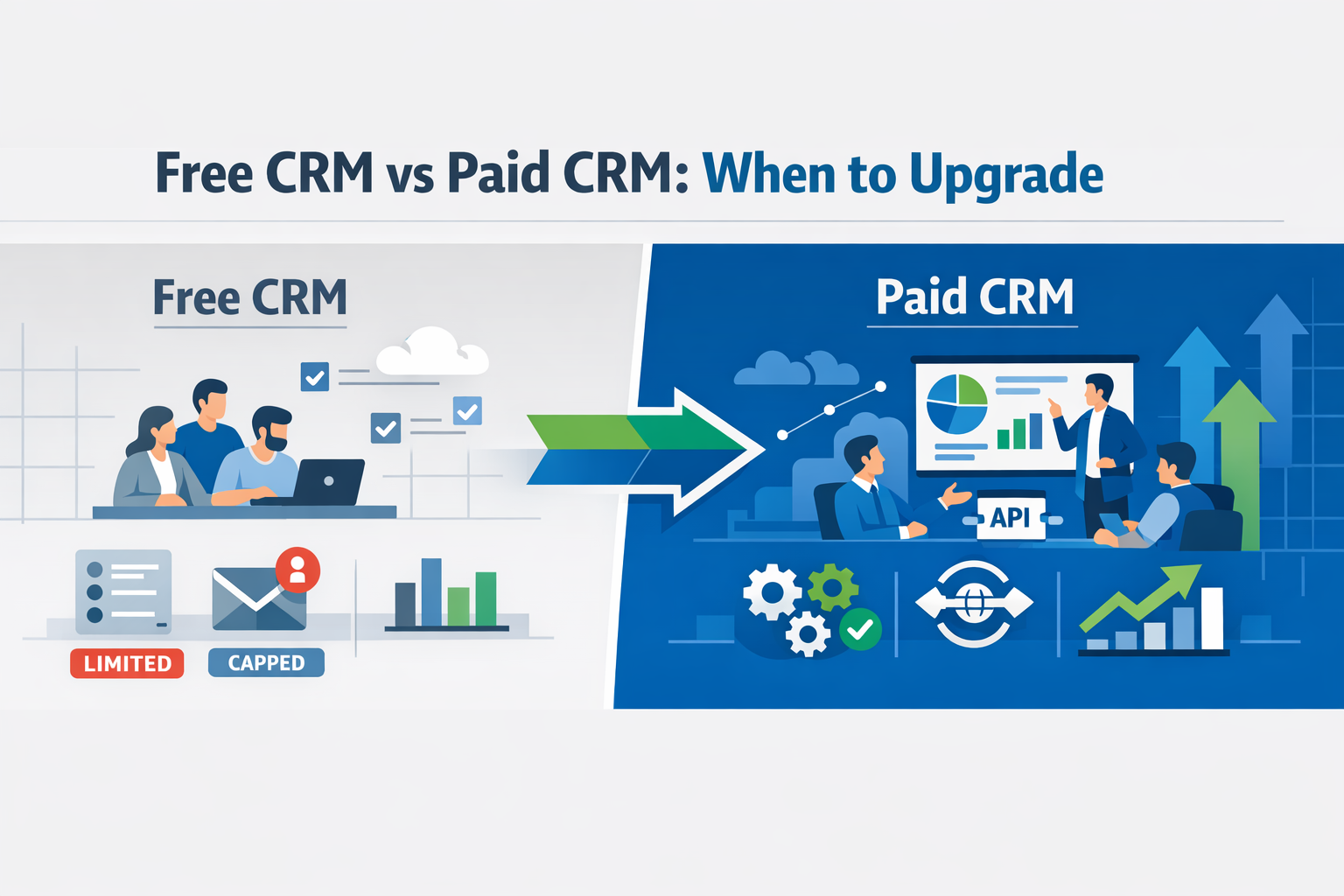
Choosing between a free and paid CRM isn’t about features for the sake of features—it’s about timing. The right option depends on where your business is today.
When a Free CRM Is Enough
A great free CRM is ideal when you’re just getting started or running a lean operation. Free plans usually cover the essentials: contact management, basic deal tracking, and simple reporting. They work well for solo founders, small sales teams, or businesses with straightforward processes. If your CRM helps you stay organized without adding complexity, there’s no rush to upgrade.
In many cases, even the best small business CRM free option can support early growth, especially if your team is small and your sales cycle is simple.
When It’s Worth Upgrading to a Paid CRM
The need to upgrade usually shows up as friction. Manual data entry, limited automation, restricted integrations, or lack of advanced reporting are common signs you’ve outgrown a free plan. Paid CRMs become valuable when multiple teams need access to the same data, when forecasting matters, or when automation could save hours each week.
Upgrading isn’t about spending more—it’s about removing bottlenecks. When a CRM actively improves efficiency and visibility across your sales process, the move to a paid plan becomes a practical business decision, not an expense.
Best Free CRM by Use Case
To help you make the right choice of a free CRM, the SyncMatters team analyzed the most frequent customer use cases and outlined the best-fit solutions for each. Keep reading for more insights:
|
Use Case |
Recommended Free CRM |
Why Choose It |
|
Best for Small Business |
HubSpot CRM |
Unlimited users & contacts, easy onboarding, and core sales tools—a practical choice for teams that want the best CRM software for small business free without complexity. |
|
Best for Startups |
Zoho CRM |
Structured pipelines and basic automation help early teams standardize workflows while keeping costs at zero. |
|
Best for Email-Centric Workflows |
Streak (Gmail CRM) |
Built inside Gmail, this option is perfect if most of your customer interaction happens via email—no context-switching needed. |
If you still hesitate about which CRM is best for your business, contact the SyncMatters team, and we’ll get back to you shortly with all the answers to your questions.
Frequently Asked Questions
Is There a Truly Free CRM with No Limits?
Not entirely—most free CRMs remove limits in one area (like contacts) but cap others such as automation or reporting. Tools like HubSpot come close and are often seen as the best free CRM software for small business starting out.
Can I Use Free CRM for My Growing Business?
Yes, as long as the platform supports your current workflow and doesn’t block growth-critical functions. The key is choosing a CRM that already includes the CRM features you need before scaling pressures kick in.
What Happens to My Data If I Upgrade?
Your data stays intact when upgrading from a free plan to a paid one. You’re simply unlocking additional functionality on top of what’s already there.
Do Free CRMs Offer Integrations?
Most do, but usually in a limited form compared to paid plans. Still, many free CRMs integrate with email and calendars, making them a practical choice for your business early on.


.svg)




