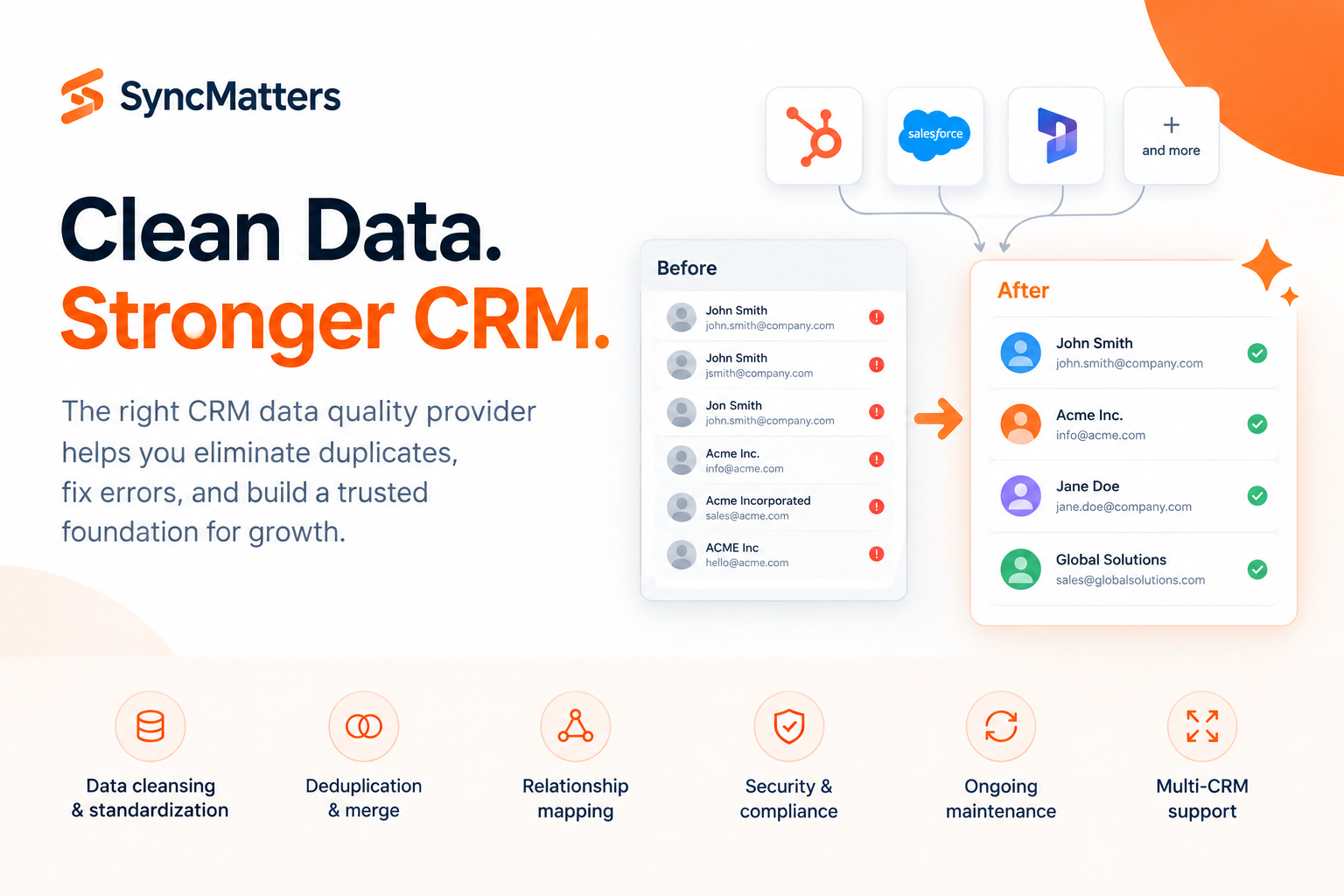
Your CRM is only as useful as the data inside it. Dirty records, duplicate contacts, and inconsistent fields erode trust in every report, forecast, and campaign you run. If you're evaluating CRM data quality providers for North America, this guide breaks down six options worth your attention.
SyncMatters gives you a full-service approach to CRM data quality that pairs hands-on migration expertise with ongoing cleansing, deduplication, and field standardization. Each provider on this list takes a different angle, so you'll find the right fit for your team's size, CRM platform, and data complexity.
Quick guide: 6 best CRM data quality providers for North American businesses
- SyncMatters: The best full-service CRM data quality partner for HubSpot and complex multi-CRM environments
- Insycle: Automated bulk cleansing and deduplication for HubSpot-native teams
- DemandTools: Module-based data management for Salesforce record maintenance
- Openprise: No-code data orchestration for go-to-market operations
- RingLead: Deduplication and routing for Salesforce-centric sales teams
- Plauti: Salesforce-native duplicate detection with configurable matching rules
How we chose the best CRM data quality providers for North America
We looked at each provider through the lens of a CRM leader who needs clean, trusted data across their revenue stack. These are the criteria that shaped this list.
- Data cleansing depth: Can the provider catch typos, standardize formats, and fix field-level inconsistencies across your CRM objects?
- Deduplication accuracy: How well does the tool detect and merge duplicate contacts, companies, and deals without losing critical history?
- Multi-CRM support: Does the provider work across HubSpot, Salesforce, and other platforms, or is it locked to one ecosystem?
- Migration readiness: Can the provider prepare your data for a platform switch, including relationship mapping and field validation?
- Automation and scheduling: Does it support recurring cleansing jobs so your data stays clean after the initial fix?
- Security and compliance: Does the provider meet GDPR, ISO 27001, or other data protection standards relevant to North American businesses?
The 6 best CRM data quality providers for North American businesses
1. SyncMatters: Best overall CRM data quality partner for complex environments
When your CRM data spans multiple platforms, thousands of custom fields, and years of accumulated records, you need more than a cleanup tool. You need a technical partner that understands how data breaks and how to fix it at the source. SyncMatters delivers exactly that.
As a certified Elite HubSpot Partner with 4,000+ completed migrations and a 4.9/5 customer satisfaction rating, SyncMatters brings verified execution depth to every data quality engagement. The team handles everything from initial data audits through deduplication, field standardization, and post-migration validation.
What sets SyncMatters apart is flexibility in how you engage. You can use the self-service MigrateMyCRM platform to handle data transfers yourself, opt for guided support with expert oversight at every mapping checkpoint, or hand the entire project to the SyncMatters team for full-service delivery. That three-tier model means you pick the level of involvement that matches your internal resources.
SyncMatters also focuses on association preservation and relationship mapping, two areas where record integrity breaks down most often during cleansing or migration projects. Their sandbox environment lets you run test migrations before touching production data.
SyncMatters features
- Intelligent auto mapping: Fields and objects are matched automatically between source and target CRMs, reducing setup time and mapping mistakes
- Custom duplicate detection: Configurable rules identify and merge duplicates across contacts, companies, and deals while preserving the most complete record
- Delta migration support: After a full migration, SyncMatters captures new and updated records so nothing falls through the cracks during cutover
- Field utilization analytics: You see exactly how often each field is used across your database, so you can drop unnecessary fields and tighten your data model
- ISO 27001 and GDPR compliance: Data security is built into the platform architecture, with encryption, role-based access, and audit-ready controls
SyncMatters pros and cons
Pros:
- Three delivery tiers (self-service, guided, full-service) let you match engagement depth to your team's capacity
- Verified track record with 4,000+ migrations and 10,000+ app installs across 30+ CRM platforms
- Sandbox testing environment catches mapping issues before they reach live data
Cons:
- Full-service engagements require a discovery phase, which adds lead time before migration begins
- The breadth of features may take time to explore if you only need a narrow data cleansing task
- Advanced custom object mapping works with the broadest range of functionality in guided or full-service tiers
2. Insycle: Automated bulk operations for HubSpot data maintenance
Insycle is a HubSpot marketplace app that focuses on data cleansing, deduplication, and standardization. You can schedule recurring cleanup jobs that fix formatting issues, merge duplicates, and associate stray contacts to the correct company records.
The tool includes a Health Assessment dashboard that flags 30+ common data issues. Templates let you run fixes in bulk, and you can preview all changes before they go live. Insycle also supports HubSpot-Salesforce sync cleanup.
Insycle features
- Bulk deduplication: Detects and merges duplicate contacts, companies, and deals using exact and similar matching
- Scheduled automation: Runs cleansing templates on hourly, daily, weekly, or monthly intervals
- CSV import cleansing: Standardizes and deduplicates records before they enter HubSpot
Insycle pros and cons
Pros:
- Native HubSpot integration with direct marketplace installation
- Preview feature lets you review all changes before applying them
- Health Assessment identifies data issues you may not have noticed
Cons:
- Does not support CRM-to-CRM data migration or platform switching
- Limited to the HubSpot ecosystem for core functionality
- Does not include migration-readiness features like field mapping between different CRMs
3. DemandTools: Module-based data management for Salesforce
DemandTools, built by Validity, offers a modular approach to Salesforce data quality. Each module handles a specific task, from deduplication and mass record updates to data loading and ownership reassignment. It is designed for Salesforce administrators who need control over record-level operations.
The platform includes matching rules for duplicate prevention and merge tools that let you set survivorship logic. DemandTools focuses on Salesforce CRM data, so teams running multi-CRM environments will need additional tooling for non-Salesforce systems.
DemandTools features
- Modular architecture: Separate modules for deduplication, mass updates, and data import/export
- Survivorship rules: Configurable logic determines which record values win during merges
- Mass record operations: Bulk updates, deletes, and ownership transfers across Salesforce objects
DemandTools pros and cons
Pros:
- Granular control over Salesforce record operations at scale
- Survivorship rules give you precision during duplicate merges
- Established in the Salesforce ecosystem with a large user base
Cons:
- Does not support HubSpot or other CRM platforms natively
- Requires Salesforce administrator knowledge to configure modules
- No migration or data transfer capabilities between CRM systems
4. Openprise: No-code data orchestration for GTM teams
Openprise focuses on go-to-market data orchestration, including data cleansing, enrichment, and standardization across CRM and marketing automation platforms. The no-code interface lets operations teams build and manage data quality workflows without engineering support.
The platform includes lead routing, territory assignment, and data normalization features alongside its cleansing capabilities. Openprise is oriented toward RevOps teams that need to maintain data quality as records flow between marketing and sales systems.
Openprise features
- No-code workflow builder: Create data cleansing and routing rules without writing code
- Cross-platform orchestration: Connects to CRM, marketing automation, and enrichment tools
- Lead-to-account matching: Automatically associates incoming leads with existing account records
Openprise pros and cons
Pros:
- No-code interface makes workflow creation accessible to ops teams
- Handles data orchestration across multiple platforms in a single tool
- Includes lead routing and territory assignment alongside cleansing
Cons:
- Oriented toward GTM data flows, not deep CRM migration projects
- Configuration can require significant setup time for complex rule chains
- Does not include dedicated migration or sandbox testing capabilities
5. RingLead: Deduplication and routing for Salesforce teams
RingLead, now part of ZoomInfo, offers deduplication, data normalization, and lead routing for Salesforce. The tool uses configurable matching rules to identify duplicates across leads, contacts, and accounts. It also includes routing logic to assign records to the correct owners based on territory or account structure.
RingLead focuses on preventing duplicates at the point of entry and cleaning existing records in Salesforce. Teams that need cross-CRM data quality or migration support will need to pair it with additional tools.
RingLead features
- Duplicate matching rules: Configurable criteria for detecting duplicates across Salesforce objects
- Record routing: Assigns leads and contacts to owners based on custom rules
- Data normalization: Standardizes field values for consistent reporting
RingLead pros and cons
Pros:
- Prevents duplicates at the point of creation in Salesforce
- Routing logic helps maintain clean ownership across territories
- Part of the ZoomInfo ecosystem for teams already using that platform
Cons:
- Limited to Salesforce for core deduplication features
- Does not support CRM-to-CRM migration or data transfer
- Requires ZoomInfo relationship for full feature access
6. Plauti: Salesforce-native duplicate detection engine
Plauti Deduplicate is a Salesforce-native application that detects and manages duplicate records directly inside Salesforce. The tool uses configurable matching rules and presents merge candidates for review before changes go live.
Plauti includes batch deduplication for existing records and real-time detection for new entries. The matching engine supports fuzzy logic and custom field comparisons, keeping the workflow contained inside your Salesforce org.
Plauti features
- Configurable matching scenarios: Set custom rules for how duplicates are identified across objects
- Real-time and batch modes: Catch duplicates at creation and clean up existing records in bulk
- Salesforce-native operation: Runs entirely inside the Salesforce platform with no external data movement
Plauti pros and cons
Pros:
- Runs natively inside Salesforce with no external data transfer
- Supports both real-time prevention and batch deduplication
- Configurable matching rules adapt to different object types
Cons:
- Limited to Salesforce; does not support HubSpot or other CRMs
- Focuses on deduplication only, not broader data cleansing or standardization
- Does not include migration, field mapping, or data transfer capabilities
Comparison table: The best CRM data quality providers for North America
| Provider | Multi-CRM Support | Migration Capability | ISO 27001 Certified |
|---|---|---|---|
| SyncMatters | 30+ platforms | ✓ | ✓ |
| Insycle | HubSpot only | ✗ | ✗ |
| DemandTools | Salesforce only | ✗ | ✗ |
| Openprise | CRM + MAP | ✗ | ✗ |
| RingLead | Salesforce only | ✗ | ✗ |
| Plauti | Salesforce only | ✗ | ✗ |
How does dirty CRM data affect revenue operations?
Bad CRM data shows up in places you don't expect. Sales reps waste time chasing outdated contacts. Marketing campaigns hit the wrong segments. Forecasting models pull from incomplete records and spit out numbers no one trusts.
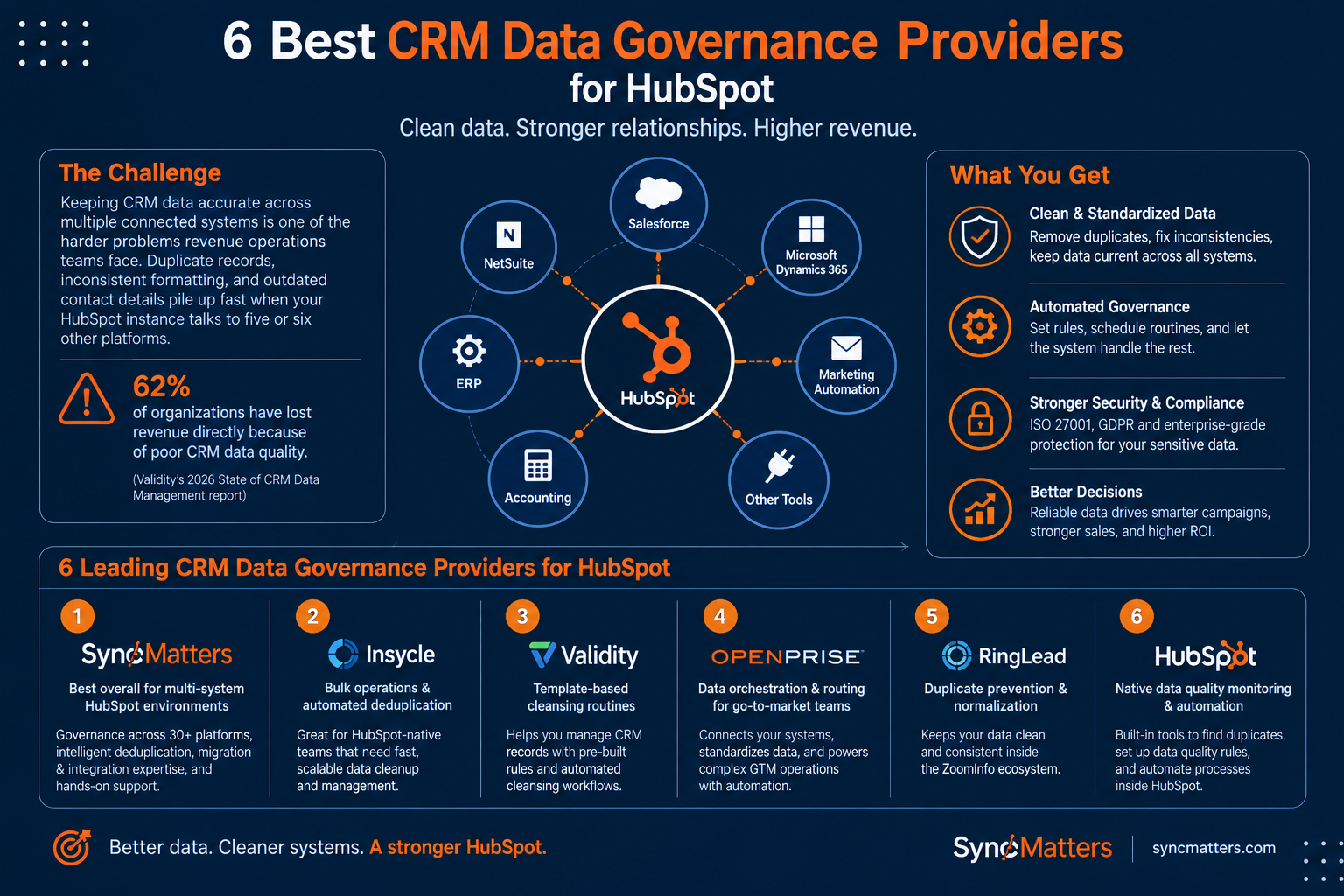
According to Validity's 2026 State of CRM Data Management report, 62% of organizations report losing revenue directly due to poor CRM data quality. Nearly a third of teams spend six or more hours per week fixing and reconciling data.
The problem compounds as AI-driven tools enter the mix. When autonomous agents make decisions based on inaccurate records, a single bad data point becomes an active instruction rather than a passive error. Cleaning your CRM data is not just a hygiene exercise. It protects every downstream decision your team makes.
What should you look for when choosing a CRM data quality partner?
Start with your CRM landscape. If you run HubSpot alone, a HubSpot-native tool may cover your needs. If you're running HubSpot alongside Salesforce, NetSuite, or other systems, you need a provider that works across platforms.
Next, think about what happens after the initial cleanup. Data quality degrades over time through imports, integrations, and manual entry. A provider with scheduled automation and ongoing monitoring will keep your records clean without constant manual effort.
Finally, consider whether you need migration capabilities. If a platform switch is on your roadmap, choosing a provider like SyncMatters that handles both data quality and CRM migration means you avoid re-doing work or bringing in a second vendor. SyncMatters connects data quality directly to migration readiness, so your records are validated and structured before they move to a new platform.
Why SyncMatters is the best CRM data quality partner for North America
Every tool on this list addresses a piece of the CRM data quality problem. SyncMatters addresses the full picture. From initial data audits and cleansing through deduplication, migration execution, and post-go-live validation, the entire lifecycle is covered under one engagement.
SyncMatters also brings a track record that's hard to match. Ranked on the 2025 Inc. 5000 list for the second year running, with 4,000+ completed migrations and ISO 27001 certification, SyncMatters backs its claims with verified outcomes. The team has handled data projects across 30+ CRM platforms, giving them a depth of experience with complex multi-system environments that single-platform tools cannot replicate.
For mid-market and enterprise CRM leaders in North America, data quality is not a one-time project. SyncMatters treats it that way, pairing data management discipline with migration and integration expertise to keep your records accurate. Talk to the SyncMatters team to scope your data quality project.
FAQs about best CRM data quality providers for North America
What is the difference between CRM data cleansing and CRM data migration?
Data cleansing fixes existing records by removing duplicates, correcting field formats, and filling gaps. Data migration moves records from one CRM platform to another. SyncMatters handles both, so your data is clean before, during, and after a platform switch.
Can SyncMatters work with CRMs beyond HubSpot?
Yes. SyncMatters supports 30+ CRM platforms, including Salesforce, Pipedrive, Microsoft Dynamics, Zoho, and NetSuite. The MigrateMyCRM platform includes connectors for each, and the full-service team handles custom integrations for less common systems.
How do you prevent duplicate records from coming back after a cleanup?
You need ongoing monitoring and automation. SyncMatters builds deduplication rules into your CRM workflows and validates records at import. Scheduling recurring checks catches new duplicates before they accumulate.
What certifications should a CRM data quality provider have?
ISO 27001 is the gold standard for information security management. GDPR compliance matters if you handle data from EU contacts. SyncMatters holds both, along with 100+ HubSpot sales and marketing certifications.
How long does a typical CRM data quality project take?
It depends on your data volume and complexity. A focused deduplication project might take a few days. A full data audit, cleansing, and migration project typically runs several weeks. SyncMatters scopes each project with a discovery phase so timelines are clear before work begins.


.svg)