
Table of Contents
- Introduction
- Understanding CRM Migration Project Planning
- Why Comprehensive Planning Matters
- CRM Migration Timeline: Realistic Expectations
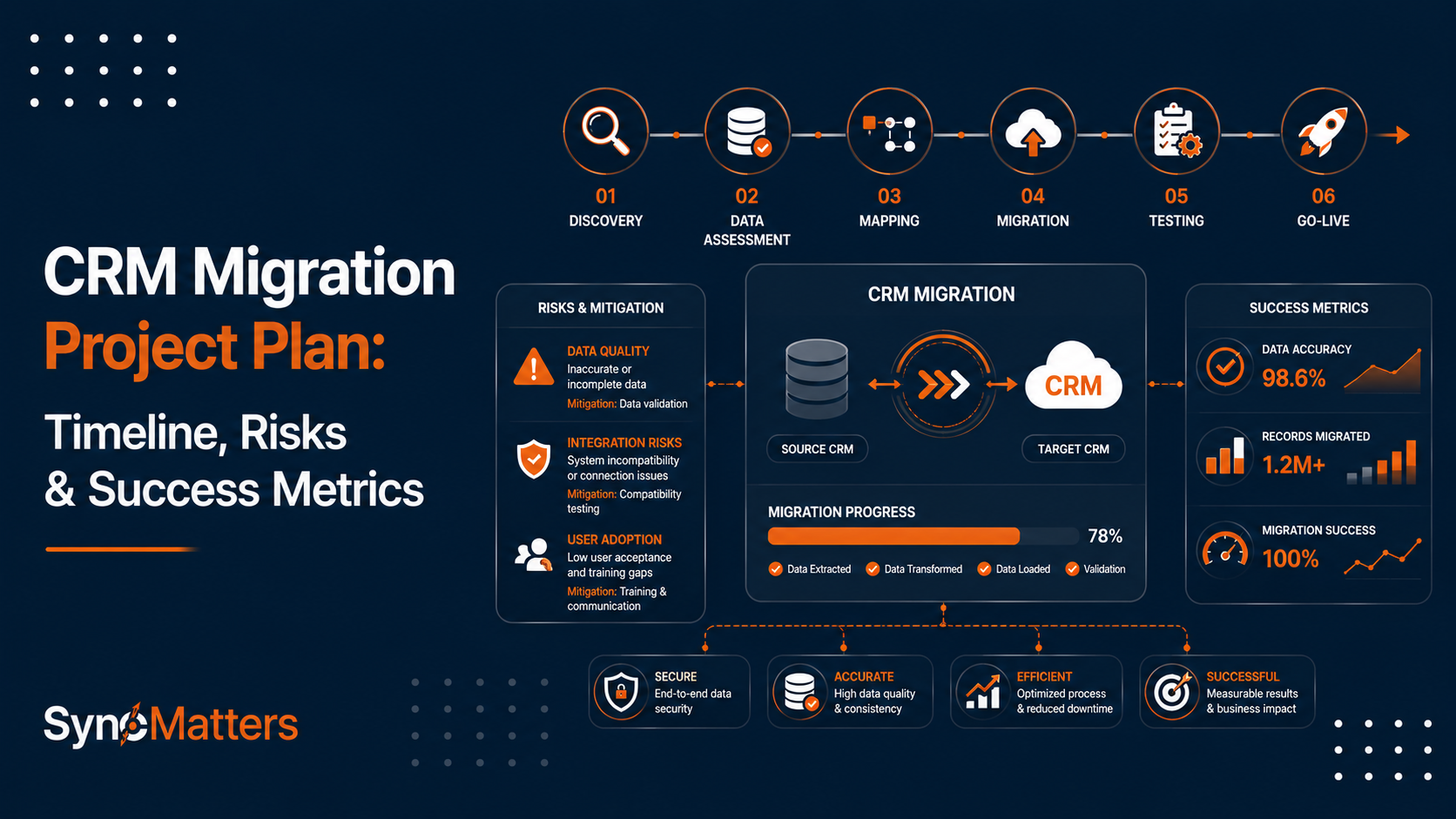
- Migration Project Phases and Milestones
- Identifying and Mitigating Risks
- Defining Success Metrics
- Resource Planning and Budgeting
- Data Assessment and Planning
- Real-World Migration Project Examples
- SyncMatters Migration Project Support
- Common Planning Mistakes
- FAQ
Introduction
The difference between CRM migration success and failure often comes down to planning. Yet statistics reveal a sobering reality: 55 percent of CRM migration projects fail to deliver on their promises. The reasons are remarkably consistent across failed migrations: inadequate planning, unclear objectives, underestimated complexity, and insufficient resource allocation.
The organizations that succeed take fundamentally different approaches. They invest 60 percent of project timelines in planning, preparation, and foundation-building before touching production systems. They clearly define success metrics before beginning implementation. They conduct thorough risk assessments identifying potential problems before they materialize. They establish realistic timelines accounting for complexity rather than optimistic schedules that inevitably slip.
This comprehensive guide provides a practical framework for planning CRM migrations that deliver results. Whether you are upgrading to cloud-based systems, consolidating multiple CRM instances, or switching vendors entirely, the planning disciplines outlined here significantly increase success probability while reducing costly surprises.
Understanding CRM Migration Project Planning
CRM migration project planning establishes the roadmap for moving customer data and operations from legacy systems to new platforms while minimizing disruption and maintaining data integrity.

The Planning Imperative
Effective CRM migration planning addresses fundamental questions:
Strategic Questions:
- Why are we migrating? What business problems does migration solve?
- What does success look like? How will we measure it?
- How does migration align with broader business strategy?
- What capabilities do we need in the new system?
Operational Questions:
- How much data are we migrating? What is its quality?
- What integrations must we maintain?
- How long will migration take?
- What resources do we need?
- What could go wrong? How will we respond?
Tactical Questions:
- What is the detailed timeline with milestones?
- How will we minimize business disruption?
- What training is needed?
- How will we validate success?
Planning vs. Execution
Planning establishes strategy and roadmap; execution delivers results. Without adequate planning, execution becomes reactive firefighting rather than coordinated implementation. Organizations that skimp on planning inevitably extend execution timelines—the time saved in planning is multiplied in additional execution time spent addressing unplanned issues.
Why Comprehensive Planning Matters
The consequences of inadequate planning are severe and measurable.
Business Impact of Poor Planning
Cost Overruns
- 75 percent of CRM migrations exceed budgets
- Average overrun: 20-40 percent above initial estimates
- Root cause: Underestimated complexity and scope
- Prevention: Thorough planning identifies real scope
Timeline Delays
- Most common complaint: migrations take 50-100% longer than planned
- Average delay: 8-12 weeks beyond schedule
- Impact: Extended business disruption, delayed benefits realization
- Prevention: Realistic timelines based on thorough assessment
Data Quality Issues
- Poor planning leads to inadequate data cleansing
- Post-migration cleanup costs 3-10x more than pre-migration cleansing
- Average cost: $50K-$500K+ for remediation
- Prevention: Planning allocates sufficient time for data preparation
User Adoption Failures
- Inadequate change management leads to low adoption rates
- Organizations with strong change management are 6x more likely to meet objectives
- Impact: CRM value never realized due to lack of usage
- Prevention: Planning includes comprehensive training and change management
Financial Impact Analysis
| Issue | Cost If Unplanned | Cost If Planned | Prevention Value |
|---|---|---|---|
| Timeline overruns | $200K-$500K+ | $50K-$100K | $100K-$400K |
| Data quality issues | $150K-$400K | $25K-$50K | $100K-$350K |
| Failed integrations | $75K-$250K | $15K-$30K | $60K-$220K |
| Low user adoption | $100K-$300K | $20K-$40K | $80K-$260K |
| Security/compliance issues | $250K+ | $50K-$75K | $175K-$225K+ |
| Total typical migration | $600K-$1.5M+ | $150K-$300K | $400K-$1.2M+ |
Planning investments of 5-10% of migration budget prevent 70-80% of these costs.
CRM Migration Timeline: Realistic Expectations
Understanding realistic migration timelines prevents the schedule slippage that characterizes most failed projects.
Timeline by Organization Size
| Organization Size | Typical Duration | Planning Phase | Execution Phase | Testing & Validation |
|---|---|---|---|---|
| Small (1-20 people) | 2-3 months | 3-4 weeks | 4-5 weeks | 2-3 weeks |
| Mid-market (20-200) | 4-6 months | 6-8 weeks | 8-10 weeks | 4-6 weeks |
| Large (200-1000+) | 6-9 months | 8-12 weeks | 10-14 weeks | 6-8 weeks |
| Enterprise (1000+) | 9-12+ months | 12-16 weeks | 14-20 weeks | 8-12+ weeks |
Variables Affecting Timeline:
- Data volume (more records = longer migration)
- Data complexity (custom fields, integrations increase time)
- Integration dependencies (dependent systems require testing)
- Resource availability (part-time resources extend timelines)
- Change management requirements (organizational readiness affects timeline)
Important Timeline Insights
Most organizations underestimate migration timelines by 30-50 percent. The largest single time consumer is data preparation (cleansing, deduplication, mapping), which typically accounts for 40-60 percent of total project time. Attempting to compress planning or testing phases inevitably extends execution phases as unplanned issues arise.
Migration Project Phases and Milestones
Structuring migration as distinct phases with clear milestones provides control and visibility.

Phase 1: Discovery and Assessment (6-8 weeks)
Activities:
- Audit current CRM system and data (volume, quality, complexity)
- Document current processes and workflows
- Identify all system integrations and dependencies
- Define migration objectives and success criteria
- Assess team skills and identify skill gaps
- Develop high-level project plan and timeline
Key Deliverables:
- Current state assessment document
- Gap analysis comparing current and desired state
- Migration objective statement
- Preliminary timeline and resource plan
- Risk register identifying major risks
Success Criteria:
- Complete understanding of current system and data
- Clear agreement on migration objectives
- Realistic timeline and resource plan
- Identified risks with mitigation strategies
- Executive approval to proceed
Phase 2: Planning and Design (6-8 weeks)
Activities:
- Design target system configuration
- Develop detailed data mapping (source to destination)
- Plan data cleansing and preparation activities
- Design integration architecture
- Plan testing strategy and test cases
- Develop change management and training plans
Key Deliverables:
- Target system design document
- Data mapping specifications
- Data cleansing plan with timelines
- Integration design document
- Detailed testing plan
- Change management strategy
Success Criteria:
- Detailed mapping of every source field
- Data cleansing plan with resource allocation
- Integration strategy for all dependent systems
- Comprehensive test cases covering all scenarios
- Training curriculum for all user roles
Phase 3: Data Preparation (4-8 weeks)
Activities:
- Deduplicate customer and company records
- Standardize data formatting
- Remove invalid or outdated records
- Cleanse data quality issues
- Archive obsolete data
- Prepare and validate source data for migration
Key Deliverables:
- Clean, deduplicated dataset
- Data quality metrics and validation reports
- Migration-ready data extract
- Backup of original data
Success Criteria:
- 99%+ data completeness for required fields
- 95%+ accuracy verified through sampling
- Duplicate records identified and resolved
- Data formatting standardized
- Data ready for migration
Phase 4: Configuration and Setup (4-6 weeks)
Activities:
- Configure target CRM system
- Set up custom fields and objects
- Configure workflows and automations
- Build integration connections
- Set up user roles and permissions
- Create test environment
Key Deliverables:
- Configured CRM system
- Custom fields and objects
- Integration connections
- User access policies
- Test environment
Success Criteria:
- All required fields and objects configured
- Integrations tested and functioning
- User roles and permissions defined
- Workflows and automations configured
- Test environment ready for data migration
Phase 5: Testing and Validation (4-8 weeks)
Activities:
- Execute test data migrations
- Validate data accuracy and completeness
- Test system functionality with migrated data
- Test integrations with dependent systems
- Perform user acceptance testing
- Execute cutover dry run
Key Deliverables:
- Test migration results and validation reports
- Issue log with resolutions
- UAT sign-off
- Cutover runbook
Success Criteria:
- All test migrations successful
- Data accuracy meets thresholds (99%+)
- System functionality verified
- Integrations functional
- User acceptance obtained
Phase 6: Training and Change Management (2-4 weeks)
Activities:
- Deliver user training by role
- Create knowledge bases and documentation
- Establish support structure
- Communicate status and address concerns
- Conduct training effectiveness assessment
Key Deliverables:
- Training materials for each role
- Knowledge base documentation
- Support procedures and contacts
- Change communication plan
Success Criteria:
- 90%+ of users trained
- Training effectiveness verified
- Support structure in place
- User concerns addressed
Phase 7: Cutover and Go-Live (1-2 weeks)
Activities:
- Final cutover validation
- Execute production migration
- Monitor system performance
- Activate integrations
- Enable user access
- Provide go-live support
Key Deliverables:
- Cutover execution log
- Performance monitoring results
- Go-live support documentation
Success Criteria:
- All data migrated successfully
- System available to users
- Integrations functioning
- Support team ready
- No critical issues
Phase 8: Post-Migration (Ongoing)
Activities:
- Monitor system performance and data quality
- Address post-migration issues
- Optimize configurations based on user feedback
- Measure success against defined metrics
- Plan continuous improvement
Key Deliverables:
- Performance monitoring reports
- Issue resolution logs
- Success metrics dashboard
Success Criteria:
- System performing reliably
- Data quality maintained
- Users productive
- Success metrics achieved
Identifying and Mitigating Risks
Comprehensive risk planning prevents crises from derailing migrations.
Common Migration Risks
| Risk Category | Specific Risk | Likelihood | Impact | Mitigation |
|---|---|---|---|---|
| Data Quality | Poor data quality in source system | High | High | Conduct data audit early, plan cleansing |
| Data Quality | Duplicate records creating issues | High | High | Implement deduplication process |
| Technical | Integration failures post-migration | High | Medium | Plan integration testing thoroughly |
| Technical | Performance degradation with migrated data | Medium | Medium | Execute load testing before cutover |
| Organizational | Low user adoption | High | High | Invest in change management and training |
| Organizational | Key personnel unavailable during cutover | Medium | High | Cross-train team members |
| Planning | Underestimated scope extending timelines | High | Medium | Allocate buffer time in schedule |
| Planning | Inadequate testing missing critical issues | High | High | Allocate 20-30% of timeline to testing |
| Compliance | Regulatory non-compliance | Medium | Critical | Document compliance requirements upfront |
| Security | Data breaches during migration | Low | Critical | Implement security protocols |
Risk Mitigation Strategies
Data Quality Risk:
- Allocate 40-50% of pre-migration timeline to data cleansing
- Implement strict data validation rules
- Conduct thorough data quality assessment
- Establish data quality metrics and thresholds
Technical Risk:
- Plan comprehensive integration testing
- Execute load testing with production data volumes
- Establish monitoring and alerting for post-migration
- Prepare detailed rollback procedures
Organizational Risk:
- Invest 15-20% of budget in change management
- Provide comprehensive training for all users
- Establish executive steering committee for oversight
- Communicate consistently about progress and benefits
Planning Risk:
- Build 20-30% buffer into timeline estimates
- Break project into phases with clear go/no-go decisions
- Assign dedicated project manager
- Conduct regular risk reviews and adjustments
Defining Success Metrics
Success metrics establish clear expectations and enable objective evaluation of migration outcomes.
Recommended Success Metrics
Data Quality Metrics:
- Data accuracy rate (target: 99%+)
- Duplicate record rate (target: <1%)
- Required field completeness (target: 100%)
- Data timeliness (data current within defined period)
System Functionality Metrics:
- System uptime (target: 99.5%+)
- Average response time (target: <2 seconds)
- Workflow error rate (target: <0.5%)
- Integration sync success rate (target: 99%+)
Adoption and Usage Metrics:
- User login frequency (target: daily for active users)
- Active user percentage (target: 90%+ of assigned users)
- Data entry accuracy (target: 95%+)
- Help desk ticket volume (expect 2-4 weeks elevated, then normalize)
Business Outcome Metrics:
- Lead conversion rate improvement (compare pre/post)
- Sales cycle reduction (target: 10-20% reduction)
- Sales productivity improvement (target: 20-30%)
- Customer satisfaction maintenance (target: no decrease)
- Return on investment (target: positive ROI within 12 months)
Example Success Metric Dashboard
30 Days Post-Migration:
- Data accuracy: 99.2% ✓
- User adoption: 87% ✓
- System uptime: 99.8% ✓
- Integration success: 99.1% ✓
- Help desk tickets: 47 (elevated but manageable) ✓
90 Days Post-Migration:
- Data accuracy: 99.5% ✓
- User adoption: 94% ✓
- Sales cycle: 8% reduction ✓
- Help desk tickets: 12 (normalized) ✓
- Positive user feedback: 89% ✓
6 Months Post-Migration:
- Data accuracy: 99.7% ✓
- User adoption: 96% ✓
- Sales productivity: 25% improvement ✓
- Lead conversion: 15% improvement ✓
- Positive ROI: Achieved ✓
Resource Planning and Budgeting
Successful migrations require adequate resources and realistic budgets.
Resource Requirements
Core Team:
- Project manager (full-time)
- CRM administrator (full-time)
- Data migration specialist
- System integration specialist
- Business analyst
- Quality assurance person
- Change management/training lead
Subject Matter Experts:
- Sales process expert
- Marketing process expert
- Service process expert
- IT infrastructure expert
Executive Sponsors:
- CRO or VP Sales (steering committee)
- CFO or finance representative
- IT leadership
- Change management executive
Budget Allocation by Activity
Typical CRM Migration Budget Breakdown:
| Activity | Percentage | Justification |
|---|---|---|
| Software/License | 10-15% | CRM platform, tools, integrations |
| Data Migration | 15-20% | Tools, cleanup, transformation |
| System Integration | 15-20% | Custom connectors, API development |
| Consulting/Professional Services | 20-30% | Expert guidance, implementation |
| Training and Change Management | 10-15% | Materials, delivery, support |
| Infrastructure/Hosting | 5-10% | Test environment, additional capacity |
| Contingency/Buffer | 10-15% | Handle unknowns and scope changes |
Budget Example for Mid-Market Organization:
| Item | Estimated Cost |
|---|---|
| Software and licenses | $50K-$75K |
| Implementation services | $100K-$150K |
| Data migration and cleanup | $75K-$100K |
| Integration development | $50K-$75K |
| Training and change management | $25K-$40K |
| Infrastructure and hosting | $20K-$30K |
| Contingency (15%) | $45K-$65K |
| Total | $365K-$535K |
Most mid-market organizations allocate $300K-$600K for comprehensive CRM migrations.
Data Assessment and Planning
Data forms the foundation of successful CRM migrations.
Data Assessment Activities
Volume Assessment:
- Count records by type (contacts, companies, deals, activities)
- Identify largest data categories
- Assess storage requirements
- Plan migration approach based on volume
Quality Assessment:
- Completeness: What percentage of required fields are populated?
- Accuracy: How many records contain valid, correct data?
- Consistency: Do records follow established standards?
- Timeliness: How current is the data?
- Uniqueness: How many duplicates exist?
Complexity Assessment:
- Custom fields: How many custom attributes?
- Relationships: How complex are associations between records?
- Integrations: How many dependent systems?
- Business logic: How complex are automations and workflows?
Data Preparation Plan
Deduplication:
- Identify duplicate detection rules (email, phone, domain, name match)
- Develop survivorship rules (which record attributes to keep)
- Plan for manual review of ambiguous matches
- Execute deduplication before migration
Standardization:
- Define standard formats (phone numbers, addresses, dates)
- Implement transformation rules
- Apply standardization consistently
- Validate formatting accuracy
Cleansing:
- Remove invalid records (test records, spam)
- Correct obvious errors
- Archive obsolete data
- Validate cleansed data
Mapping:
- Document every field transformation
- Identify unmapped fields
- Plan custom field handling
- Test transformation logic
Real-World Migration Project Examples

Case Study 1: Mid-Market SaaS Company
Organization Profile:
- 120-person sales, marketing, and support teams
- 150,000+ customer records
- 20,000+ open opportunities
- Legacy CRM showing age with limited mobile support
Project Plan:
- Timeline: 5 months total
- Budget: $425,000
- Core team: 6 full-time members
- Approach: Phased by department (sales first, then marketing, then support)
Key Milestones:
- Month 1: Discovery and planning (completed in 4 weeks)
- Month 2: Data cleansing and design (completed in 5 weeks)
- Month 3: Setup and testing (completed in 5 weeks)
- Month 4: Sales department cutover, marketing testing
- Month 5: Marketing cutover, support testing, stabilization
Challenges:
- Data quality worse than expected (35% missing phone numbers)
- Extended data cleansing from 3 weeks to 5 weeks
- Integration with support system required custom development
Results:
- All data migrated successfully (99.3% accuracy)
- Sales team productivity up 22% at 6 months
- 91% user adoption within 30 days
- Marketing reporting improved significantly
- Project completed on budget despite timeline extension
Key Lessons:
- Data cleansing took longer than estimated (common issue)
- Phased approach reduced overall disruption
- Strong change management drove adoption
- Integration testing critical for success
Case Study 2: Energy Company Large-Scale Migration
Organization Profile:
- Large US electricity and gas distributor
- 1+ million customers
- Complex billing systems
- Multiple integrated platforms
Project Plan:
- Timeline: 8 months
- Budget: $2.2 million
- Core team: 15+ dedicated staff members
- Approach: Parallel running with 6-month overlap
Key Components:
- Custom CRM/ERP ecosystem based on microservices
- AES-256 encryption for security
- Full GDPR and ISO 27001 compliance
- Integration with legacy billing systems
Results:
- Successful migration of customer data
- Uninterrupted billing operations
- Data security compliance achieved
- Performance met requirements
Key Lessons:
- Large-scale migrations require extended timelines
- Parallel running reduces cutover risk
- Security and compliance planning essential
- Integration testing with dependent systems critical
Case Study 3: High-Growth Startup Rapid Scaling
Organization Profile:
- 45-person company growing rapidly
- 80,000 customer records
- Limited IT resources
- Need for system that scales with growth
Project Approach:
- Aggressive 10-week timeline
- Focused on core functionality first
- Phased feature rollout post-migration
- External consultant engaged for data migration
Timeline:
- Week 1-2: Planning and assessment
- Week 3-4: Data cleansing
- Week 5-6: Configuration
- Week 7-8: Testing
- Week 9-10: Cutover and stabilization
Results:
- Successful cutover on aggressive timeline
- 88% user adoption within 2 weeks
- 12% sales productivity improvement
- Technical debt eliminated
- Platform ready for next 2 years of growth
Key Lessons:
- Aggressive timelines possible with focused scope
- Engaging external expertise accelerates timeline
- Clear prioritization essential for scope control
- Post-migration refinement allows phased feature rollout
SyncMatters Migration Project Support
SyncMatters supports migration project planning and execution through expertise and specialized tools.
Planning Support
SyncMatters' migration experts help organizations develop comprehensive migration plans:
Planning Services:
- Current state assessment and gap analysis
- Realistic timeline and resource planning
- Risk identification and mitigation strategy
- Success metrics definition
- Budget estimation
Planning Deliverables:
- Migration strategy document
- Detailed project plan with milestones
- Risk register and mitigation plans
- Resource allocation plan
- Success metrics framework
Migration Platform
MigrateMyCRM provides a proven platform for executing planned migrations:
Platform Capabilities:
- Support for 25+ CRM platforms
- Data assessment and quality reporting
- Field mapping with preview capability
- Intelligent deduplication
- Relationship preservation
- Simple wizard-based interface
Planning Integration:
- Clear visibility into data volume and quality
- Realistic resource and timeline estimation
- Test migration capabilities
- Rollback support
Best Practices Resources
SyncMatters' blog provides migration planning guidance:
Recent Articles:
- 10 Proven CRM Migration Best Practices
- CRM migration timelines and costs
- Risk mitigation strategies
- Success metrics and measurement
Expertise and Partnership
As a certified Elite HubSpot partner with experience across 55+ CRM platforms, SyncMatters brings deep migration planning expertise:
- Understanding of migration challenges across platforms
- Proven methodologies from hundreds of migrations
- Industry-specific best practices
- Integration expertise for dependent systems
Organizations working with SyncMatters benefit from planning rigor that prevents common mistakes and accelerates timelines.
Common Planning Mistakes
Learning from others' mistakes prevents expensive errors.
Mistake 1: Underestimating Data Cleansing Time
The Problem: Organizations assume data cleansing will happen "during migration" rather than before.
Why It Happens: Data quality issues are often underestimated until assessment begins.
Cost of Mistake: Post-migration cleanup costs 3-10x more than pre-migration cleansing; delays extend beyond planned migration window.
Prevention: Allocate 40-50% of pre-migration timeline to data preparation with clear quality thresholds.
Mistake 2: Inadequate Testing
The Problem: Compressed testing timelines allow critical issues to reach production.
Why It Happens: Pressure to meet aggressive go-live dates leads to abbreviated testing.
Cost of Mistake: Post-migration issue resolution consumes resources for weeks; user productivity impacted.
Prevention: Allocate 20-30% of project timeline to testing; treat testing schedule as non-negotiable.
Mistake 3: Scope Creep
The Problem: Adding features and requirements during migration extends timeline and budget.
Why It Happens: Teams discover "nice-to-have" features they want to add during migration.
Cost of Mistake: Timeline extensions of 30-50% beyond original estimates.
Prevention: Define scope clearly at project start; use strict change control process for scope additions.
Mistake 4: Insufficient Change Management
The Problem: Technical success doesn't guarantee user adoption.
Why It Happens: Focus on technical migration neglects organizational change aspects.
Cost of Mistake: Low adoption rates, wasted system investment, team frustration.
Prevention: Allocate 15-20% of budget to change management; treat adoption as project success metric.
Mistake 5: Unrealistic Timelines
The Problem: Timeline estimates prove optimistic; actual migration takes 50-100% longer.
Why It Happens: Underestimating complexity, assuming everything goes smoothly.
Cost of Mistake: Extended disruption, delayed benefits realization, stakeholder frustration.
Prevention: Build 20-30% timeline buffer; base estimates on realistic assessment of complexity.
Mistake 6: Inadequate Integration Planning
The Problem: CRM migration succeeds but dependent systems (accounting, fulfillment, support) fail to sync.
Why It Happens: Focus on CRM migration neglects integration testing with dependent systems.
Cost of Mistake: Post-migration integration firefighting; business process disruption.
Prevention: Audit all integrations early; plan integration testing as critical project phase.
FAQ
What is a CRM migration project plan?
A CRM migration project plan is a comprehensive roadmap for moving customer data and operations from existing CRM systems to new platforms. The plan defines project objectives, detailed timeline with milestones, resource requirements, risk mitigation strategies, success metrics, and budget. A good migration plan typically allocates 60 percent of project time to planning and preparation before touching production systems. The plan transforms migration from haphazard implementation into structured, controlled transition.
How long does a typical CRM migration take?
Most mid-market organizations complete CRM migration in 4-6 months, including planning, data preparation, testing, and training. Smaller organizations with straightforward migrations may finish in 2-3 months. Large enterprises with extensive customizations might require 6-9 months. Timeline depends on data volume, complexity, resource availability, and testing thoroughness. The largest time consumer is typically data preparation (cleansing, deduplication, mapping), accounting for 40-60 percent of pre-migration timeline. Organizations that attempt to compress timelines experience proportional increases in post-migration issues.
What should a CRM migration plan include?
A comprehensive migration plan includes several essential elements. Business objectives define why you are migrating and what success looks like. Detailed timeline breaks migration into phases with specific milestones and go/no-go criteria. Resource plan identifies team members, consultants, and executives needed. Data assessment quantifies records, identifies quality issues, and plans cleansing approach. Risk identification and mitigation strategies address potential problems before they materialize. Success metrics define how you will measure migration outcomes. Budget allocates resources across software, services, tools, and contingency. Integration plan addresses dependent systems. Change management and training plan ensures user adoption.
What are the biggest risks in CRM migration?
The biggest risks include poor data quality in source systems, inadequate testing allowing critical issues to reach production, integration failures with dependent systems, low user adoption despite technical success, scope creep extending timelines and budgets, and inadequate change management. Research shows data quality issues and inadequate testing are the single biggest predictors of migration failure. Organizations mitigate risks by allocating 40-50 percent of time to data preparation, 20-30 percent to testing, 15-20 percent to change management, and building 20-30 percent buffer into timeline estimates.
How much should a CRM migration cost?
CRM migration costs vary dramatically based on organization size, data complexity, and integration requirements. Small organizations might spend $50K-$150K. Mid-market organizations typically invest $300K-$600K. Large enterprises often exceed $1M. Typical budget allocation includes 10-15% for software and licenses, 15-20% for data migration, 15-20% for system integration, 20-30% for professional services, 10-15% for training and change management, 5-10% for infrastructure, and 10-15% for contingency. Organizations that underbudget for planning, testing, and change management inevitably overspend on post-migration remediation.
What is the timeline for each migration phase?
Migration typically follows eight phases. Discovery and assessment takes 6-8 weeks. Planning and design requires 6-8 weeks. Data preparation takes 4-8 weeks (often the longest phase). Configuration and setup needs 4-6 weeks. Testing and validation requires 4-8 weeks. Training and change management needs 2-4 weeks. Cutover and go-live takes 1-2 weeks. Post-migration support is ongoing. Total typical timeline is 4-6 months for mid-market organizations. The length of each phase varies based on organizational size, data complexity, and resource availability.
What success metrics should you track?
Key success metrics span data quality, system functionality, adoption, and business outcomes. Data quality metrics include accuracy rate (target 99%+), duplicate record rate (target <1%), and required field completeness (target 100%). System functionality metrics include uptime (target 99.5%+), response time, workflow error rate, and integration sync success (target 99%+). Adoption metrics track user login frequency, active user percentage, and data entry accuracy. Business outcome metrics measure lead conversion rates, sales cycle reduction, sales productivity improvement, and ROI. Track metrics at 30 days, 90 days, and 6 months post-migration to assess success.
How do you avoid CRM migration failures?
The single biggest predictor of migration success is quality of planning. Organizations that invest 60 percent of project timeline in planning, preparation, and testing experience 70-80 percent fewer failures. Specific practices that prevent failure include conducting thorough data assessment early, allocating 40-50 percent of time to data preparation, budgeting 20-30 percent of time for testing, investing 15-20 percent of budget in change management and training, building 20-30 percent buffer into timelines, planning integration testing thoroughly, and engaging experienced migration partners. SyncMatters' proven methodologies incorporate these practices from hundreds of successful migrations.
Should you migrate all your data?
No, best practice is to migrate only data that supports active business processes. Migrating obsolete data, test records, and inactive records clutters the new system and complicates migrations. Archive old data separately. Migrate only data necessary for current operations, active customer relationships, and historical reporting. This focused approach simplifies migration, reduces cleanup afterward, and results in cleaner destination system. Data volume reduction of 20-40 percent is common when organizations migrate only essential data.
What role does change management play?
Change management is critical for user adoption and migration success. Organizations with strong change management are six times more likely to meet migration objectives. Effective change management includes clear communication about why migration occurs and benefits it delivers, comprehensive training appropriate for each user role, identifying change champions who support adoption, addressing user concerns and resistance proactively, establishing support structure answering questions post-migration, and measuring adoption progress. Budget 15-20 percent of project resources for change management rather than treating it as optional.
How do you measure migration ROI?
Measure ROI through multiple business impact metrics. Baseline pre-migration metrics including sales productivity, lead conversion rates, and sales cycle length. Track same metrics at 6 and 12 months post-migration. Calculate improvements and assign financial value (e.g., 20% productivity improvement equals X additional revenue). Calculate total investment including software, services, staff time, and training. Compare financial benefits to total investment. Most organizations report positive ROI within 12 months, with benefits ranging from $1-10 for every dollar invested. SyncMatters helps organizations establish baseline metrics and track post-migration results demonstrating clear ROI.



.svg)



