Table of Contents
- The CRM Migration Decision
- Understanding CRM Migration: More Than Just Moving Data
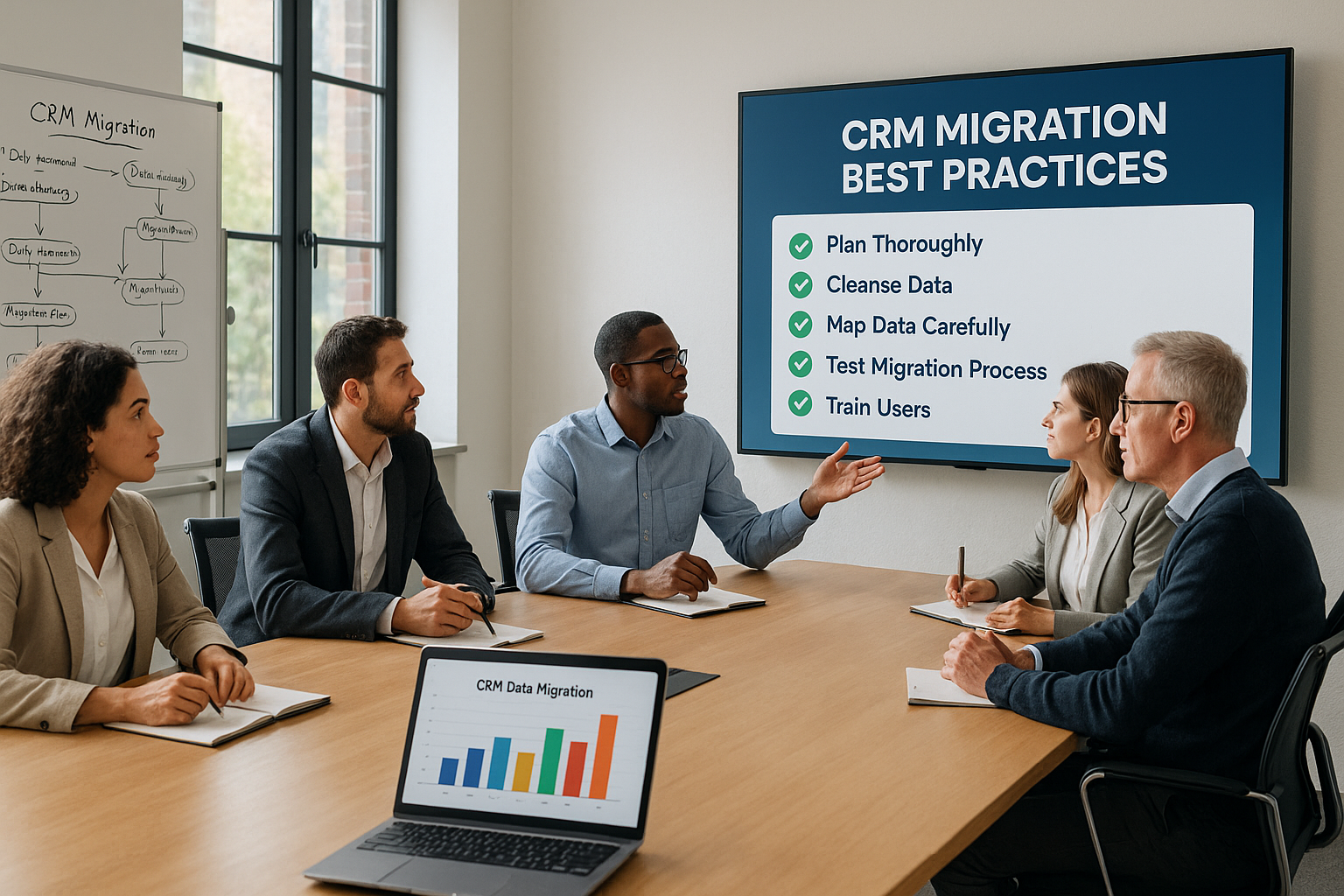
- The 10 Essential CRM Migration Best Practices
- 1. Build a Comprehensive Migration Strategy Before You Begin
- 2. Conduct a Thorough Data Audit Before Migration
- 3. Select the Right Migration Tools for Your Situation
- 4. Create a Comprehensive Migration Checklist
- 5. Prioritize Data Cleansing: Garbage In, Garbage Out
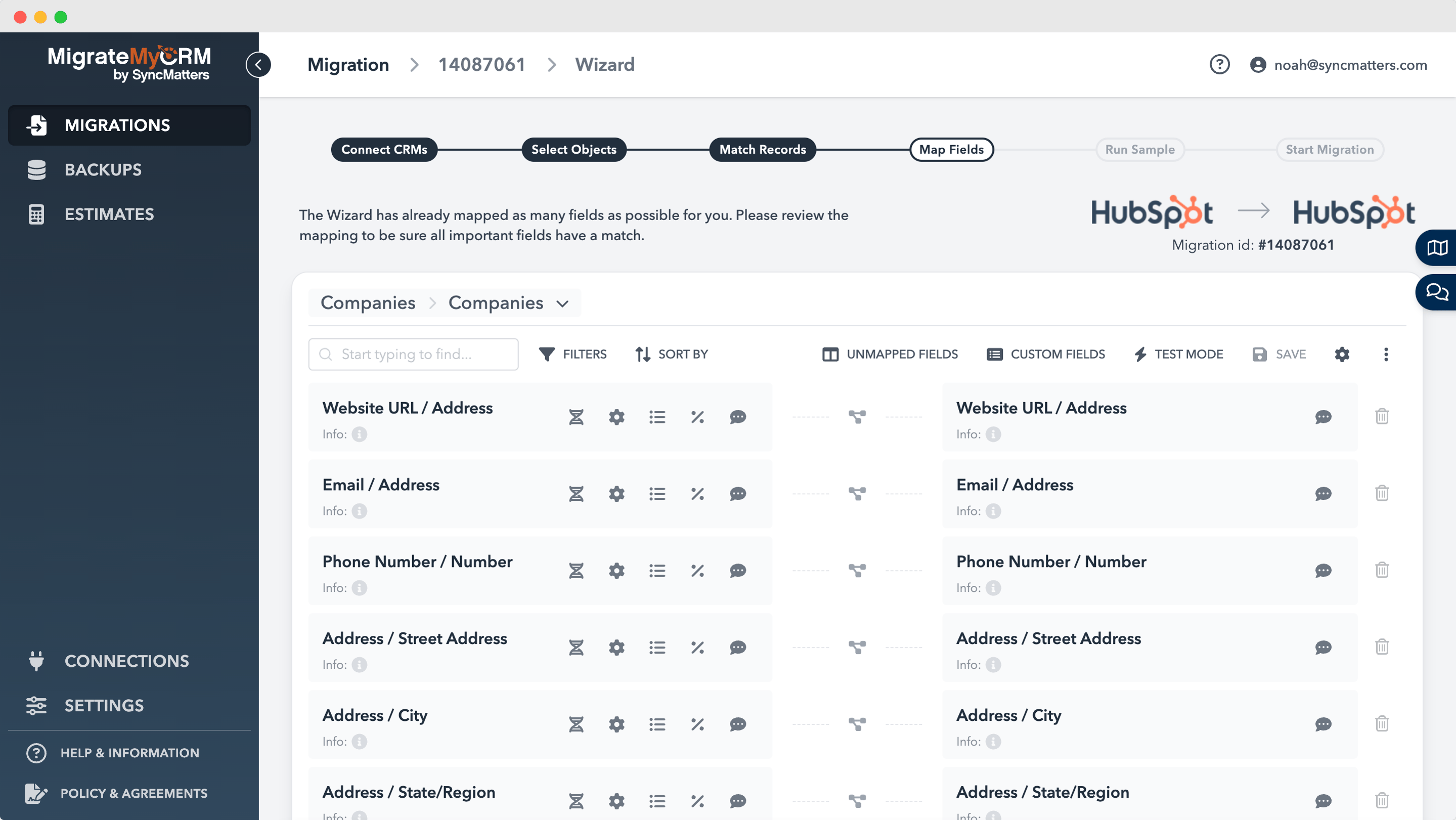
- 6. Map Data Fields with Precision
- 7. Plan for Minimal Downtime During Migration
- 8. Test Extensively at Every Stage
- 9. Invest in Change Management and User Training
- 10. Partner with Professional CRM Migration Services
- Common CRM Migration Strategies for Different Scenarios
- Building Your CRM Migration Timeline
- Final Thoughts: Making Your 2026 CRM Migration a Success
- Frequently Asked Questions About CRM Migration
The CRM Migration Decision
Your current CRM has become a bottleneck. Sales reps complain about slow load times, marketing can't get the data they need, and customer service is drowning in disconnected information. You know something has to change—but here's the sobering reality: 55% of CRM migration projects fail to deliver on their promises.
The statistics are stark. More than half of organizations that embark on CRM migration end up with wasted budgets, frustrated teams, and systems that don't meet their needs. But it doesn't have to be this way.
The difference between migration success and failure comes down to methodology. Companies that follow proven best practices—planning meticulously, cleaning data thoroughly, and partnering with experienced migration specialists like SyncMatters—dramatically improve their odds of success.
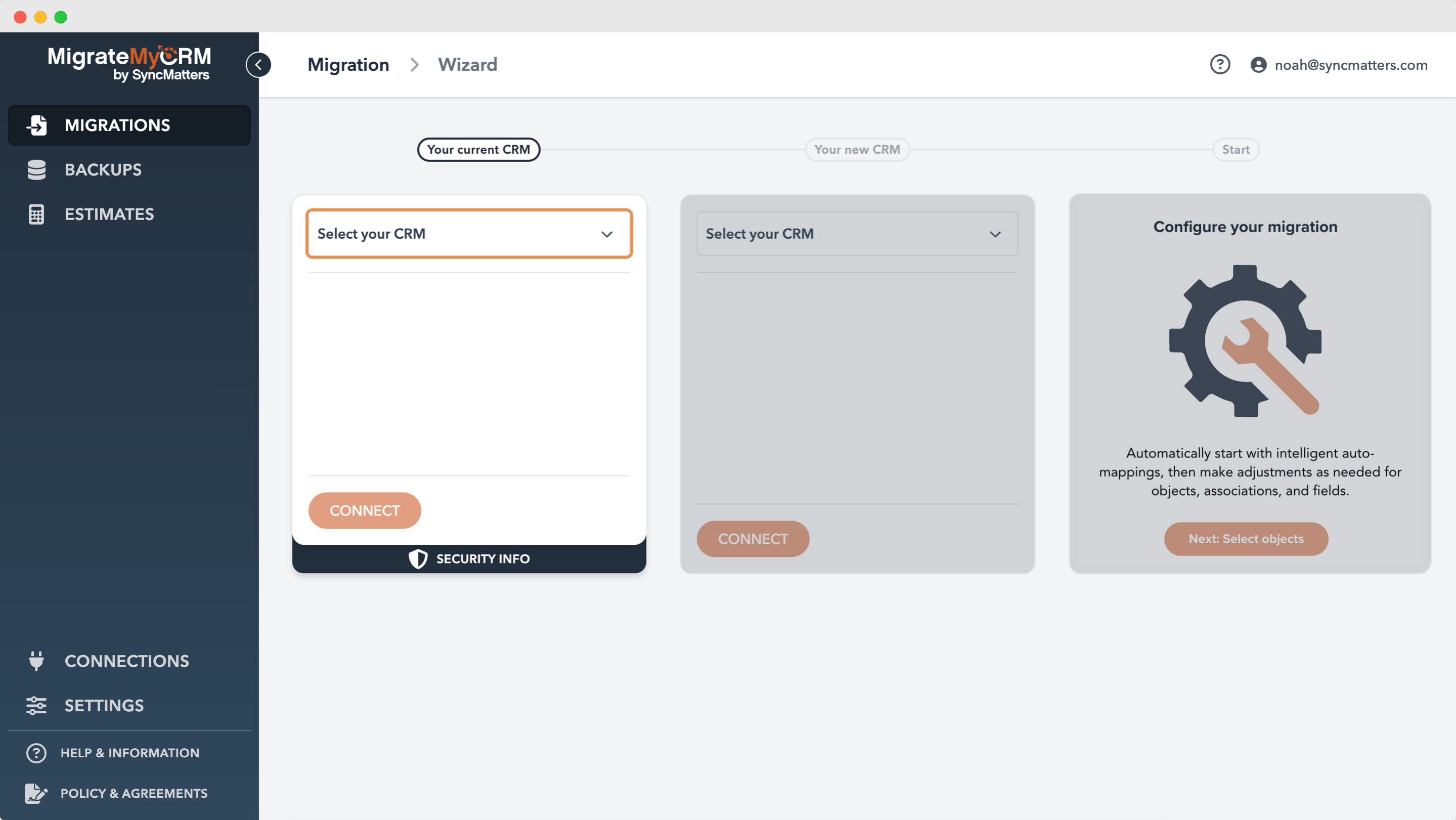
Whether you're moving to Salesforce, HubSpot, or another modern platform, the strategies in this guide will help you navigate your 2026 CRM migration with confidence.
Understanding CRM Migration: More Than Just Moving Data
Before diving into best practices, let's establish what CRM migration actually involves.
CRM migration is the systematic process of transferring your entire customer relationship ecosystem—data, processes, customizations, integrations, and business logic—from one platform to another. This isn't a simple copy-paste operation. It's a comprehensive transformation that touches every department interacting with customer information.
What Gets Migrated
A complete CRM migration encompasses:
- Contact and account information with full relationship hierarchies
- Sales pipeline data including opportunities, quotes, and forecasts
- Historical interaction records spanning emails, calls, meetings, and support tickets
- Custom fields and data structures tailored to your business processes
- Automated workflows and business rules that drive your operations
- User permissions and security settings protecting sensitive information
- Reports, dashboards, and analytics that inform decision-making
- Third-party integrations connecting your CRM to other business systems
Understanding this scope is essential. Migration affects not just your IT team, but sales, marketing, customer success, operations, and leadership.
The 10 Essential CRM Migration Best Practices
1. Build a Comprehensive Migration Strategy Before You Begin
The foundation of successful migration is rigorous planning. Attempting CRM migration without a detailed strategy is like constructing a building without architectural plans—you might end up with something standing, but it won't be what you need.
Essential Components of Your Migration Plan
Clear Business Objectives: Define precisely why you're migrating. Vague goals like "better CRM" won't suffice. Instead, establish measurable targets: reduce sales cycle length by 20%, improve data accuracy to 95%, or increase user adoption to 90% within three months. Document how you'll measure success six months post-migration.
Detailed Project Timeline: Break your migration into distinct phases with specific milestones:
- Data assessment and cleansing (4-6 weeks)
- System configuration and customization (3-4 weeks)
- Migration execution and validation (1-2 weeks)
- Comprehensive testing cycles (2-3 weeks)
- User training and change management (2-4 weeks)
Resource Allocation and Budget: Identify who owns each migration phase. Assign your project manager, technical lead, data quality specialist, and department champions. Budget for professional CRM migration services if internal expertise is limited—partners like SyncMatters bring specialized knowledge that prevents costly mistakes.
Risk Assessment: Identify potential roadblocks early. What happens if data quality is worse than expected? How will you handle extended testing needs? What's your rollback plan if critical issues emerge?
2. Conduct a Thorough Data Audit Before Migration
Your CRM is only as valuable as the data it contains. Effective migration begins with understanding exactly what you're working with.
Key Audit Questions
Data Volume Assessment: How many records are you migrating? Break this down by contacts, companies, deals, activities, and custom objects. This volume directly impacts your choice of migration tools and timeline.
Data Quality Metrics: What percentage of your records are complete? How many duplicates exist? When was data last updated? According to industry research, 88% of sales professionals say accurate customer data is critical to their success—making this assessment non-negotiable.
Custom Field Analysis: Document every custom field, its business purpose, usage frequency, and whether it should migrate to the new system. Many organizations discover that 30-40% of custom fields are rarely used and can be retired.
Integration Dependencies: Map all systems feeding data into or pulling data from your current CRM. How will these connections transition to the new platform?
Relationship Complexity: Understand how your data connects. Are there parent-child account relationships? Complex many-to-many associations? These relationships must be preserved during migration.
3. Select the Right Migration Tools for Your Situation
Not all migration tools are created equal. Your tool selection significantly impacts migration speed, data integrity, and ultimate success.
Migration Tool Categories
Native Platform Tools: Most CRM systems include built-in migration utilities. Salesforce offers Data Import Wizard and Data Loader, while HubSpot provides integrated import functionality. These work well for straightforward migrations with standard field mappings.
Specialized Migration Platforms: Enterprise solutions like Trujay, Zylotech, or Informatica provide advanced capabilities including sophisticated mapping, real-time validation, and automated rollback functionality. SyncMatters specializes in complex CRM migrations, offering both technology and expertise.
Custom API-Based Solutions: Highly customized environments may require custom-built tools leveraging platform APIs for maximum flexibility and control.
Critical Tool Selection Criteria
| Criteria | Why It Matters | Key Questions |
|---|---|---|
| Data Volume Capacity | Large datasets require robust infrastructure | Can it handle your record count? What are throughput limitations? |
| Field Mapping Flexibility | Complex transformations need sophisticated logic | Does it support conditional mapping? Can you handle one-to-many relationships? |
| Validation Capabilities | Prevent data corruption before it happens | Can you test migrations in sandbox? Does it validate before committing? |
| Error Handling | Quick issue identification and resolution | How are errors reported? Can you retry failed records individually? |
| Historical Data Preservation | Maintain complete audit trails | Does it preserve original timestamps? Can you maintain record history? |
| Integration Support | Connect to both legacy and new systems | Which platforms are supported? What about older legacy systems? |
| Cost Structure | Budget considerations | One-time license or subscription? Per-record or flat-fee pricing? |
4. Create a Comprehensive Migration Checklist
A detailed checklist keeps your project on track and ensures nothing gets overlooked. Break this down by migration phase.
Pre-Migration Phase
- Secure executive sponsorship and budget approval
- Assemble cross-functional migration team with clear roles
- Document current CRM usage patterns and pain points
- Complete comprehensive data audit and quality assessment
- Select new CRM platform and migration partner
- Develop detailed project plan with realistic timelines
- Establish success metrics and KPIs
Migration Execution Phase
- Configure new CRM environment with proper settings
- Clean and standardize all data for migration
- Map fields between old and new systems
- Execute test migrations in sandbox environment
- Compare test results against acceptance criteria
- Resolve issues identified during testing
- Perform production data migration
- Validate data integrity post-migration
- Configure automated workflows and business processes
- Test all integrations with connected systems
Post-Migration Phase
- Conduct user acceptance testing with real end-users
- Deliver role-specific training programs
- Distribute documentation and quick reference guides
- Establish user support channels and resources
- Address reported issues promptly
- Monitor system performance and user adoption
- Decommission old CRM system safely
- Conduct post-implementation review and lessons learned
5. Prioritize Data Cleansing: Garbage In, Garbage Out
This principle appears in every list of CRM data migration best practices for good reason: migrating dirty data simply moves your problems to a new platform.
Systematic Data Cleansing Process
De-duplication: Identify and merge duplicate records before migration. Use fuzzy matching algorithms to find variations (John Smith vs. J. Smith vs. Jon Smith). Duplicates inflate your record counts and create confusion in the new system.
Data Enrichment: Fill gaps in your existing data. Leverage third-party enrichment services to append missing phone numbers, email addresses, company information, and social media profiles. Complete records drive better engagement.
Standardization: Implement consistent formats across your dataset. Phone numbers, addresses, dates, and industry classifications should follow uniform patterns. This improves searchability and reporting in your new CRM.
Validation: Verify that emails are deliverable, phone numbers are properly formatted, and URLs are active. Remove or flag clearly incorrect data—birth dates of 1/1/1900, test records, dummy values like "test@test.com."
Email Verification: Before migration, validate all email addresses to remove invalid, disposable, or temporary addresses. Tools like Clearout help you detect problematic emails, reduce bounce rates by up to 3%, and protect your sender reputation.
Ownership Assignment: Ensure every record has an assigned owner in the new system. Orphaned records create accountability gaps and hurt adoption.
The investment in data cleansing pays dividends immediately. Clean data means better sales outreach, more accurate reporting, and higher user confidence in the new system.
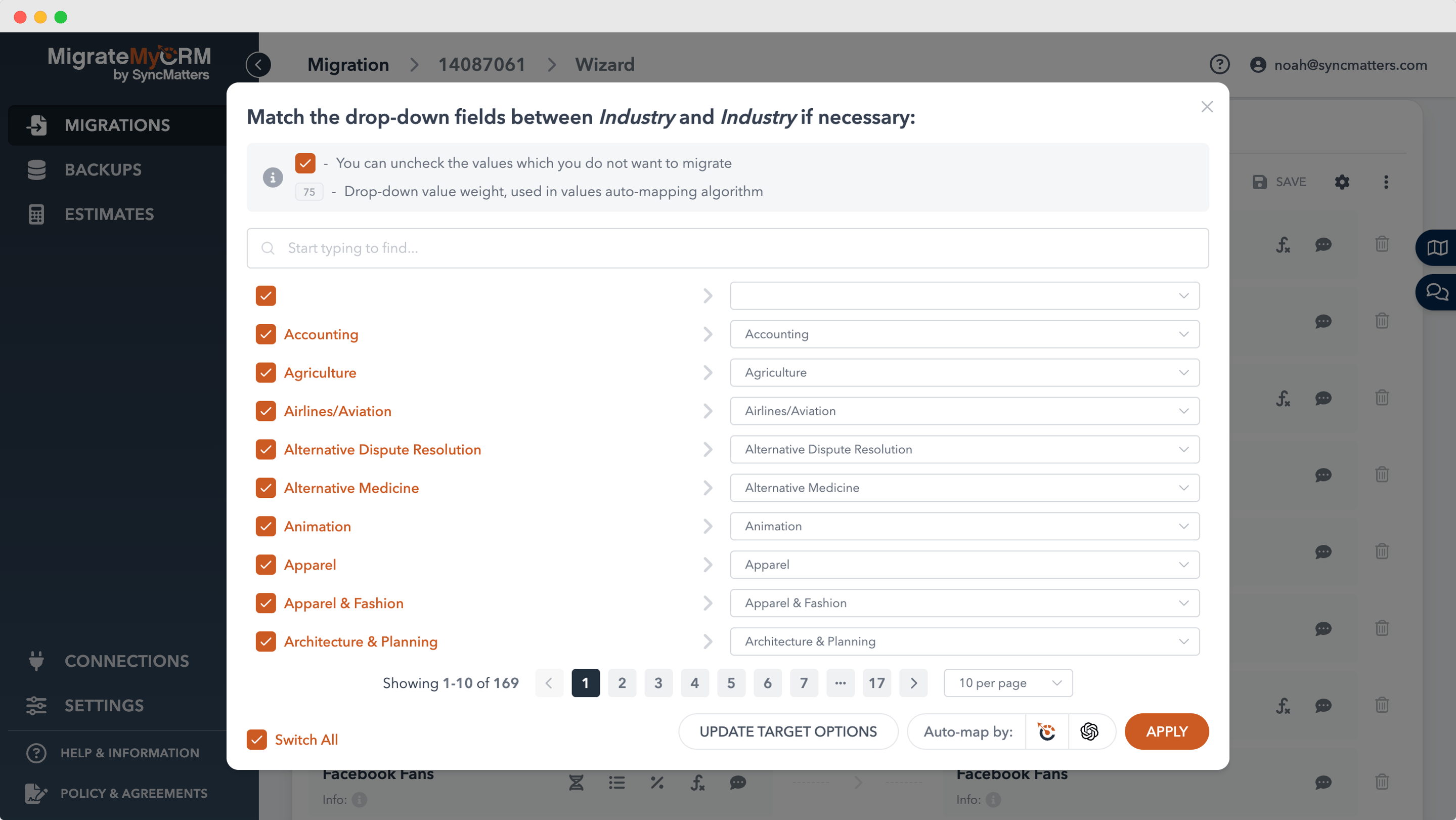
6. Map Data Fields with Precision
Field mapping is where many CRM migrations fail. This critical step determines whether your information lands in the correct location within your new system.
Developing Your Field Mapping Document
Direct Mappings: Straightforward one-to-one field transfers where old and new fields serve identical purposes (Old System: Email → New System: Email Address).
Transformation Mappings: Rules that convert data formats (Old System: Industry [Free Text] → New System: Industry [Picklist with standardized values]).
Splitting Logic: Strategies for dividing single old fields into multiple new fields (Old System: Full Name → New System: First Name + Last Name).
Concatenation Rules: Methods for combining multiple old fields into single new fields (Old System: Address Line 1, Address Line 2, City, State, ZIP → New System: Full Address).
Default Value Assignment: How to handle situations where old system data doesn't exist but new system requires it (Old System: No Lead Source field → New System: Lead Source = "Historical Data").
Conditional Mapping: Complex rules based on data values (If Account Type = "Enterprise" Then Priority = "High", If Account Type = "Small Business" Then Priority = "Standard").
Best Practices for Field Mapping
- Document every mapping decision with clear rationale
- Involve business users to validate that mappings preserve meaning
- Test mappings with sample data before full migration
- Plan for data that doesn't fit neatly into new system structure
- Consider how mappings affect existing reports and workflows
- Work with experienced migration partners like SyncMatters who bring proven mapping methodologies
7. Plan for Minimal Downtime During Migration
Extended system downtime damages productivity and erodes user trust. Modern CRM migration strategies prioritize minimizing or eliminating downtime.
Zero-Downtime Strategies
Parallel Running: Operate both old and new systems simultaneously during transition. Implement bi-directional synchronization to keep critical data updated in both systems as users gradually shift to the new platform. This approach reduces risk but increases complexity.
Phased Migration: Move departments, regions, or business units one at a time rather than all simultaneously. Sales might migrate first, followed by customer success, then marketing. Each wave learns from the previous one.
Off-Hours Implementation: Schedule data-intensive migration operations during periods of low system usage—weekends, holidays, or overnight windows. Users return Monday morning to find the transition complete.
Staged Data Migration: Transfer historical data separately from active data. Migrate archived records first, then recent data, and finally real-time data just before cutover. This reduces the volume requiring migration during critical transition periods.
Contingency Planning
Even with careful planning, issues can arise. Develop a comprehensive rollback plan that allows you to revert to the old system if critical problems emerge. Test this rollback procedure before your production migration.
8. Test Extensively at Every Stage
Testing separates successful migrations from disasters. Inadequate testing is the single most common reason migrations fail to meet expectations.
Comprehensive Testing Framework
Unit Testing: Verify individual components function correctly. Can users log in? Do picklists display properly? Are required fields enforced? Do calculations produce correct results?
Data Integrity Testing: Compare migrated data against source data systematically. Select random sample records and perform field-by-field comparisons. Check that relationships between records survived migration intact.
Integration Testing: Validate that all connected systems still communicate properly with your new CRM. Test email integration, calendar sync, marketing automation connections, and custom API integrations.
User Acceptance Testing (UAT): Involve real end-users in confirming the system meets their needs. Provide realistic scenarios and observe how they complete actual work tasks. Their feedback identifies usability issues technical testing misses.
Performance Testing: Confirm the new system performs adequately under realistic load conditions. Test dashboard rendering speed, report generation time, and search functionality with production-scale data volumes.
Rollback Testing: Verify you can return to the old system if critical issues emerge. This test must succeed before you can confidently proceed with production migration.
Testing Best Practices
- Start testing early with sample data
- Test in an environment that mirrors production
- Document all test cases and results
- Involve diverse user groups in UAT
- Don't rush testing phases to meet arbitrary deadlines
- Fix issues completely before proceeding to next phase
9. Invest in Change Management and User Training
The most overlooked aspect of CRM migration is change management. Technical execution matters, but user adoption determines whether your migration succeeds long-term.
Comprehensive Change Management Program
Early Stakeholder Engagement: Involve key users in planning from the beginning. Sales team leaders, customer success managers, and marketing directors should help define requirements and validate solutions. Their buy-in creates champions who advocate for the change.
Clear Value Communication: Help users understand what's in it for them. How does the new CRM make their work easier, faster, or more effective? Connect migration benefits to personal pain points. "The new system automatically logs emails" resonates more than "improved data capture capabilities."
Multi-Format Training: Deliver education through varied channels:
- Live training sessions for hands-on practice
- Recorded video tutorials for reference
- Written documentation and guides
- Quick reference cards for daily tasks
- Interactive demonstrations showing real workflows
Ongoing Support: Launch doesn't end training. Establish:
- Drop-in office hours for questions
- Dedicated Slack or Teams channel for peer support
- Regular tips and tricks communications
- Dedicated support contact for the first 30 days
- Feedback mechanisms to identify ongoing issues
Addressing Resistance
Change naturally creates anxiety. Acknowledge concerns directly and provide support. Some users will embrace the new system immediately; others need more time and encouragement. Build a network of super-users who can help their colleagues.
10. Partner with Professional CRM Migration Services
You don't have to navigate migration alone. Professional CRM migration services bring expertise that internal teams typically lack.
When to Engage Migration Specialists
Complex Data Scenarios: Migrating millions of records requires specialized tools and optimization techniques most organizations haven't developed internally. SyncMatters specializes in handling complex, large-scale CRM migrations with proven methodologies.
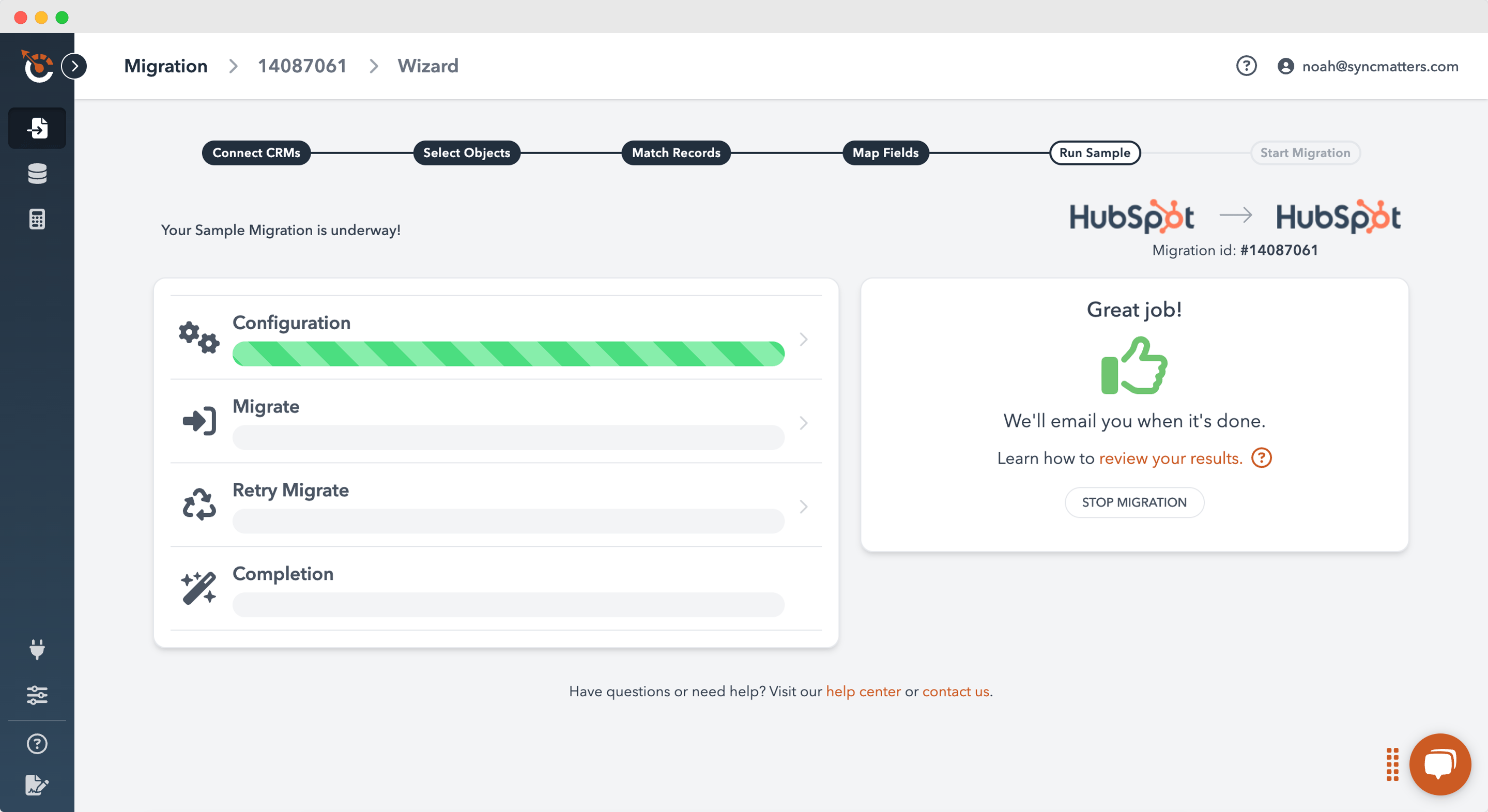
Tight Timelines: External migration partners can dedicate focused resources that internal IT departments juggling multiple projects cannot match. They bring accelerated timelines without compromising quality.
Limited Internal Expertise: If your team hasn't executed CRM migrations previously, the learning curve is steep. Mistakes made during migration are costly to fix. Experienced partners help you avoid common pitfalls.
Custom Integration Requirements: Complex integrations with legacy systems, custom applications, or specialized tools benefit from migration specialists who've solved similar challenges before.
Knowledge Transfer: Quality migration partners don't just execute the work—they train your team on best practices for the new platform, ensuring long-term success beyond the initial migration.
What to Look for in Migration Partners
- Proven track record with your specific source and target CRM platforms
- Transparent methodology with clear milestones and deliverables
- Comprehensive services covering planning, execution, and post-migration support
- Cultural fit with your organization's values and communication style
- References from similar organizations who have successfully migrated
SyncMatters offers end-to-end CRM migration services, from initial planning through post-migration optimization, helping organizations transition smoothly while maintaining business continuity.
Common CRM Migration Strategies for Different Scenarios
Different migration scenarios require tailored approaches. Understanding common strategies helps you choose the right path for your situation.
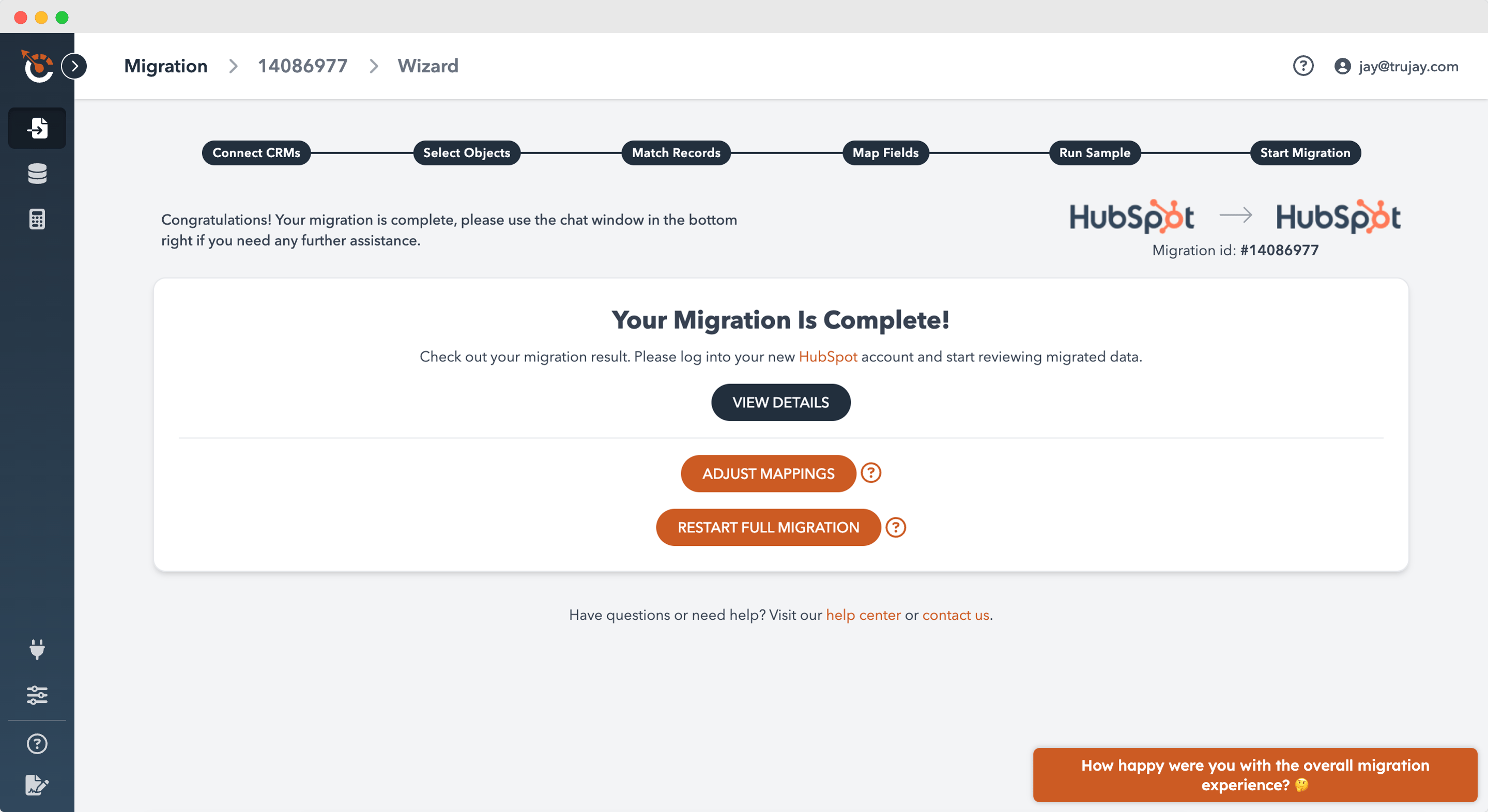
Cloud-to-Cloud Migration
Moving from one cloud CRM to another (Salesforce to HubSpot, or vice versa) is the most common modern migration scenario. These platforms typically offer:
- Well-documented APIs for data extraction and loading
- Similar data models that map relatively cleanly
- Native integration tools that simplify transitions
- Minimal infrastructure changes for end users
Key considerations: Focus on feature parity, ensuring critical functionality exists in the destination platform or can be reasonably replicated.
On-Premise to Cloud Migration
Legacy on-premise CRM systems require special consideration when moving to cloud platforms.
Challenges to address:
- Feature gaps: Modern cloud CRMs may not replicate all legacy features. Determine which capabilities must be recreated versus improved or replaced.
- Connectivity requirements: Cloud platforms demand reliable internet access. Ensure infrastructure supports consistent connectivity.
- Security model evolution: Cloud and on-premise security models differ. Train stakeholders on equally effective but different data protection approaches.
Platform Consolidation
Organizations sometimes migrate multiple CRM systems into a single unified platform.
Unique considerations:
- Resolving duplicate records across systems
- Standardizing inconsistent data models
- Merging conflicting business processes
- Managing multiple user populations with different expectations
Building Your CRM Migration Timeline
Realistic timeline planning prevents rushed decisions and inadequate testing. Use this framework as a starting point, adjusting for your specific complexity.
| Phase | Duration | Key Activities |
|---|---|---|
| Planning & Strategy | 4-6 weeks | Requirements gathering, vendor selection, project plan development, team assembly, budget approval |
| Data Assessment | 3-4 weeks | Data audit, quality analysis, field mapping design, cleansing strategy development |
| System Configuration | 4-6 weeks | New CRM setup, customization, workflow creation, security configuration, integration planning |
| Data Cleansing | 4-8 weeks | De-duplication, standardization, enrichment, validation (can overlap with configuration) |
| Migration Development | 2-3 weeks | Migration tool configuration, script development, mapping implementation |
| Testing | 3-4 weeks | Unit testing, data validation, integration testing, UAT, performance testing |
| Training Development | 2-3 weeks | Materials creation, training environment setup, trainer preparation |
| User Training | 2-3 weeks | Role-specific sessions, practice time, documentation distribution |
| Migration Execution | 1 week | Final data migration, validation, cutover to new system |
| Hypercare Support | 4 weeks | Intensive support, rapid issue resolution, quick optimization cycles |
Total Timeline: 4-6 months for most mid-market organizations
Large enterprises with complex customizations may require 6-9 months. Smaller organizations with straightforward needs might complete migration in 2-3 months.
Final Thoughts: Making Your 2026 CRM Migration a Success
CRM migration doesn't have to be the dreaded experience many organizations fear. With proven best practices—comprehensive planning, rigorous data cleansing, thorough testing, and the right tools—you can make your 2026 CRM migration transformational rather than traumatic.
The key differentiators between successful and failed migrations are:
- Starting with clear business objectives rather than just technical specifications
- Investing time in data quality before migration rather than trying to fix issues afterward
- Testing comprehensively at every stage to catch problems early
- Managing change effectively so users embrace rather than resist the new system
- Partnering with experienced specialists like SyncMatters who bring proven methodologies and prevent costly mistakes
Your CRM is the central nervous system of your customer relationships. Migrating it successfully positions your organization for improved efficiency, better customer experiences, and accelerated growth.
The organizations that succeed in 2026 will be those that approach CRM migration not as a technical project, but as a strategic business transformation—one that deserves careful planning, adequate resources, and expert guidance.
Frequently Asked Questions About CRM Migration
How long does a typical CRM migration take?
Most mid-market organizations complete CRM migration in 4-6 months, including planning, data cleansing, testing, and training. Smaller organizations with straightforward needs may finish in 2-3 months, while large enterprises with extensive customizations might require 6-9 months. Timeline depends on data volume, complexity, resource availability, and how thoroughly you test before going live.
What's the biggest risk in CRM migration?
Data quality issues represent the single biggest migration risk. Poor data quality leads to incomplete records, broken relationships, and user distrust in the new system. The second major risk is inadequate testing, which allows issues to reach production where they're far more expensive to fix. Both risks are entirely preventable with proper planning and execution.
Can we migrate CRM without system downtime?
Yes, zero-downtime migration is possible through parallel running (operating both systems simultaneously) or phased migration (moving departments one at a time). While these approaches add complexity, they prevent the productivity loss associated with extended outages. Work with experienced migration partners like SyncMatters to design a minimal-downtime approach for your situation.
Should we clean data before or after migration?
Always clean data before migration. Migrating dirty data simply moves your problems to the new platform, where fixing them is typically harder. Pre-migration cleansing allows you to start fresh with high-quality data, improving user adoption and system effectiveness from day one. Budget 4-8 weeks for thorough data cleansing as part of your migration timeline.
How much does CRM migration cost?
CRM migration costs vary dramatically based on factors including data volume, complexity, customization requirements, and whether you use internal resources or external partners. Small business migrations might cost $10,000-$30,000, mid-market projects typically range from $50,000-$150,000, and large enterprise migrations can exceed $500,000. Professional migration services like SyncMatters provide transparent pricing based on your specific requirements.
What happens to our integrations during migration?
Existing integrations require reconfiguration for your new CRM platform. Some integrations may have native connectors for your new system, while others need custom rebuild. Document all current integrations early in planning and evaluate whether to migrate them as-is, improve them, or replace them with better alternatives. Factor integration work into your timeline and budget.
How do we measure CRM migration success?
Define success metrics before migration begins. Common metrics include user adoption rate (percentage of users actively using the system), data quality scores (completeness and accuracy), time to complete key processes (comparing old vs. new system), user satisfaction scores, and achievement of specific business objectives you identified during planning. Measure these at 30, 60, and 90 days post-migration.



.svg)