
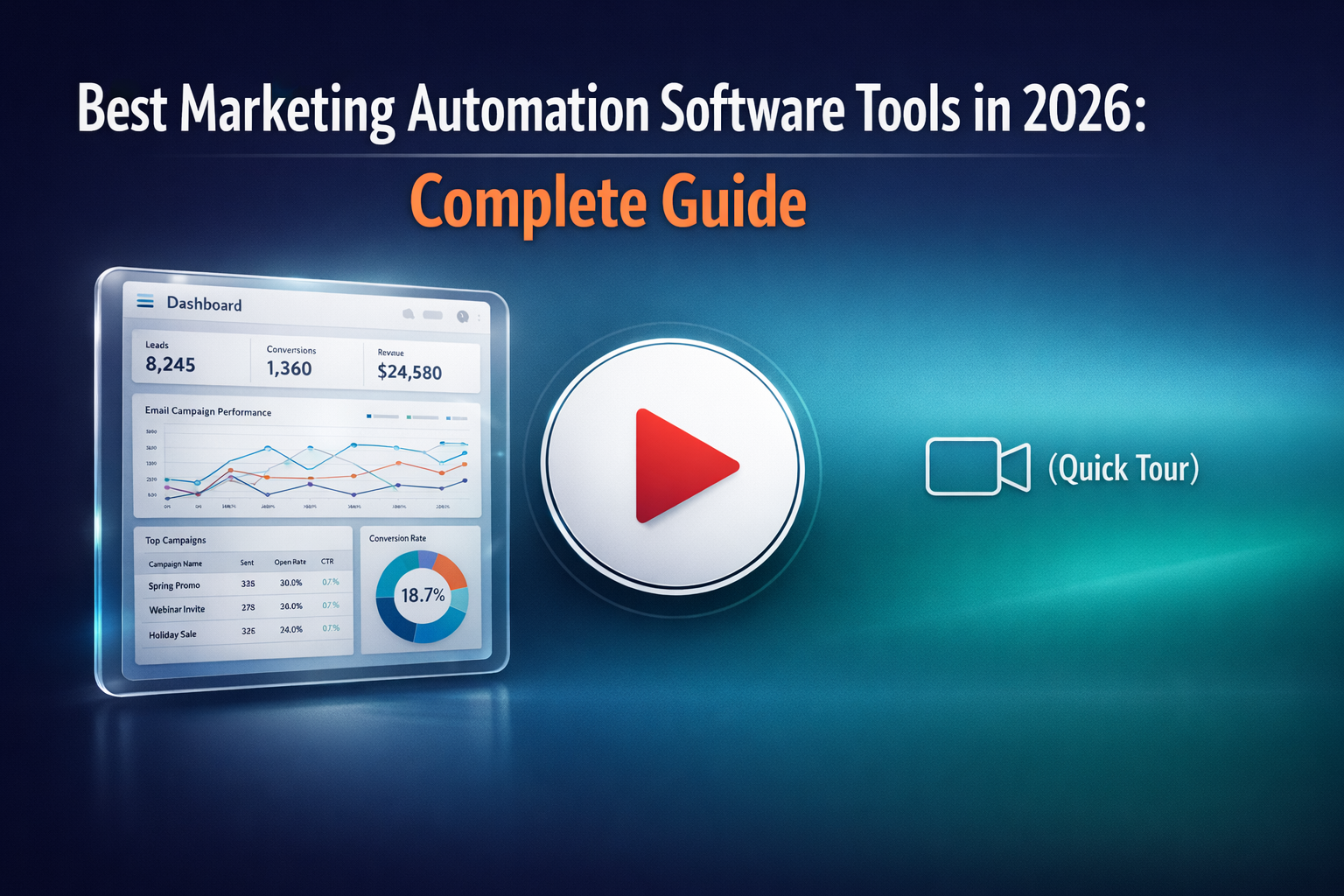
Discover the top 16 marketing automation tools to help optimize your campaigns and save time. Find out how these tools can improve your marketing strategies and help you achieve your goals in 2026.
What Is a Marketing Automation Tool?
A marketing automation tool is software that helps businesses plan, execute, and optimize marketing activities automatically across multiple channels. Instead of relying on manual processes, marketers use marketing automation tools to streamline repetitive tasks such as email marketing, lead nurturing, campaign scheduling, reporting, and data management. The result is faster execution, greater consistency, and better use of marketing resources through intelligent automation.
In 2026, the best marketing automation tools go far beyond task automation. A modern marketing automation platform combines AI-driven insights, predictive workflows, and real-time customer data to deliver personalized experiences at scale. These platforms often include CRM functionality, advanced segmentation, behavioral tracking, analytics, and seamless integrations with other marketing and sales tools. By using AI to anticipate user intent and optimize timing, messaging, and channels, a marketing automation platform enables teams to make smarter decisions, improve performance, and build more effective, data-driven marketing strategies.
What Are the Advantages of Using Marketing Automation Tools?
Marketing automation software tools aren't just another fancy trend. Automation tools help businesses work smarter by improving efficiency, decision-making, and customer engagement across every stage of the marketing funnel. Want to learn more about the advantages of automation tools? Keep reading the points below for more insights:
1. Improved Efficiency
By automating repetitive tasks, marketing automation tools reduce manual work and speed up execution across campaigns. This allows the marketing team to focus on strategy, creativity, and performance optimization instead of routine operations.
2. Better Campaign Optimization
Automation makes it easier to test, track, and refine campaigns based on real-time performance data. Marketers can quickly identify which channels, messages, and formats deliver the best results and adjust accordingly.
3. Data-Driven Insights and Analytics
A modern marketing platform centralizes data from multiple sources, making performance analysis faster and more accurate. These insights help teams understand customer behavior, preferences, and engagement patterns at scale.
4. More Personalized Customer Experiences
Marketing automation tools enable highly targeted messaging based on user behavior, lifecycle stage, and past interactions. Delivering tailored content and offers helps businesses grab attention, keep customers engaged, and increase conversions.
5. Stronger CRM and Sales Alignment
Most automation platforms integrate seamlessly with a CRM, ensuring marketing and sales teams work from the same data. This alignment improves lead qualification, follow-ups, and overall revenue attribution.
6. Scalable Email and Multi-Channel Campaigns
Automation makes it easy to launch, manage, and optimize every email campaign while coordinating messaging across other channels. As a result, businesses can scale their efforts without increasing workload or complexity.
7. Smarter Decisions Powered by AI
The best tools for marketing automation now use AI and predictive analytics to recommend actions, optimize timing, and forecast outcomes. This helps teams make faster, more informed decisions that drive measurable growth.
In short, marketing automation gives businesses the structure, intelligence, and scalability needed to execute more effective campaigns and stay competitive in 2026.
How to Pick the Top Marketing Automation Software?
Choosing the right platform is a strategic decision that directly impacts how efficiently your marketing operates. The best marketing automation softwares are not one-size-fits-all, so it’s important to evaluate options based on your goals, resources, and long-term growth plans.
1. Define Your Business Goals
Start by clearly outlining what you want to achieve, whether that’s improving lead nurturing, scaling campaigns, or optimizing reporting. Understanding these objectives helps ensure the best marketing automation tool you choose supports your overall marketing process.
2. Evaluate Features and Automation Capabilities
Look for platforms that support flexible automation workflows tailored to your campaigns and customer journeys. The right software should simplify complex tasks without adding unnecessary complexity to daily operations.
3. Consider Ease of Use and Team Adoption
A platform should be intuitive enough for your marketing team to use efficiently without extensive training. High adoption rates lead to better execution, faster onboarding, and more consistent results.
4. Assess Integrations and Scalability
Make sure the software integrates smoothly with your existing tools and can scale as your business grows. A future-proof platform should support expanding data volumes, additional channels, and evolving marketing strategies.
5. Test Before You Commit
Whenever possible, use free trials or demos to validate how well the platform fits your needs. Testing real use cases helps confirm whether the solution supports your workflows and improves your marketing process in practice.
By carefully evaluating these factors, businesses can confidently choose a marketing automation platform that delivers long-term value and measurable impact in 2026.
Common Marketing Automation Features
The top marketing automation tools share a core set of features designed to simplify execution, unify data, and scale performance across channels. In 2026, these capabilities form the foundation of modern marketing platforms built for speed, intelligence, and flexibility.
Email Marketing Automation
Email remains a core channel, and today’s tools automate personalization, timing, and follow-ups based on user behavior. The best automated marketing tools use AI to optimize subject lines, content, and send times for higher engagement.
Lead Management and Scoring
Advanced lead management helps teams capture, segment, and prioritize leads automatically. By applying behavioral data and scoring models, platforms ensure sales teams focus on the most qualified opportunities.
Multi-Channel Campaign Orchestration
Modern platforms coordinate messaging across email, social, web, and paid channels from a single interface. This creates consistent customer journeys powered by automation rather than disconnected campaigns.
Analytics and Performance Reporting
Built-in analytics provide real-time visibility into campaign performance and ROI. Dashboards within the marketing cloud help teams quickly understand what’s working and where to optimize.
Social Media Automation and Monitoring
Automation tools schedule content, monitor engagement, and track performance across social platforms. This allows marketers to stay consistent while responding faster to audience behavior and trends.
Paid Media and Digital Advertising Management
Many top marketing automation tools now centralize paid media execution and tracking. This makes it easier to manage budgets, align messaging, and analyze cross-channel performance in one place.
E-Commerce and Revenue Data Integration
Integration with e-commerce platforms connects marketing activity directly to revenue outcomes. This enables automated campaigns for promotions, abandoned carts, and product recommendations based on real purchase data.
Overall, these features enable marketing teams to operate more efficiently, make better decisions, and deliver scalable, data-driven experiences across the entire customer lifecycle.
Best Marketing Automation Software Tools in 2026
You learned the features, now let’s finally dig into the CRMs that provide these features.
HubSpot

HubSpot is one of the most widely used digital marketing automation tools, offering a complete ecosystem that combines CRM, email automation, analytics, and campaign management. HubSpot marketing stands out for its intuitive visual workflow editor, which lets marketing teams build complex automation without coding. By centralizing tasks like lead nurturing and reporting, HubSpot simplifies operations while helping teams scale campaigns efficiently.
Compared with standalone CRMs or marketing solutions, HubSpot provides a unified platform that aligns marketing and sales, making it one of the top marketing automation tools for businesses of all sizes. Its combination of usability, flexibility, and integration options makes it ideal for teams seeking a single platform to manage their marketing process.
Who it’s for:
Companies that want an all-in-one solution for marketing, sales, and CRM benefit most. It’s especially valuable for teams looking for powerful automation, though businesses already invested in niche tools may not need the full ecosystem.
Pricing:
Marketing Hub:
- Free: $0/month
- Starter: ~$15/seat/month
- Professional: ~$800–$890/month
- Enterprise: ~$3,600/month
Key Features:
- Visual no-code workflow automation
- Integrated CRM and contact management
- Email campaign personalization and lead scoring
- Social media posting
ActiveCampaign
ActiveCampaign is a powerful marketing solution that combines email marketing, marketing automation, and a built-in CRM in one platform. Known for its flexible automation workflows and detailed customer journey management, it ranks among the top automated marketing tools for businesses seeking advanced campaign orchestration. Its drag-and-drop workflow builder, advanced segmentation, and multi-step automation make it ideal for marketers who want more control over personalization and engagement.
While feature-rich, ActiveCampaign requires some learning, making it better suited for teams with some automation experience. Once set up, it enables marketing teams to automate complex sequences, track user behavior, and optimize campaigns with precise reporting.
Who it’s for:
Small to mid-sized businesses that want to leverage advanced automation and CRM-driven workflows. It’s perfect for teams that need robust email automation, lead scoring, and customer journey mapping, but may be challenging for beginners.
Pricing:
- Lite: ~$29/month
- Plus: ~$49/month
- Professional: ~$149/month
- Enterprise: Custom pricing
Key Features:
- Drag-and-drop automation builder
- Event and site tracking
- Conversion attribution and reporting
- Advanced split testing and personalization
Mailchimp
Mailchimp began as a simple email platform and has evolved into a powerful tool within the broader marketing automation landscape. Today, it offers not just email campaign creation and A/B testing but also multi‑step automation flows, predictive insights, reporting, and integrations with e‑commerce and CRM systems. Its automation features help businesses send behavioral emails, trigger sequences, and track engagement across channels.
Who it’s for:
Mailchimp is a strong choice for small businesses and teams entering the world of automation tools for digital marketing who want a unified platform for email and basic customer journeys. It’s especially useful for companies that want straightforward email workflows with built‑in reporting and scalable contacts.
Pricing:
- Free: $0/month (limited sends and basic tools)
- Essentials: ~$13/month
- Standard: ~$20/month
- Premium: ~$350/month
Key Features:
- Multi‑step automation flows and behavioral triggers
- Email design and campaign analytics
- Predictive segmentation and optimization
- Integrations with e‑commerce and CRM platforms
Overloop
Overloop is a specialist tool marketing automation platform focused on outbound prospecting, lead generation, and multi‑channel outreach. It uses AI to automatically source contacts from a B2B database of over 450 million professionals, craft personalized messages, and run coordinated campaigns across email and LinkedIn without manual effort. Because it supports multi‑step sequences and real‑time tracking, Overloop can help sales and marketing teams streamline outreach and improve response rates across channels.
Who it’s for:
Overloop works well for small to medium‑sized businesses and sales teams that need an automated, multi‑channel marketing and prospecting solution. It’s especially helpful for teams focused on outbound lead generation and intelligent follow‑up workflows, though teams entirely new to automation may face a learning curve.
Pricing:
- Starter: ~$69/user/month
- Growth: ~$99/user/month
- Enterprise: Custom pricing
These plans differ by the number of credits, connected email accounts, and active campaigns they support, making it easy to scale as outreach needs grow.
Key Features:
- AI‑driven lead sourcing and contact database access
- Customizable multi‑channel campaigns (email + LinkedIn)
- Built‑in email verification and warm‑up
- Detailed performance tracking and analytics
Ontraport

Ontraport is one of the most popular marketing automation tools designed for businesses that want advanced automation combined with deep analytics and CRM functionality. It excels at visualizing campaign performance and tracking results across the entire customer lifecycle. With built-in reporting and a flexible automation engine, Ontraport helps teams understand what’s driving conversions. Its support for multi-channel marketing also makes it a strong choice for companies that want to coordinate email, SMS, and web interactions from one platform.
Who it’s for:
Ontraport works well for small to mid-sized businesses and organizations that need advanced automation with strong analytics. It’s especially popular among membership sites, education platforms, and service businesses that rely on complex funnels and customer journeys. However, its pricing and feature depth may exceed the needs of very small startups or basic users.
Pricing:
- Basic: ~$29/month
- Plus: ~$83/month
- Pro: ~$124/month
- Enterprise: ~$249/month
Key Features:
- Advanced automation workflows and visual campaign mapping
- Built-in CRM with contact management
- Detailed reporting and performance dashboards
- Pre‑built automation templates and goal tracking
Keap (Infusionsoft)

Keap, formerly known as Infusionsoft, remains one of the marketing automation best tools for small businesses looking to unify sales and marketing in a single platform. It combines CRM, email automation, and campaign management with automation triggers that help guide prospects through complex nurture sequences based on behavior, purchases, and engagement. Unlike simpler email tools, Keap supports advanced segmentation and multi‑step journeys without requiring technical expertise.
The platform continues to evolve in 2026 with stronger workflow automation, improved analytics, and deeper native integrations that help teams coordinate outreach across email, SMS, and appointments. Its visual campaign builder and lead scoring features make it easier to tailor touchpoints depending on how contacts interact with your content.
Who it’s for:
Keap is ideal for small and growing businesses that want an all‑in‑one solution for CRM and automation workflows. Companies that treat sales and marketing as a unified process will benefit most, while larger enterprises with separate teams may prefer dedicated enterprise platforms.
Pricing:
- Pro: ~$199/month
- Max Classic: ~$299/month
- Enterprise: Custom pricing
Key Features:
- Drag‑and‑drop campaign and automation builder
- CRM with contact and pipeline management
- Advanced automation triggers and segmentation
- Multi‑channel outreach including email and SMS
Ortto
Ortto is a visually intuitive marketing automation platform that makes building campaigns approachable for teams of all skill levels. Its drag‑and‑drop canvas and visual editors are standout features, helping marketers plan and launch complex automation without coding. While it doesn’t include a full CRM out of the box, Ortto’s strength lies in audience segmentation, behavior tracking, and content marketing workflows that let teams tailor messages across email, web, and in‑app touchpoints.
In 2026, Ortto continues to appeal to small and mid‑sized teams that prioritize clarity and ease of use without sacrificing power. Its automation engine supports multi‑step sequences based on behavior and attributes, making it suitable for lead nurture, onboarding, and cross‑channel campaigns. For organizations that want a focused automation experience with strong visual tools, Ortto is a compelling choice.
Who it’s for:
Ortto works well for startups, small businesses, and marketing teams that want a straightforward platform with visual campaign design. It’s especially useful for teams that value ease of use and multi‑channel engagement over built‑in CRM depth.
Pricing:
- Professional: ~$99/month
- Startup: ~$199/month
- Business: ~$299/month
- Enterprise: Custom pricing
Key Features:
- Visual automation canvas and journey mapping
- Segmentation and behavioral triggers
- Collaborative tools and annotations
- Pre‑built templates and analytics
Marketo
Marketo, now fully integrated into Adobe’s broader Experience Cloud, remains one of the most capable tools for marketing automation on the market, especially for enterprise‑scale use. It combines advanced journey orchestration, predictive analytics, and audience segmentation with deep integrations across Adobe’s suite, including Adobe Analytics, Target, and Experience Manager, enabling highly personalized campaigns across email, web, and paid channels. In 2026, Marketo continues to be a go‑to solution for organizations that need enterprise‑grade automation paired with data‑driven optimization.
Because Marketo is built for flexibility and scale, it offers powerful rule‑based workflows and AI‑driven recommendations that help teams refine messaging, test variants, and optimize engagement. While it may be more complex and costly than lighter solutions, its depth of features delivers significant value for companies with mature marketing operations.
Who it’s for:
Marketo is ideal for mid‑to‑large enterprises with sophisticated automation needs and access to multiple data sources. It’s especially effective when paired with other Adobe products, though smaller teams without advanced requirements may find simpler platforms more cost‑effective.
Pricing:
- Professional: ~$1,995/month
- Enterprise: ~$3,995/month
- Custom: For large or high‑growth deployments
Key Features:
- Cross‑channel journey orchestration and automation
- Deep analytics and attribution
- Scalable segmentation and personalization
- Native integration with Adobe Experience Cloud
Brevo (SendinBlue)
Brevo, formerly known as SendinBlue, started as a simple email platform but has evolved into one of the best digital marketing automation tools for small and growing teams. It combines email campaigns, SMS messaging, basic CRM, and automation workflows in a single platform, making it easy to run coordinated campaigns without multiple systems. With features like behavioral triggers, segmentation, and reporting, Brevo lets you automate follow‑ups and customer journeys based on engagement and activity.
Who it’s for:
Brevo is a strong choice for startups, small businesses, and teams that want an affordable, all‑in‑one marketing automation solution without complex setup. It’s especially useful for companies that want to find the best balance between price and core automation capabilities, though larger enterprises with advanced needs may eventually need a more robust platform.
Pricing:
- Free: $0/month (up to 300 emails/day)
- Starter: ~$9/month (email campaigns, basic automation)
- Standard: ~$18/month (expanded automation and A/B testing)
- Enterprise: Custom pricing (advanced support & features)
Key Features:
- Drag‑and‑drop campaign builder and templates
- Multi‑step automation and behavior triggers
- Email and SMS campaign support
- Built‑in CRM and segmentation tools
GetResponse
GetResponse remains a strong contender among automation marketing tools in 2026, offering an all‑in‑one platform that blends email marketing, audience automation, landing pages, and multi‑channel engagement. Its visual workflow builder and behavioral triggers help teams create automated journeys that welcome new subscribers, recover abandoned carts, and nurture leads without manual effort. With AI‑powered content generators, segmentation, and analytics, GetResponse makes it easier to scale campaigns and optimize performance.
Who it’s for:
GetResponse is a solid choice for small and mid‑sized teams that want a reliable platform to automate email, workflows, and customer engagement. It’s particularly useful for businesses that need flexible automation without the complexity of enterprise‑grade systems, though organizations with highly specialized needs may require more advanced solutions.
Pricing:
- Free: $0/month (basic tools and a free trial option)
- Starter: ~$19/month (email marketing and automation basics)
- Marketer: ~$59/month (unlimited automation workflows)
- Creator: ~$69/month (advanced campaigns + webinars)
- Enterprise: Custom pricing
Key Features:
- Visual automation workflow builder
- Unlimited newsletters and AI email tools
- Landing pages and signup forms
- Behavioral triggers, segmentation, and testing
Omnisend
Omnisend is a popular automated marketing software platform that focuses on helping e-commerce brands coordinate email, SMS, and push messaging into one cohesive automation strategy. It supports multi‑step workflows, behavioral triggers, and audience segmentation to help teams create automated campaigns that welcome new customers, recover abandoned carts, and re‑engage buyers with minimal manual effort. With built‑in analytics and omnichannel workflows, Omnisend makes it easier to see how marketing performance translates into real results.
Who it’s for:
Omnisend is ideal for small and mid‑sized e-commerce businesses and marketing teams that want a user‑friendly platform with strong automation for email and SMS. It’s especially suited to brands that want to streamline multi‑channel campaigns without needing separate tools. Larger enterprises with very high contact volumes or advanced segmentation requirements may eventually consider more specialized enterprise platforms.
Pricing:
- Free: $0/month (up to 250 contacts, 500 emails/month)
- Standard: ~$16/month (scales with contacts)
- Pro: ~$59/month (unlimited email, bonus SMS credits)
- Enterprise: Custom pricing
Key Features:
- Visual campaign and workflow automation
- Email, SMS, and web push messaging
- Contact segmentation and behavioral triggers
- Advanced reporting and performance dashboards
EngageBay
EngageBay is an all‑in‑one platform that combines CRM, sales, and automation tools for marketing in a single, user‑friendly interface. Designed with simplicity in mind, it helps small businesses and startups launch automated campaigns, nurture leads, and manage customer relationships without a steep learning curve. Its visual automation designer makes it easy to build workflows based on behavior, tags, or custom triggers, helping teams run campaigns that convert without unnecessary complexity.
In 2026, EngageBay remains an affordable alternative to enterprise platforms, offering a broad feature set that includes email automation, contact scoring, landing pages, and analytics. Its integrated CRM also ensures that marketing and sales stay aligned, giving teams end‑to‑end visibility into the customer journey and performance.
Who it’s for:
EngageBay is ideal for startups, solopreneurs, and small to mid‑sized businesses that want a cost‑effective all‑in‑one solution. It’s especially appealing to teams that need core marketing automation without investing in multiple separate systems.
Pricing:
- Free: $0/month (basic marketing and CRM)
- Basic: ~$15/user/month
- Growth: ~$46/user/month
- Pro: ~$92/user/month
Key Features:
- Email automation, analytics, and A/B testing
- Social media monitoring and reporting
- Built‑in landing page and pop-up form builder
- Drag‑and‑drop automation workflow designer
Campaigner
Campaigner is a focused platform that prioritizes email automation above all else, making it one of the dependable automation tools marketing teams can use when email remains a core engagement channel. Its strength lies in advanced workflow customization, letting teams set up sequences based on behavior, engagement, and purchase triggers. While it doesn’t offer as broad a multi‑channel feature set as some competitors, Campaigner’s reporting and automation are robust and reliable for teams centered on list growth and targeted messaging.
In 2026, Campaigner continues to be a solid choice for companies that want thorough control over email performance and customer communication logic. It includes analytics, A/B testing, and segmentation that reveal patterns in subscriber activity, helping marketers refine campaigns based on clear data.
Who it’s for:
Campaigner is best suited for teams where features such as email marketing and deep campaign customization are the priority. Small and mid‑sized businesses that rely heavily on email communication will find its capabilities valuable, while organizations requiring broad cross‑channel automation may prefer more expansive platforms.
Pricing:
- Starter: ~$59/month
- Essential: ~$179/month
- Advanced: ~$649/month
- E-commerce: ~$80/month
Key Features:
- Highly customizable email automation and workflows
- Behavioral tracking and analytics
- Auto‑responders and A/B split testing
- Basic social media integration
Salesforce Pardot
Salesforce Pardot is a comprehensive B2B platform and one of the most capable tools marketing automation available for enterprise teams. Built to handle complex lead nurturing, scoring, and multi‑stage campaigns, Pardot enables marketers to automate engagement across email, landing pages, and highly customized journeys. Its deep integration with Salesforce CRM gives teams a unified view of prospects and pipeline performance, turning data into actionable automation that improves conversion outcomes. In 2026, Pardot continues to lead organizations that need advanced automation combined with enterprise‑grade analytics and personalization.
As Pardot is tailored to larger operations, it delivers sophisticated capabilities but requires significant investment. Organizations that want to find the best marketing automation for complex B2B sales cycles and integrated data workflows often find Pardot worth the cost due to its flexibility and depth.
Who it’s for:
Pardot is ideal for mid‑to‑large enterprises with established marketing and sales teams. It works well for companies with long sales cycles and multiple buyer personas.
Pricing:
- Growth: ~$1,250/month
- Plus: ~$2,500/month
- Advanced/Custom: Contact Salesforce
Key Features:
- Email automation and personalization
- Lead scoring and lifecycle management
- Landing pages and form builders
- Journey builder and analytics dashboards
Constant Contact
Constant Contact is a long‑standing marketing automation software solution that started with email campaigns and has steadily expanded its automation capabilities. In 2026, it offers multi‑step email automation, behavioral triggers, AI‑assisted content tools, and integrations with major e‑commerce and business platforms such as Shopify, Zapier, and Vimeo. These capabilities let small teams automate welcome series, abandoned cart reminders, and re‑engagement campaigns without needing separate systems.
Who it’s for:
Constant Contact is best suited for small businesses and teams that want a straightforward, scalable platform focused on email and core automation. It’s a good option if your primary goal is email outreach with automated workflows and basic audience segmentation. However, teams needing advanced multi‑channel workflows or enterprise‑grade personalization may find more sophisticated platforms elsewhere.
Pricing:
- Lite: ~$12/month (entry‑level features)
- Standard: ~$35/month (strong automation and segmentation)
- Premium: ~$80/month (advanced automation, SMS credits, deeper analytics)
- (Prices scale with list size and usage.)
Key Features:
- Drag‑and‑drop email builder and templates
- Automated welcome and behavior‑based emails
- Contact segmentation and analytics
- Integrations with e‑commerce and CRM platforms
Zoho Campaigns
Zoho Campaigns is part of Zoho’s broader suite but stands on its own as one of the best marketing automation software choices for email‑centric marketing teams. It combines email campaign creation, automation workflows, behavioral triggers, and analytics with easy integration into CRM and other Zoho apps. In 2026, Zoho Campaigns lets teams set up drip sequences, segment audiences, and send targeted messages that support onboarding, promotions, and re‑engagement needs without requiring separate tools.
Who it’s for:
This platform is especially useful for small and mid‑sized businesses that want cost‑effective email automation with room to grow. It pairs particularly well with other Zoho products like CRM, Analytics, and Sites, but also works as a standalone solution for teams focused on email engagement rather than full omnichannel automation.
Pricing:
- Free: $0/month for up to 2,000 contacts and 6,000 emails/month
- Standard: ~$3–$4/month (billed annually)
- Professional: ~$4.50–$6/month (billed annually)
- Enterprise: Custom pricing for large contact volumes
Key Features:
- Drag‑and‑drop automation workflows
- Advanced segmentation and A/B testing
- Contact scoring and dynamic content
- Integrations with Zoho CRM and third‑party tools
Summing Up: Comparing Marketing Automation Tools
Still hesitating about which marketing automation tools will bring the most value to your business? Check out the table below, summarizing the key insights about each tool reviewed in the article:
|
Tool |
Best for |
Pricing |
Key Strengths |
|
HubSpot |
All‑in‑one platform for growth teams |
Free → Enterprise (~$0 → $3,600/mo) |
Unified CRM + email + workflows, powerful marketing automation |
|
ActiveCampaign |
Advanced automation + CRM |
Lite → Enterprise (~$29 → Custom) |
Flexible automation triggers, lead scoring |
|
Mailchimp |
SMBs & beginners |
Free → Premium (~$0 → $350/mo) |
Easy email + SMS automation |
|
Overloop |
Outbound lead gen & prospecting |
Starter → Enterprise (~$69 → Custom) |
LinkedIn + email automation |
|
Ontraport |
Membership & education |
Basic → Enterprise (~$29 → $249/mo) |
Funnels + CRM + deep analytics |
|
Keap (Infusionsoft) |
Small business unified sales + marketing |
Pro → Enterprise (~$199 → Custom) |
Automation triggers + CRM |
|
Ortto |
Visual automation workflows |
Professional → Enterprise (~$99 → Custom) |
Visual journey builder |
|
Marketo |
Enterprise automation |
Professional → Enterprise (~$1,995 → $3,995/mo) |
Scalable, data‑driven campaigns |
|
Brevo (SendinBlue) |
Email & SMS automation |
Free → Enterprise (~$0 → Custom) |
Affordable with multi‑channel sends |
|
GetResponse |
SMB automation + landing pages |
Free → Enterprise (~$0 → Custom) |
Multi‑channel automation |
|
Omnisend |
e-commerce automation |
Free → Enterprise (~$0 → Custom) |
Email + SMS + push workflows |
|
EngageBay |
Budget all‑in‑one |
Free → Pro (~$0 → ~$92/user) |
CRM + automation |
|
Campaigner |
Email automation focus |
Starter → Advanced (~$59 → $649/mo) |
Deep email workflows |
|
Salesforce Pardot |
Enterprise B2B automation |
Growth → Custom (~$1,250 → Custom) |
Lead scoring + personalization |
|
Constant Contact |
Beginner email automation |
Lite → Premium (~$12 → ~$80/mo) |
Straightforward email automation |
|
Zoho Campaigns |
Cost‑effective email + automation |
Free → Enterprise (~$0 → Custom) |
Email + segmentation + CRM sync |
FAQ
Can Small Businesses Benefit from Marketing Automation?
Yes—small businesses can save time, optimize campaigns, and engage customers more effectively by using marketing automation tools.
What Is the Difference Between Marketing Automation and CRM?
Marketing automation focuses on automating campaigns and workflows, while CRM manages customer data and relationships.
Do Marketing Automation Tools Require Technical Skills?
Most modern marketing automation tools are designed to be user-friendly and do not require advanced technical skills, though some features may need basic setup knowledge.


.svg)




