

Social media is where customer relationships are built in real time, and managing those conversations without the right tools is no longer sustainable. In this guide, we break down the best social CRM platforms for 2026 to help you engage smarter, respond faster, and turn social interactions into real business value.
What Is Social CRM Software?
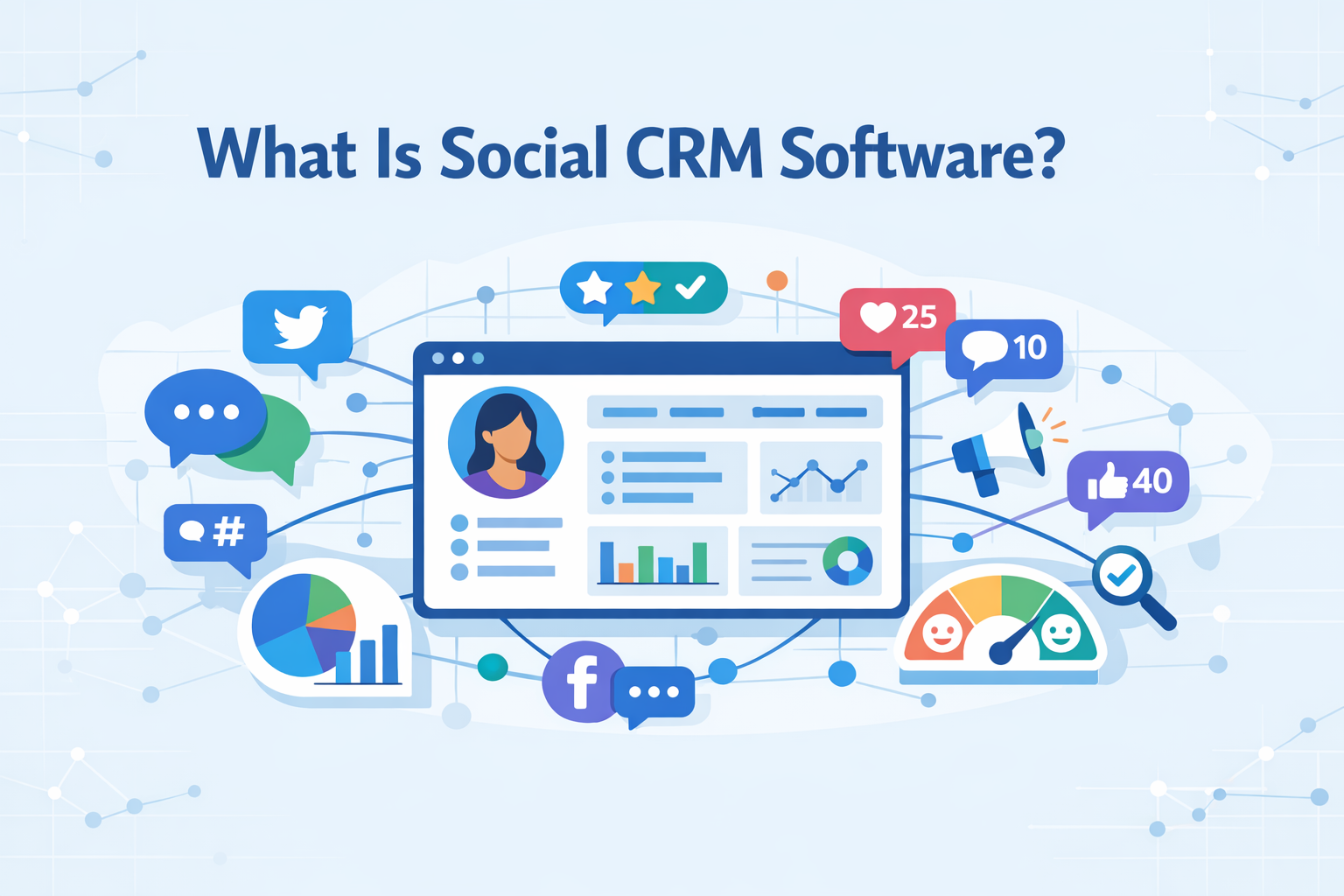
Social CRM software is a modern evolution of traditional CRM that blends core customer relationship management with social media engagement. At its heart, social CRM lets businesses capture, track, and act on customer interactions not just from emails and calls, but directly from social networks like Twitter, Facebook, Instagram, and LinkedIn. This integration gives teams real-time visibility into conversations, sentiment, and trends across social channels, helping them build stronger relationships and respond faster to both leads and active customers.
The best social CRM systems unify these social insights with standard CRM functions—like contact management, pipeline tracking, and analytics—so that marketing, sales, and support teams work from the same data. By integrating social listening and engagement into CRM software, companies gain a fuller view of their audience and can personalize communication across every stage of the customer journey.
Key Features of Social CRM Software
Social CRM tools are designed to connect social interactions with customer data, helping teams manage relationships more effectively. Below are the core features that define the best platforms in 2026.
Social Listening and Monitoring
The best social CRM platforms include powerful social listening capabilities that track brand mentions, keywords, and trends across major networks. This allows teams to follow conversations in real time, understand customer sentiment, and identify opportunities or issues early. By combining social data with CRM records, businesses gain actionable insights that support smarter decisions.
Multi-Channel Customer Engagement
Modern social CRM software enables engagement across multiple platforms from a single interface. Teams can manage comments, messages, and mentions from social networks alongside email and other channels. This centralized approach improves response times and ensures consistent communication across all customer touchpoints.
Unified Analytics and Reporting
Advanced reporting features bring together CRM and social media marketing data in one place. Users can analyze engagement, lead generation, and conversion performance without switching tools. These insights help teams measure ROI and optimize ongoing campaigns.
Integration With Sales and Support
Strong integration with sales and support workflows is essential. Social interactions are automatically linked to contact records, giving teams full context. This connection ensures smoother handoffs, more personalized outreach, and better customer experiences overall.
Top 10 Best Social CRM Platforms for 2026
To help you quickly compare the best social CRM platforms and choose the right management software for your business needs in 2026, we’ve put together a side-by-side overview of ten leading tools. This table highlights each platform’s strength, pricing entry point, and ideal use case:
|
Platform |
Primary Strength |
Pricing Starts at |
Best for |
|
HubSpot Marketing Hub |
All-in-one marketing + social |
Free tier; paid from $50/month |
Growing teams |
|
Sprout Social |
Engagement & reporting |
$249/user/month |
Mid-market to enterprise |
|
Zoho Social |
Affordable social scheduling |
$10/month |
Small-to-mid businesses |
|
Nimble |
Contact enrichment |
$25/user/month |
Relationship-focused teams |
|
Hootsuite |
Broad social management |
$99/month |
Large social teams |
|
Buffer |
Simplicity & scheduling |
$6/month |
Small teams & solopreneurs |
|
Agorapulse |
Unified inbox workflow |
$79/month |
Brands with high engagement |
|
eClincher |
Automation & AI tools |
$69/month |
Agencies & multi-location teams |
|
Breakcold |
Outreach & lead nurturing |
$49/month |
B2B outreach teams |
|
Sprinklr Social |
AI-powered social engagement & listening at enterprise scale |
Custom pricing |
Large enterprises managing omnichannel social engagement and customer care |
Check out a more detailed review of each social CRM below to learn which one fits your needs and requirements best.
HubSpot Marketing Hub
HubSpot Marketing Hub is an all-in-one platform that combines marketing automation, social media scheduling, CRM data, and customer insights into a single system. It’s built to help teams attract, engage, and retain customers across channels without stitching together multiple tools. With HubSpot, you can run email campaigns, manage social content, and view campaign performance alongside your broader CRM efforts—all from one place rather than scattered dashboards.
Key features
- Comprehensive social media management with publishing and engagement tools.
- Email marketing and workflow automation across channels.
- Custom reporting dashboards with performance analytics.
- Lead scoring, segmentation, and campaign tracking.
Pricing
HubSpot Marketing Hub pricing is tiered based on features and contact volumes:
- Free tier – $0/mo with basic marketing and CRM tools
- Starter – $15–$20/mo per seat (annual billing)
- Professional – $800/mo + onboarding (~$3,000)
- Enterprise – $3,600/mo + onboarding (~$7,000)
Best for
Growing businesses and marketing teams that want a unified marketing and CRM ecosystem with automation and social features.
Pros
- Offers a generous free tier and scalable plans.
- Deep integration with HubSpot’s CRM and sales tools.
- Strong automation and campaign management capabilities.
- Extensive educational resources and community.
Cons
- Higher plans require significant investment.
- Steep learning curve for advanced features.
- Social media tools are more basic compared to dedicated platforms.
- Limited free trial on higher tiers without commitment.
HubSpot Marketing Hub is a strong choice for teams that want social media, CRM, and marketing automation tightly connected within a single, scalable platform.
Sprout Social

Sprout Social is widely regarded as one of the best social CRM software for teams that need robust social media management and engagement tools. It centralizes inboxes, publishing, and reporting across major networks so you can track conversations and customer interactions from a unified dashboard. Sprout’s workflows and collaboration tools help teams stay coordinated, while performance insights and publishing tools simplify social strategy execution.
Key features
- Unified Smart Inbox for managing messages, comments, and reviews.
- Social publishing and scheduling with a content calendar.
- Contact history and CRM context across social profiles.
- Engagement reporting and customizable dashboards.
- Tools to support automation of responses and workflows at higher tiers.
Pricing
Sprout Social offers tiered plans (billed annually):
- Standard – $199/user/month
- Professional – $299/user/month
- Advanced – $399/user/month
- Enterprise – Custom pricing
Best for
Mid‑sized to large businesses, social teams, and agencies that need advanced engagement workflows and comprehensive social management tools.
Pros
- Powerful unified inbox and cross‑platform engagement tools.
- Deep publishing and scheduling capabilities.
- Scalable plans for teams of all sizes.
- Strong collaboration and CRM‑related features built in.
Cons
- Higher cost than many competitors.
- Advanced features unlocked only at pricier tiers.
- Can be complex for small teams without dedicated social resources.
Sprout Social is a top choice for businesses that need detailed social engagement, reporting, and CRM integration all under one strategic platform.
Zoho Social
Zoho Social is a flexible social media management platform that helps teams schedule posts, monitor engagement, and track performance across networks from a centralized dashboard. It’s designed to balance ease of use with powerful tools for publishing and listening, making it easy for small businesses and growing teams to manage social activity without juggling multiple apps. Zoho Social also works smoothly with Zoho’s broader suite—including CRM and support tools—giving you consistent insights into audience behavior and contact management across platforms.
Key features
- Multi‑channel publishing and content calendar for coordinated campaigns.
- Social listening and mentions monitoring to stay on top of engagement.
- Unified inbox for messages and interactions.
- Collaboration tools with content approvals and workflow support (Premium and above).
- Optional integration with Zoho CRM and lead tracking.
Pricing
Zoho Social offers tiered plans to fit different needs:
- Free – Basic social posting and scheduling at $0/month
- Standard – Starting ~$10/month
- Professional – Starting ~$30/month
- Premium – Starting ~$40/month
- Agency/Agency Plus – Starting ~$230–$330/month
Best for
Small to medium teams, solo marketers, and agencies that want straightforward social media management with optional CRM connectivity.
Pros
- Affordable entry pricing compared with many competitors.
- Strong scheduling and publishing tools.
- Built‑in monitoring and basic listening features.
- Collaboration tools in higher tiers.
Cons
- More advanced social CRM features require integration with Zoho CRM add‑ons.
- Messaging and social inbox features may be limited on basic plans.
- Reporting and analytics are less advanced than some premium platforms.
Zoho Social strikes a strong balance of cost and capability for teams that need reliable social posting and engagement tools with easy growth into CRM workflows.
Nimble

Nimble is a streamlined social CRM system focused on helping small teams, freelancers, and solo entrepreneurs build deeper relationships without unnecessary complexity. Rather than force you to switch between tools, Nimble automatically enriches contact profiles with social and business data, consolidating CRM records from email, LinkedIn, and other networks so communication history and insights are all in one place. It blends core CRM tools with outreach and relationship tracking to support both sales growth and ongoing engagement.
Key features
- Unified contact management enriched with real‑time social and business details.
- Browser and inbox extensions (Gmail, Outlook, LinkedIn) for capturing leads anywhere online.
- Deals and pipeline views with task reminders.
- Web forms and email sequences for lead capture and outreach.
- Activity tracking with reminders and customizable fields.
Pricing
Nimble uses a single pricing plan:
- Annual – $24.90 per user/month (billed annually)
- Monthly – $29.90 per user/month (billed month‑to‑month)
This includes generous allowances like 25,000 contacts and 2GB/user of storage, with optional add‑ons for extra capacity.
Best for
Small businesses, consultants, and teams that want a lightweight CRM with smart contact enrichment and social insights.
Pros
- Simple, all‑inclusive pricing with no tier gating.
- Enriched profiles built from email and social data.
- Easy lead capture with browser/inbox tools.
- Intuitive interface for managing relationships.
Cons
- Lacks advanced reporting and customization compared to larger CRM platforms.
- Limited integrations beyond core email and workspace tools.
- Not ideal for enterprise sales teams that need heavy automation.
Nimble delivers a straightforward social media CRM experience that fits businesses prioritizing relationships and outreach without overcomplicating everyday use.
Hootsuite

Hootsuite is a long‑standing social media management platform that helps teams schedule, publish, and track social media posts across networks from a single dashboard. It’s designed to centralize day‑to‑day social workflows while providing the tools marketers need to manage engagement, performance, and customer interaction at scale. Higher‑tier plans also support collaboration tools, automated replies, and deeper monitoring so teams can stay connected with audiences without switching between multiple tools.
Key features
- Cross‑platform scheduling and publishing for major social networks.
- Unified inbox for messages, comments, and DMs.
- AI‑powered content suggestions and timing recommendations.
- Analytics dashboards with engagement and performance metrics.
- Integration possibilities with systems like Zoho CRM via tools like Zapier or Zoho Flow.
Pricing
Hootsuite’s paid plans generally start around:
- Professional – $99/month (1 user, up to 10 profiles)
- Team – $249/month (multiple users, up to 20 profiles)
- Business – $739/month (larger teams, up to 35 profiles)
- Enterprise – Custom pricing
Best for
Mid‑sized to large teams and agencies that need a robust platform for social scheduling, engagement management, and performance tracking.
Pros
- Supports publishing and engagement across many networks from one dashboard.
- Strong scheduling and unified inbox tools.
- Can integrate with CRM and other business systems for richer workflows.
- Scales from solo professionals to enterprise teams.
Cons
- Pricing can be high compared with simpler tools.
- Feature depth may be overwhelming for small teams.
- Some advanced analytics and collaboration features require upper‑tier plans.
Hootsuite remains a go-to platform for teams that want a centralized hub for broad social management and performance tracking without juggling separate tools.
Buffer
Buffer is a simple yet effective platform for planning, scheduling, and publishing content across major networks. While it doesn’t offer the full depth of a classic CRM solution, it’s often considered among the best social media CRM‑friendly tools for teams focused on organizing and timing posts efficiently. By centralizing publishing and engagement tasks, Buffer helps teams keep their social activity coordinated and consistent without needing several separate apps.
Key features
- Schedule and publish social media posts across platforms like Facebook, Instagram, LinkedIn, and TikTok.
- Visual content calendar for planning ahead.
- AI‑powered content suggestions and caption tools.
- Engagement insights and basic performance reporting.
- Team collaboration tools with approval workflows (Team plan and above).
Pricing
Buffer’s flexible pricing lets you scale with your needs:
- Free – $0/month (up to 3 channels, limited scheduling)
- Essentials – $6 per channel/month (unlimited scheduling)
- Team – $12 per channel/month (team features & workflow)
- Agency/Advanced – Higher tiers for multiple channels and priority support
Best for
Creators, small teams, and marketers who want intuitive scheduling and performance insights without complexity.
Pros
- Clean, easy‑to‑use interface.
- Affordable entry point with a free tier.
- Strong scheduling and basic analytics tools.
- Scales from solo users to small teams.
Cons
- Analytics and CRM‑related features are relatively basic.
- Pricing can rise quickly as you add more channels.
- Lacks deep social listening and engagement inbox found in specialized tools.
Buffer remains a solid choice for teams prioritizing scheduling and content planning while gently integrating social media into their broader workflow.
Agorapulse
Agorapulse is a social media management platform that helps teams manage publishing, engagement, monitoring, and reporting from a unified dashboard. It’s built to simplify everyday work across multiple networks—letting you schedule content, handle messages, and gain social insights that inform future strategy without hopping between tools. Its consolidated inbox and publishing calendar give teams a clear view of activity across connected social profiles, keeping collaboration and response workflows organized.
Key features
- Unified inbox for messages, comments, and interactions across all linked accounts.
- Publishing calendar with scheduling and bulk posting.
- Team collaboration with approvals, labels, and task assignments.
- Advanced reporting and ROI analytics.
- Social listening and keyword tracking (with add‑ons).
Pricing
Agorapulse offers flexible plans with a 30‑day free trial available:
- Free – $0/month (up to 3 social profiles)
- Standard – $79/user/month (10 profiles)
- Professional – $119/user/month (team features)
- Advanced – $149/user/month (bulk publishing & advanced reports)
- Custom – Enterprise‑level plan with unlimited profiles and premium support
Best for
Small to mid‑sized businesses, agencies, and social teams that want strong publishing and engagement tools combined with detailed reporting.
Pros
- Intuitive interface and unified social inbox.
- Strong scheduling and content calendar tools.
- Scales with teams via collaboration features.
- Clear performance metrics for planning and optimization.
Cons
- Costs add up with additional users or profiles.
- Some advanced listening/reporting features may require higher tiers or add‑ons.
- Not as deep in CRM‑centric workflows as dedicated social CRM platforms.
Agorapulse is a solid choice if you need streamlined social publishing, clear insights, and team collaboration without juggling separate tools.
eClincher

eClincher is a comprehensive AI‑powered platform designed to help teams manage posting, engagement, analytics, and brand monitoring from a single dashboard. In 2026 it continues to be recognized as one of the best CRM for social media and management tools for businesses that need both scheduling and deeper insight into performance. Its unified inbox and publishing tools help social teams stay coordinated while advanced reporting and listening tools support data‑driven decisions.
Key features
- Advanced scheduling and publishing with smart queues and AI suggestions.
- Social and web listening with real‑time tracking of mentions and trends.
- Unified inbox to manage comments, messages, and reviews across channels.
- Brand monitoring and sentiment analytics for competitive analysis.
- Collaboration tools with approval workflows and customizable reporting.
Pricing
eClincher’s major plans start with:
- Standard – $149/month (1 brand, basic profiles & inbox)
- Professional – $349/month (expanded users, analytics, workflows)
- Enterprise – Custom pricing (large teams, premium support)
Best for
Mid‑sized businesses, agencies, and marketing teams that want a great social management hub with deep analytics and automation built in.
Pros
- Broad toolset combining publishing, listening, and analytics.
- Strong unified inbox and cross‑platform engagement.
- AI‑enhanced content tools and automation.
- Scales well from small teams to larger organizations.
Cons
- Higher starting price compared with basic schedulers.
- Some users note a learning curve for advanced features.
- Interface can feel dense for first‑time social managers.
eClincher remains a strong choice for teams that want social engagement, publishing, and performance data under one roof with customizable reporting and automation built in.
Breakcold

Breakcold is an AI‑augmented management system designed to help sales and outreach teams streamline lead nurturing and pipeline tracking with minimal manual effort. It blends CRM functionality with social selling capabilities, allowing you to track contacts, conversations, and tasks across channels like LinkedIn, email, WhatsApp, and Telegram in one interface. The platform uses automation and AI workflows to update pipelines and manage follow‑ups so teams can focus on closing deals quickly.
Key features
- Automated lead movement through pipelines and AI‑generated task creation.
- Unified inbox for email, LinkedIn, and messaging platforms.
- Contact enrichment with data from lead interactions.
- Social selling and outreach tracking, including message tracking from key networks.
- Performance metrics and CRM analytics for activity and engagement.
Pricing
- CRM Essentials – $29.99/user/month (unified inbox, pipelines, basic CRM)
- CRM Pro – $59.99/user/month (advanced lead tracking, social post search)
- CRM Max – $79.99/user/month (expanded inboxes, analytics, workflows)
- 14‑day free evaluation available on all plans
Best for
Startups, agencies, and small sales teams that want to centralize contact management and outreach without high overhead.
Pros
- Automated workflows that reduce manual updates.
- Integrates multiple communication channels in one hub.
- Useful CRM analytics for team performance.
- Contact enrichment and pipeline automation.
Cons
- Not a full traditional CRM with deep back‑office features like enterprise platforms.
- Some users report syncing limitations and sparse support documentation.
- Focused more on outreach and pipelines than rich media content creation or social publishing tools.
Breakcold is a strong choice for teams that want CRM and social selling workflows unified with automation and AI support.
Sprinklr Social

Sprinklr Social is an enterprise‑grade platform that unifies social media management, customer engagement, and audience intelligence into a single solution. Recognized among the best social CRM tools, it helps global teams manage complex social campaigns and customer interactions across 30+ channels from one interface. Sprinklr allows companies to tie social conversations directly into CRM workflows, making it easier to track and measure engagement while using social for customer relationship growth. People are saying it is particularly strong for organizations that need governance, automation, and deep analytics at scale.
Key features
- Unified publishing and scheduling across all major networks.
- AI‑powered conversation classification and automated response tools.
- Real-time monitoring, sentiment tracking, and advanced reporting.
- Custom workflows and governance for global teams.
- Deep CRM and enterprise system integration via APIs.
Pricing
Custom quotes based on scale, users, and modules; entry packages typically start at several hundred dollars per user per month.
Best for
Large enterprises, global brands, and teams needing advanced social and CRM alignment with cross-department workflows.
Pros
- Enterprise scalability with 30+ channels.
- Powerful AI insights and automation.
- Flexible workflows and governance controls.
- Strong integration ecosystem with business platforms.
Cons
- Premium pricing limits accessibility for smaller teams.
- Complex features require dedicated training.
- Onboarding can be resource-intensive.
Sprinklr Social is perfect for organizations that are serious about using social as a strategic tool and want enterprise-grade analytics, CRM connectivity, and campaign management all in one platform.
Benefits of Social CRMs
Social CRMs go beyond traditional customer databases by turning real-time conversations into actionable insights. In 2026, they help teams stay responsive, relevant, and aligned across channels while building stronger customer relationships.

Check out the key benefits of social CRMs below:
Faster Response to Customer Inquiries
Social CRMs centralize messages, comments, and mentions from multiple platforms into a single dashboard. This allows teams to reply quickly without switching tools, reducing response times and meeting customer expectations for near-instant communication.
Better Understanding of Customer Sentiment
By analyzing conversations across different social networks, social CRMs surface trends in tone, intent, and feedback. This makes it easier to spot issues early, measure brand perception, and adjust messaging before small problems grow.
More Consistent Multi-Channel Engagement
With all interactions tracked in one system, teams can keep conversations consistent no matter where they start. Customers get seamless replies, even when switching between platforms or support agents.
Smarter Content and Timing Decisions
Built-in analytics help teams identify what content performs best and determine the best time to post, improving reach and engagement without guesswork.
Stronger Collaboration Between Teams
Sales, marketing, and support teams can work from the same data set, ensuring context is never lost and follow-ups feel personal rather than repetitive.
Overall, social CRMs help businesses act faster, communicate smarter, and build more meaningful customer relationships at scale.
Why Your Business Needs Social CRM
Social media is no longer just a marketing channel—it’s where customer relationships are built, tested, and maintained. A social CRM helps you keep up with that reality and turn everyday interactions into long-term value.
Customers expect fast, contextual responsesPeople reach out through comments, mentions, and direct messages and expect quick, informed replies. Social CRMs bring every interaction into one place so teams always have the full context before responding.
Your audience is spread across multiple platformsManaging conversations manually across networks doesn’t scale. A social CRM helps you stay organized and consistent, even as your presence grows and channels multiply.
Social data is too valuable to ignoreCustomer feedback, objections, and buying signals live in social conversations. The best social media CRM software turns that data into insights your sales, marketing, and support teams can actually use.
Team alignment directly impacts customer experienceWhen everyone works from the same system, handoffs are smoother and follow-ups feel natural instead of repetitive or disconnected.
Growth requires structure, not more toolsThe perfect social CRM isn’t about adding complexity—it’s about replacing scattered tools with one clear system that supports smarter decisions and stronger relationships.
In short, social CRM isn’t optional anymore. It’s how modern businesses stay responsive, relevant, and competitive in 2026.
Frequently Asked Questions
What Is the Difference Between Social CRM and Regular CRM?
A regular CRM focuses on managing contacts and deals, while social CRM adds real-time social media interactions, conversations, and insights into the mix.
Can Social CRM Replace Traditional CRM?
In most cases, no—social CRM works best as a complement, enriching your existing CRM with social data rather than fully replacing it.
Which Social Media Platforms Do Social CRMs Support?
Most social CRMs support major platforms like Facebook, Instagram, LinkedIn, X (Twitter), and sometimes TikTok and YouTube, depending on the tool.
How Much Does Social CRM Software Cost?
Pricing varies widely, from affordable plans for small teams to enterprise-level solutions with custom pricing based on users and features.
Does Social CRM Integrate with Existing CRM Systems?
Yes, many social CRMs integrate with popular CRM platforms, allowing teams to sync data and manage relationships without disrupting existing workflows.



.svg)



