

Are you looking for the most reliable way to connect HubSpot with your business-critical applications?
As businesses adopt more specialized software—from accounting platforms to e-commerce systems to proprietary tools—the need for robust middleware has never been greater. HubSpot sits at the center of your customer data, but its true power emerges when it seamlessly connects with every system your business relies on.
Choosing the right middleware connector can mean the difference between a streamlined, automated operation and a frustrating maze of manual workarounds. Let's explore what makes middleware truly robust and how to find the perfect solution for your HubSpot environment.
Table of Contents
- What Is HubSpot Middleware and Why Does It Matter?
- The Three Types of HubSpot Integrations Explained
- What Makes a Middleware Connector "Robust"?
- Top Middleware Platforms for HubSpot in 2026
- Comparing Middleware Solutions: Features and Pricing
- Industry-Specific Middleware Needs
- Real-World Use Cases: When You Need Robust Middleware
- SyncMatters: The Most Comprehensive HubSpot Middleware Solution
- How to Choose the Right Middleware for Your Business
- Implementation Best Practices
- Cost Analysis: Understanding Total Middleware Investment
- Common Middleware Mistakes to Avoid
- The Future of HubSpot Middleware
- Conclusion: Making Your Middleware Decision
What Is HubSpot Middleware and Why Does It Matter?
Middleware acts as the connective tissue between HubSpot and other applications, enabling them to communicate and share data seamlessly. Think of middleware as a translator that sits between two systems, converting data formats, managing sync timing, handling errors, and ensuring information flows correctly in both directions.
How Middleware Works
Middleware doesn't integrate directly into HubSpot's core platform. Instead, it facilitates interaction between different software systems through connectors, which act as connection functions. The process typically follows these steps:
1. Connection establishment:
Middleware connects to both HubSpot's API and your target application's API, creating secure communication channels.
2. Data mapping:
Fields from one system map to corresponding fields in another. For example, a customer record in your ERP system maps to a company record in HubSpot, with revenue, industry, and contact information flowing between both platforms.
3. Transformation and validation:
Data transforms as needed—dates reformat, currencies convert, values calculate, or text modifies to match each system's requirements. Validation rules ensure only quality data transfers.
4. Synchronization:
Data transfers according to defined triggers: real-time when changes occur, scheduled at specific intervals, or event-based when certain conditions are met.
5. Error management:
The middleware monitors for errors, logs issues, sends alerts, and in advanced systems, automatically retries failed operations or routes exceptions to administrators.
6. Ongoing monitoring:
Continuous surveillance ensures integrations remain functional despite API updates, system changes, or increased data volumes.
Why Middleware Is Essential for Modern Businesses
According to recent research, properly implemented integrations save sales teams an average of 4 hours per week per representative. For a team of 20, that translates to over 4,000 hours annually—equivalent to two full-time employees.
Beyond time savings, integrated sales tools boost customer retention by 36% and improve sales forecast accuracy by 38%. Perhaps most compelling is the return on investment: CRM integrations deliver $8.71 for every dollar spent, representing an extraordinary 871% ROI.
The Cost of Poor or Missing Middleware
Data silos:
When systems don't communicate, teams work with incomplete information. Sales doesn't see support tickets, marketing doesn't know about billing issues, and customer success lacks visibility into product usage.
Manual data entry:
Employees waste 8-12 hours weekly on redundant data entry when systems aren't integrated. At typical salary rates, this represents $125,000-$300,000 annually for firms with 10+ staff handling data entry.
Errors and inconsistencies:
Manual processes introduce errors. Studies show human error rates of 1-4% for data entry tasks, leading to failed deliveries, customer service issues, and lost revenue.
Missed opportunities:
Sales teams lacking real-time inventory data might promise unavailable products. Marketing without current purchase history can't personalize campaigns effectively. Support teams without complete interaction history provide slower, less effective service.
Strategic blind spots:
Executives need comprehensive dashboards showing metrics across all business functions. Disconnected systems make this impossible without manual report compilation, delaying decisions and reducing competitive responsiveness.
The Three Types of HubSpot Integrations Explained
Understanding the three main integration types helps you choose the right approach for each business need.
Native Integrations: Built Directly Into HubSpot
Native integrations are developed by HubSpot's team and embedded directly into the platform. These represent the deepest level of integration, functioning almost as extensions of the CRM itself.
Popular native HubSpot integrations:
- Gmail and Outlook for email integration
- Google Calendar and Office 365 for meeting scheduling
- Facebook, LinkedIn, and Instagram for social media management
- Zoom for video conferencing
- Salesforce for CRM synchronization
- WordPress for content management
When to use native integrations:
- Quick setup needed (often just a few clicks)
- Deep connections into HubSpot's core functionality required
- Automatic updates when either platform changes desired
- No additional software costs acceptable
- Highest reliability and performance essential
Limitations:
Native integrations only exist for HubSpot's strategic partners. Most business applications don't have native integrations, requiring other approaches.
Third-Party App Integrations: Marketplace Solutions
Third-party integrations are built by other companies specifically for HubSpot and listed in the HubSpot App Marketplace. Over 1,950 apps are now available in the HubSpot App Marketplace as of 2025, connecting to HubSpot through official APIs and providing specialized functionality.
Common third-party integration categories:
- E-commerce platforms (WooCommerce, Magento, BigCommerce)
- Accounting software (QuickBooks, Xero, NetSuite)
- Payment processors (Stripe, PayPal)
- Survey tools (Typeform, SurveyMonkey)
- Webinar platforms (GoToWebinar, WebEx)
- SMS and communication tools (Twilio, RingCentral)
- Customer support (Zendesk, Freshdesk, ServiceNow)
When to use third-party integrations:
- Specific app has a dedicated HubSpot integration available
- Standard features meet your requirements
- Regular updates from integration provider included
- Community support and documentation available
- Budget allows for subscription fees
Considerations:
Third-party apps typically charge subscription fees separate from HubSpot. Pricing varies based on features, data volume, and support level.
Middleware Integration Platforms: Maximum Flexibility
Middleware platforms provide the most flexible integration option, connecting HubSpot to virtually any application with an API or data source. This is where true robustness becomes critical.
Types of middleware approaches:
| Approach | Best For | Typical Cost | Technical Skill Required |
|---|---|---|---|
| iPaaS platforms (Zapier, Make) | Standard workflows, quick setup | $50-$1,000/month | Low - visual builders |
| Enterprise middleware (Workato, MuleSoft) | Complex enterprise needs | $10,000-$50,000+/year | Medium - some coding |
| HubSpot Operations Hub | HubSpot-centric workflows | Included with Professional+ | Low-Medium |
| Custom middleware | Unique requirements, proprietary systems | $50,000-$500,000 one-time | High - full development |
| Specialized partners (SyncMatters) | Expert-led custom solutions | Custom pricing | None - handled for you |
When to use middleware platforms:
- Connecting apps without native or third-party integrations
- Complex data transformations required
- Multi-step workflows needed
- Integration with proprietary or legacy systems
- High customization requirements
- Need for conditional logic and branching
- Volume or performance optimization essential
What Makes a Middleware Connector "Robust"?
Not all middleware is created equal. Truly robust middleware solutions share critical characteristics that separate enterprise-ready platforms from basic automation tools.
1. Comprehensive Connector Library
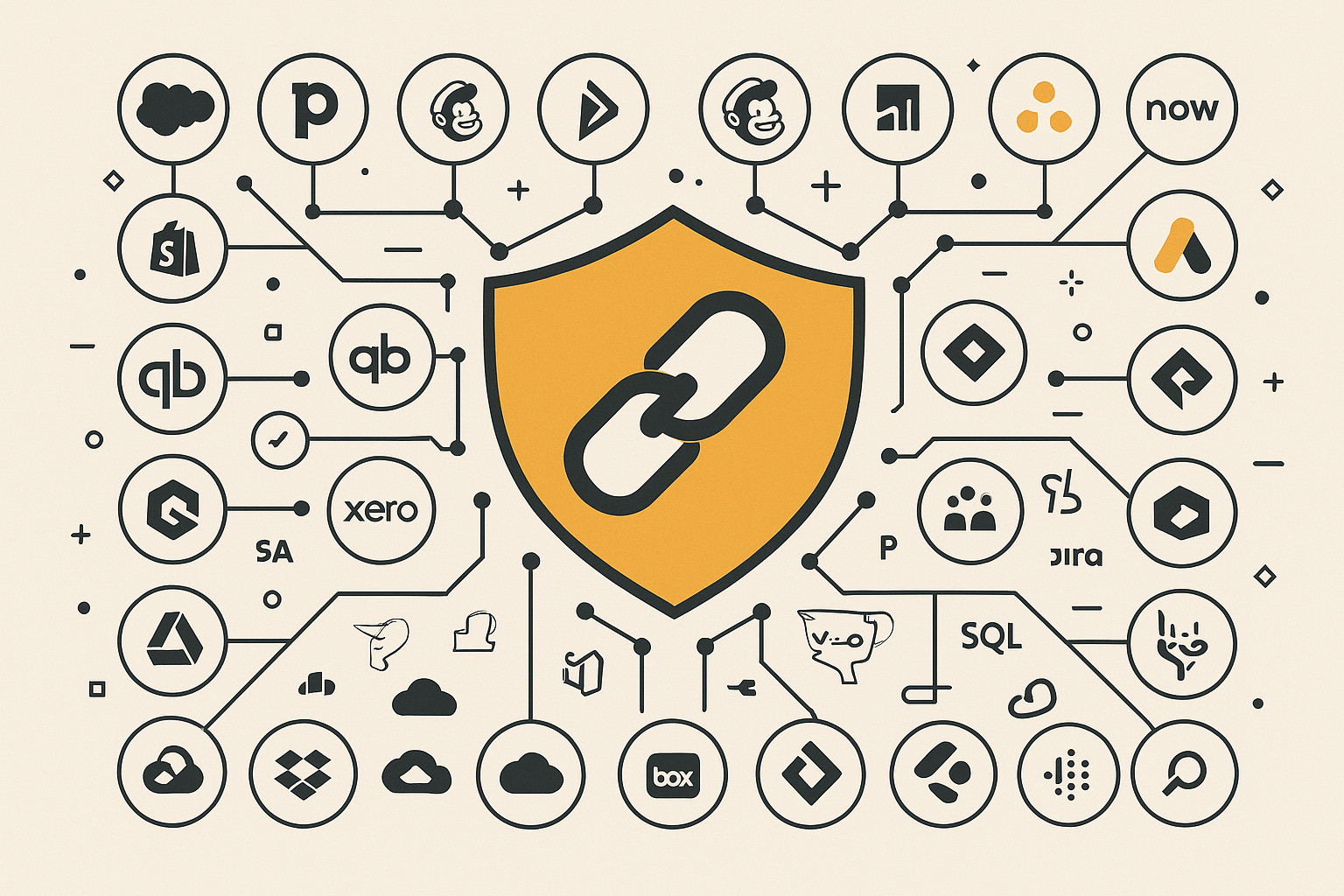
The best middleware platforms offer extensive connector libraries with hundreds or thousands of pre-built integrations.
Essential connector categories:
- CRM and sales platforms: Salesforce, Pipedrive, Zoho, Microsoft Dynamics
- Marketing automation: Mailchimp, ActiveCampaign, Marketo, Pardot
- E-commerce and retail: Shopify, WooCommerce, Magento, BigCommerce, Amazon
- Accounting and ERP: QuickBooks, Xero, NetSuite, Sage, SAP, Oracle
- Customer support: Zendesk, Freshdesk, Intercom, Drift, ServiceNow
- Project management: Asana, Monday.com, Jira, ClickUp, Basecamp
- Communication tools: Slack, Microsoft Teams, Zoom, Google Workspace
- Database systems: MySQL, PostgreSQL, MongoDB, SQL Server
- File storage: Google Drive, Dropbox, OneDrive, Box, SharePoint
- Analytics and BI: Tableau, Power BI, Looker, Google Analytics
Quality indicators:
- Support for all major features of each platform
- Regular updates when APIs change
- Comprehensive documentation with examples
- Active maintenance and bug fixes
- User community sharing integration recipes
2. Advanced Data Transformation Capabilities
Robust middleware doesn't just move data—it intelligently transforms it to meet each system's requirements.
Critical transformation features:
| Capability | Description | Business Value |
|---|---|---|
| Field mapping | Match fields between systems with different naming | Ensures data lands in correct locations |
| Data type conversion | Convert between strings, numbers, dates, booleans, arrays | Maintains data integrity across platforms |
| Value transformation | Apply formulas, calculations, lookups, concatenation | Derive new insights from existing data |
| Data enrichment | Add information from external sources or APIs | Enhance records with additional context |
| Conditional logic | Apply if/then/else rules to data processing | Handle complex business rules automatically |
| Multi-step workflows | Chain multiple operations together sequentially | Automate sophisticated processes |
| Looping and iteration | Process arrays or multiple records | Handle bulk operations efficiently |
| Error handling | Manage exceptions and edge cases gracefully | Prevent data corruption from unexpected inputs |
| Data validation | Check data quality before syncing | Stop bad data from entering systems |
| Custom scripting | Write code for complex transformations | Handle unique business logic |
3. Flexible Synchronization Options
Different data types require different synchronization approaches. Robust middleware supports multiple sync methods:
Real-time synchronization:
Changes trigger immediate updates in connected systems, ensuring data is always current. Critical for:
- Customer service interactions requiring complete contact history
- Sales processes where timing matters for follow-up
- E-commerce orders needing immediate processing
- Payment confirmations and transaction updates
- Inventory levels affecting product availability
Scheduled synchronization:
Data syncs at defined intervals (every 15 minutes, hourly, daily, weekly), suitable for:
- Bulk data updates that don't require immediate action
- Reporting and analytics data compilation
- Backup and archival processes
- Resource-intensive operations best run during off-peak hours
- Systems with API rate limits requiring batching
Event-based triggers:
Specific events in one system initiate actions in others, enabling:
- Workflow automation (new deal creates project in PM tool)
- Notification systems (payment received triggers thank-you email)
- Stage-based processes (opportunity closed triggers onboarding workflow)
- Conditional routing based on data values
- Multi-system orchestration for complex processes
Bidirectional synchronization:
Data flows both ways, keeping both systems as the source of truth for different data types. Essential when:
- Multiple teams work in different systems
- Different systems own different data elements
- You need redundancy for business continuity
- Creating a single source of truth across platforms
4. Enterprise-Grade Error Handling
Production integrations inevitably encounter issues. The difference between good and great middleware is how it handles problems.
Robust error handling features:
Automatic retry mechanisms:
When syncs fail due to temporary issues (network glitches, API rate limits, system maintenance), robust middleware automatically retries with intelligent back-off strategies—waiting progressively longer between attempts to avoid overwhelming systems.
Detailed error logging:
Every error records with complete context:
- What data was being processed
- What operation was being performed
- What went wrong and why
- When it happened (with precise timestamps)
- Which systems and records were involved
- Full stack trace for technical troubleshooting
Intelligent alerting:
Notifications go to appropriate teams when issues arise:
- Severity levels (critical, warning, informational)
- Smart grouping to avoid alert fatigue
- Escalation paths for unresolved issues
- Multiple notification channels (email, Slack, SMS, webhooks)
- Customizable alert rules and thresholds
Partial failure handling:
If syncing 1,000 records and 10 fail, robust middleware:
- Completes the 990 successful operations
- Clearly identifies the 10 failures for review
- Provides specific error details for each failure
- Allows manual retry or correction
- Doesn't roll back successful operations
Data integrity protection:
Validation rules prevent corrupted or incomplete data from entering systems:
- Required field validation
- Format verification (email addresses, phone numbers, dates)
- Range checking for numerical values
- Referential integrity for related records
- Duplicate detection and prevention
Monitoring dashboards:
Visual dashboards show:
- Sync status across all integrations
- Success rates and trends over time
- Processing times and performance metrics
- Error patterns and common issues
- System health indicators
- Data volume and throughput statistics
5. Scalability and Performance
Your middleware must grow with your business without becoming a bottleneck.
Scalability requirements:
| Factor | Minimum Standard | Enterprise Standard | Questions to Ask |
|---|---|---|---|
| Data volume | 100,000 records/month | 10M+ records/month | How much data can it handle? |
| Concurrent integrations | 20 active integrations | 100+ active integrations | Are there limits on integration count? |
| API rate limit management | Basic throttling | Intelligent optimization | How does it handle rate limits? |
| Processing speed | <30 seconds for simple ops | <5 seconds for simple ops | What's typical latency? |
| Infrastructure | Single region | Multi-region with failover | Where does processing occur? |
| Uptime SLA | 99.5% | 99.9%+ | What's guaranteed uptime? |
Performance optimization features:
- Automatic scaling during peak loads
- Load balancing across infrastructure
- Caching for frequently accessed data
- Parallel processing for bulk operations
- Query optimization and indexing
- CDN distribution for global deployments
- Resource allocation based on priority
6. Security and Compliance
Security is non-negotiable when middleware handles your business-critical data.
Essential security features:
Data encryption:
- TLS 1.3 for data in transit
- AES-256 encryption for data at rest
- Encrypted backups and logs
- Secure key management and rotation
Authentication and access control:
- OAuth 2.0 for secure authorization
- Multi-factor authentication (MFA) support
- Role-based access control (RBAC)
- Least privilege principle enforcement
- API key management with rotation
- SSO integration (SAML, OIDC)
Audit and compliance:
- Complete activity logging
- User action tracking
- Data access auditing
- Compliance certifications (SOC 2, ISO 27001, GDPR, HIPAA)
- Data residency controls
- Retention policy enforcement
- Right to deletion and data portability
Network security:
- IP whitelisting capabilities
- VPN support for private networks
- DDoS protection
- Intrusion detection and prevention
- Security monitoring and alerts
7. Comprehensive Support and Documentation
Even the best middleware requires support for implementation, troubleshooting, and optimization.
Support quality indicators:
Availability:
- 24/7 support for critical issues
- Business hours support for standard questions
- Response time SLAs by severity level
- Multiple time zones covered
- Holiday and weekend coverage
Channels:
- Email support with ticket tracking
- Live chat for immediate assistance
- Phone support for urgent issues
- Dedicated customer success manager (enterprise)
- Community forums for peer help
- Video call support for complex issues
Resources:
- Comprehensive documentation with search
- Video tutorials and walkthroughs
- Integration templates and recipes
- API reference documentation
- Best practices guides
- Certification programs
- Regular webinars and training
- Active user community
Proactive support:
- Monitoring and health checks
- Performance optimization recommendations
- Notification of upcoming API changes
- Assistance with platform migrations
- Regular business reviews (enterprise)
- Custom training sessions
Top Middleware Platforms for HubSpot in 2026
Several middleware platforms have emerged as leaders for HubSpot integration. Here's an in-depth comparison of the most robust options:
Comparison Overview
| Platform | Best For | Key Strength | Starting Price | Technical Level |
|---|---|---|---|---|
| SyncMatters | HubSpot-focused custom solutions | Expert-led implementations | Custom | Any - handled for you |
| Zapier | Small businesses, simple automations | Ease of use, huge app library | Free | Beginner |
| Make | Power users wanting advanced features | Visual builder, powerful logic | Free | Intermediate |
| Workato | Enterprise companies | Enterprise security and scale | $10,000+/year | Advanced |
| Tray.io | Complex automation needs | Extreme flexibility and power | $15,000+/year | Advanced |
| HubSpot Operations Hub | HubSpot-centric workflows | Native to HubSpot | $720/year | Beginner-Intermediate |
| MuleSoft | Large enterprises | Handles any scenario | $50,000+/year | Expert |
| Boomi | Mid-market to enterprise | Strong with legacy systems | $20,000+/year | Advanced |
Detailed Platform Analysis
SyncMatters: Expert-Led Custom Integration Solutions
Overview:
SyncMatters specializes in HubSpot integrations with over 10,000 successful app installations. As an Elite HubSpot partner with specialized accreditations in Integration and Data Migration, SyncMatters brings deep platform knowledge and strategic integration expertise.
Key strengths:
- Deep HubSpot expertise with 100+ certifications across the team
- Custom middleware development for unique requirements
- White-glove service with dedicated project management
- Experience with complex B2B integration scenarios
- Comprehensive approach beyond just connecting APIs
- Strategic guidance on integration architecture
- Ongoing support and optimization
Best use cases:
- Complex integration requirements beyond platform capabilities
- Need for strategic guidance, not just technical implementation
- Proprietary or legacy systems requiring custom connectors
- High-stakes migrations requiring expert oversight
- Integration projects critical to business operations
Pricing model:
Custom pricing based on project scope, complexity, and ongoing support needs. While initial investment may be higher than DIY platforms, the comprehensive service and expert guidance often deliver faster ROI through optimized implementations and avoided mistakes.
Learn more: Contact SyncMatters | View integration services
Zapier: The Most Popular No-Code Platform
Overview:
Zapier pioneered the no-code integration movement and remains the most popular choice for small to mid-sized businesses. Zapier connects with an unrivaled number of apps and features great processing tools such as data formatters, sub-zaps, and webhooks.
Key strengths:
- Easiest platform to learn and use
- 6,000+ pre-built app connectors
- Large community with shared integration templates
- Free tier available for basic needs
- Quick setup—create integrations in minutes
Limitations:
- Limited complex logic and branching
- Performance can lag with high-volume data
- Costs escalate quickly at scale
- Basic error handling compared to enterprise platforms
- Limited customization for unique requirements
Pricing:
- Free: 100 tasks/month
- Starter: $29.99/month for 750 tasks
- Professional: $73.50/month for 2,000 tasks
- Team: $103.50/month for 50,000 tasks
- Enterprise: Custom pricing for unlimited
Best for: Small businesses with standard integration needs, quick prototyping, non-technical users.
Make (formerly Integromat): Power and Affordability
Overview:
Make offers more advanced features than Zapier at lower prices, with a visual workflow builder that shows the complete integration flow.
Key strengths:
- Visual workflow builder with flow diagrams
- Advanced features: loops, iterators, aggregators
- Lower cost than Zapier for equivalent functionality
- More powerful data transformation
- Better handling of complex scenarios
Limitations:
- Steeper learning curve than Zapier
- Smaller connector library than Zapier
- Less community content and templates
- Interface can be overwhelming for beginners
Pricing:
- Free: 1,000 operations/month
- Core: $10.59/month for 10,000 operations
- Pro: $18.82/month for 10,000 operations
- Teams: $34.12/month for 10,000 operations
- Enterprise: Custom pricing
Best for: Power users wanting more control without coding, complex workflows with branching logic, budget-conscious businesses.
Workato: Enterprise-Grade Platform
Overview:
Workato emphasizes security, governance, and scalability for large organizations with complex integration requirements.
Key strengths:
- Enterprise security and compliance features
- Recipe-based approach combining templates with customization
- Strong API management and monitoring
- Advanced workflow capabilities
- Built-in bot framework for automation
- Excellent governance and access controls
Limitations:
- Expensive for small to mid-sized businesses
- Requires technical knowledge for advanced features
- Steeper learning curve than simpler platforms
- May be overkill for basic integration needs
Pricing:
Starting around $10,000/year with custom enterprise pricing based on volume and features.
Best for: Large enterprises with dedicated integration teams, organizations requiring advanced governance, companies with complex security requirements.
HubSpot Operations Hub: Native HubSpot Solution
Overview:
HubSpot's Operations Hub provides integration capabilities natively within the platform, including Data Sync for popular apps and custom code actions in workflows.
Key strengths:
- Native to HubSpot with deepest integration
- No additional platform to learn
- Included with HubSpot Professional and Enterprise
- Data Sync for bi-directional sync with major apps
- Custom code actions for unique logic
- Programmable automation capabilities
Limitations:
- Limited to HubSpot ecosystem
- Fewer third-party connectors than dedicated platforms
- Custom code requires technical skills
- May need supplemental tools for complex scenarios
Pricing:
Included with HubSpot Professional ($890/month) and Enterprise ($3,600/month) subscriptions.
Best for: HubSpot-centric businesses, those already on Professional or Enterprise tiers, teams wanting to minimize third-party tools.
Tray.io: Maximum Flexibility
Overview:
Tray.io positions itself as the most powerful integration platform, handling extremely complex scenarios with flexibility.
Key strengths:
- Extremely powerful and flexible
- Visual workflow builder with advanced logic
- Strong error handling and monitoring
- Good performance with large data volumes
- Enterprise-grade security features
Limitations:
- Very expensive—typically $15,000-$50,000+/year
- Complex setup and configuration
- Requires significant technical expertise
- Steep learning curve for advanced features
Pricing:
Custom enterprise pricing, typically starting around $15,000/year.
Best for: Large enterprises with very complex integration needs, businesses requiring maximum customization, organizations with dedicated integration specialists.
MuleSoft (Salesforce): Enterprise Standard
Overview:
MuleSoft, acquired by Salesforce, is the enterprise standard for API management and integration, particularly strong with Salesforce ecosystems.
Key strengths:
- Extremely robust and scalable
- Handles any integration scenario
- Strong API management capabilities
- Enterprise-grade security and governance
- Extensive connector library
- Full development platform
Limitations:
- Very expensive—often $50,000-$200,000+/year
- Requires IT team and developers
- Complex architecture and steep learning curve
- Overkill for most small to mid-sized businesses
- Long implementation timelines
Pricing:
Custom enterprise pricing, typically starting around $50,000/year.
Best for: Large enterprises with complex IT landscapes, organizations heavily invested in Salesforce, businesses requiring full API lifecycle management.
Industry-Specific Middleware Needs
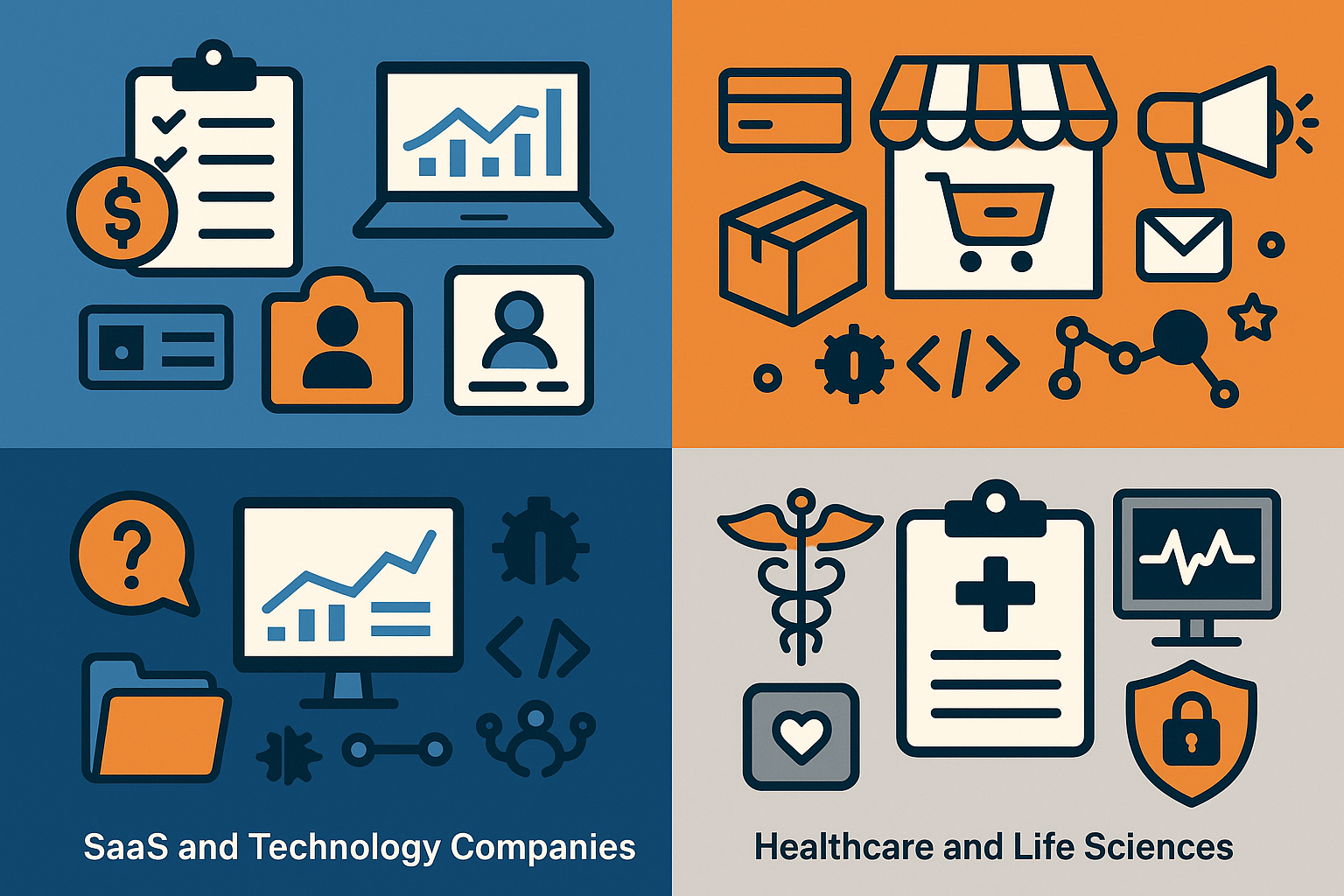
Different industries have unique integration requirements that demand specialized middleware capabilities.
Accounting and Professional Services
Critical integrations:
- Time and billing systems (Bill4Time, TimeSolv, Chrometa)
- Accounting software (QuickBooks, Xero, NetSuite, Sage)
- Practice management (Karbon, Canopy, Financial Cents)
- Document management (NetDocuments, iManage, SharePoint)
- Tax software (Drake, Lacerte, ProSeries, UltraTax)
- Client portals (ShareFile, SmartVault, TaxDome)
Unique requirements:
- Complex service code tracking for cross-selling
- Client profitability calculations across multiple service lines
- Billable vs. non-billable hour tracking
- Engagement lifecycle management
- Compliance and audit trail requirements
- Partner compensation calculations
Recommended approach: Custom middleware or specialized partner like SyncMatters with accounting industry expertise.
E-Commerce and Retail
Critical integrations:
- E-commerce platforms (Shopify, WooCommerce, Magento, BigCommerce)
- Payment processors (Stripe, PayPal, Square)
- Inventory management (TradeGecko, Cin7, SkuVault)
- Shipping and fulfillment (ShipStation, ShipBob, Fulfillment by Amazon)
- Marketing platforms (Klaviyo, Mailchimp)
- Customer reviews (Yotpo, Trustpilot)
Unique requirements:
- Real-time inventory synchronization
- Order status tracking and updates
- Abandoned cart recovery workflows
- Customer lifetime value calculations
- Product catalog synchronization
- Multi-channel selling coordination
Recommended approach: E-commerce-focused middleware platforms with strong real-time capabilities.
SaaS and Technology Companies
Critical integrations:
- Product analytics (Mixpanel, Amplitude, Heap)
- Customer data platforms (Segment, mParticle)
- Support ticketing (Zendesk, Intercom, Freshdesk)
- Developer tools (GitHub, Jira, GitLab)
- Communication platforms (Slack, Microsoft Teams)
- Billing and subscription (Chargebee, Recurly, Stripe Billing)
Unique requirements:
- Product usage data for customer success
- Engineering ticket integration with customer feedback
- Feature request tracking and prioritization
- Trial-to-paid conversion workflows
- Churn prediction and prevention
- Product-led growth metrics
Recommended approach: Developer-friendly platforms with strong API capabilities and real-time data streaming.
Healthcare and Life Sciences
Critical integrations:
- Electronic health records (Epic, Cerner, Allscripts)
- Practice management systems
- Medical billing (Kareo, AdvancedMD)
- Telehealth platforms (Teladoc, Amwell)
- Lab systems (LabWare, STARLIMS)
- Compliance and quality systems
Unique requirements:
- HIPAA compliance mandatory
- Patient consent management
- Audit trails for all data access
- Data encryption at rest and in transit
- Business associate agreements (BAAs)
- Strict data retention policies
Recommended approach: Enterprise middleware with HIPAA compliance certifications and healthcare experience.
Real-World Use Cases: When You Need Robust Middleware
Understanding how businesses successfully use middleware helps identify opportunities in your own operations.
Use Case 1: Multi-Platform Lead Management
Challenge:
A B2B SaaS company captures leads from multiple sources:
- Website forms and landing pages
- Webinar platforms (Zoom, GoToWebinar)
- Trade show badge scanners
- LinkedIn ads and organic posts
- Content downloads (gated whitepapers, e-books)
- Chat widget conversations
- Third-party review sites (G2, Capterra)
Each source uses different data formats, field names, and submission methods. Without integration, leads fell through cracks, attribution was impossible, and sales received incomplete information.
Solution:
Robust middleware connecting all lead sources to HubSpot with:
- Standardized field mapping across all sources
- Duplicate detection preventing multiple records for same person
- Lead scoring based on source quality and engagement
- Automatic list assignment based on industry, company size, role
- Enrichment from third-party data sources (Clearbit, ZoomInfo)
- Routing rules assigning leads to appropriate sales reps
Results:
- 100% lead capture (zero leads lost between systems)
- 45% reduction in duplicate records
- 2x faster lead response time with automated routing
- Complete marketing attribution across all channels
- $280,000 additional revenue in first year from previously missed leads
Use Case 2: E-Commerce Order Fulfillment Automation
Challenge:
An online retailer using Shopify for their store and HubSpot for marketing struggled with disconnected operations:
- Customer service reps couldn't see order history during calls
- Marketing couldn't segment by purchase behavior
- Inventory updates didn't reflect in abandoned cart emails
- Product recommendations were generic, not personalized
- Refund and return workflows required manual coordination
Solution:
Comprehensive middleware integration connecting Shopify, HubSpot, shipment tracking, and customer service:
- Real-time order sync from Shopify to HubSpot
- Customer purchase history visible in every contact record
- Automated abandoned cart recovery with current inventory checks
- Post-purchase nurture sequences based on products ordered
- Support ticket creation when shipments are delayed
- Product recommendation emails based on purchase patterns
Results:
- 18% increase in abandoned cart recovery rate
- 23% lift in repeat purchase rate from personalized recommendations
- 40% reduction in "where's my order?" support tickets
- 5-star customer service ratings up 31%
- $450,000 additional revenue annually from automation
Use Case 3: Accounting Firm Client Lifecycle Management
Challenge:
A mid-sized accounting firm with 500 clients used separate systems for:
- CRM (HubSpot for business development)
- Time and billing (Bill4Time)
- Accounting (QuickBooks Online)
- Practice management (Karbon)
- Document storage (ShareFile)
- Tax preparation (Drake Tax)
Staff wasted hours daily entering the same information across multiple systems. Partners lacked visibility into client profitability. Business development couldn't identify cross-selling opportunities.
Solution:
Expert-led middleware implementation by SyncMatters connecting all systems:
- Bidirectional sync between HubSpot and QuickBooks for client/customer records
- Time entry data flowing from Bill4Time to HubSpot for service tracking
- Engagement workflows in Karbon triggering HubSpot status updates
- Document upload triggers in ShareFile updating HubSpot timelines
- Tax service codes identifying clients without certain services
- Automated cross-sell campaigns targeting underserved clients
Results:
- 12 hours/week saved per staff member (600+ hours annually firm-wide)
- $75,000 reduction in manual data entry costs
- 28% increase in cross-sell revenue from identified opportunities
- Partner dashboards showing real-time client profitability
- 4.8/5 client satisfaction score (up from 3.9/5)
SyncMatters: The Most Comprehensive HubSpot Middleware Solution
While the platforms above offer various self-service and enterprise options, SyncMatters distinguishes itself through a fundamentally different approach: expert-led custom integration solutions designed specifically for HubSpot environments.
What Makes SyncMatters Different
Elite HubSpot Partnership:
As an Elite HubSpot partner with specialized accreditations in Integration and Data Migration, SyncMatters maintains the highest level of platform expertise. The team holds over 100 HubSpot certifications collectively, ensuring deep knowledge of every HubSpot hub, feature, and best practice.
Strategic Integration Consulting:
Unlike platforms that simply provide tools, SyncMatters acts as a strategic partner throughout your integration journey:
- Discovery sessions to understand your complete business process
- Integration architecture design aligned with business goals
- Data mapping and transformation strategy
- Implementation roadmap with phased rollout
- Change management and user training
- Ongoing optimization and support
Custom Middleware Development:
When pre-built platforms can't handle your requirements, SyncMatters develops custom middleware solutions:
- Proprietary system connectors
- Legacy application integration
- Complex data transformation logic
- Industry-specific compliance requirements
- Unique workflow automation
- Custom APIs and webhooks
Proven Track Record:
With over 10,000 successful app installations and hundreds of complex integration projects completed, SyncMatters brings real-world experience across industries and use cases.
When to Choose SyncMatters
Complex Requirements:
Your integration needs extend beyond what platform templates can handle, requiring custom logic, unique data transformations, or proprietary system connections.
Business-Critical Implementations:
The integration is essential to operations, and failure would significantly impact revenue, customer satisfaction, or compliance. Expert guidance reduces risk.
Strategic Value:
You need more than technical implementation—you want strategic guidance on how integrations can transform your business processes and drive competitive advantage.
Limited Internal Resources:
Your team lacks the technical expertise or bandwidth to design, implement, and maintain complex integrations independently.
Industry Expertise Required:
Your industry has unique requirements (accounting, healthcare, manufacturing) that benefit from specialized knowledge and experience.
SyncMatters Service Approach
Phase 1: Discovery and Strategy (2-4 weeks)
- Current state assessment of systems and processes
- Pain point identification and prioritization
- Future state vision and success metrics definition
- Integration architecture design
- Risk assessment and mitigation planning
- Project timeline and resource planning
Phase 2: Design and Development (4-12 weeks)
- Detailed data mapping specifications
- Transformation logic development
- Custom connector creation (if needed)
- Workflow automation design
- Testing environment setup
- Quality assurance processes
Phase 3: Testing and Validation (2-4 weeks)
- Unit testing of individual components
- Integration testing across systems
- User acceptance testing with stakeholders
- Performance and load testing
- Security verification
- Documentation creation
Phase 4: Deployment and Training (1-2 weeks)
- Production deployment with monitoring
- User training and enablement
- Documentation delivery
- Runbook creation for ongoing operations
- Knowledge transfer to internal teams
Phase 5: Support and Optimization (Ongoing)
- Monitoring and maintenance
- Issue resolution and troubleshooting
- Performance optimization
- Enhancement recommendations
- Quarterly business reviews
- Platform update management
Investment and ROI
While SyncMatters represents a higher upfront investment than self-service platforms, clients typically see ROI within 6-12 months through:
- Avoided implementation mistakes and rework
- Faster time to value with expert execution
- Optimized processes driving efficiency gains
- Reduced ongoing maintenance costs
- Strategic improvements beyond basic integration
Most importantly, you gain a long-term partner invested in your success, not just a software vendor.
Learn more: Schedule a consultation with SyncMatters
How to Choose the Right Middleware for Your Business
Selecting middleware is a strategic decision that impacts your operations for years. Follow this framework to make the best choice:
Step 1: Assess Your Integration Complexity
Simple integrations meet these criteria:
- Connecting 2-3 well-known applications
- Standard data fields with minimal transformation
- One-way data flow
- Low volume (under 10,000 records)
- No complex business rules
- Standard timing (scheduled or simple triggers)
Recommendation: Start with Zapier or Make. Quick setup, low cost, minimal technical skills required.
Medium complexity integrations include:
- Connecting 4-10 applications
- Bidirectional data sync needed
- Some data transformation required
- Moderate volume (10,000-500,000 records)
- Conditional logic and branching
- Multiple user roles and permissions
Recommendation: Consider Make, HubSpot Operations Hub, or Workato depending on budget and technical resources.
High complexity integrations involve:
- Connecting 10+ applications or proprietary systems
- Complex, multi-step workflows
- Advanced data transformations and calculations
- High volume (500,000+ records)
- Strict compliance requirements
- Real-time performance needs
- Mission-critical operations
Recommendation: Enterprise platforms (Workato, Tray.io, MuleSoft) or expert-led custom solutions like SyncMatters.
Step 2: Evaluate Your Technical Resources
No technical resources:
- Choose platforms with visual builders and templates
- Consider expert-led services for complex needs
- Options: Zapier, SyncMatters (handled for you)
Basic technical skills (can follow documentation):
- Platforms with good documentation and community
- Options: Zapier, Make, HubSpot Operations Hub
Advanced technical skills (comfortable with APIs and code):
- Platforms allowing custom code and scripts
- Options: Make, Workato, HubSpot Operations Hub custom code
Development team:
- Full-featured platforms with maximum flexibility
- Options: Workato, Tray.io, MuleSoft, custom development
Step 3: Determine Your Budget Parameters
Budget under $500/month:
- Zapier Starter/Professional
- Make Core/Pro
- HubSpot Operations Hub (if already on Professional tier)
Budget $500-$2,000/month:
- Zapier Team/Company
- Make Teams
- Multiple simpler platforms
- Entry-level Workato
Budget $2,000-$10,000/month:
- Workato
- Tray.io
- Custom development projects
- SyncMatters implementations
Budget $10,000+/month:
- Enterprise platforms (MuleSoft, Boomi)
- Comprehensive SyncMatters engagements
- Dedicated integration teams
Step 4: Consider Long-Term Scalability
Questions to ask:
- Will our data volume increase significantly?
- Will we need more integrations as we grow?
- Are we planning to add new systems or replace existing ones?
- Will our processes become more complex?
- Do we need to support multiple regions or entities?
Red flags indicating you'll outgrow a platform:
- Already approaching usage limits on entry tiers
- Frequent workarounds for platform limitations
- Regular need for features in higher tiers
- Growth trajectory suggests 10x increase in volume
Step 5: Evaluate Security and Compliance Requirements
Basic security needs:
- Standard encryption
- OAuth authentication
- Basic access controls
- Most platforms sufficient
Enhanced security requirements:
- HIPAA compliance (healthcare)
- SOC 2 certification
- Data residency controls
- Advanced access governance
- Required: Enterprise platforms or specialized partners
Regulated industries:
- Financial services, healthcare, legal
- Consider platforms with compliance certifications
- May require expert implementation partners
Step 6: Test Before Committing
Free trials: Most platforms offer free tiers or trials. Build a pilot integration to evaluate:
- Ease of setup and configuration
- Documentation quality
- Performance with your data volumes
- Support responsiveness
- User interface intuitiveness
Proof of concept: For complex requirements, many vendors offer POC periods:
- Define specific success criteria upfront
- Test with real business data (in sandbox environments)
- Involve actual end users in testing
- Evaluate total cost of ownership, not just license fees
Start small: Begin with one integration and expand gradually:
- Proves value before major commitment
- Builds internal expertise
- Identifies issues early
- Allows budget validation
Implementation Best Practices
Successful middleware implementation goes beyond choosing the right platform. Follow these best practices to ensure your integration delivers lasting value.
1. Start with Clear Objectives
Define success metrics before implementation:
- Time saved (hours per week per person)
- Error reduction (percentage decrease in data entry mistakes)
- Process improvements (reduction in manual steps)
- Revenue impact (additional sales from better data)
- Cost savings (reduced software subscriptions, staff hours)
Document current state:
- Map existing workflows step-by-step
- Identify pain points and inefficiencies
- Measure current performance baselines
- Document workarounds and manual processes
Create future state vision:
- Design ideal workflows enabled by integration
- Identify automation opportunities
- Define data quality standards
- Establish governance policies
2. Involve the Right Stakeholders
Essential team members:
- Executive sponsor with budget authority
- Process owners from each affected department
- End users who will work with integrated systems daily
- IT/technical staff managing systems
- Data steward responsible for data quality
Stakeholder responsibilities:
- Executive sponsor: Budget approval, priority setting, obstacle removal
- Process owners: Workflow design, requirement gathering, change management
- End users: Testing, feedback, training participation
- IT staff: Technical implementation, security review, ongoing maintenance
- Data steward: Data mapping, quality rules, governance policies
3. Plan Your Data Architecture
Data mapping: Create comprehensive mapping documents showing:
- Source system fields and data types
- Target system fields and data types
- Transformation rules and calculations
- Conditional logic and business rules
- Handling of null/empty values
- Default values for missing data
Data quality rules: Define standards for:
- Required fields
- Format validation (emails, phone numbers, dates)
- Value ranges (minimum/maximum)
- Allowed values (picklists, dropdowns)
- Duplicate detection criteria
- Data enrichment sources
Master data management: Determine source of truth for each data element:
- Customer name: CRM (HubSpot)
- Billing information: Accounting system
- Product catalog: E-commerce platform
- Support history: Ticketing system
4. Implement in Phases
Phase 1: Foundation (Weeks 1-4)
- Set up platform accounts and access
- Configure security and authentication
- Build core data mappings
- Test with small data sample
Phase 2: Core Integrations (Weeks 5-8)
- Implement highest priority integrations
- Test with larger data sets
- Validate business rules
- Monitor for errors
Phase 3: Advanced Features (Weeks 9-12)
- Add complex transformations
- Implement conditional workflows
- Build error handling
- Optimize performance
Phase 4: Expansion (Weeks 13+)
- Add additional integrations
- Enhance existing workflows
- Implement user feedback
- Continuous improvement
5. Build Comprehensive Testing
Unit testing: Test individual components in isolation:
- Each field mapping
- Each transformation rule
- Each conditional branch
- Each error handler
Integration testing: Test complete workflows end-to-end:
- Data flows correctly through all systems
- Transformations produce expected results
- Error handling works as designed
- Performance meets requirements
User acceptance testing: Real users test with actual business scenarios:
- Common daily tasks
- Edge cases and exceptions
- High-volume periods
- Error recovery procedures
Performance testing: Validate system handles real-world loads:
- Peak volume processing
- Concurrent user operations
- Large batch operations
- Sustained load over time
6. Train Users Thoroughly
Administrator training:
- Platform navigation and configuration
- Creating and modifying integrations
- Monitoring and troubleshooting
- Security and access management
- Best practices and optimization
End user training:
- How integrations affect their workflows
- What data syncs and when
- How to verify data accuracy
- When and how to report issues
- New capabilities enabled by integration
Documentation:
- Integration architecture diagrams
- Field mapping specifications
- Workflow process documentation
- Troubleshooting guides
- Contact information for support
7. Monitor and Optimize Continuously
Key metrics to track:
- Sync success rate (target: 99%+)
- Average processing time
- Error frequency and types
- Data volume trends
- User adoption rates
- Business impact metrics
Regular reviews:
- Weekly: Check error logs and address issues
- Monthly: Review performance metrics and optimization opportunities
- Quarterly: Assess business impact and ROI
- Annually: Evaluate platform fit and consider alternatives
Continuous improvement:
- Gather user feedback regularly
- Identify new automation opportunities
- Optimize slow-running integrations
- Expand to additional use cases
- Update for API changes and new features
Cost Analysis: Understanding Total Middleware Investment
Middleware costs extend beyond platform subscription fees. Understanding total cost of ownership helps you budget appropriately and compare options accurately.
Platform Licensing Costs
Tier progression: Most platforms use tiered pricing based on usage metrics:
- Tasks/operations per month
- Number of active integrations
- Data volume processed
- Number of users
- Premium features required
Common pricing models:
| Platform Type | Entry Price | Mid-Tier | Enterprise | Growth Factor |
|---|---|---|---|---|
| No-code (Zapier) | $20-30/month | $70-100/month | $400-600/month | 10-20x |
| Visual builder (Make) | $10-20/month | $35-50/month | $200-400/month | 10-20x |
| Enterprise iPaaS | $1,000+/month | $3,000-5,000/month | $10,000+/month | 10x |
Budget planning tip: Estimate 2-3x your current tier cost within 12 months as you add integrations and volume grows.
Implementation Costs
DIY implementation:
- Internal staff time (estimate 40-200 hours)
- At $75/hour loaded cost: $3,000-$15,000
- Learning curve and mistakes add 30-50%
- Total: $4,000-$22,500
Consultant or agency implementation:
- Professional services: $10,000-$100,000+
- Varies by complexity and scope
- Includes expertise, faster delivery, best practices
- Often cheaper than DIY when including opportunity cost
Platform-specific considerations:
- Simple platforms (Zapier): 20-40 hours for basic setup
- Advanced platforms (Workato): 100-500 hours for complex implementations
- Enterprise platforms (MuleSoft): 500-2,000+ hours
Ongoing Maintenance Costs
Internal resource allocation:
- Administrator (monitoring, troubleshooting): 5-20 hours/month
- Developer (enhancements, fixes): 10-40 hours/month
- Total monthly cost: $1,500-$6,000
Managed services:
- Platform management: $500-$2,000/month
- Ongoing optimization: $1,000-$5,000/month
- 24/7 monitoring: $2,000-$10,000/month
Hidden costs:
- API usage fees from connected applications
- Data storage costs for cached information
- Increased infrastructure requirements
- Additional user licenses in connected systems
Connected Application Costs
API access tiers: Many applications charge for API access:
- HubSpot: Free for all tiers (generous limits)
- Salesforce: $25/user/month for API access
- QuickBooks: $200-$600/year depending on calls
- Shopify: Included but rate limited by plan
Integration-specific add-ons:
- Premium connectors: $50-$500/month each
- Data enrichment services: $100-$1,000/month
- Specialized transformations: $100-$500/month
Total Cost of Ownership Example
Small business scenario:
- Platform: Zapier Professional ($73/month)
- Implementation: DIY (40 hours @ $50/hour = $2,000 one-time)
- Maintenance: 5 hours/month internal @ $50/hour = $250/month
- Connected app fees: $50/month
- Year 1 total: $6,600
- Ongoing annual: $4,500
Mid-market scenario:
- Platform: Make Pro + additional operations ($150/month)
- Implementation: Consultant ($25,000 one-time)
- Maintenance: 20 hours/month @ $75/hour = $1,500/month
- Connected app fees: $300/month
- Year 1 total: $48,600
- Ongoing annual: $22,200
Enterprise scenario:
- Platform: Workato ($15,000/year)
- Implementation: SyncMatters custom ($75,000 one-time)
- Maintenance: Managed service ($3,000/month)
- Connected app fees: $1,000/month
- Year 1 total: $138,000
- Ongoing annual: $63,000
ROI Calculation Framework
Quantifiable benefits:
- Time savings: Staff hours × hourly rate × weeks per year
- Error reduction: Error cost × frequency × reduction percentage
- Revenue impact: Additional sales × margin or retention improvement × customer value
- Cost avoidance: Replaced tools + manual processes
ROI formula:
ROI = (Total Benefits - Total Costs) / Total Costs × 100%
Example calculation:
- Costs: $48,600 (Year 1 from mid-market scenario)
- Benefits:
- Time savings: 15 hours/week × $75/hour × 50 weeks = $56,250
- Error reduction: $2,000/month × 12 = $24,000
- Revenue impact: $50,000 additional sales
- Total benefits: $130,250
- ROI: ($130,250 - $48,600) / $48,600 = 168%
This represents excellent ROI, with payback in approximately 6 months.
Common Middleware Mistakes to Avoid
Learning from others' mistakes saves time, money, and frustration. Here are the most common pitfalls and how to avoid them.
Mistake 1: Starting Too Big
The error: Attempting to integrate every system simultaneously in one massive project, creating a complex web that's difficult to test, troubleshoot, and maintain.
Why it happens: Enthusiasm for integration benefits, pressure to solve all problems at once, underestimating complexity.
The cost: Projects delayed 6-12 months, budgets exceeded by 200-400%, team burnout, integration abandonment.
The fix:
- Start with highest-impact integration (usually sales or finance)
- Prove value with one successful integration
- Build confidence and expertise gradually
- Expand systematically based on priorities
Success indicator: First integration live and delivering value within 30-60 days.
Mistake 2: Ignoring Data Quality
The error: Integrating systems without first cleaning data, resulting in garbage-in-garbage-out syndrome that amplifies existing problems across all connected systems.
Why it happens: Pressure to go live quickly, underestimating data quality issues, lack of data governance.
The cost: Poor decision-making based on bad data, customer frustration from incorrect information, lost trust in integrated systems, expensive cleanup projects.
The fix:
- Audit data quality before integration
- Define data standards and quality rules
- Clean critical data before go-live
- Implement ongoing data governance
- Build validation into integration workflows
Success indicator: Data quality audit shows 95%+ accuracy in critical fields before integration launch.
Mistake 3: Insufficient Testing
The error: Moving to production after limited testing, missing edge cases and error scenarios that break integrations in real-world use.
Why it happens: Timeline pressure, overconfidence in configuration, testing perceived as non-value-added.
The cost: Production failures, corrupted data, broken workflows, customer impact, emergency fixes, loss of confidence.
The fix:
- Create comprehensive test scenarios
- Test with real-world data volumes
- Include edge cases and error conditions
- Conduct user acceptance testing
- Have rollback plan ready
Success indicator: Test plan covering 100+ scenarios with 99%+ pass rate before production deployment.
Mistake 4: No Error Monitoring
The error: Assuming integrations will work perfectly once configured, without implementing monitoring and alerting for failures.
Why it happens: Focus on building, not maintaining; overconfidence in platform reliability; lack of operational planning.
The cost: Silent failures corrupting data for weeks/months, missed business opportunities, manual emergency fixes, customer dissatisfaction.
The fix:
- Configure alerts for all integration failures
- Monitor success rates daily
- Review error logs weekly
- Set up dashboards for real-time visibility
- Define escalation procedures
Success indicator: Notification system catching and alerting on errors within 15 minutes of occurrence.
Mistake 5: Hardcoding Business Rules
The error: Embedding business logic directly in integration code rather than making it configurable, requiring developer changes for routine business updates.
Why it happens: Faster initial development, lack of foresight about future changes, technical team not understanding business flexibility needs.
The cost: Delayed business changes waiting for development, increased maintenance costs, reduced agility, frustrated business users.
The fix:
- Use configuration tables for business rules
- Build flexibility into workflows
- Enable business users to update rules
- Document assumptions and design decisions
- Plan for change from the beginning
Success indicator: Business users can modify common parameters (thresholds, routing rules, calculations) without developer involvement.
Mistake 6: Overlooking Security
The error: Granting excessive permissions, sharing credentials, ignoring encryption, or failing to audit access, creating security vulnerabilities.
Why it happens: Prioritizing functionality over security, lack of security expertise, underestimating risks.
The cost: Data breaches, compliance violations, regulatory fines, reputational damage, loss of customer trust.
The fix:
- Use OAuth instead of sharing passwords
- Apply least-privilege access principles
- Encrypt data in transit and at rest
- Regular security audits
- Compliance with relevant regulations
Success indicator: Security review completed and approved before production deployment, with no critical or high-severity findings.
Mistake 7: No Documentation
The error: Building integrations without documenting architecture, mappings, business rules, or procedures, making maintenance impossible when the original builder leaves.
Why it happens: Documentation seen as low-priority, time pressure, "we'll do it later" mentality.
The cost: Knowledge loss with staff turnover, inability to troubleshoot issues, fear of making changes, costly rediscovery of design decisions.
The fix:
- Document as you build, not after
- Create architecture diagrams
- Detail field mappings and transformations
- Write troubleshooting guides
- Maintain in accessible location
Success indicator: New team member can understand and support integrations using only documentation within 1 week.
Mistake 8: Choosing Based on Price Alone
The error: Selecting the cheapest platform without considering total cost of ownership, capabilities, or fit for requirements.
Why it happens: Budget constraints, focus on upfront costs, inadequate evaluation process.
The cost: Platform limitations forcing workarounds, migration to new platform within 12-24 months, lost productivity from inadequate features.
The fix:
- Calculate total cost of ownership
- Evaluate capabilities against requirements
- Consider scalability and growth
- Factor in implementation and maintenance costs
- Assess strategic fit for long-term needs
Success indicator: Platform selection based on weighted scorecard including functionality, scalability, support, and cost.
The Future of HubSpot Middleware
The middleware landscape continues to evolve rapidly. Understanding emerging trends helps you make future-proof decisions.
Trend 1: AI-Powered Integration
Current state: Manual configuration of mappings, transformations, and workflows requiring technical expertise and significant time.
Emerging capability: AI suggesting field mappings based on data analysis, automatically detecting and recommending integrations based on system usage, and generating transformation logic from natural language descriptions.
Impact: Faster implementation, reduced technical barriers, more accessible to non-technical users.
Timeline: Early implementations now; mainstream adoption 2026-2027.
Trend 2: Real-Time Everything
Current state: Many integrations still batch-based, running every 15 minutes, hourly, or daily.
Emerging capability: Event-driven architectures enabling instant data sync, real-time workflow triggers across systems, and zero-latency customer experiences.
Impact: Improved customer experience, faster business decisions, competitive advantage through speed.
Timeline: Already available in enterprise platforms; becoming standard 2026-2028.
Trend 3: Embedded Integration
Current state: Separate middleware platforms requiring distinct configuration and management.
Emerging capability: Integration capabilities embedded directly in business applications, allowing end users to configure integrations within familiar interfaces.
Impact: Reduced technical requirements, faster setup, better user adoption.
Timeline: Growing in SaaS applications now; widespread 2027-2029.
Trend 4: Industry-Specific Solutions
Current state: Generic integration platforms requiring customization for industry needs.
Emerging capability: Pre-built integrations and workflows for specific industries (healthcare, financial services, manufacturing) with built-in compliance and best practices.
Impact: Faster deployment, reduced risk, industry-specific optimization.
Timeline: Emerging now; mature offerings 2026-2028.
Trend 5: Data Governance and Privacy
Current state: Basic security features; compliance left to implementers.
Emerging capability: Built-in data governance, automatic compliance checking, consent management, and audit trails designed for regulations like GDPR, CCPA, and HIPAA.
Impact: Reduced compliance risk, easier regulatory adherence, improved data trust.
Timeline: Accelerating now; regulatory pressure driving rapid adoption.
Preparing for the Future
Strategic recommendations:
- Choose platforms with active development and regular updates
- Prioritize vendors with clear AI roadmaps
- Ensure your architecture can support real-time data flows
- Build governance and security in from the start
- Partner with vendors invested in your industry
- Maintain flexibility to adopt new capabilities
Conclusion: Making Your Middleware Decision
Selecting middleware for HubSpot is one of the most important technology decisions your business will make. The right choice streamlines operations, enhances customer experiences, and drives measurable ROI. The wrong choice leads to wasted investment, operational inefficiency, and competitive disadvantage.
Key Takeaways
1. Middleware is essential, not optional: Modern businesses cannot operate effectively with disconnected systems. The question isn't whether to integrate but how to do it well.
2. Robustness matters more than features: A middleware solution with fewer features but superior reliability, error handling, and support will outperform a feature-rich platform that fails under pressure.
3. Start with your requirements: Don't choose a platform and force your requirements to fit. Define what you need, then find the solution that best addresses those needs.
4. Consider total cost of ownership: Platform fees are only part of the equation. Implementation, maintenance, training, and connected system costs significantly impact total investment.
5. Think long-term: Integration architecture is foundational to business operations. Choose solutions that can scale with your growth and adapt to changing needs.
6. Expertise accelerates success: Whether through platforms with excellent support or expert partners like SyncMatters, accessing integration expertise dramatically improves outcomes and reduces risk.
Your Next Steps
Assess your current state:
- Inventory all business systems and applications
- Identify integration pain points and opportunities
- Estimate time spent on manual processes
- Calculate potential ROI from automation
Define your requirements:
- Prioritize integrations by business impact
- Specify technical requirements and constraints
- Determine budget and timeline
- Identify internal resources and capabilities
Evaluate options:
- Review platforms that match your requirements
- Schedule demos with top candidates
- Request references and case studies
- Conduct proof-of-concept tests
Make your decision:
- Compare total cost of ownership
- Assess long-term strategic fit
- Consider implementation support needs
- Evaluate vendor partnership potential
Plan your implementation:
- Create phased rollout plan
- Assemble project team
- Define success metrics
- Establish governance processes
Working with SyncMatters
If your integration needs are complex, business-critical, or require specialized expertise, SyncMatters offers the comprehensive solution you need. With deep HubSpot knowledge, custom middleware capabilities, and proven success across industries, SyncMatters transforms integration challenges into competitive advantages.
Contact SyncMatters today:
- Website: syncmatters.com
- Consultation: Schedule a free strategy session
- Integration Services: Explore custom integration solutions
Final Thought
The businesses that thrive in 2026 and beyond will be those that connect their systems, data, and processes seamlessly. Middleware isn't just about technology—it's about unlocking your organization's full potential through connected, intelligent operations.
Choose wisely, implement thoughtfully, and your middleware investment will deliver returns for years to come.
About SyncMatters
SyncMatters is an Elite HubSpot Solutions Partner specializing in integration and data migration. With over 10,000 successful app installations and 100+ HubSpot certifications across the team, SyncMatters helps businesses of all sizes connect HubSpot with the applications that power their operations. From strategy and design through implementation and ongoing support, SyncMatters delivers integration solutions that drive real business results.
Ready to connect your business systems? Contact SyncMatters today to discuss your integration needs.



.svg)



