
Table of Contents
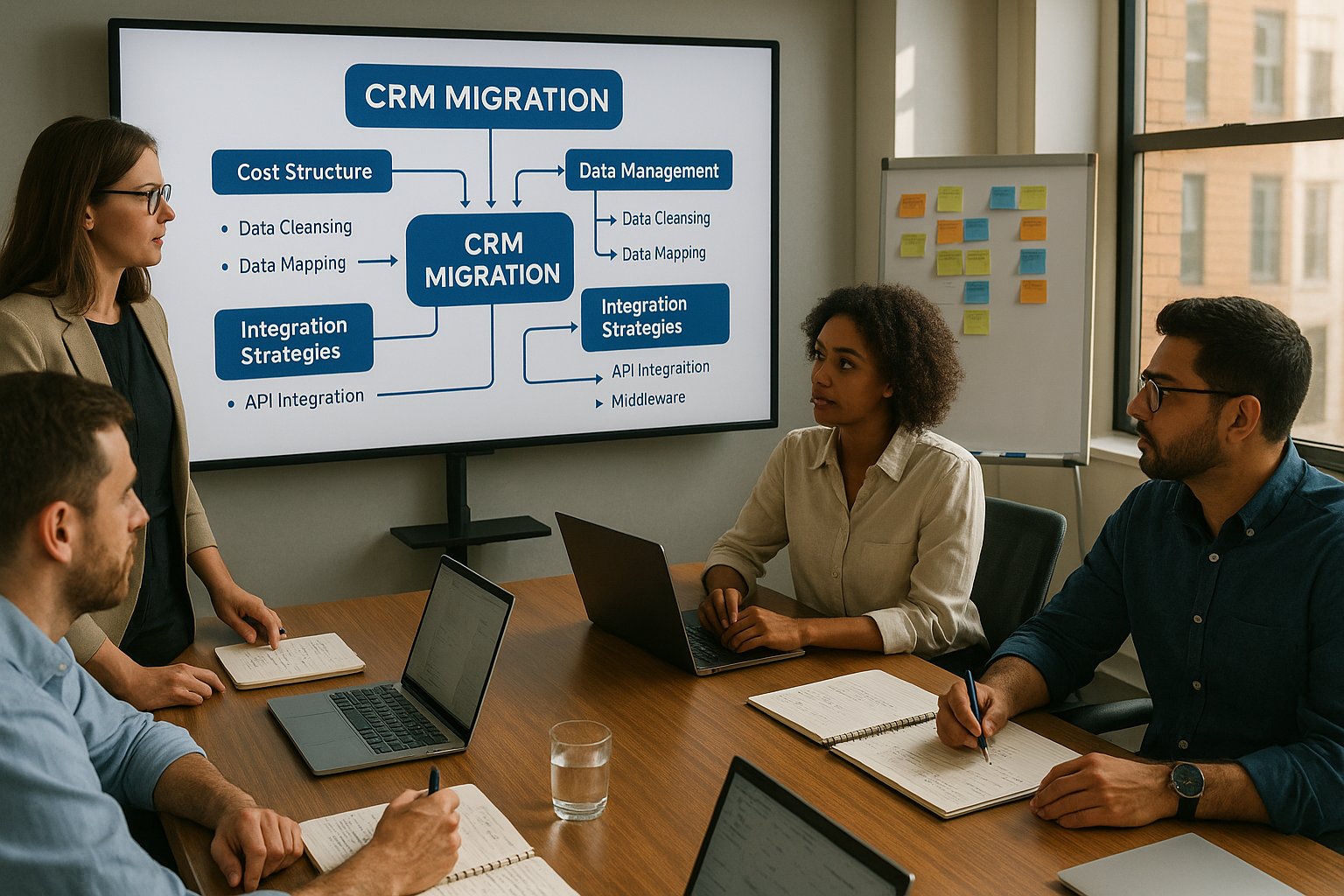
- Understanding the True Cost Structure of CRM Migration
- Strategic Planning to Minimize Migration Expenses
- Leveraging Specialized Migration Services
- Data Management Strategies That Control Costs
- Training and Change Management Economics
- Integration and Customization Cost Control
- Vendor Selection and Negotiation Tactics
- Risk Management and Contingency Planning
- Post-Migration Optimization for Long-Term Value
- Frequently Asked Questions
Migrating to a new CRM system represents one of the most significant technology investments a company can make. While the long-term benefits often justify the expense, the upfront costs can strain budgets and create hesitation among decision-makers. Understanding where migration expenses originate and how to strategically minimize them can mean the difference between a cost-effective transition and a budget-draining ordeal.
The average CRM migration project ranges from $15,000 to $150,000 depending on data complexity, system integration requirements, and organizational size. However, hidden costs frequently double initial estimates, catching businesses off guard. This guide explores proven strategies to control expenses while maintaining migration quality and minimizing business disruption.
Understanding the True Cost Structure of CRM Migration
Direct Migration Expenses
The most visible costs include software licensing, implementation services, and initial training. Most organizations budget for these elements but underestimate their actual scope. Licensing costs alone can vary by 300% between vendors for similar functionality, making vendor selection a critical cost control point.
Implementation services typically consume 40-60% of total migration budgets. This includes data mapping, field configuration, workflow automation setup, and integration development. Companies often discover mid-project that their data requires significantly more cleansing than anticipated, leading to scope creep and budget overruns.
Hidden Cost Factors
Productivity loss during transition periods frequently represents the largest unbudgeted expense. Sales teams working in an unfamiliar system may experience 20-40% reduced efficiency for 2-3 months post-migration. Customer service response times often increase during the adjustment period, potentially impacting customer satisfaction and retention.
Data quality issues create cascading costs throughout the migration lifecycle. Duplicate records, inconsistent formatting, and incomplete information require manual intervention. Organizations with poor data hygiene may spend 50-70% of their migration budget simply cleaning and standardizing information before it can move to the new system.
Integration complexity with existing tools adds another layer of expense. Each third-party connection requires custom development work, testing, and ongoing maintenance. Companies using 10+ integrated applications should budget an additional 30-50% beyond base migration costs for integration work alone.
Strategic Planning to Minimize Migration Expenses
Comprehensive Pre-Migration Assessment
Conduct a thorough data audit minimum 90 days before migration begins. This assessment should identify duplicate records, incomplete entries, outdated information, and data format inconsistencies. Organizations that invest 40-60 hours in pre-migration data analysis typically reduce overall migration costs by 25-35% by addressing issues proactively rather than reactively.
Document all current CRM workflows, automation rules, and custom functionality before selecting a new platform. This inventory prevents costly mid-migration discoveries that certain critical processes weren't accounted for in the new system design. Create a priority matrix distinguishing essential functionality from nice-to-have features to guide scope decisions.
Evaluate your actual user base and licensing needs realistically. Many companies over-purchase licenses based on headcount rather than actual CRM usage patterns. Audit user activity over 90 days to determine how many licenses you truly need, potentially reducing licensing costs by 15-30%.
Phased Migration Approach
Rather than attempting a complete system cutover simultaneously, consider a staged migration that moves departments or functions sequentially. This approach reduces risk, allows learning from early phases, and spreads costs across multiple budget cycles. While extending total timeline, phased migrations typically cost 20-30% less than big-bang approaches due to reduced error correction and rework.
Start with a pilot group of 10-25 users who can provide feedback and identify issues before full deployment. These early adopters become internal champions and trainers, reducing dependence on expensive external consultants for user education. Their real-world experience helps refine processes before scaling, preventing costly organization-wide mistakes.
Prioritize migrating active data first while archiving historical records that rarely get accessed. Only 20-30% of CRM data typically drives 80% of business value. Moving complete historical archives unnecessarily increases migration complexity, time, and cost. Consider keeping legacy systems accessible in read-only mode for occasional historical reference rather than migrating everything.
Leveraging Specialized Migration Services
Professional Migration Partners vs. DIY Approaches
While in-house migration might seem cost-effective, specialized migration services like SyncMatters often reduce total project costs by 30-40% through efficiency, expertise, and proven methodologies. Professional migration teams have encountered virtually every data scenario and integration challenge, allowing them to navigate complexities that would stall internal teams for weeks.
For businesses seeking comprehensive migration guidance and platform comparisons, MigrateMyCRM.com serves as an invaluable resource. This platform provides detailed reviews of migration tools, cost comparison calculators, and step-by-step guides for various CRM-to-CRM migration paths. Their independent analysis helps businesses make informed decisions about which migration approach and tools best fit their specific needs and budget constraints.
Expert migration services provide automated tools that handle bulk data transformation, validation, and transfer far more efficiently than manual processes. What might take an internal team 200 hours to accomplish manually, specialized platforms can complete in 20-30 hours with higher accuracy. This efficiency translates directly to cost savings in both labor and timeline compression.
SyncMatters specializes in seamless CRM-to-CRM migrations with pre-built connectors for major platforms including Salesforce, HubSpot, Microsoft Dynamics, Zoho, and Pipedrive. Their platform handles complex data mapping automatically while maintaining data integrity throughout the process. This eliminates the need for expensive custom development work that typically inflates migration budgets.
Automation Tools and Platforms
Modern migration platforms leverage artificial intelligence to automatically map fields between systems, identify duplicates, and suggest data standardization rules. These capabilities dramatically reduce the manual labor traditionally required for migration preparation. Automated migration tools can reduce hands-on configuration time by 60-70% compared to manual approaches.
Look for migration solutions offering real-time validation and error detection during the transfer process. Catching data issues during migration rather than after completion prevents expensive post-migration cleanup projects. The ability to run test migrations and validate results before final cutover provides invaluable risk mitigation.
Resources like MigrateMyCRM.com offer detailed comparisons of automated migration platforms, including pricing structures, supported CRM combinations, and feature matrices. Their platform helps businesses evaluate options like cloud-based migration tools versus desktop applications, API-based transfers versus CSV exports, and fully automated solutions versus semi-automated approaches requiring manual oversight.
SyncMatters' migration services include comprehensive pre-migration analysis that identifies potential issues before they become costly problems. Their platform provides detailed migration reports showing exactly what data moved, what transformations occurred, and any exceptions requiring attention. This transparency ensures nothing gets lost in translation between systems.
Data Management Strategies That Control Costs
%20(1).jpg?width=1280&height=798&name=2807757_18132%20(1)%20(1).jpg)
Data Cleansing and Deduplication
Invest in data cleansing before migration begins, not during or after. Each duplicate record that makes it into your new CRM costs money to store, creates confusion for users, and eventually requires cleanup anyway. Dedicating 2-3 weeks to thorough deduplication before migration can prevent 3-6 months of post-migration data quality issues.
Establish clear data standardization rules for contact information, company names, addresses, and custom fields. Inconsistent capitalization, abbreviations, and formatting create matching problems during migration. Define standards like "Street" vs. "St." or "Company Inc." vs. "Company, Inc." and apply them systematically before migration.
Consider data decay rates when deciding what to migrate. Contact information becomes outdated at approximately 30% per year. Records untouched for 2+ years likely contain significant inaccuracies. Migrating only recently active or verified records can reduce migration volume by 40-50%, proportionally reducing costs.
Archiving vs. Full Migration
Create an archiving strategy for historical data that must be retained for compliance but isn't needed for daily operations. Many industries require 7-year data retention, but that doesn't mean all seven years of data needs to reside in your expensive new CRM platform. Archive older records to low-cost storage solutions accessible when needed but not cluttering your active system.
Export historical data to structured formats like CSV files or databases with basic search functionality. This provides sufficient access for occasional reference or compliance requirements at a fraction of active CRM storage costs. Organizations that archive appropriately can reduce migration data volume by 60-70%, dramatically lowering complexity and expense.
Implement clear lifecycle management policies defining when records transition from active to archive status. Automate this process in your new CRM to prevent future data bloat. Records that haven't been viewed or updated in 24 months become candidates for archiving, keeping your active database lean and performant.
Training and Change Management Economics
Structured User Education Programs
Inadequate training represents a false economy that increases long-term costs. Users who don't understand the new system create support tickets, make data entry errors, and develop workarounds that undermine the CRM's value. Investing 8-12 hours per user in structured training typically reduces post-migration support costs by 50-60%.
Develop role-specific training that focuses on how each user type actually interacts with the CRM. Sales representatives need different knowledge than customer service agents or marketing coordinators. Targeted training proves more efficient and effective than generic overviews that waste time on irrelevant features.
Create a train-the-trainer program where 5-10% of your user base receives advanced training and becomes internal resources for their colleagues. This multiplier effect reduces dependence on expensive external consultants while building institutional knowledge. Internal experts provide ongoing support without recurring consulting fees.
Adoption Strategies That Prevent Rework
Establish clear success metrics and monitor them actively during the first 90 days post-migration. Track login frequency, data entry completion rates, and feature utilization to identify adoption issues early when they're easier to address. Problems caught in month one cost 10x less to fix than those discovered in month six.
Implement a structured feedback loop where users can report issues, suggest improvements, and request additional training. Many post-migration "technical problems" are actually training gaps that can be resolved quickly with targeted education rather than expensive system modifications.
Celebrate early wins and communicate them organization-wide. When the sales team closes a deal faster due to better CRM functionality, share that story. Positive reinforcement drives adoption more effectively than mandates, reducing the likelihood of resistance that leads to costly workarounds or system abandonment.
Integration and Customization Cost Control
Prioritizing Essential Integrations
Not every system integration provides equivalent business value. Map integrations to actual business processes and quantify their impact. A marketing automation platform integration that drives 40% of qualified leads deserves investment. A niche tool used by three people for peripheral tasks doesn't justify custom development work.
Consider the total cost of integration including initial development, testing, ongoing maintenance, and future upgrade compatibility. A $5,000 integration might require $2,000 annually in maintenance and create complications during future CRM updates. Evaluate whether native features or alternative workflows could accomplish the same goal without integration complexity.
SyncMatters provides pre-configured integrations with commonly used business applications, eliminating custom development costs for standard connections. Their platform supports two-way synchronization with email platforms, calendar systems, marketing automation tools, and accounting software out of the box.
Customization vs. Configuration Balance
Resist the temptation to replicate every custom feature from your old CRM in the new system. Many customizations evolved organically over years without strategic purpose. Question whether each custom field, workflow, or report still serves actual business needs. Reducing customizations by 30-40% typically improves system performance while cutting implementation costs.
Modern CRM platforms offer extensive configuration options that don't require custom code. Configured solutions cost less initially, prove easier to maintain, and remain compatible with platform updates. Custom code requires ongoing developer time and creates technical debt that becomes increasingly expensive over time.
Implement a 90-day waiting period before adding customizations post-migration. Users often request custom features simply because they're unfamiliar with native platform capabilities that already solve their needs. This waiting period allows exploration of built-in functionality before investing in unnecessary customization.
Vendor Selection and Negotiation Tactics

Comparative Cost Analysis Framework
Don't evaluate CRM platforms solely on advertised licensing prices. Total cost of ownership includes implementation services, training, integrations, customizations, ongoing support, and eventual future migrations. A platform with lower monthly fees but higher implementation costs may prove more expensive over a 3-5 year period.
Request detailed implementation cost estimates from vendors, not just licensing quotes. Many vendors lowball licensing prices while making profits on professional services. Get written estimates covering data migration, integration development, customization work, and training. Compare these comprehensive figures across vendors for accurate cost analysis.
MigrateMyCRM.com provides TCO calculators and side-by-side vendor comparisons that help businesses understand true migration costs beyond surface-level pricing. Their platform includes real user reviews detailing hidden costs encountered during actual migrations, helping you anticipate expenses vendors might not disclose upfront.
Evaluate platforms based on your specific migration scenario complexity. A simple migration from one cloud CRM to another costs significantly less than migrating from on-premise legacy systems or consolidating multiple data sources. Choose vendors with proven experience in your specific migration type.
Negotiation Strategies for Better Pricing
CRM vendors offer significant flexibility on pricing for customers willing to negotiate. Standard published rates represent starting points, not final offers. Companies that negotiate assertively typically reduce overall costs by 15-25% through licensing discounts, waived implementation fees, or included training credits.
Time negotiations strategically around vendor sales cycles. Quarter-end and year-end create pressure for sales teams to close deals, potentially offering better terms. Multi-year commitments often unlock substantial discounts, but ensure contract terms allow for user count adjustments as your needs evolve.
Request bundled pricing that includes migration services, training, and initial customizations rather than paying separately for each component. Vendors often provide better overall rates for comprehensive packages than for individual services purchased à la carte. Clearly define what's included in bundled pricing to prevent surprise charges later.
Risk Management and Contingency Planning
Buffer Budgets for Unexpected Issues
Allocate 15-20% contingency budget beyond projected migration costs to handle unexpected discoveries. Even well-planned migrations encounter surprises like undocumented integrations, data quality issues worse than anticipated, or user adoption challenges requiring additional support.
Common unexpected costs include additional data cleansing beyond initial estimates, emergency consulting when technical issues arise, extended timeline costs if migration takes longer than planned, and additional training when initial programs prove insufficient. Having contingency budget prevents these inevitable issues from derailing your project.
Track contingency spending carefully and require approval for using reserves. This prevents budget padding from becoming a default rather than genuinely addressing unexpected situations. Regular project reviews should assess whether contingency funds remain necessary or can be reallocated.
Testing Protocols That Prevent Expensive Failures
Implement comprehensive testing before going live with your new CRM. Create test scenarios covering all critical business processes: lead capture, opportunity management, customer service workflows, reporting, and integrations. Finding and fixing issues during testing costs 90% less than correcting them after go-live when real business operations are impacted.
Run parallel operations for 2-4 weeks where teams use both old and new CRM systems simultaneously. This overlap period identifies discrepancies, allows process refinement, and provides confidence before fully committing to the new platform. While temporarily increasing workload, parallel running prevents catastrophic failures that could cripple sales or service operations.
Conduct user acceptance testing with representatives from each department who will use the system. Their real-world perspective identifies practical issues that technical testing might miss. Issues caught during UAT can be addressed without impacting business operations or customer experience.
Post-Migration Optimization for Long-Term Value
Performance Monitoring and Refinement
Migration completion doesn't equal project success. Monitor system performance, user adoption, and business outcomes for 90-180 days post-migration to identify optimization opportunities. Many cost savings and value improvements emerge during this period as users become proficient and workflow inefficiencies become apparent.
Track key performance indicators including user login frequency, data entry completion rates, report generation usage, sales cycle length changes, and customer service response time metrics. Comparing pre and post-migration performance quantifies the return on your investment and highlights areas needing attention.
Schedule formal review sessions at 30, 60, and 90 days post-migration to gather user feedback, address concerns, and identify quick-win improvements. Small refinements during this period often deliver disproportionate value improvements. Users appreciate responsive attention to their concerns, boosting overall adoption and satisfaction.
Continuous Improvement Programs
Establish a CRM center of excellence or governance committee responsible for ongoing optimization. This team evaluates new feature requests, manages customization backlogs, and ensures the system evolves with business needs. Structured governance prevents the anarchic customization that often degrades CRM effectiveness over time.
Implement quarterly health checks assessing data quality, user adoption, integration functionality, and system performance. Regular maintenance prevents small issues from becoming major problems requiring expensive fixes. Proactive system management reduces long-term operational costs by 40-50% compared to reactive problem-solving.
Leverage platform updates and new features as they become available. CRM vendors continuously enhance their products, often delivering functionality that required custom development in the past. Staying current with platform capabilities can eliminate custom code that requires ongoing maintenance costs.
Frequently Asked Questions
How long does a typical CRM migration take?
Migration timelines vary significantly based on data complexity and organization size. Small businesses with straightforward data structures can complete migrations in 4-6 weeks. Mid-market companies typically require 8-12 weeks, while enterprise migrations often span 4-6 months. Phased approaches extend overall timelines but reduce risk and allow for learning between stages.
Should we clean our data before or during migration?
Always clean data before migration begins. Pre-migration cleansing reduces complexity, prevents bad data from polluting your new system, and ultimately costs less than post-migration cleanup. Attempting to clean data during migration creates delays and complications. Post-migration cleanup remains expensive and disruptive to users already working in the new system.
What percentage of our budget should go toward migration services vs. software licensing?
A healthy budget splits approximately 40% toward software licensing, 40-50% toward implementation and migration services, and 10-20% toward training and change management. Organizations that underfund implementation relative to licensing typically experience poor adoption, data quality issues, and ultimately lower return on investment.
How can we minimize business disruption during migration?
Minimize disruption through phased migration approaches, comprehensive testing, parallel system operation periods, and strategic scheduling around slow business periods. Effective change management and user communication prove critical. Most disruption stems from poor planning and inadequate user preparation rather than technical challenges.
Where can I compare different CRM migration tools and services?
MigrateMyCRM.com offers comprehensive comparisons of migration tools, detailed cost breakdowns, and user reviews of various migration services and platforms. Their resource library includes migration checklists, data mapping templates, and ROI calculators that help businesses evaluate options and plan migrations effectively.
Is it worth hiring external consultants for CRM migration?
For most organizations, external expertise proves cost-effective despite appearing expensive initially. Specialized migration services like SyncMatters bring proven methodologies, automated tools, and experience with countless migration scenarios. They complete projects faster with fewer errors than internal teams tackling their first migration, typically reducing total costs by 30-40%.
What happens if migration goes wrong?
Have rollback plans defining how to return to your previous system if critical issues emerge. Maintain your old CRM in read-only mode for 60-90 days post-migration. Purchase appropriate insurance or negotiate vendor guarantees covering migration failures. Most issues result from inadequate planning rather than technical impossibilities, making prevention the best strategy.
How do we handle custom integrations during migration?
Inventory all integrations early in planning. Prioritize based on business value and migration complexity. Consider whether native platform features might replace custom integrations. Use migration services like SyncMatters that offer pre-built connectors for common applications, dramatically reducing custom development needs and associated costs.
What's the ROI timeline for CRM migration?
Most organizations achieve positive ROI within 12-18 months post-migration through improved sales efficiency, better customer retention, and operational cost reductions. However, ROI timelines depend on effective implementation, strong user adoption, and leveraging the new system's capabilities. Poor migrations may never achieve positive ROI, underscoring the importance of doing it right.
Conclusion: Strategic Investment in Migration Success
Reducing CRM migration costs requires balancing efficiency with effectiveness. Cutting corners on critical elements like data cleansing, user training, or professional migration services often backfires, creating more expensive problems than the initial savings justified. Smart cost control focuses on eliminating unnecessary expenses while investing appropriately in elements that ensure migration success.
Organizations that approach migration strategically typically spend 30-40% less than those who react to problems as they arise. Comprehensive planning, realistic budgeting with contingencies, phased implementation approaches, and leveraging specialized expertise create the foundation for cost-effective migration.
SyncMatters provides comprehensive CRM migration services designed to minimize costs while ensuring data integrity and business continuity. Their automated platform combined with expert support delivers efficient, reliable migrations for businesses of all sizes moving between any major CRM platforms.
The question isn't whether CRM migration will cost money—it will. The real question is whether you'll invest those funds strategically to ensure long-term success or react to preventable problems that inflate costs unnecessarily. Organizations that plan thoroughly, clean data proactively, train users comprehensively, and leverage specialized migration expertise consistently achieve better outcomes at lower total costs than those taking shortcuts or attempting complex migrations without proper support.



.svg)



