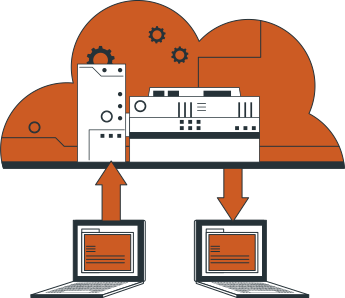









Data Migration
Migrate from Pipedrive to HubSpot
Get your data from point A to point B with our secure and efficient Pipedrive to HubSpot data migration product and services. Our expert team ensures your data transition is meticulously planned and executed, focusing on minimizing downtime and safeguarding your valuable information.
Trust us to expertly navigate the complexities of data migration, ensuring a strategic approach to propel your business forward.
Migration Options
Choose Your CRM Migration Path
We offer three migration paths that ensure a smooth and efficient migration from Pipedrive to HubSpot. Whether you prefer a hands-on approach or comprehensive, expert-guided migration support, we have an option that perfectly fits your needs.
Objects
Object Mapping for Migrating
from Pipedrive to HubSpot
Common Challenges in Object Mapping
Migrating from Pipedrive to HubSpot is a multi-layered process that comes with several challenges, such as object mapping. Keep in mind the following potential issues you may face in the CRM migration process:
- Duplicate records—merging several objects referring to the same company/deal/person can result in repeated entries
- Unmatched fields—Pipedrive’s fields differ from HubSpot’s strict data model
- Broken relationships—incorrect mapping may cause the loss of relationships between objects
- Data type inconsistency—the same data can be stored in different formats in Pipedrive and HubSpot
- Ownership issues—each object is assigned to specific users; however, these assignments don’t always transfer properly from Pipedrive CRM during migration.
Best Practices for Smooth Mapping
To ensure a smooth Pipedrive to HubSpot migration, follow best practices from seasoned migration experts:
- Run a pre-migration audit—before starting a full-scale data transfer, make sure to check your database for duplicates, outdated records, and inconsistencies
- Define a field mapping strategy—document Pipedrive data carefully, paying special attention to custom objects
- Conduct test migration—validate your object mapping by running a test migration in a sandbox environment
- Check relationships and workflows—make sure all associated objects remain connected after migration.
Custom Mapping Solutions with SyncMatters
SyncMatters provides comprehensive Pipedrive to HubSpot migration services, including custom object mapping solutions. Hand over your migration journey to SyncMatters and get:
- Custom mapping for complex data models
- Detailed duplicate detection and data cleaning
- Tailored approach based on your business processes and pipelines
- Detailed testing and validation before launch.
Below are the commonly-supported objects for HubSpot and Salesforce.
If you need to migrate an object that you don't see listed below (or if you don't see objects listed), just send us a note using the chat or through hello@syncmatters.com. If it can be migrated, we'll take care of it.
Data Objects
We support a full range of HubSpot CRM records so
you can retain all your historical and operational data during the migration.
| Organizations | ➜ | Companies |
| Files | ➜ | Attachments |
| Activities (Calls) | ➜ | Calls |
| Comments | ➜ | Comments |
| People | ➜ | Contacts |
| Emails | ➜ | Emails |
| Leads | ➜ | Leads |
| Activities (Meetings) | ➜ | Meetings |
| Notes | ➜ | Notes |
| Deals | ➜ | Deals |
| Deal Products | ➜ | Deal Line Items |
| Pipelines | ➜ | Pipelines |
| Pipeline Stages | ➜ | Pipeline Stages |
| Products | ➜ | Products |
| Activities (Tasks, Deadlines, Emails, Lunches etc) | ➜ | Tasks |
| Users | ➜ | Users |
Prepare and Clean Your Data
Before starting the full-scale migration, take time to prepare your database within Pipedrive.
- Detect and clean duplicates—make sure each object exists in a single copy
- Delete legacy records—these are inactive entries or irrelevant data slowing down the migration process
- Align field formats—standardize formats and options to match HubSpot data structure
- Create a data backup—make a full export of your Pipedrive data before migration.
Map Pipedrive Fields to HubSpot
Defining Pipedrive fields and how each of them connects to HubSpot is another crucial step.
- Create a mapping plan—document all fields in Pipedrive and match them with their HubSpot equivalents
- Adjust custom fields—your new HubSpot environment may require custom properties to reflect your entries
- Check associations—make sure objects are linked properly
- Validate data types—verify that such record types as dropdowns, dates, and text fields in Pipedrive correspond in your HubSpot environment.
Test Migration in a Safe Environment
Before running a live migration, always test in a sandbox environment first.
- Migrate a data sample—transfer a set of test data to check mapping accuracy
- Check relationships—make sure the linked records remain connected in the HubSpot environment
- Validate field values—check whether your data is formatted correctly in HubSpot
- Fix mistakes and re-test—align mappings and field types before getting down to the full-scale migration.
Why Choose SyncMatters for
Your Pipedrive to HubSpot Migration?
Customized Migration Plans
To help you migrate Pipedrive to HubSpot, the SyncMatters migration experts will run a deep audit of your Pipedrive environment and create a tailored migration plan based on your workflows. We adjust our tools and processes to your specific data model, ensuring each object finds its place in the HubSpot environment.
Expert Support at Each Step
The SyncMatters team will guide and support you at each stage of the data migration process—from data cleaning to migration testing and final validation. If you want to migrate your CRM without setbacks and errors, collaboration with our migration experts is an optimal choice.
Data Accuracy and Security
Data is your most valuable asset. That’s why we always use multi-step validation to make sure each entity transfers to HubSpot intact, linked, and accurate. Your migration will be backed up at each stage and reviewed carefully after the migration is over.
Frequently Asked Questions
FAQ: Pipedrive to HubSpot Migration
How Do You Handle Complex Pipedrive to HubSpot Migration?
We run a detailed audit of your Pipedrive environment and create a tailored mapping plan for the HubSpot data model. Besides that, our experts always conduct migration in the sandbox environment first to catch all potential errors and fix them.
How Long Does a Pipedrive to HubSpot Migration Usually Take?
Usually, a Pipedrive to HubSpot migration takes between one and three weeks, depending on the amount of data and complexity of your setup.
Can I Migrate Pipedrive Reports and Dashboards to HubSpot?
Though Pipedrive reports and dashboards can’t be migrated to HubSpot directly, our migration experts can recreate them in the HubSpot environment using your metrics.
Do Your Pipedrive to HubSpot Migration Services Ensure Data Security?
Yes, all data transfers performed by the SyncMatters team are encrypted and comply with all the GDPR requirements. Besides, only authorized specialists have access to the data, ensuring each record arrives complete.
Testimonials
What our customers are saying
“Great service with even greater customer service”
“Couldn't be happier, the team over there are top-notch. Ease of use with consistent delivery of product. Time from start to implementation should be communicated on the front end to set expectations.“
Ryan McConville
- President Marketing & Advertising at Kargo
“Trustworthy, effective and straight talking”
“[SyncMatters] are the people I call when I look at an implementation issue and think 'how on Earth could that issue be resolved.' They've completed fabulous work for us and our clients. Highly recommend.“
John Kelleher
- Chief Executive at ESM Inbound
“Great experience for a migration which use to keep me up at night”
“A migration between CRMs is a very painful process, you want to make sure that your sales teams are not going to lose critical information in the process badly affecting their results. With [SyncMatters] I planned the migration myself and they were ready to help me when I couldn't figures some parts out myself.“
Alexandre Gaudelet
- CEO at Hospitality Firm
Sync
Looking for an integration instead?
Pipedrive to HubSpot Integration
For those looking to integrate HubSpot CRM with Salesforce, or require a Salesforce integration, our team is ready to assist. We ensure that your data from Pipedrive to HubSpot is seamlessly integrated.
Our integration platform facilitates seamless data migration and synchronization between HubSpot and Salesforce, enhancing your sales CRM capabilities.
What sets us apart?
SyncMatters vs Others
⭐️⭐️⭐️⭐️⭐️
Discover how we set the standard in data migration with our unique blend of
personalized service, innovative technology, and unparalleled expertise.
A Decade of Dedication
Your data migration ally
This isn't just a tool for us; it's a culmination of our collective experience, designed to make your data migration journey as smooth as possible. (Plus, we're damn proud of what we've built.)
Whether you're hands-on or prefer our expert support, we make your data migration seamless and stress-free.
And no matter your level of technical expertise, our platform's compatibility with both direct API connections and CSV/Excel files guarantees that you are in capable hands.
A Cut Above the Rest
User-Friendly & Powerful
Our platform is a testament to our belief that data migration deserves a dedicated, robust solution. We're proud to say that our platform is possibly the most powerful migration tool on the market.
But it's not just about power; it's about making your life easier:
- Easy data filtering
- Custom object & field creation
- Detailed field utilization analysis
- Intuitive mapping interface
We're more than a service provider; we're your partner in data migration.
Have some questions?
Whether you want to discuss pricing or review your specific use case, our team is standing by to help.