Disconnected systems leave teams reconciling spreadsheets, correcting duplicate records, and working with information that is already out of date. Choosing a data integration tool starts with understanding what needs to move, how often it needs to update, and which systems must stay aligned.
This guide compares 10 data integration tools to consider as you plan for 2027, covering CRM-focused integrations, application automation, API management, and enterprise data pipelines. Explore each platform’s key features, intended users, and pricing considerations to build a shortlist that fits your requirements.
Beyond the comparison, you’ll learn how data integration tools work and what to evaluate before committing to a platform, including connectivity, data mapping, transformation, security, and scalability. Whether you need to connect two CRM systems or coordinate data across a larger technology stack, use this guide to identify the capabilities your team needs and the trade-offs worth testing.
What Are Data Integration Tools?
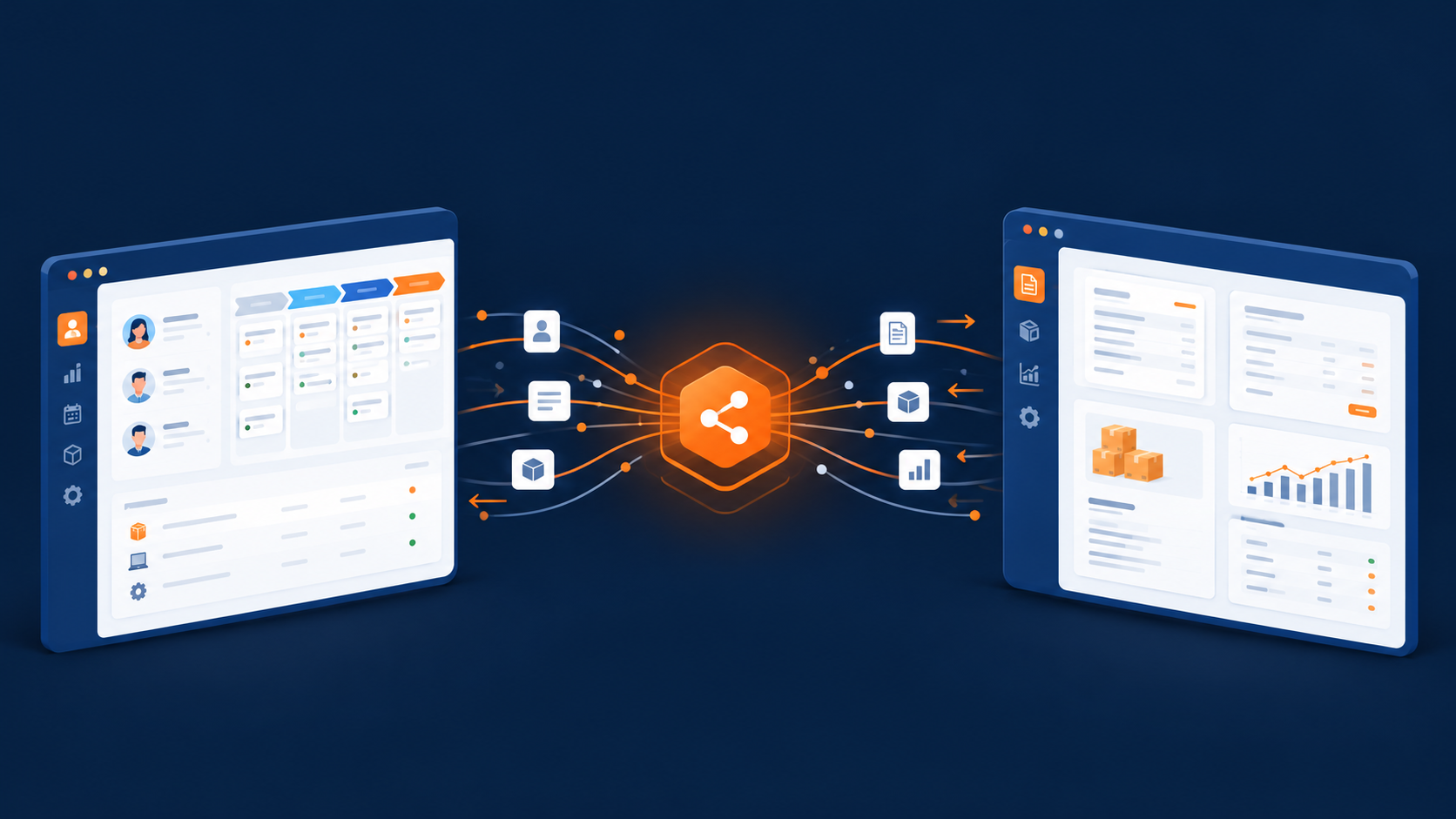
Data integration tools are software platforms designed to collect, standardize, and unify various data from multiple sources into a single, consistent view. These sources can include databases, cloud applications, APIs, data warehouses, and real-time data streams. By ensuring data flows smoothly between systems, these tools make it easier for teams to analyze information, generate insights, and power data-driven decisions.
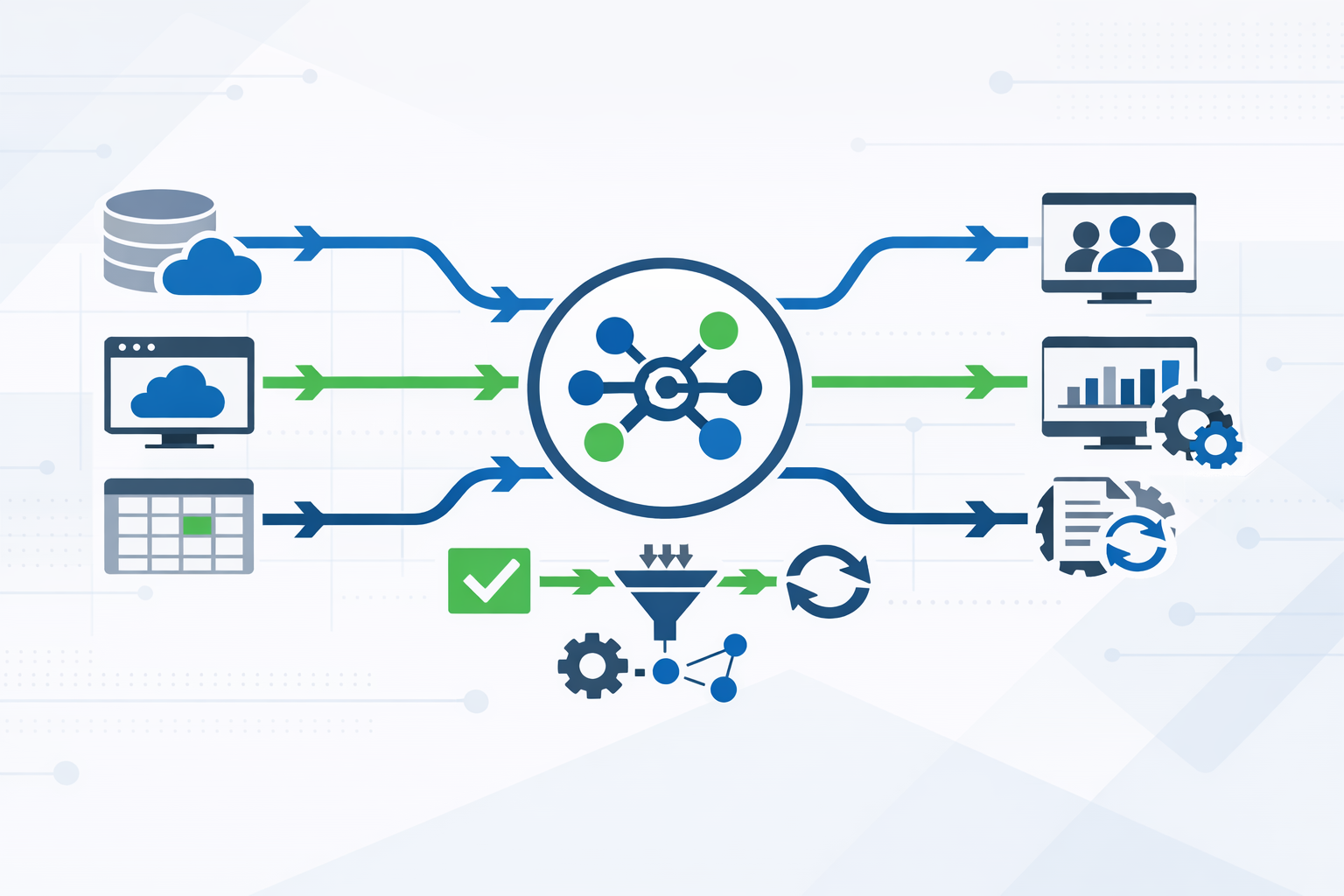
Today’s data integration tools go beyond basic data movement. They support different ways of preparing data, whether it’s processed before being stored or refined after it’s loaded into a central system. Modern platforms also handle both real-time and scheduled data flows and are built to work in cloud-native environments. Features such as automation, data quality checks, monitoring, and security enable organizations to maintain accurate and reliable data at scale. Overall, data integration tools play a crucial role in establishing a connected data ecosystem that facilitates analytics, reporting, and operational efficiency.

How Do Data Integration Tools Work?
Data integration tools are built to move data smoothly from one system to another while keeping it accurate, structured, and ready for use. Although each platform has its own features, most follow a similar process that turns scattered data into a unified, reliable resource. Modern solutions focus on automation, scalability, and ease of use, allowing teams to manage complex integrations without heavy technical effort. Below is a high-level look at how a typical data integration platform operates.
Data Extraction
The process starts with data extraction, where the tool uses prebuilt connectors to pull data from sources like databases, cloud apps, files, and APIs.
Data Preparation
Once collected, the data is cleaned and standardized to fix inconsistencies, remove duplicates, and ensure it’s usable across systems.
Data Mapping
Data mapping aligns fields from different sources with the correct structure in the destination, ensuring everything fits the target data model properly.
Data Loading
After mapping, the tool loads data into the destination system using batch jobs or real-time syncing, depending on business needs.
Monitoring and Validation
Built-in monitoring and validation help data integrity tools detect errors, track pipeline health, and confirm that data arrives complete and accurate.
Automation and Scaling
Automation allows the platform to run integrations continuously and scale as data volumes grow, with minimal manual intervention.
Benefits of Data Integration Tools
As customer records, transactions, and operational updates accumulate across CRM platforms, finance systems, and cloud applications, keeping information consistent becomes harder. Teams need more than access to data: they need records that match across systems, updates that arrive when they are needed, and clear rules for handling discrepancies.
These challenges reflect the five Vs of data: volume, variety, velocity, veracity, and value. Volume is the amount of data your systems must handle. Variety covers the different formats and structures involved, while velocity describes how quickly information is generated and needs to move. Veracity concerns its accuracy and reliability. Value is the practical benefit your team gains from using it, whether that means producing a dependable forecast or giving a service representative the context to resolve a customer issue.
A well-configured data integration tool helps address these challenges by connecting sources, standardizing fields, and automating data movement. For example, connecting a CRM with a billing system can make payment information available to customer-facing teams without requiring someone to copy it manually. The benefits depend on sound data mapping, appropriate update schedules, and ongoing validation. Integration alone does not make poor-quality data trustworthy, but it provides a foundation for more consistent reporting, less repetitive work, and better coordination across departments.
Request an integration estimate
Tell us which source and destination systems you’re using, your approximate record count, the data you need to migrate, your deadline, and any specific requirements. Share your business email, and our team will help you estimate the effort, timeline, and best migration approach. Not sure about all the details? No problem — we’ll help you figure out the rest.

Below, you’ll find the key benefits that integration solutions provide for modern businesses:
Enhanced Decision-Making
A robust data integration tool creates a Single Source of Truth (SSOT) by consolidating data from multiple systems, including CRM platforms, enterprise applications, and data warehouses. This ensures teams have access to accurate, up-to-date information, reducing errors caused by inconsistent or outdated data. By integrating data in real time, businesses can quickly analyze trends, identify opportunities, and make informed decisions. For example, marketing teams can leverage integrated customer insights to deliver personalized campaigns, while sales teams can prioritize leads based on real-time engagement metrics. Ultimately, these tools strengthen decision-making across departments and support long-term strategic planning.
Automated Business Processes
Integration solutions allow businesses to automate critical workflows and operational processes. From customer onboarding to inventory management, a data integration tool can move information seamlessly between systems, reducing the need for manual updates. Real-time data synchronization ensures that all relevant systems are aligned, meaning new entries or updates are immediately reflected across the organization. This automation saves time, minimizes human error, and enables employees to focus on higher-value tasks rather than repetitive administrative work.
Cost Reduction
Maintaining multiple disconnected data systems can be expensive, leading to inefficiencies, duplicated efforts, and higher operational costs. By using a data integrity tool to consolidate and integrate data, businesses reduce redundancy in storage, infrastructure, and labor. Fewer errors, faster reporting, and streamlined workflows also contribute to lower costs. Over time, integration solutions pay off with improved efficiency, prevented costly mistakes, and optimized resource allocation.
Improved Customer Service
A centralized data repository allows customer-facing teams to access complete and accurate information about clients, including transaction history, preferences, and previous interactions. This visibility empowers service representatives to respond to inquiries with context and empathy. By integrating data from multiple sources, businesses can personalize customer experiences, anticipate needs, and provide faster resolutions. Real-time data ensures that any updates to a customer’s profile—such as a new order or support ticket—are instantly available, enhancing the quality of service and fostering stronger customer relationships.
Better Compliance and Security
Data integration tools play a critical role in supporting compliance and security. Centralized data management makes it easier to adhere to regulations such as GDPR, ensuring sensitive information is tracked and protected. Integration solutions provide detailed audit logs, data lineage, and access controls, allowing organizations to monitor who accessed data and when. Encryption and role-based permissions further safeguard information stored in data warehouses or transmitted between systems. These features not only help maintain regulatory compliance but also strengthen trust with customers and partners.
Increased Agility and Collaboration
Finally, integrating data across systems enhances organizational agility. Teams gain quick access to the metrics and insights they need, allowing them to respond to market changes, identify trends, and seize opportunities faster. A unified data platform also encourages cross-departmental collaboration by making information available to stakeholders in real time. Whether it’s finance, marketing, or operations, employees can leverage shared data to make informed decisions, streamline processes, and coordinate initiatives more effectively.
Best Data Integration Tools in 2026
Here’s an overview and data integration tools list with powerful features and capabilities:
1. SyncMatters

SyncMatters is an integration platform as a service (iPaaS) built specifically to help businesses integrate and manage data across CRM systems. With strong roots in the CRM ecosystem, the platform focuses on reliable data movement, clean synchronization, and flexible customization. By supporting more than 45 CRM platforms, SyncMatters enables teams to connect systems, streamline workflows, and maintain accurate data across sales, marketing, and operations.

Who it’s for:
SyncMatters is ideal for CRM partners, agencies, SaaS providers, and B2B teams that need dependable CRM-to-CRM or CRM-to-app integrations. It’s especially well-suited for organizations handling complex data structures or recurring migrations.
Pricing:
- Standard: $300/month
- Professional: $500/month
- Enterprise: $700/month
Key Features:
- Native support for 45+ CRM platforms, including HubSpot, Salesforce, and Microsoft Dynamics.
- Automapping and custom object creation to reduce manual setup.
- Advanced data filtering and mapping for complex scenarios.
- Support for one-time migrations and ongoing synchronization.
Why Choose SyncMatters?
As the best data integration tool for CRM-focused workflows, SyncMatters combines ease of use with deep customization. It helps teams manage data efficiently, maintain consistency across systems, and scale integrations without unnecessary complexity.
2. Zapier

Zapier is a widely recognized automation and integration platform that helps teams connect applications and automate data flows between them without requiring coding skills. Unlike heavy-duty data integration platforms built for enterprise-scale transformation, Zapier excels at linking tools and triggering actions across apps based on user-defined workflows.
Who it’s for:
Zapier is ideal for small and medium teams, startups, and non-technical users who want to integrate data between everyday applications, such as CRMs, messaging tools, project boards, or spreadsheets, and automate data movement and repetitive tasks.
Pricing:
- Free: $0/month
- Professional: $19.99/month
- Team: $69/month
- Enterprise: Custom pricing
Key Features:
- Connects thousands of popular apps, enabling data movement across tools.
- No-code interface that makes workflow setup accessible.
- Extensive library of prebuilt automation templates.
- Multi-step automations to handle complex sequences of actions.
Why Choose Zapier?
Zapier remains one of the best data integration tools for teams that want to quickly automate repetitive tasks and move data between apps without deep technical investment. Its expansive app ecosystem and intuitive design help users reduce manual work, support growth, and focus on strategic priorities.
3. MuleSoft Anypoint Platform
MuleSoft Anypoint Platform is an enterprise-grade integration platform best known for its strong API management and large-scale integration capabilities. It is designed to help organizations connect applications, data sources, and systems across cloud, on-premises, and hybrid environments. As data volume and system complexity grow, MuleSoft provides the structure and control needed to manage integrations reliably.
Who it’s for:
MuleSoft is built for large enterprises and complex organizations that require robust, scalable integration and advanced API lifecycle management.
Pricing:
- Anypoint Platform Starter: Custom pricing
- Anypoint Platform Advanced: Custom pricing
- Enterprise: Custom pricing
Key Features:
- Advanced API design, deployment, and management tools.
- Support for cloud, on-premises, and hybrid integration scenarios.
- High scalability and security for large data volume workloads.
- Extensive library of connectors and integration templates.
Why Choose MuleSoft Anypoint Platform?
MuleSoft is often considered one of the best data integration tools for enterprises with complex integration needs. Its powerful API-led integration approach makes it a strong choice for organizations that prioritize scalability, security, and a long-term integration strategy.
4. Informatica Cloud Data Integration

Informatica Cloud Data Integration is a mature, enterprise-grade platform designed to connect cloud and on-premises systems at scale. It is known for handling complex data environments, supporting advanced transformations, and maintaining strong performance as organizations grow. The platform fits well into modern data architectures where reliability, governance, and scalability are critical.
Who it’s for:
Informatica is best suited for mid-sized to large enterprises with complex data landscapes, especially those managing hybrid or multi-cloud environments and high data complexity.
Pricing:
- Cloud Data Integration: Custom pricing
- Advanced/Enterprise Plans: Custom pricing
Key Features:
- Cloud-native architecture built for high availability and scalability.
- Broad range of connectors for databases, applications, and cloud platforms.
- Advanced data transformation and orchestration capabilities.
- Support for batch and real-time data integration.
- Enterprise-grade security and governance controls.
Why Choose Informatica Cloud Data Integration?
Informatica is a strong choice for organizations that need a reliable and structured integration process across diverse systems. Its depth of features and scalability make it a dependable solution for large-scale, long-term data integration initiatives.
5. Boomi
Boomi is a flexible and user-friendly integration platform designed to help organizations connect applications, synchronize data, and streamline workflows efficiently. Its visual interface allows teams to create integrations quickly, making it easier to manage complex systems and support modern data engineering needs.
Who it’s for:
Boomi is ideal for mid-sized to large businesses, IT teams, and integration specialists looking for a scalable platform that supports cloud, on-premises, and hybrid environments. It suits teams needing fast deployment and minimal coding effort.
Pricing:
- Free trial: $0 for 30 days
- Pay-as-you-go: $99/month
- Professional, Pro Plus, Enterprise: Custom pricing
Key Features:
- Drag-and-drop visual interface for simple integration setup.
- Extensive library of connectors for multiple apps and data sources.
- Real-time data synchronization and workflow automation.
- Support for cloud, on-premises, and hybrid deployments.
Why Choose Boomi?
Boomi is recognized as one of the top 10 data integration tools for organizations seeking flexibility and efficiency. Its ease of use, combined with advanced automation capabilities, ensures seamless integration solutions and reliable management of business-critical data.
6. Jitterbit

Jitterbit is an integration platform that combines API creation, connectivity, and data movement in one place. It is designed to help businesses connect systems, automate processes, and keep data flowing smoothly between applications, making it easier to support complex environments without heavy development overhead.
Who it’s for:
Jitterbit is well-suited for mid-sized and enterprise organizations that need to streamline integration workflows across multiple systems, unify data processes, and manage APIs from a single interface.
Pricing:
- Starter: Custom pricing
- Professional: Custom pricing
- Enterprise: Custom pricing
Key Features:
- Unified platform for API integration and management.
- User-friendly design tools and pre-built templates to speed setup.
- Real-time integration and data synchronization across systems.
- Broad support for enterprise applications and data sources.
Why Choose Jitterbit?
Jitterbit is a solid choice for teams that want an all‑in‑one platform to handle both integrations and API management. Its intuitive interface and strong connectivity options make complex integrations more attainable, while real‑time synchronization helps ensure data stays accurate and consistent across environments.
7. Workato

Workato is an integration and automation platform that helps organizations connect applications, automate business processes, and orchestrate workflows across systems using both low‑code and no‑code methods. Its strength lies in enabling teams to automate repetitive tasks and streamline connections between tools, making internal processes more efficient without heavy development overhead.
Who it’s for:
Workato is ideal for mid‑sized to large organizations that want to improve productivity by automating workstreams and supporting complex integrations across departments. It works well for teams that need flexibility in both simple and advanced automation scenarios.
Pricing:
- Premium: $99/month
- Professional: $499/month
- Enterprise: $1,999/month
Key Features:
- Low‑code/no‑code environment with extensive pre‑built connectors.
- Intelligent automation and workflow orchestration.
- Capable of handling complex integrations and data flows.
- Scalable platform with enterprise‑grade security.
Why Choose Workato?
Workato stands out among tools for data integration that also emphasize automation and usability. Its mix of flexibility and advanced workflow capabilities helps teams reduce manual work, boost efficiency, and maintain consistent, reliable automation across systems.
8. Tray.ai
Tray.ai is a modern integration and automation platform designed to help organizations connect applications, synchronize data, and streamline complex workflows. With a visual workflow builder and extensive connectors, it supports both technical and non-technical users in orchestrating integrations efficiently and reliably.
Who it’s for:
Tray.ai is ideal for mid-sized and enterprise organizations, IT teams, and technical operations groups that need advanced, scalable automation and flexible integration capabilities across multiple systems.
Pricing:
All plans: Custom pricing (contact Tray.ai for a quote)
Key Features:
- Drag-and-drop visual workflow builder for integrations and automation.
- Broad library of connectors for cloud and enterprise applications.
- Real-time data synchronization and workflow automation.
- Scalable platform with governance and security controls.
Why Choose Tray.ai?
Tray.ai provides a flexible, powerful platform for managing integrations and automating processes. It is recognized for helping teams optimize integration workflows and handling complex scenarios with ease. Its visual interface and automation capabilities make it a strong choice for organizations looking to scale operations while keeping data flowing reliably across systems.
9. SnapLogic
SnapLogic is a comprehensive data integration platform that combines application integration, cloud and data connectivity, and API management into a single, modern service. With AI‑assisted tools and a visual workflow environment, it helps teams connect systems, automate processes, and keep data unified across their organization.
Who it’s for:
SnapLogic is best suited for mid‑sized to large enterprises and IT organizations that need a scalable platform capable of handling complex integrations across cloud, on‑premises, and hybrid environments. Its capabilities support both technical teams and business users working with diverse systems.
Pricing:
- Enterprise: Custom pricing (contact SnapLogic for a quote)
Key Features:
- Unified support for application, data, and API integration.
- AI‑driven automation and workflow tools to speed integration setup.
- Large library of pre‑built connectors and templates.
- Real‑time data integration and synchronization with broad system support.
Why Choose SnapLogic?
SnapLogic is a strong choice for organizations that want a powerful and flexible platform capable of integrating multiple systems and automating business processes. Its AI‑enhanced features and enterprise scalability make it well‑suited for environments with large integration needs and evolving digital architectures.
10. Talend

Talend is a versatile data integration platform known for its open‑source roots and powerful cloud‑native capabilities. It provides tools for extracting, transforming, and loading data across systems, making it easier for organizations to consolidate information and build reliable data pipelines. Talend’s modular design and extensibility allow teams to handle a wide range of integration needs in modern data environments.
Who it’s for:
Talend is well-suited for data engineers, analytics teams, and IT organizations that work with large volumes of data and need flexible, scalable tools for processing and transforming information across systems. It’s particularly useful for businesses that want a mix of open‑source flexibility and enterprise‑grade functionality.
Pricing:
- Talend Open Studio: Free (open source)
- Data Fabric Platform: Custom pricing (contact Talend for a quote)
Key Features:
- Open‑source foundation with extensible ETL/ELT capabilities.
- Support for a wide range of integration scenarios, including batch and real‑time processing.
- Large library of connectors and components for databases and applications.
- Built‑in tools for data transformation, quality, and cleansing.
Why Choose Talend?
Talend stands out as a strong option for organizations seeking a robust and adaptable integration solution. Its open‑source ecosystem, combined with cloud‑ready features, makes it a compelling choice for teams that need both flexibility and enterprise‑level performance. Talend’s blend of tools supports diverse data workflows and helps companies keep data moving with confidence.
Summing Up: Comparing Data Integration Tools
Still hesitating about which data integration tools will bring the most value to your team? Check out the table below, summing up the core insights about each tool reviewed in the article:
|
Tool |
Who It’s For |
Pricing |
Key Strength |
|
SyncMatters |
CRM partners, agencies, SaaS teams |
|
CRM-focused integrations |
|
Zapier |
SMBs, non‑technical users |
|
Easy workflow automation |
|
MuleSoft Anypoint |
Large enterprises with complex needs |
Custom pricing |
Enterprise API + integration |
|
Informatica Cloud |
Mid‑large orgs, hybrid environments |
Custom pricing |
Scalable cloud & hybrid integration |
|
Boomi |
Mid ‑ enterprise IT teams |
|
Flexible automation |
|
Jitterbit |
Mid‑enterprise integration teams |
Custom pricing |
Unified API + integration |
|
Workato |
Mid‑enterprise ops & automation teams |
|
Low‑code & intelligent automation |
|
Tray.ai |
Mid‑enterprise ops & technical teams |
Custom pricing |
Flexible integration workflows |
|
SnapLogic |
Mid‑large enterprises |
Custom pricing |
AI‑assisted integration |
|
Talend |
Data engineers, analytics teams |
|
Open‑source + enterprise features |
Types of Data Integration Tools
In 2026, organizations have access to a variety of data integration platforms designed to meet different business needs and technical environments. Choosing the right type depends on your infrastructure, data volume, and the complexity of your data processing requirements. Here’s an overview of the main types:
On-Premise Tools
Installed within a company’s private network or data center, these tools provide full control over integrations and security. They are best for organizations with strict compliance requirements, though they come with higher costs for infrastructure and ongoing IT management.
Cloud-Based Tools
Cloud-native platforms allow integration of multiple data sources over the internet. They are scalable, cost-effective, and reduce the burden on internal IT teams, making them ideal for modern businesses handling large volumes of data.
Proprietary Tools
Enterprise-grade software built for specific organizational needs. While they offer advanced features and support, proprietary platforms can be expensive, making them more suitable for large companies.
Open-Source Tools
Platforms with publicly available source code are often free to use. Open-source tools provide flexibility and community-driven enhancements, allowing organizations to customize integrations without investing in costly licenses.
Each type of tool has unique strengths, and modern companies often combine approaches to optimize efficiency, security, and scalability in their data processing workflows.
Main Features to Consider in Data Integration Tools
When selecting a data integration platform in 2026, businesses should focus on features that improve efficiency, data accuracy, and scalability. Key considerations include:
Connectivity to Multiple Data Sources
A strong integration tool can connect seamlessly to cloud applications, on-premises databases, APIs, and other sources, ensuring all relevant data can be integrated efficiently.
Data Transformation Capabilities
The ability to transform data into a consistent format is essential for maintaining compatibility across systems, supporting accurate reporting, and simplifying analytics workflows.
Real-Time Integration
Continuous, real-time data flow ensures that systems have up-to-date information, which is critical for operations like inventory management, pricing adjustments, and customer engagement.
Data Quality and Governance
Built-in tools to detect and correct errors, validate data, and enforce rules maintain advanced data integrity and compliance with regulations.
ETL and ELT Support
Flexible extract-transform-load or extract-load-transform processes allow teams to optimize data preparation based on project requirements.
Robust Security Measures
Features such as encryption, access controls, and auditing protect sensitive data throughout the integration process.
User-Friendly Interface
An intuitive design enables both technical and non-technical users to manage integrations and participate in data-driven initiatives.
Analytics and Reporting Tools
Integrated reporting and analytics allow teams to generate insights directly from the platform, reducing the time between integration and actionable decisions.
High Performance and Scalability
Efficient processing and the ability to scale with growing data volumes ensure the platform can handle increased workloads without delays.
By prioritizing these features, organizations can select tools that not only connect systems but also enhance overall data management, accuracy, and operational efficiency.
How to Choose a Data Integration Tool?
When shortlisting, trialling, and selecting customer data integration tools, consider the following:
1. Identify the Problem
Start by determining the specific data integration issue you need to address. This helps clarify the features and functionality the tool must have.
2. Determine Users
Consider who will use the platform and how many licenses you'll need. Decide if it will be used by just the data team or the entire organization. This will help you prioritize ease of use for everyone or speed for technical users.
3. Check Compatibility
Identify which tools you're replacing, which ones will remain, and what needs to integrate with the new tool. This includes your current data infrastructure, various data sources, and your overall tech stack. Determine if you need to integrate multiple tools or if one consolidated tool can replace several others.
4. Focus on Outcomes
Think about the results the tool needs to achieve for success. Consider the capabilities you want to gain or improve and how you will measure success. Comparing tool features is important, but focusing on desired outcomes will save time.
5. Assess Organizational Fit
Evaluate how the tool will work within your organization’s workflows and delivery methods. Identify what's working well and what issues need addressing. Remember, each business is unique—don't assume a popular tool will necessarily be the right fit for your organization.
FAQ
Why Do Businesses Need Data Integration Tools?
Businesses need data integration tools to combine information from multiple sources and make it usable for analysis and decision-making.
What Problems Can Data Integration Tools Solve?
Data integration tools solve issues like scattered, inconsistent, or duplicate data and help ensure accurate, timely information across systems.


.svg)